How to fix
You’ll need a new app to open this ms-gamingoverlay error
on Windows
Resolve the 'You'll need a new app to open this ms-gamingoverlay' error on Windows 10 or 11 quickly and easily—expert-tested solutions included!

What causes How to fix You’ll need a new app to open this ms-gamingoverlay error in Windows?
- Game Bar is enabled
- Corrupted Windows apps
- Registry key binding issues
- Windows Store Cache problems
Repairs Windows system files, removes malware, and restores a clean OS state — without reinstalling.
Hello. When I run any game and press the Windows key + G I get an error message "You'll need a new app to open this ms-gamingoverlay." How do I fix this?
The “You’ll need a new app to open this ms-gaming overlay” error message is related to Windows Game Bar. It is an option introduced in Windows 10 which provides certain gaming features like video recording, taking screenshots, etc. Users report that the error appears when using the Windows Key + G key combination, which is the default shortcut that opens the Game Bar.
The issue can be fixed by disabling the game bar, reinstalling Windows apps, disabling key binding in the registry editor or resetting Windows Store Cache. In this guide, you will find 4 steps that could help you fix the "You'll need a new app to open this ms-gamingoverlay" error in Windows.
The issue could also be caused by system malfunctions, so you can run a maintenance tool like [d1] that can fix most system errors, BSODs,[ref en-1] corrupted files, and registry[ref en-2] issues. Besides, this powerful software can automatically delete cookies and cache which are often the culprits behind many malfunctions. Otherwise, follow the instructions below.
Method 1. Disable Game Bar
- Use the Windows key + I to open Settings
- Locate and open the Gaming sub-entry in the Settings app
- Navigate to the Game bar tab and check for the Record game clips, screenshots, and broadcast using Game bar
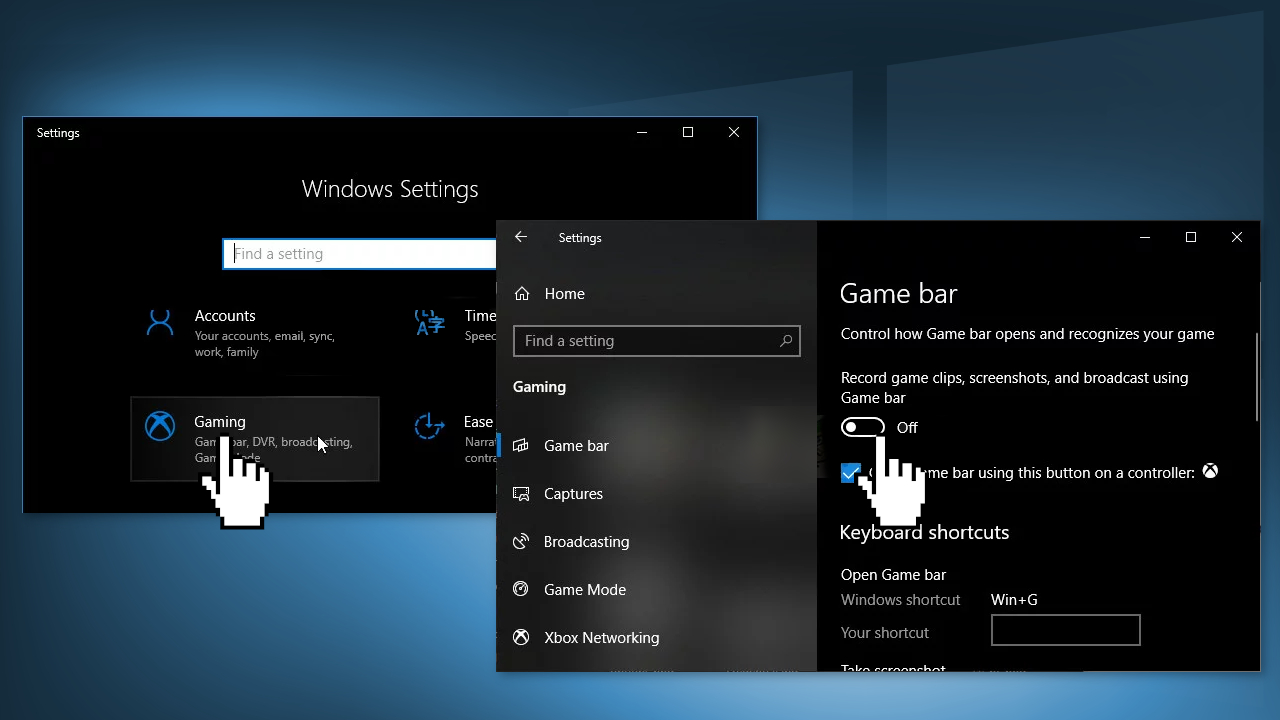
- Slide the slider underneath to Off and exit Settings
Method 2. Reinstall Windows Apps
- Navigate to the following location on your computer by opening the Windows Explorer and clicking on This PC:
C:\Users\YOURUSERNAME\AppData\Local\Packages
- If you are unable to see the AppData folder, click on the View tab and click on the Hidden items checkbox
- Delete all files and folders in the Packages folder
- Open the PowerShell utility by right-clicking the Start menu button and clicking the Windows PowerShell (Admin) option
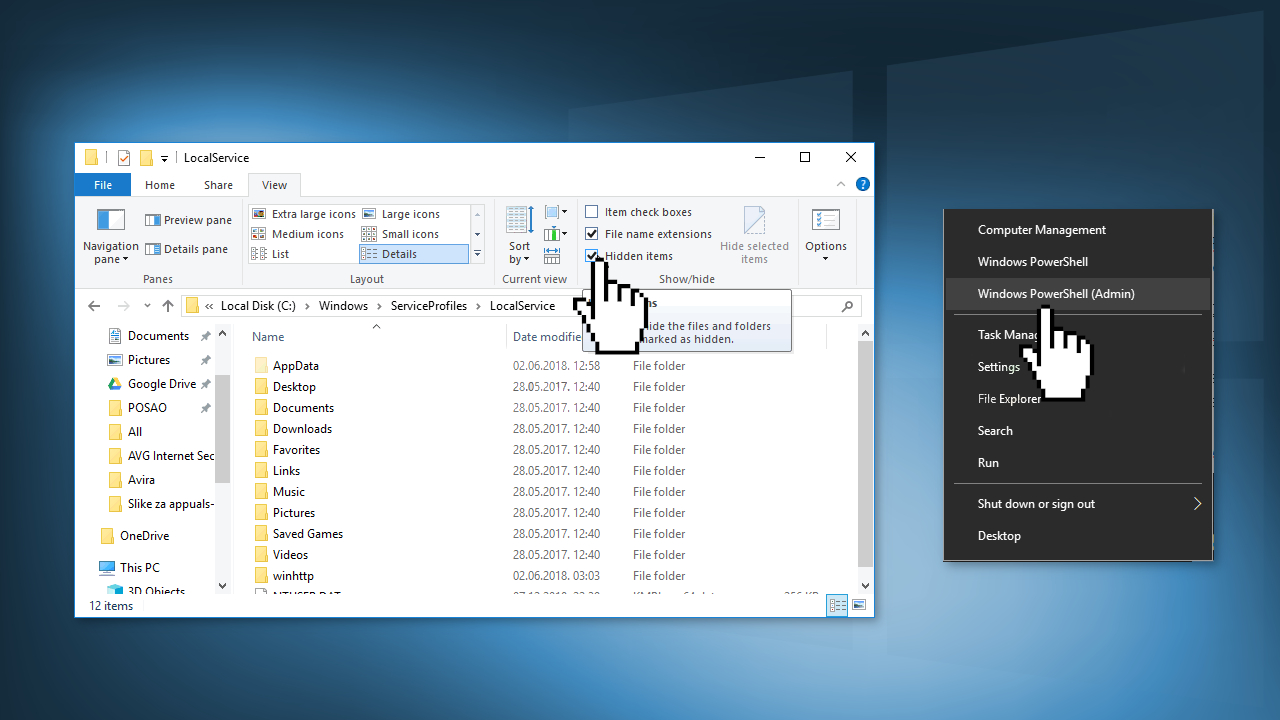
- Type in the following command and click Enter:
Get-AppXPackage -AllUsers | Foreach {Add-AppxPackage -DisableDevelopmentMode -Register “$($_.InstallLocation)\AppXManifest.xml”}
- When the process is done, check to see if the error message still appears
Method 3. Disable Key Binding
- Open the Registry Editor window by typing regedit in the search bar
- Navigate to the following key:
HKEY_CURRENT_USER\SOFTWARE\Microsoft\Windows\CurrentVersion\GameDVR
- Click on this key and try to locate an entry named AppCaptureEnabled
- If it’s not there, create a new DWORD Value entry called NoWinKeys by right-clicking at the right side of the window and choosing New >> DWORD (32-bit) Value. Right-click on it, and choose the Modify option from the context menu.
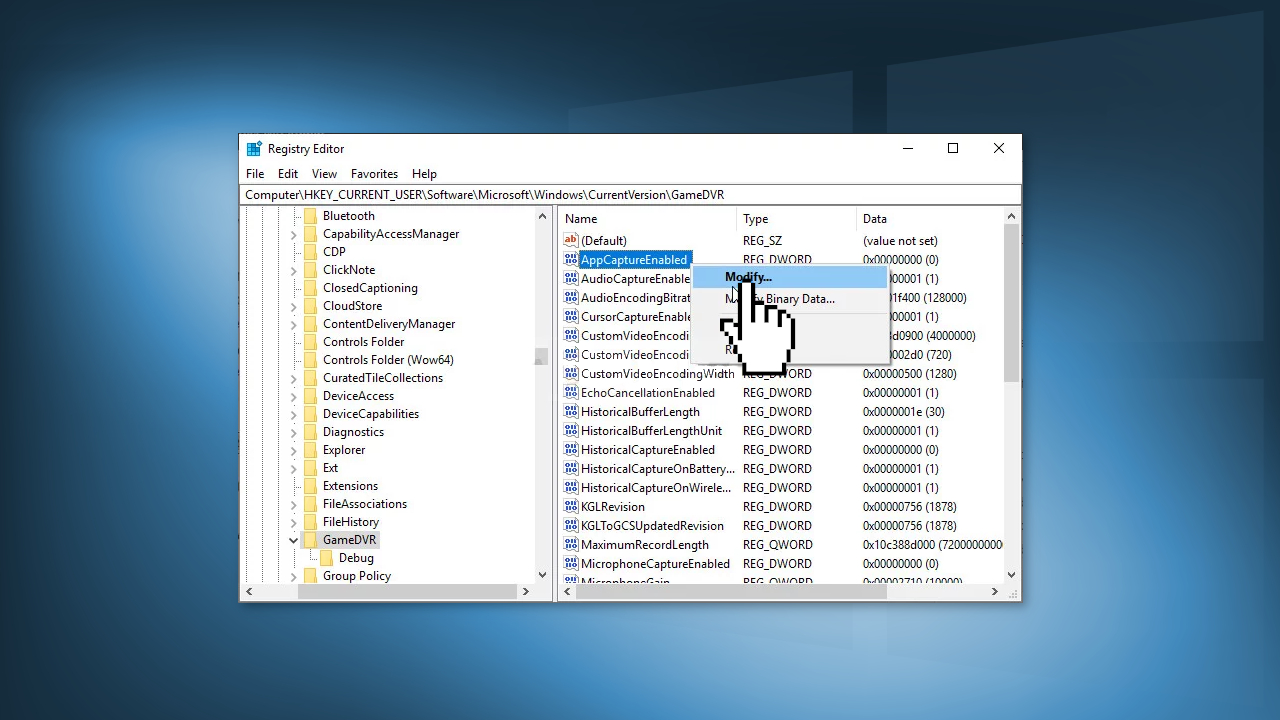
- In the Edit window, under the Value data section change the value to 0 and apply the changes
- Make sure the Base is set to Decimal
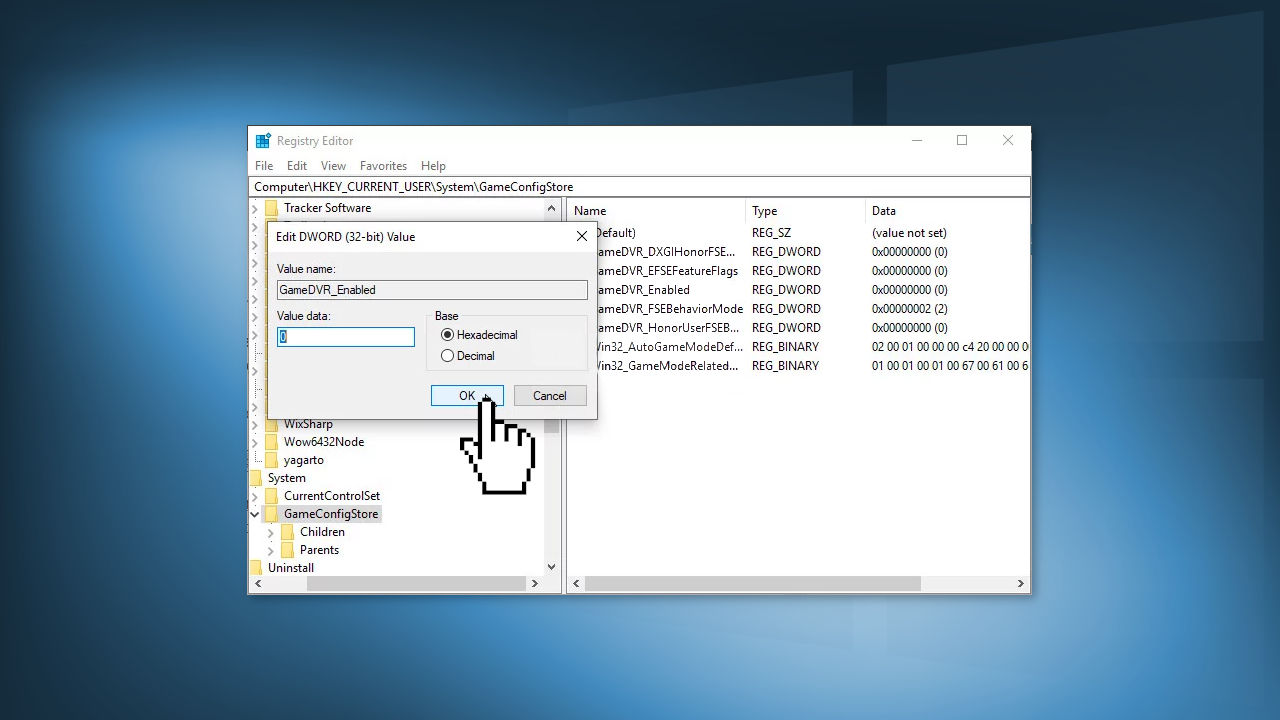
- Now navigate to this location:
HKEY_CURRENT_USER\System\GameConfigStore
- Look for a DWORD entry named GameDVR_Enabled. If it’s not there, repeat the same actions to create it
- Right-click it and choose Modify
- In the Edit window, under the Value data section change the value to 0 and apply the changes
- Restart the computer and check if the issue is gone
Method 4. Reset Windows Store Cache
- Click the Start menu button and type the wsreset command
- Click on wsreset – Run command
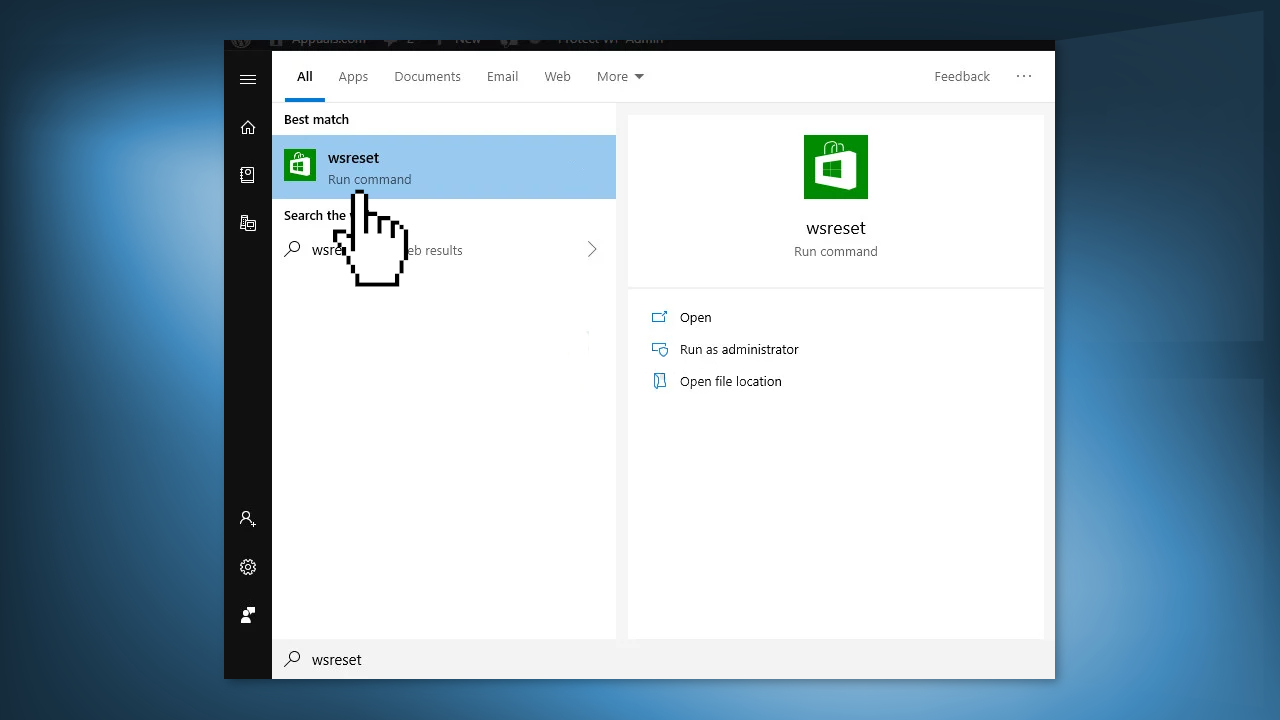
- Restart your computer
Bottom line
To fix the 'You'll need a new app to open this ms-gamingoverlay' error, you can disable the Game Bar, reinstall Windows apps, disable key binding in the registry editor, or reset the Windows Store Cache. If none of these solutions work, consider running a maintenance tool to address potential system malfunctions.
Frequently asked questions
This error typically occurs when the Xbox Game Bar is not properly installed or configured in Windows 10, preventing the ms-gamingoverlay link from functioning correctly.
You can reinstall the Xbox Game Bar by going to Settings > Apps > Apps & features, locating Xbox Game Bar, and selecting 'Uninstall,' then reinstalling it from the Microsoft Store.
You can also try resetting the Xbox Game Bar settings or running the Windows Store Apps troubleshooter to resolve this issue in both Windows 10 and Windows 11.




Report an issue
What's wrong with this guide? We review every report and update or remove content.
Report received — thank you. We'll review and fix it.
You need a free account to submit a report.
Be the first to comment