How to fix
Mscoree.dll not found or missing error
on Windows
Resolve the mscoree.dll missing error on Windows 10 and 11 effortlessly. Get back to seamless performance with expert-tested solutions. Fixed in minutes!


What causes How to fix mscoree.dll not found or missing error in Windows?
- mscoree.dll file is missing
- mscoree.dll file is corrupted
- .NET Framework is not installed
- .NET Framework is outdated
- Application is not properly installed
Repairs Windows system files, removes malware, and restores a clean OS state — without reinstalling.
Hi. Whenever I want to launch an app in Windows 10, I receive an error claiming mscoree.dll is missing. Could you please assist with this, I'd be grateful.
Windows consists of many components that help it to operate correctly, for example, built-in apps such as Microsoft Store allows users to download and install new apps easily without having to access third-party sources. Since Windows is versatile and highly consumable, users can also install almost any compatible app from third-party sources.
Unfortunately, mscoree.dll not found or missing error in Windows might prevent users from using their system properly. Multiple reports on various IT forums and social media platforms said that they were unable to launch any of the programs at all due to the error. Each time they try, the following message pops up:
Application name - System Error
The code execution cannot proceed because mscoree.dll was not found. Reinstalling the program may fix this problem.
While the message claims that the program reinstallation would fix it, it is not the case for most people. In fact, the problem seems to be more widespread as most people reported that the error shows up whenever they try to open any of the apps.
Before diving into how to fix the mscoree.dll missing or not found error, we should first figure out what this file is. DLL files are among the most common file types in a Windows operating system - this component is used by the built-in and third-party apps. In essence, it is very similar to an EXE (executable) file, just that DLL can't be executed directly and often employs hosts for their operation.
Whenever one of such files is damaged or corrupted in some way, users start experiencing DLL missing errors. It can affect only some apps or all apps, depending on where the file originates from.
In this particular case, mscoree.dll is a part of .NET Framework[ref en-1] proprietary software that is mandatory for some Windows apps to be operational. Therefore, if you are getting this error, installing the latest updates for the framework or repairing it may help you get rid rog of the issue quickly. Nonetheless, we provide additional solutions below.
Before you proceed, we recommend you try running a scan with [d1] PC repair utility, as it can quickly and easily eliminate any issues related to system file corruption, fixing common Windows issues such as BSODs,[ref en-2] and DLL missing errors, registry[ref en-3] corruption, etc.
Fix 1. Install all the pending Windows updates
NET Framework updates can be found within Windows updates. Thus, you should make sure that Windows is fully updated:
- Type Updates in Windows search
- Click Check for updates and wait till the process is finished
- If optional updates are available, install them too
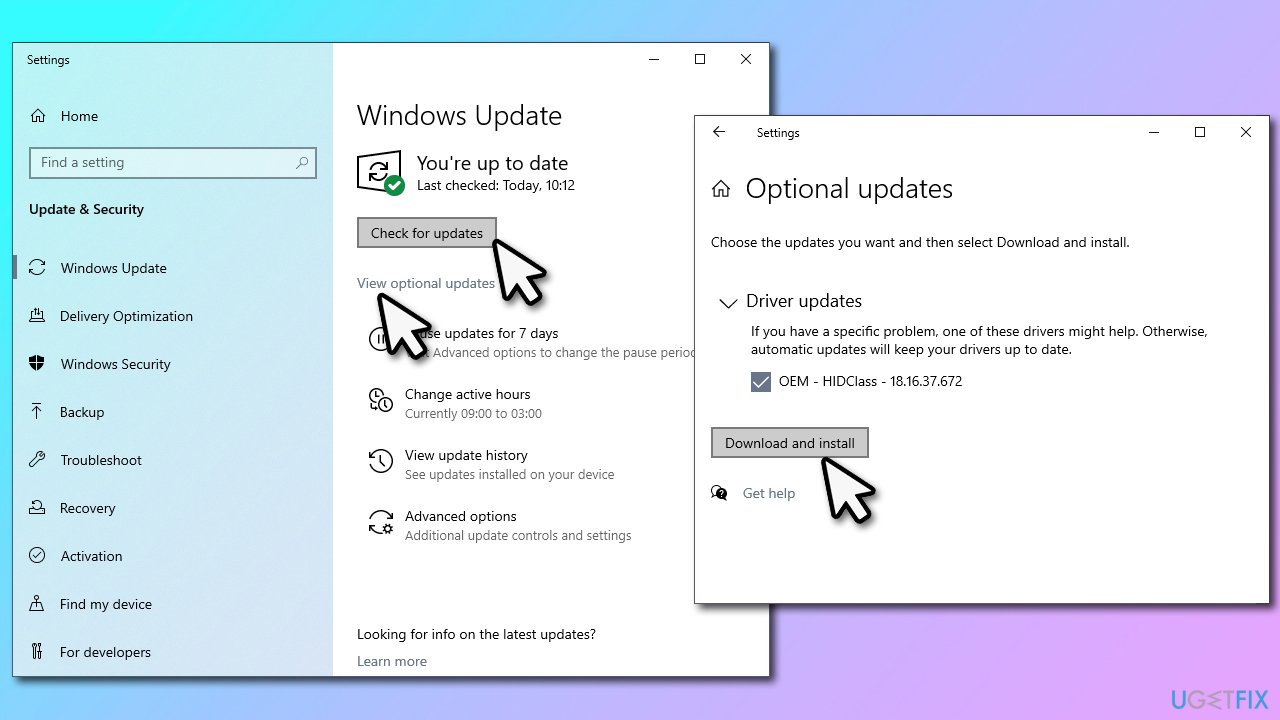
How to fix mscoree dll not found or missing error in windows install all pending updates - Once done, restart your system.
Fix 2. Repair .NET Framework
If .NET Framework is already installed on your system, it might be corrupted. You can fix it using a special tool from Microsoft:
- Download Microsoft .NET Framework Repair Tool from the official website
- Click Download and then click NetFxRepairTool.exe at the bottom-left corner of your browser
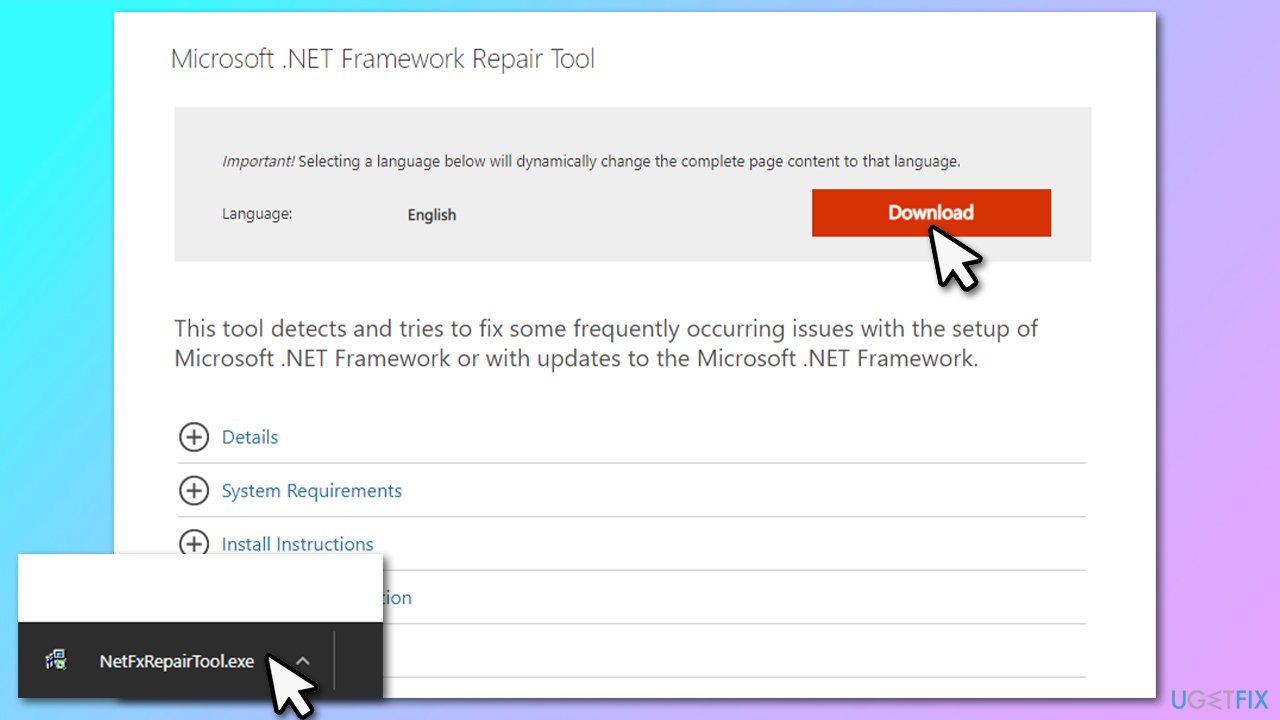
How to fix mscoree dll not found or missing error in windows repair net framework - When User Account Control Shows up, click Yes
- Agree to license terms and click Next
- Wait for a few seconds, and the Tool should provide recommended changes
- Click Next, Next, and Finish
- Finally, restart your PC.
Fix 3. Run SFC and DISM
If the problem lies within corrupted system files, you could remediate the situation by restoring the Windows image or checking for integrity violations via the elevated Command Prompt.
- Type cmd in Windows search and hit Enter
- Click Yes in the User Account Control prompt
- Copy and paste in the following command and press Enter:
sfc /scannow
- Wait till the scan is finished and use the following commands, pressing Enter after each:
dism /online /cleanup-image /checkhealth
dism /online /cleanup-image /restorehealth - Restart your PC.
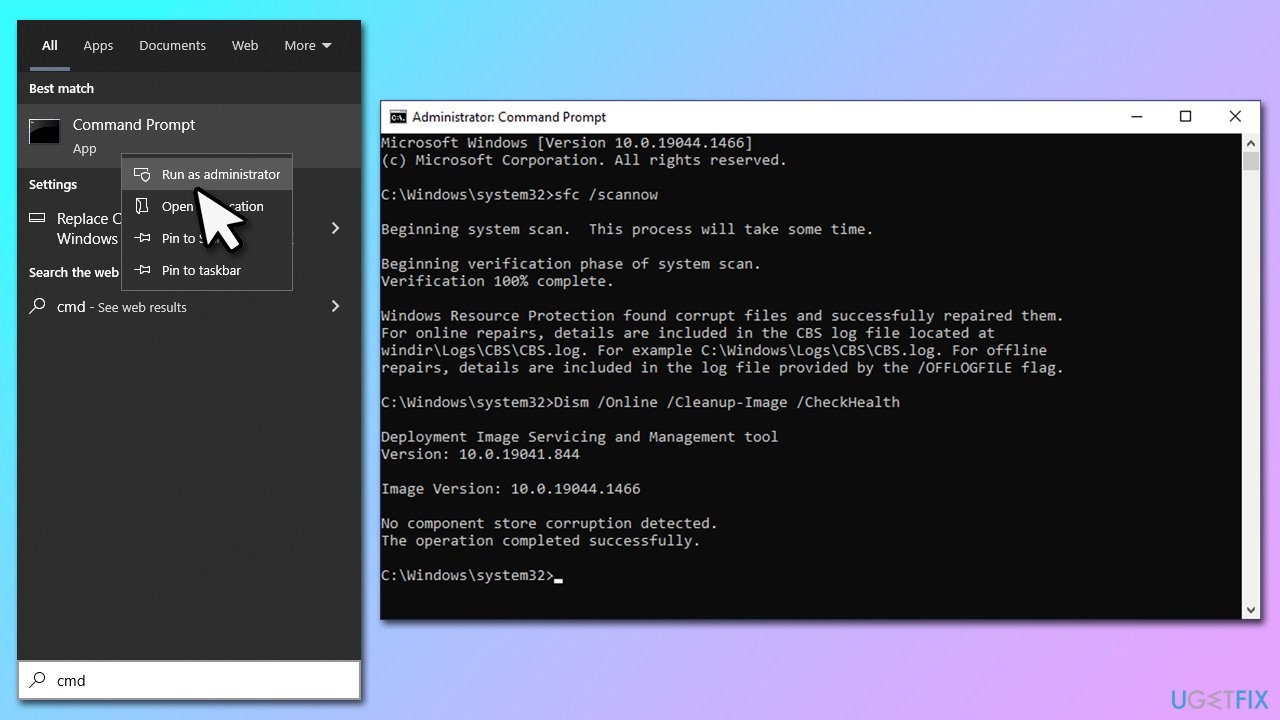
How to fix mscoree dll not found or missing error in windows run sfc dism
Fix 4. Register the DLL file
- Open Command Prompt as administrator as explained above
- Copy and paste the following command and press Enter:
Regsvr32 mscoree.dll
- Restart your system.
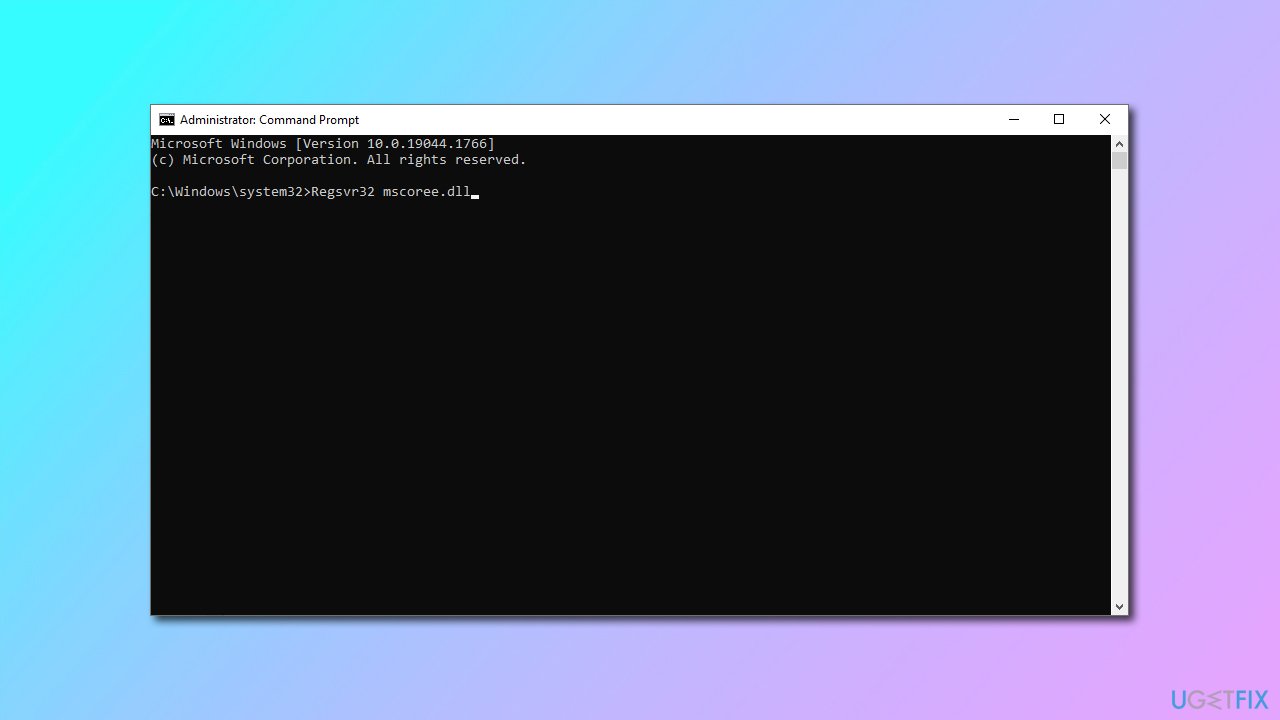
How to fix mscoree dll not found or missing error in windows register dll file
Fix 5. Reset Windows
If none of the methods above helped, reset Windows as follows. Make sure you backup your personal files as a precautionary measure:
- Right-click on Start and pick Settings
- Go to Update & Security and pick Recovery
- Find Reset this PC section and click Get Started
- Select Keep my files > Cloud download
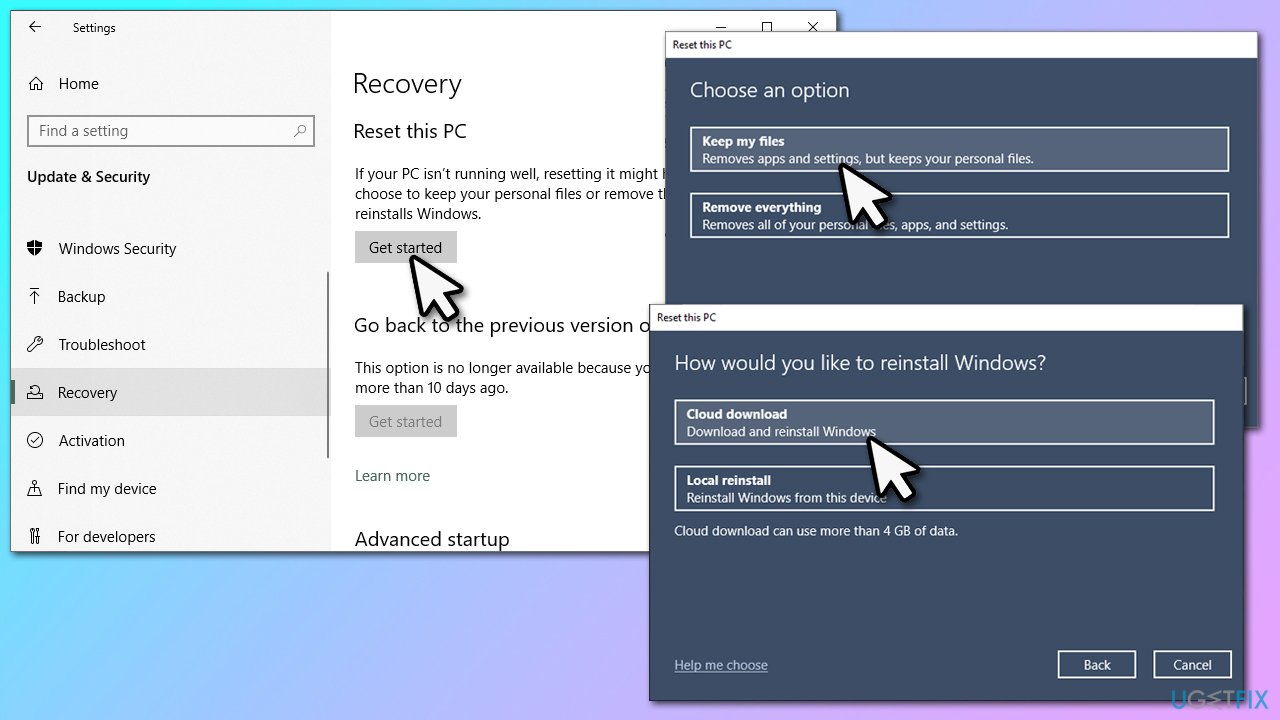
How to fix mscoree dll not found or missing error in windows reset windows - Your system will restart several times.
Bottom line
To fix the mscoree.dll not found or missing error, you can try reinstalling the .NET Framework, updating Windows, or repairing the application. If these solutions do not resolve the issue, consider seeking further assistance or checking for system file corruption.
Frequently asked questions
The mscoree.dll not found error in Windows 10 is typically caused by corrupted system files or issues with the .NET Framework installation. It can also occur due to malware infections or accidental deletion of the DLL file.
To restore the missing mscoree.dll file in Windows 11, you can try running the System File Checker (SFC) tool by executing 'sfc /scannow' in the Command Prompt. If that doesn't work, reinstalling the .NET Framework may also resolve the issue.
It is not safe to download mscoree.dll from third-party websites, as these files may be outdated or infected with malware. It's recommended to fix the error through official Windows troubleshooting methods instead.




Report an issue
What's wrong with this guide? We review every report and update or remove content.
Report received — thank you. We'll review and fix it.
You need a free account to submit a report.
Be the first to comment