How to fix
Bootstrapper.exe error
on Windows
Resolve the Bootstrapper.exe error on Windows 10 or 11 easily. Follow our expert-tested solutions for a smooth experience, fixed in minutes!


What causes How to fix Bootstrapper.exe error in Windows?
- Installation of an incompatible version of Visual Studio
- Corrupted system files
- Missing or outdated .NET Framework
- Issues with Visual C++ Redistributables
- Registry issues
Repairs Windows system files, removes malware, and restores a clean OS state — without reinstalling.
Hello. I tried to install Visual Studio on my computer but I received the vs_setup_bootstrapper.exe error. How do I fix this?
Visual Studio is a software development tool from Microsoft that is used to create a variety of applications for the Windows operating system. It is a comprehensive integrated development environment (IDE) that includes a wide range of features and tools for developing applications for the web, desktop, mobile, and cloud.
Unfortunately, some people report that they are having issues trying to install this application and receive the bootstrapper.exe or the vs_setup_bootstrapper.exe error. The full error message reads as follows:
The procedure entry point nextafterf could not be located in the dynamic link libary MSVCR120_CLR0400.dll
Bootstrapper.exe is a utility that is used to install prerequisites for applications on a computer running Microsoft Windows. Prerequisites are additional components or software that are required for an application to run properly. Bootstrapper.exe is typically used by developers to include prerequisites in their applications, allowing the application to be installed and run on a computer without the user having to manually install the required components first.
Bootstrapper.exe can be used to install a variety of prerequisites, including .NET Framework,[ref en-1] Visual C++ Redistributables, and other software packages. Bootstrapper.exe is typically included with the installation package for an application and is launched automatically when the installation process begins. It runs in the background and installs the necessary prerequisites before continuing with the main installation process.
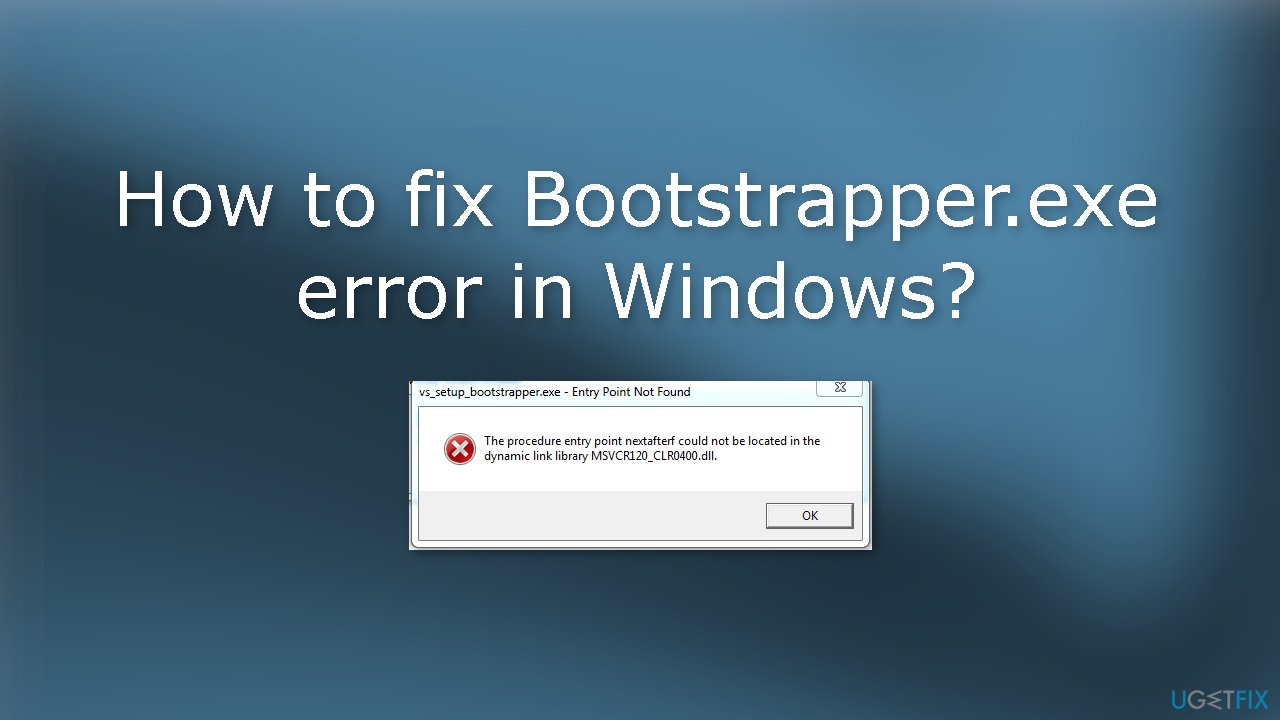
It is unknown why exactly the vs_setup_bootstrapper.exe error appears in Windows. Some suggest that users need to install an older version of Visual Studio, and other suggest that it may be related to the .NET framework. In this guide, you will find 7 steps that should help you fix this error.
Keep in mind that the manual troubleshooting process can take time. You can use a maintenance tool like [d1] to scan your system. It can fix most system errors, BSODs,[ref en-2] corrupted files, and registry[ref en-3] issues. Otherwise, follow the step-by-step instructions below.
Solution 1. Fix Corrupted System Files
Use Command Prompt commands to repair system file corruption:
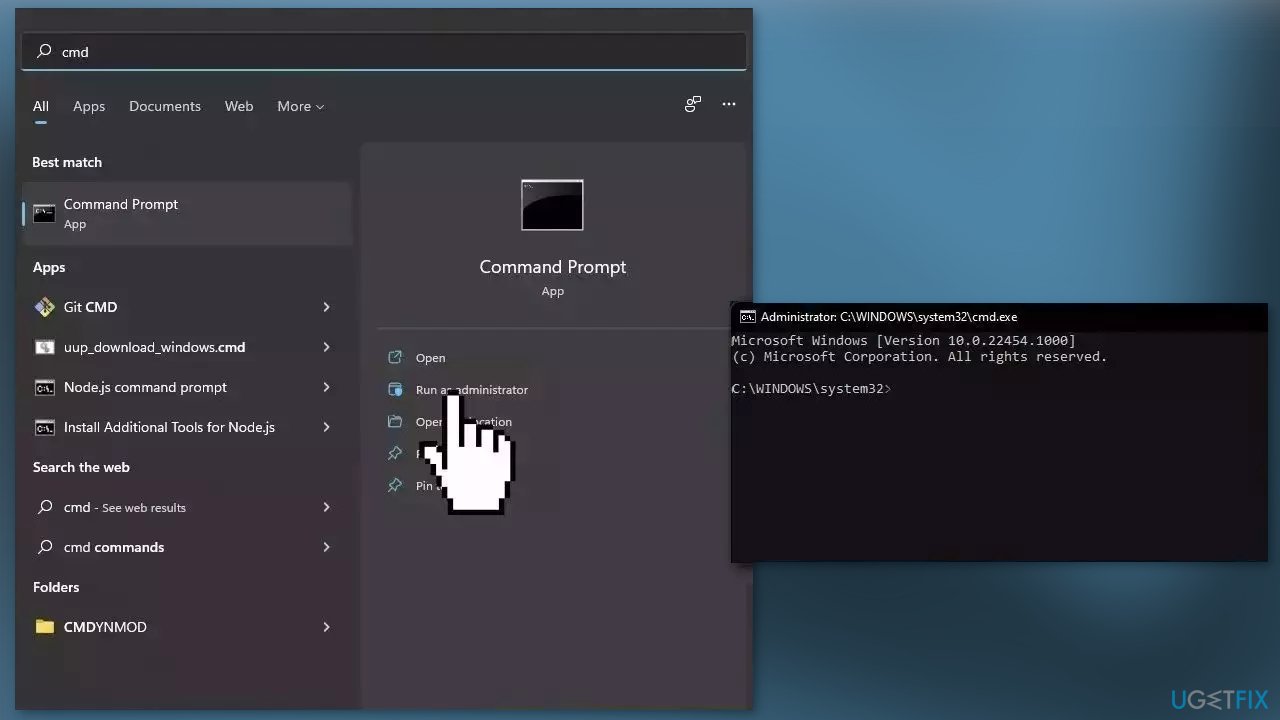
- Open Command Prompt as administrator
- Use the following command and press Enter:
sfc /scannow
- Reboot your system
- If SFC returned an error, then use the following command lines, pressing Enter after each:
DISM /Online /Cleanup-Image /CheckHealth
DISM /Online /Cleanup-Image /ScanHealth
DISM /Online /Cleanup-Image /RestoreHealth
Solution 2. Update Windows
- Press the Windows key + R to open the Run box
- Type ms-settings:windowsupdate in the text box and press Enter
- Click the Check for Updates button
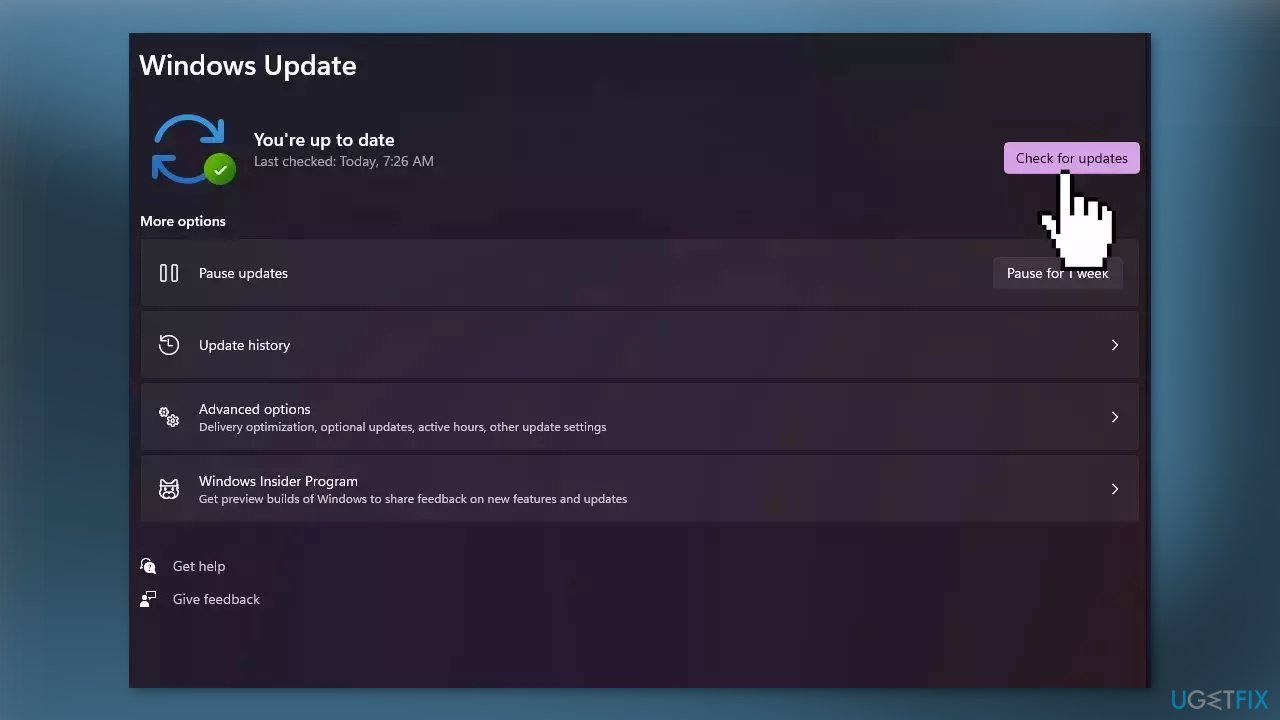
- If a new update is available, click the Download & Install all button.
- Restart your computer after the process is finished and check to see if the problem is fixed
Solution 3. Install Visual Studio 2013
- Go to the official Microsoft website
- Under the Visual Studio 2013 (VC++ 12.0) section click on the link to download the installer file
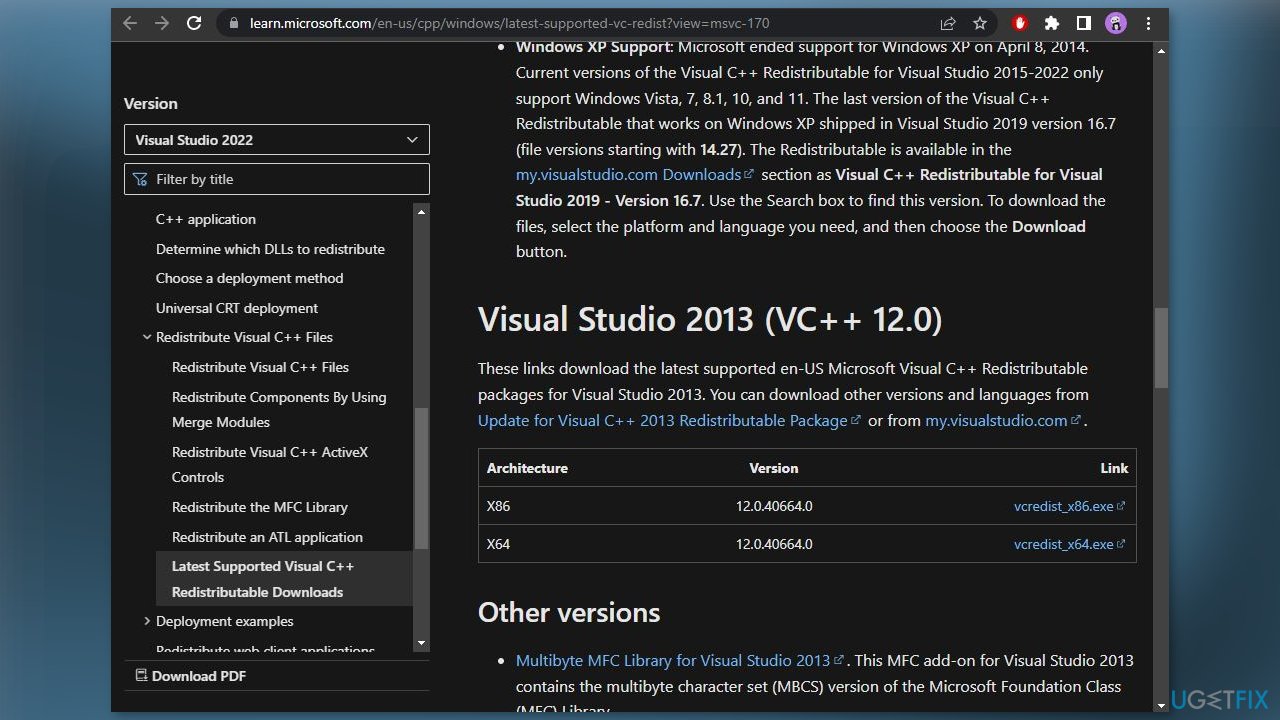
- If you have a 32-bit processor, download the file with the x86 architecture
- If you have a 64-bit processor, download the x64 and x86 architecture files
- Open the downloaded file and select the Run option when the Security Warning appears
- Put a checkmark next to I agree to the license terms and conditions
- Click on Install
- Click Yes when asked whether you want to allow the installer to make changes to your device
- Wait for the installation to finish
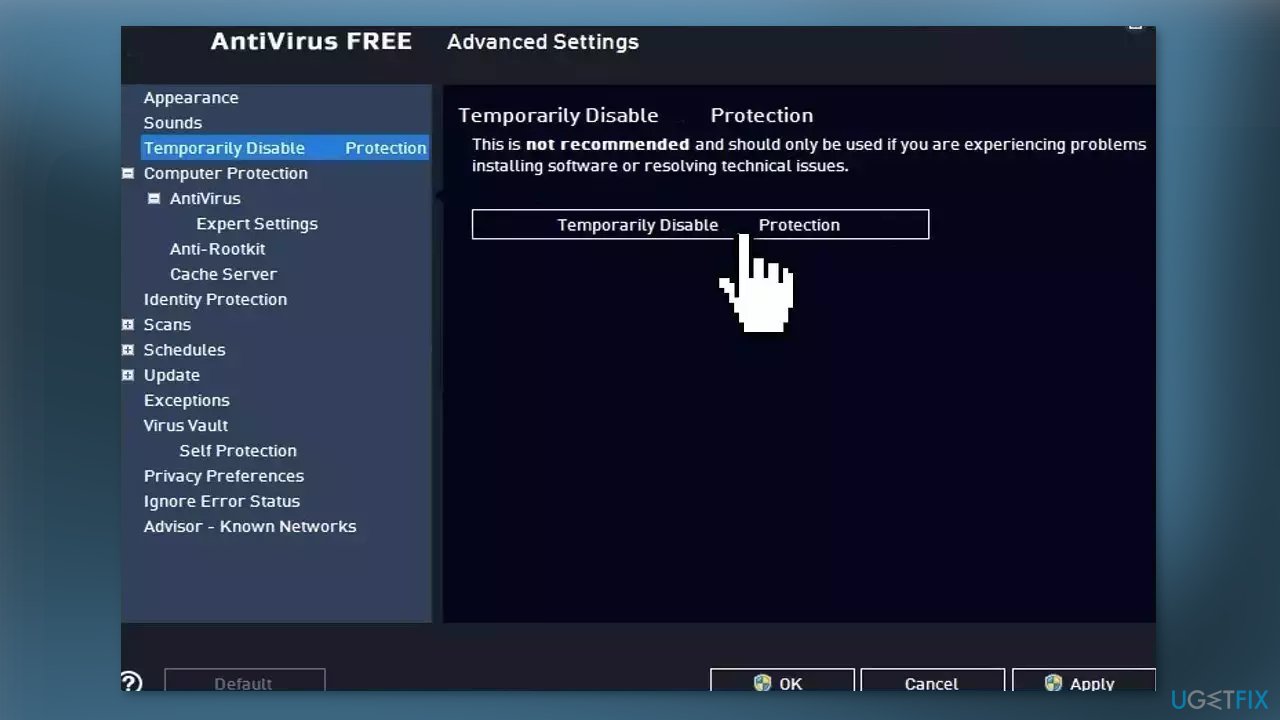
Solution 4. Disable Third-Party Antivirus
Sometimes antivirus software can block legitimate processes mistakenly. You should try disabling your antivirus to see if it fixes the Bootstrapper.exe error.
Solution 5. Reinstall the .NET Framework
- Press the Windows key + R to open the Run box
- Type optionalfeatures, and press Enter
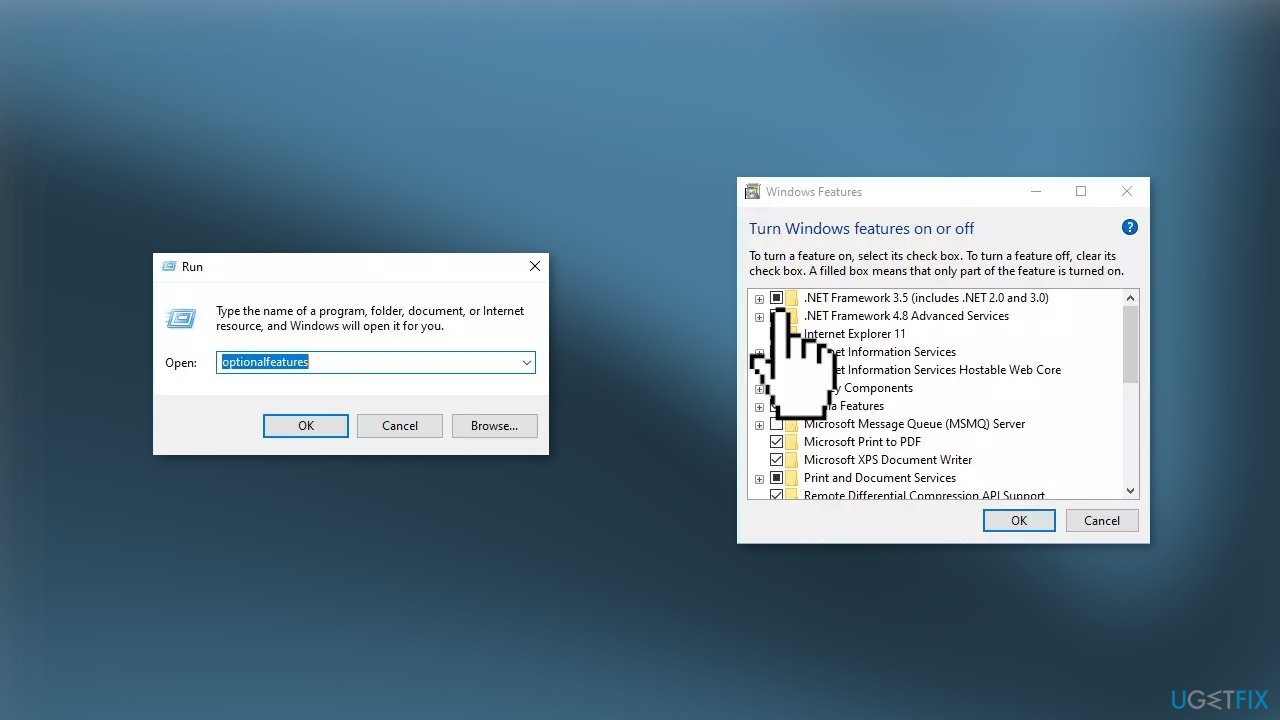
- Select the .NET Framework 3.5 (includes .NET 2.0 and 3.0) check box, select OK
- Reboot your computer if prompted
Solution 6. Use System Restore
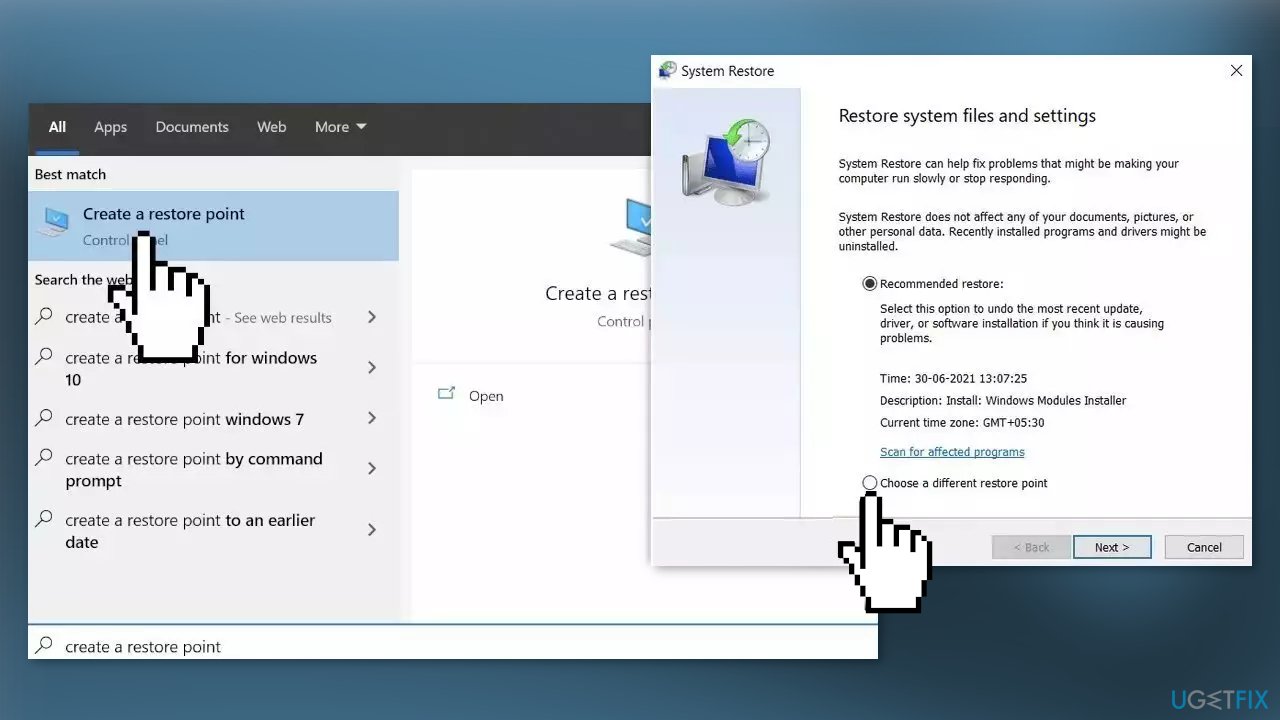
- Go to the Start menu, type restore, and click on Create a restore point
- Click System Restore, then follow the prompts until you can select a restore point
- Select the one you want (ideally before the Bootstrapper.exe error started appearing) and go ahead with the process
Solution 7. Repair Install Windows
- Visit the official Microsoft website to download Windows 11 or Windows 10 Installation Media
- Run the Media Creation Tool and select Create Installation Media for another PC
- Select your USB drive
- Let the Process complete of writing the Installation files to the USB drive
- Click Finish
- On the PC you wish to upgrade, Press Windows + E to open the File Explorer
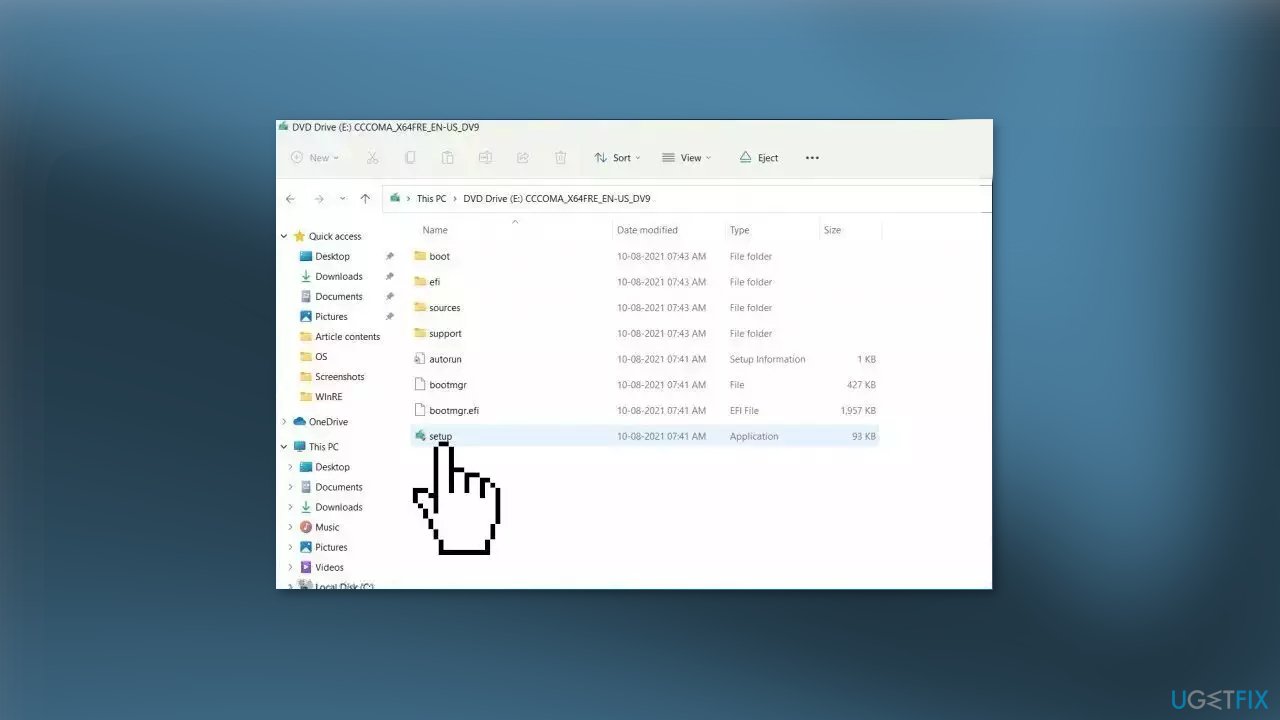
- Open the Removable drive and click Setup.exe
- Accept the license terms on the next screen
- Confirm the Upgrade options – Files, apps and Settings are kept
- Click Install, and the upgrade should start
Bottom line
To fix the Bootstrapper.exe error, you can try repairing corrupted system files, ensuring the correct version of the .NET Framework is installed, and checking for issues with Visual C++ Redistributables. If these solutions do not resolve the issue, consider using a maintenance tool to scan your system for additional problems.
Frequently asked questions
The Bootstrapper.exe error can be caused by corrupted installation files, missing system components, or conflicts with other software on your Windows system.
To repair the Bootstrapper.exe error on Windows 11, you can try running the System File Checker tool by executing 'sfc /scannow' in the Command Prompt.
To prevent Bootstrapper.exe errors in Windows 10, ensure that your system is up to date, and regularly check for software conflicts and corrupted files.




Report an issue
What's wrong with this guide? We review every report and update or remove content.
Report received — thank you. We'll review and fix it.
You need a free account to submit a report.
Be the first to comment