How to fix
Windows Activation error 0xC004F211
on Windows
Resolve Windows Activation error 0xC004F211 quickly with our expert-tested solutions for Windows 10 and Windows 11. Fixed in minutes!

What causes How to fix Windows Activation error 0xC004F211?
- Change of major hardware components
- Motherboard replacement
- CPU replacement
- License not tied to Microsoft account
- OEM activation with changed hardware
Repairs Windows system files, removes malware, and restores a clean OS state — without reinstalling.
Hello, I have recently purchased a new motherboard since my old one died and I replaced it without problems. I booted Windows and everything seemed to work fine but I've noticed that I'm being asked to activate Windows again. I did do that and I get the 0xC004F211 error instead of it being successful. Please advise on any solutions.
The 0xC004F211 error is a common problem that users have reported when trying to activate their copies of Windows. This error can occur for a variety of reasons, and it can be frustrating to try and resolve. However, there are several potential solutions that may help you fix the error.
Users have been reporting Windows activation issues for many years, and 0xC004F211 error is one of these pesky codes they might receive when doing so. Problems usually arise whenever users change some type of hardware (for example, motherboard[ref en-1] or CPU) on a PC with an activated license - this affects both Windows 10 and Windows 11 systems.
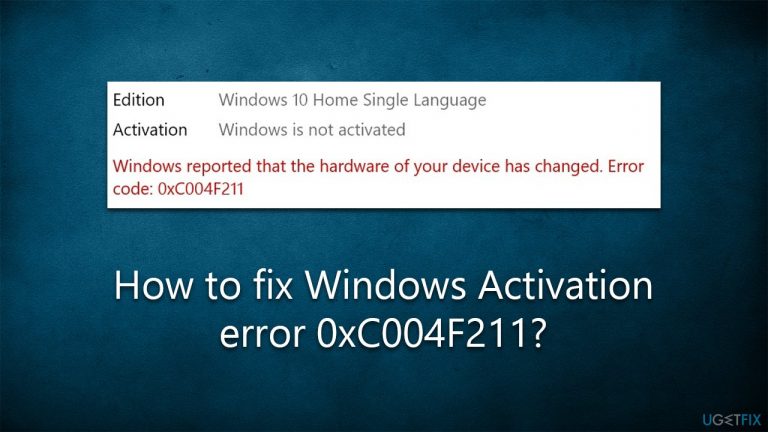
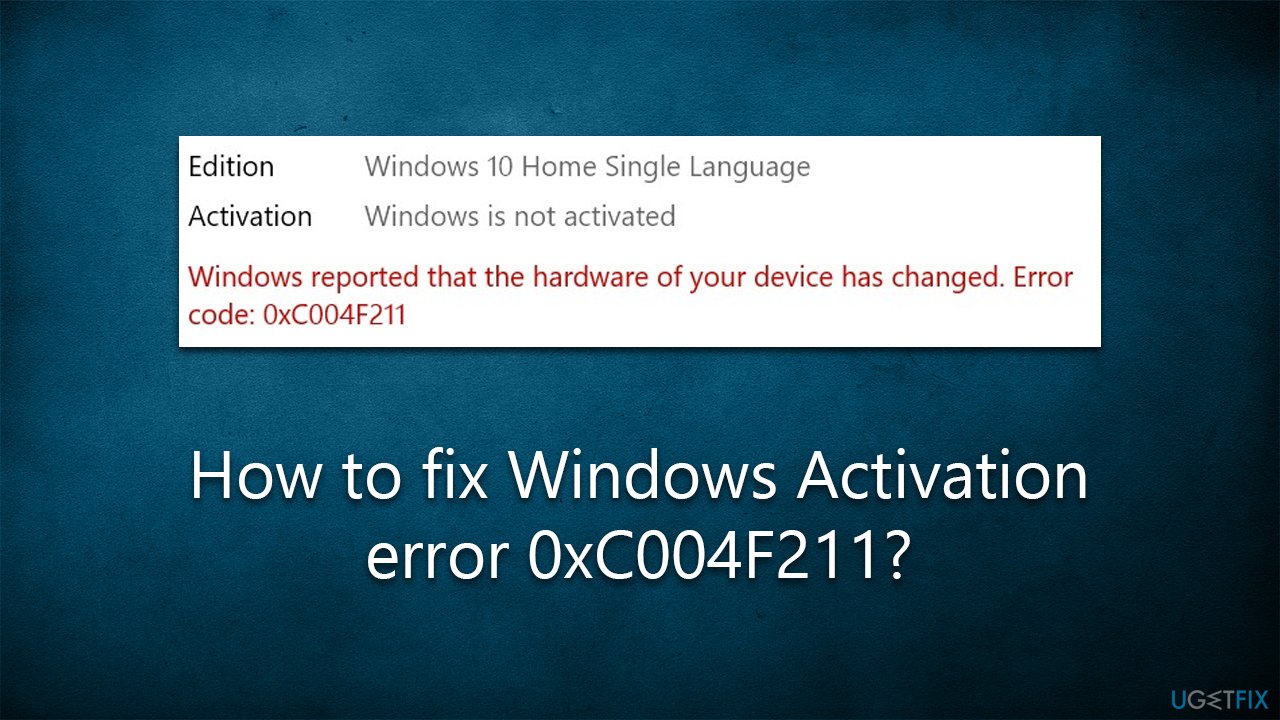
They claim that, as soon as they boot Windows back up, they are told that their license is not active and they need to reactivate it. They receive the following error message:
Windows reported that the hardware on your device has changed.
Error code: 0xC004F211
This is not an unexpected behavior because as soon as Windows detects the change of major hardware components, it can no longer find the matching license. As a result, users see the 0xC004F211 error as soon as they boot their PCs.
First of all, for the transition process to work correctly, you need to make sure that your license is tied to your Microsoft account. Thus, after you change your hardware, make sure you are logged in. It is worth noting that if your Windows was activated through OEM (Original Equipment Manufacture)[ref en-2] and you have changed your hardware, you will not be able to activate Windows using the old license and will have to purchase a new one.
However, some users said that they receive the error even when they are logged into their Microsoft account. In this case, there are several other troubleshooting that can be undertaken in this situation. Before proceeding, we recommend employing [d1] PC repair to ensure that the operating system is not damaged and is malware-free,[ref en-3] which could be causing activation issues.
1. Run the troubleshooter
If you haven't done so yet, please run activation troubleshooter as follows:
- Right-click on Start and select Settings
- Go to Update & Security section
- On the left side of the window, pick Activation
- On the right side, you should see the error message and below - Troubleshoot
- Click Troubleshoot and wait for the process to finish.
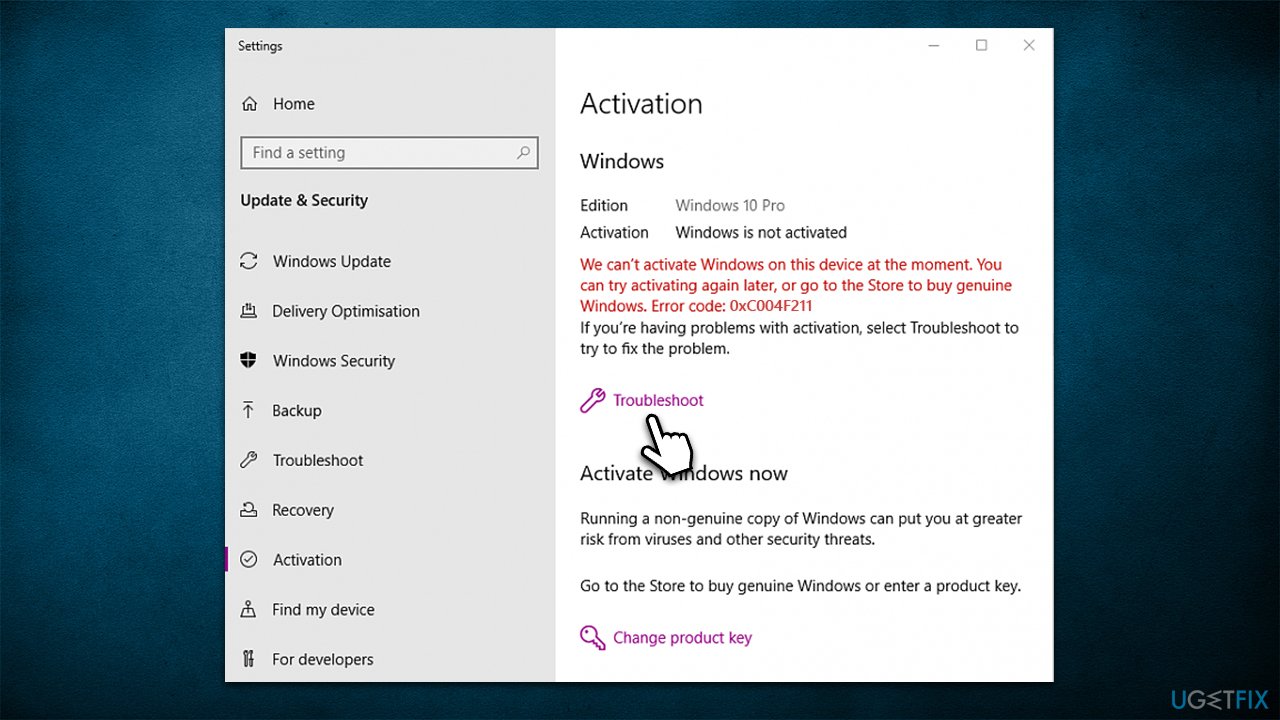
After it finishes, Windows might provide you with a link to reactivate after hardware change - click it and follow the instructions.
If "Unable to activate Windows" message shows up, use the solutions below.
2. Use the license key
If you have a license key from the original Windows version (for example, Windows 7), all you have to do is enter it into the Activation section.
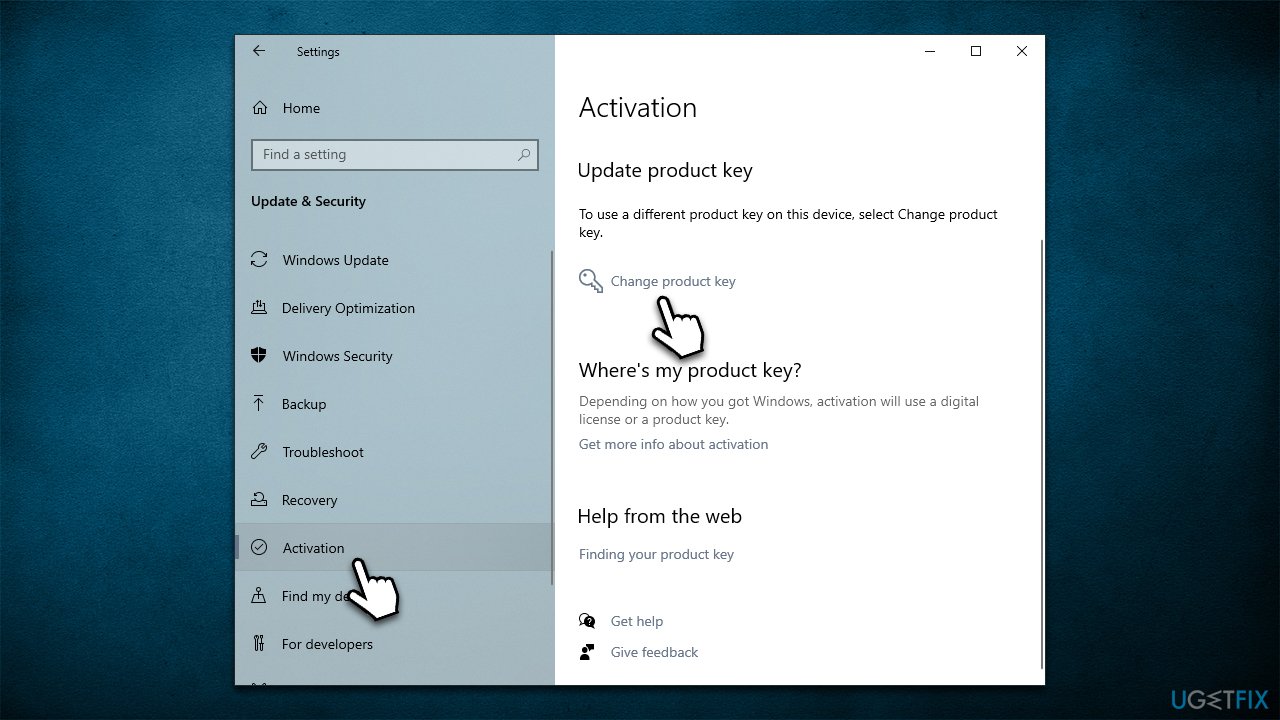
- Go to Settings > Update & Security > Activation again
- Under Update product key, select Change product key
- Enter the product key and click Next
- Your Windows should be activated shortly.
3. Install all Windows updates
Make sure your system is fully updated.
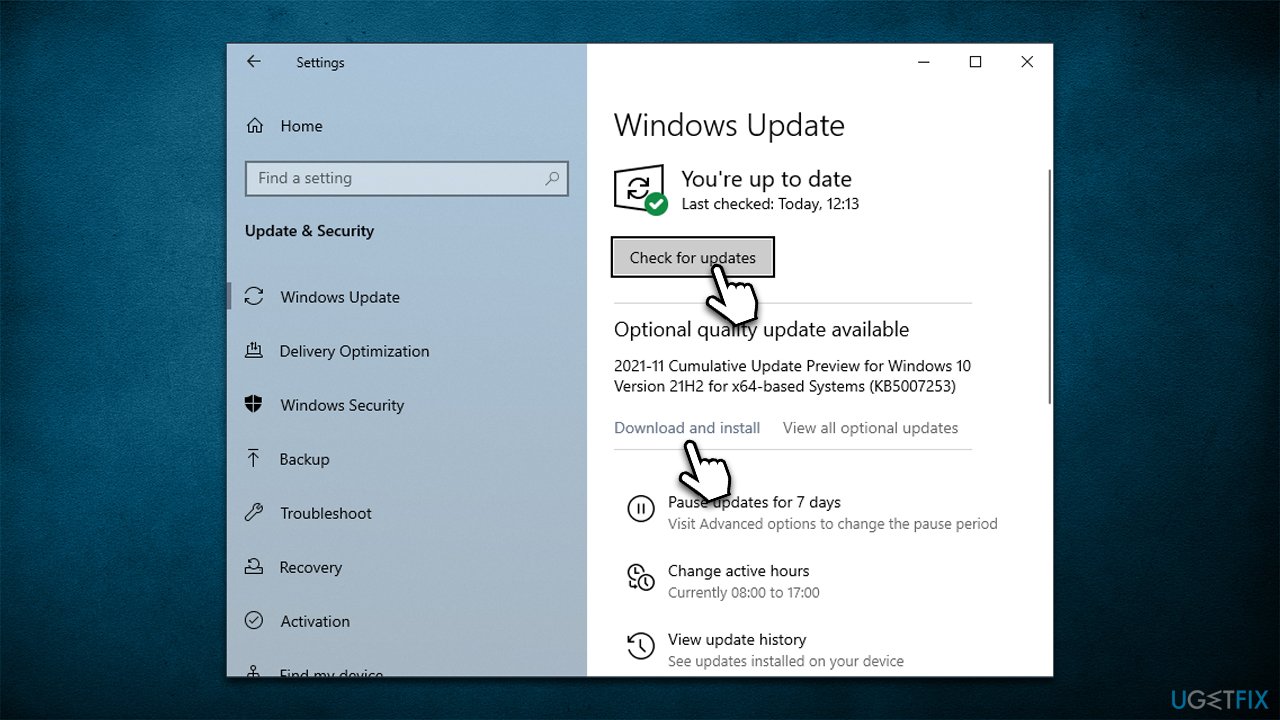
- Type Updates in Windows search and press Enter
- Here, click the Check for Updates button
- Wait till all the available updates are installed (if any optional updates are there, install them too)
- Once done, restart your PC.
4. Activate using Command Prompt
If you use license key:
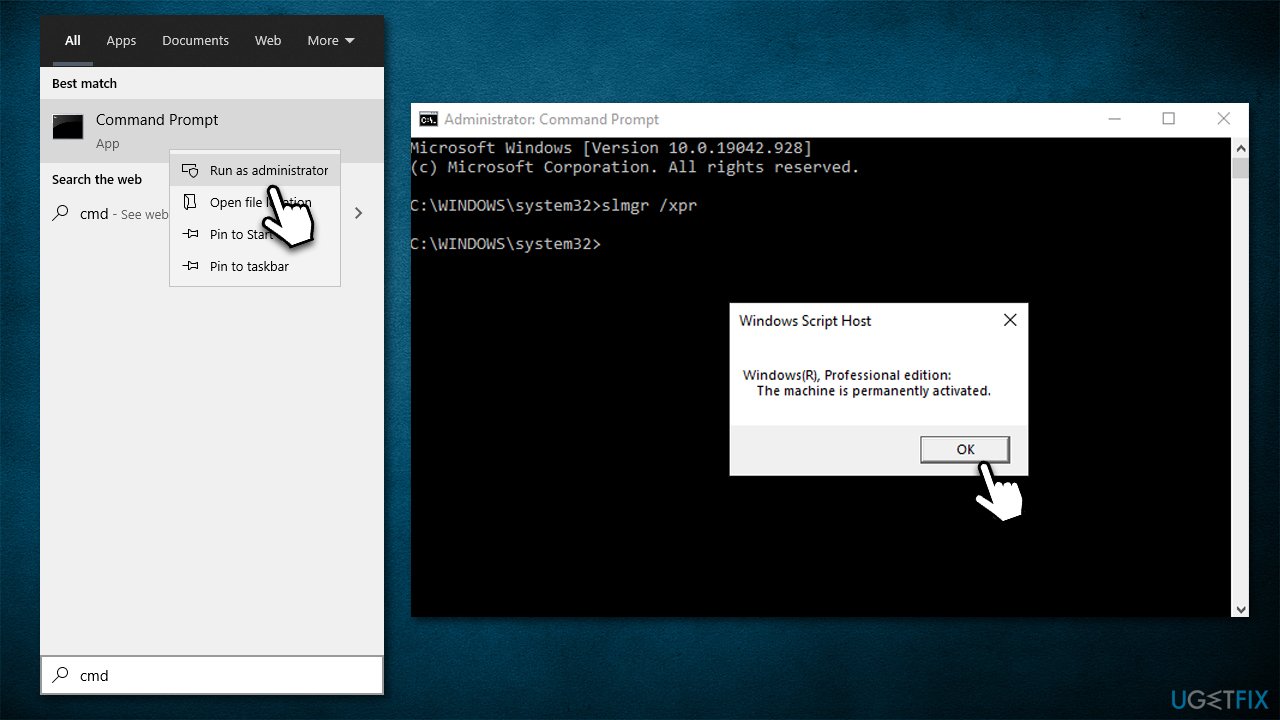
- Type cmd in Windows search, right-click on Command Prompt and pick Run as administrator
- User Account Control will ask for confirmation - click Yes
- In the new window, copy and paste the following, replacing "License key" with your personal key:
slmgr /ipk License Key
slmgr /ato - Press Enter
- Restart your computer.
If you don't know what your license is and are using digital license, try the following command instead:
- slmgr /xpr
If you have a product key from your original Windows, use the following command instead:
- wmic path softwarelicensingservice get OA3xOriginalProductKey
- Press Enter.
5. Reinstall Windows
Replacing hardware components without reinstalling Windows can mess it up quite badly in some cases, although it highly depends on the system configuration, Windows version, hardware changed, and other aspects. If you have tried all the steps above to no avail, you can simply opt to reinstall Windows.
Before proceeding, make sure you backup your files, disable third-party security software and disconnect all unnecessary peripherals.
- Right-click on Start and pick Settings
- Go to Update & Security
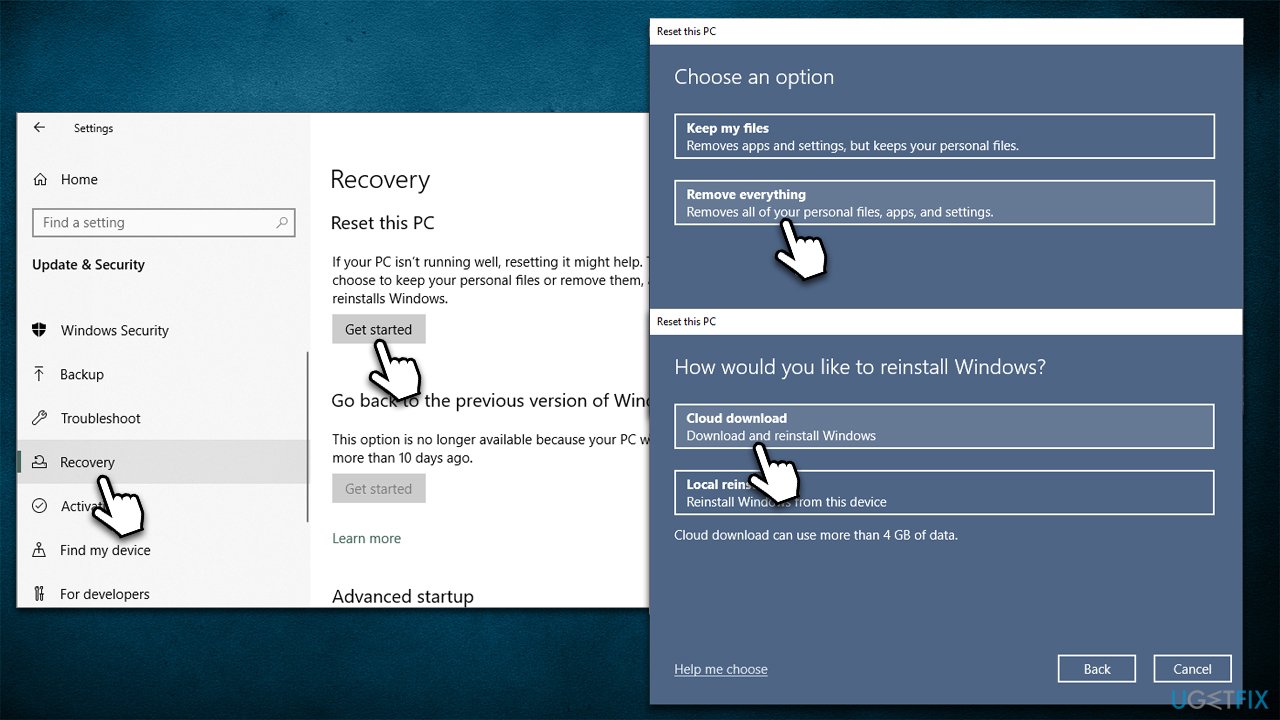
- On the left, pick Recovery
- Under Reset this PC, click Get started
- Select Remove everything and then pick Cloud download
- Wait till the necessary files are downloaded - you PC will restart.
Bottom line
To fix the 0xC004F211 error, ensure your Windows license is linked to your Microsoft account after changing hardware. If your Windows was activated through OEM and you changed hardware, you will need to purchase a new license. If none of these solutions work, consider contacting Microsoft support for further assistance.
Frequently asked questions
This error typically occurs when the Windows activation server cannot verify your product key, often due to hardware changes or an incorrect key entry.
You can fix this error by ensuring your product key is entered correctly or by running the Activation Troubleshooter found in the Settings under Update & Security.
To minimize the risk of this error, make sure to use a genuine Windows product key and avoid significant hardware changes that could affect activation.




Report an issue
What's wrong with this guide? We review every report and update or remove content.
Report received — thank you. We'll review and fix it.
You need a free account to submit a report.
Be the first to comment