How to fix
PhoneExperienceHost.exe error
on Windows
Resolve the PhoneExperienceHost.exe error in Windows 10 and 11 effortlessly. Get expert-tested solutions that fix issues in minutes, guaranteed!


What causes How to fix PhoneExperienceHost.exe error in Windows?
- Corrupted system files
- Outdated device drivers
- Conflicting software
- Corrupted app
Repairs Windows system files, removes malware, and restores a clean OS state — without reinstalling.
Hello, I have been getting a strange error that references the PhoneExperienceHost.exe file and says, "The system attempted to load or restore a file into the registry, but the specified file is not in a registry file format." I don't have my phone connected to my PC (nor do I plan to), so I am unsure what this is about. Please elaborate and help with the fix. Thanks.
While Apple devices work very well together when it comes to all-things-sync, it is not the case for Windows machines. Comparatively, only recently, Microsoft has begun integrating features that would allow users to access their devices of functions faster, e.g., Microsoft Account only came around in Windows 8.
When it came to connecting your phone to the PC, it was not an easy task. Users had to find special port cables, which might create syncing issues. To address this, Microsoft introduced Phone Link, previously known as the Your Phone app, which allowed users quickly and easily sync their devices together in an instant.
Not all users need or want this functionality, however, so the Phone Link app remains largely ignored. While it is everyone's choice whether to use it or not, some people noticed that they started experiencing errors that reference the PhoneExperienceHost.exe file, which is, naturally, related to the Phone Link app.
PhoneExperienceHost.exe is a process in Windows that manages the phone-related features of the operating system. It is responsible for tasks such as phone call notifications, messaging, and other related functions.
Some users may experience PhoneExperienceHost.exe errors, which can manifest as various issues such as crashes or unresponsiveness. The causes of these errors can vary, but some common reasons include corrupted system files, outdated device drivers, conflicting software, or even corrupted app.
If you are suffering from a PhoneExperienceHost.exe error, you came to the right place - we will explain how to fix it in a step-by-step guide below. To address several of the causes mentioned above automatically, you can employ [d1] instead.
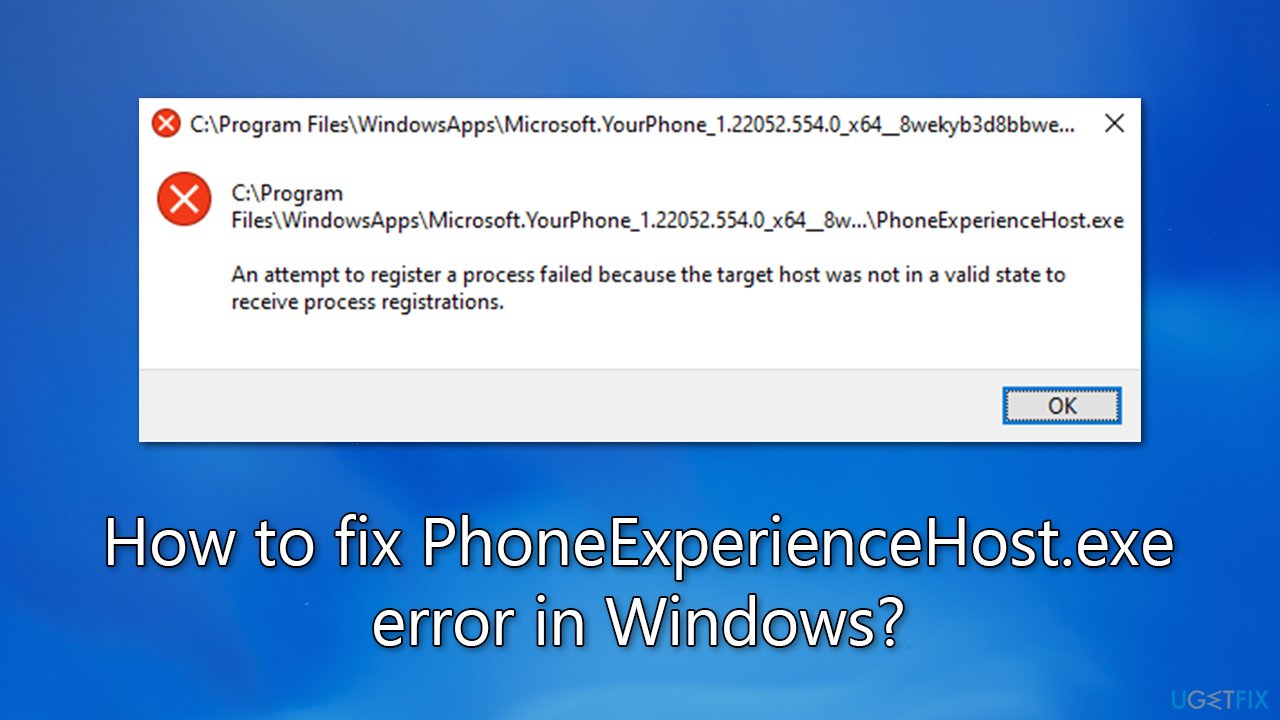
Fix 1. Run Windows Store Apps troubleshooter
If there is something wrong with the Phone Link app, you could address it by running the troubleshooter.
- Type Troubleshoot in Windows search and press Enter.
- Select Additional troubleshooters/Other troubleshooters.
- Find Windows Store Apps from the list and select Run the troubleshooter/Run.
- Wait till the process is finished and apply the offered fixes.
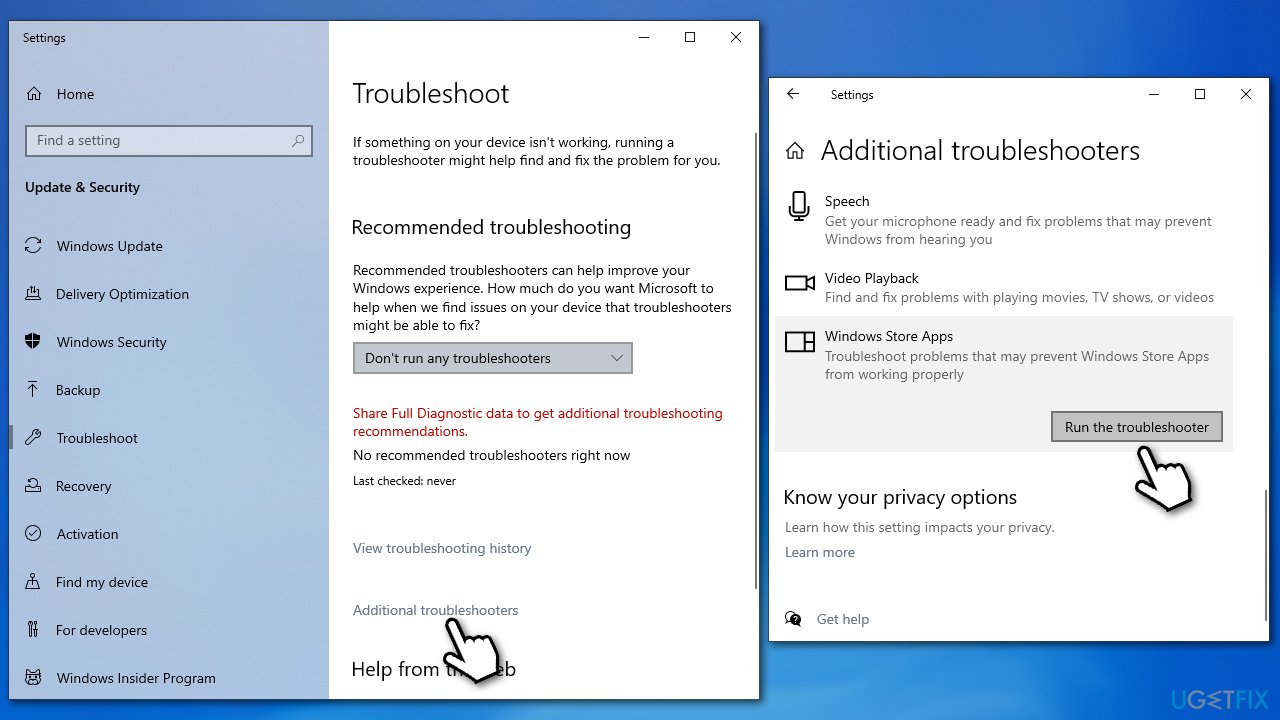
Fix 2. Stop Phone Link from launching at startup and running in the background
Another way to fix the PhoneExperienceHost.exe error is by disabling it from running at startup and in the background. This is particularly useful if you aren't using and aren't planning to use the app. Here's how:
- Right-click on Start and pick Apps and Features.
- Scroll down to Phone Link and select Advanced options.
- Under the App permissions section, disable the Background app and Runs at log-in options.
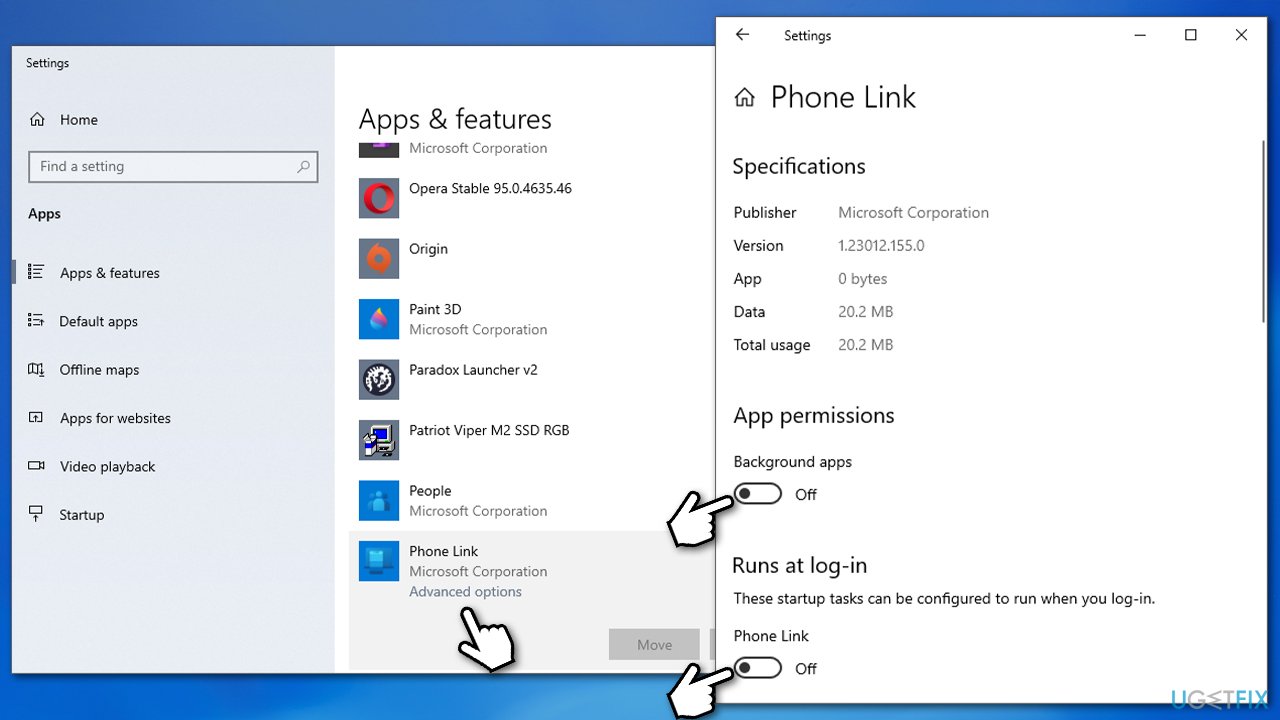
Fix 3. Repair or reset the app
You can try resetting the Phone Link app as follows:
- Right-click on Start and pick Apps and Features.
- Find the Phone Link app from the list and select Advanced options.
- Scroll down and click Terminate.
- Then, try using the Repair option.
- If that doesn't help, try using Reset as well.

Fix 4. Run SFC and DISM
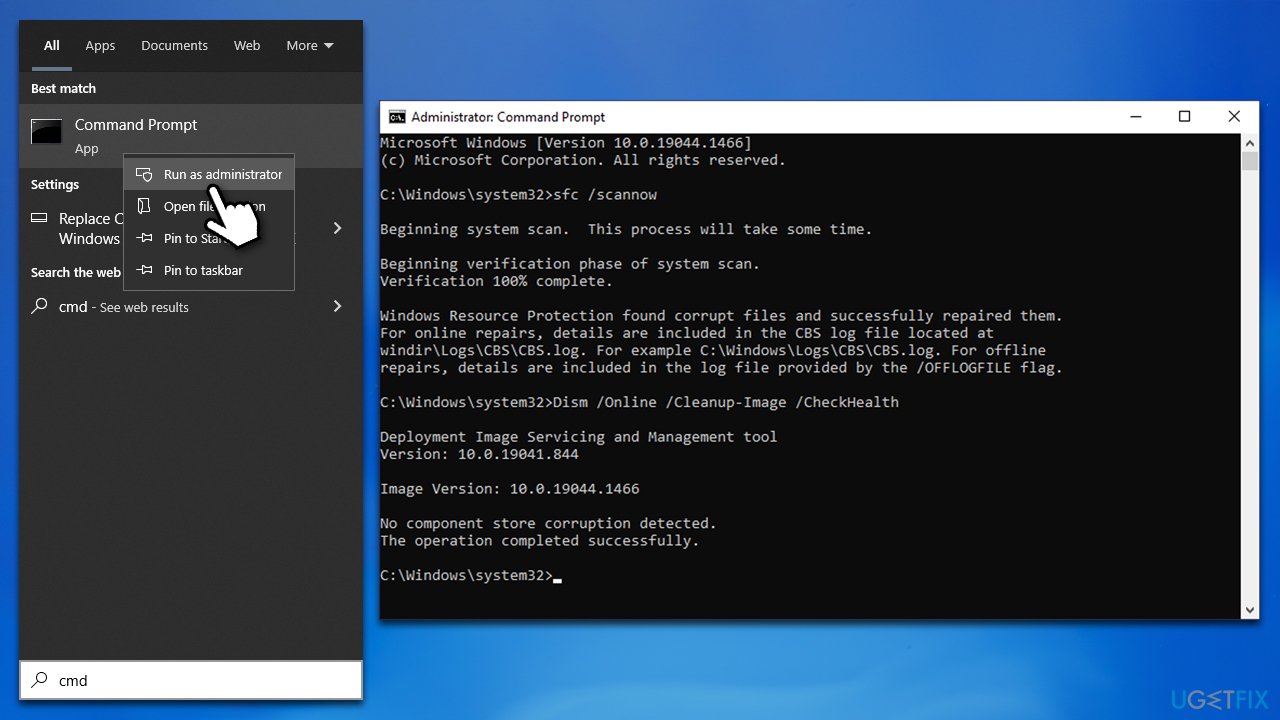
Corrupted system files could cause the PhoneExperienceHost.exe error. To address this, you can run several commands via an elevated Command Prompt:
- Type in cmd in Windows search.
- Right-click on Command Prompt and select Run as administrator.
- User Account Control will ask you whether you want to allow to make changes to the system - click Yes.
- In the Command Prompt window, paste the following command and hit Enter:
sfc /scannow - Next, use these commands (don't forget to press Enter every time):
Dism /Online /Cleanup-Image /CheckHealth
Dism /Online /Cleanup-Image /ScanHealth
Dism /Online /Cleanup-Image /RestoreHealth - Restart your PC.
Fix 5. Uninstall Phone Link
If you are not using the app, and it causes the annoying error, you can simply get rid of it as follows:
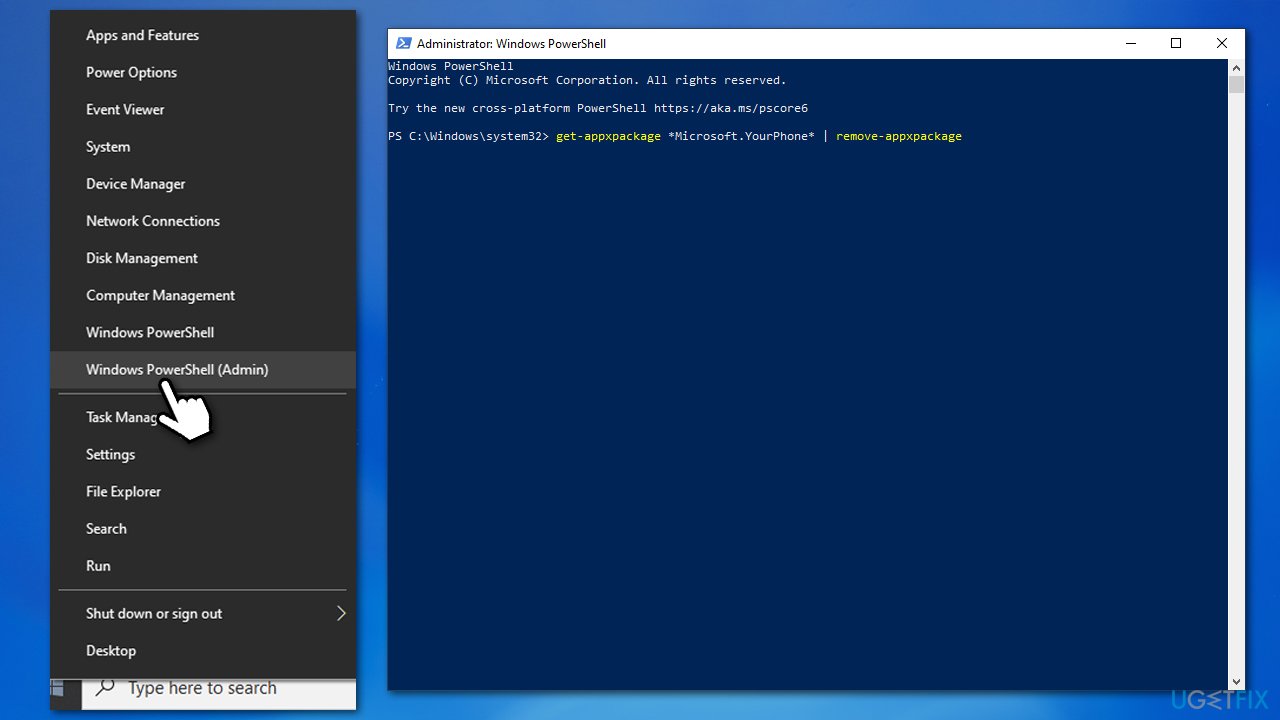
- Right-click on Start and select PowerShell (Admin).
- When UAC shows up, click Yes.
- In the new window, copy and paste the following command and press Enter:
get-appxpackage *Microsoft.YourPhone* | remove-appxpackage - Close down PowerShell and restart your PC.
If you change your mind and would like to reinstate the app, you can always download and install it from Microsoft Store.
Bottom line
To fix the PhoneExperienceHost.exe error, you can run the Windows Store Apps troubleshooter and follow additional steps outlined in the guide. If these solutions do not resolve the issue, consider seeking further assistance or exploring alternative fixes.
Frequently asked questions
The PhoneExperienceHost.exe error can be caused by corrupted system files, issues with the Phone Link app, or outdated Windows components. Ensuring that your system is up to date and repairing the app can help resolve the issue.
To repair the Phone Link app in Windows 10 or 11, go to Settings > Apps > Apps & features, find Phone Link, click on it, and select 'Advanced options' to use the Repair option. This can help restore the app's functionality.
Disabling PhoneExperienceHost.exe is generally safe if you do not use the Phone Link feature, but it may limit your ability to sync your phone with your PC. Consider troubleshooting the error first before deciding to disable it.




Report an issue
What's wrong with this guide? We review every report and update or remove content.
Report received — thank you. We'll review and fix it.
You need a free account to submit a report.
Be the first to comment