How to fix
Windows 10 Error Code: 0x800706bb
on Windows
Resolve Windows 10 error code 0x800706bb effortlessly with proven solutions. Fix your issues quickly and reliably, with expert-tested methods.


What causes How to Fix Windows 10 Error Code: 0x800706bb?
- Network Adapter malfunction
- Windows Defender activation issues
- RPC server being too busy
- System initialization errors
- Lack of relevant information on the Internet
Repairs Windows system files, removes malware, and restores a clean OS state — without reinstalling.
I get an error code 0x800706bb when Windows 10 is booting. The process gets stuck, but then refreshes and the system is successfully loaded. The error indicates a problem related to Network Adapter and yes, it seems that it may be the culprit. Network Adapter often fails to run, so I have to reset it regularly. No information on this bug on the Internet yet. Could someone please help?
The Error Code 0x800706bb is one of the latest Windows 10 problems. Although not many computers are affected, their users face difficulties in fixing the problem as there is no relevant information on the Interne so far. Microsoft did not acknowledge the problem, neither other IT-related blogs described it. That‘s probably due to the number of affected users, which is relatively small for now. However, UgetFix team addresses all Windows 10 users and will try to help those Windows 10 users who are struggling to fix 0x800706bb error.
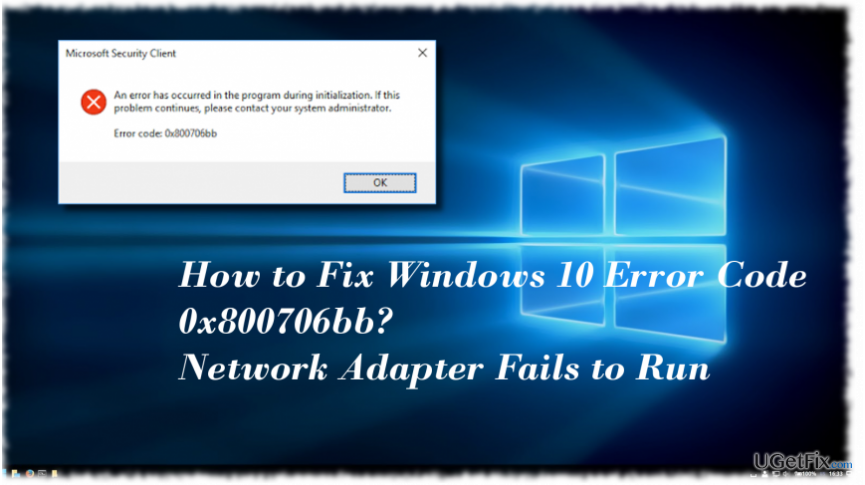
What is the Error Code 0x800706bb and when does it show?
Innitially, Erro Code 0x800706bb was dubbed as a Windows Defender bug. It tended to appear when a PC‘s owner attempts to activate Windows Defender or launch a scan with it. The full message stated:
An error has occurred in the programme during initialization. If the problem continues please contact your system administrator.
Related to Windows Defender, this error indicates the fact that the RPC server is too busy to complete the reqested operation. Therefore, it‘s advisable to leave Windows Defender idle and try to activate it later, after a system‘s reboot preferably. However, currently people reportd the 0x800706bb error showing up during Windows 10 startup and triggering Network Adapter to malfunction. In this case, we would recommend running Network Adapter Troubleshooter:
1. Press Windows key + I to open Settings app.
2. Select Network & Internet and open Status on the left pane.
3. At the bottom of the page, find Network troubleshooter and click it.
4. The pop-up saying Detecting problems should occur. Wait for the scan to be executed.
The troubleshooter should automatically detect and fix all problems related to network. However, several people reported that they cannot run Network Troubleshooter as it bring the 0x800706bb error or simply does not respond. In this case, you should try uninstalling and re-installing the network driver.
Fixing Error Code 0x800706bb on Windows 10
1. Press Windows key + X and select Device Manager.
2. Expand Network adapters section.
3. Double-click on your Network Adapter and open Driver tab.
4. Select Uninstall and OK to save the changes.
5. Then reboot the system.
6. Now open Device Manager as explained above and click Actions tab.
7. Select Scan for hardware changes. The system should automatically detect the missing Network Adapter driver and install its latest version.
8. If, for some reason, Windows fails to detect the driver, navigate to the manufacturer‘s website and download the driver manually.
RECOMMENDED: Windows 10 performance depends on various factors, including the condition of applications, registry entries, system files, and similar. If any of them malfunction, the system may generate errors, initiate slowdowns or crash randomly. Thus, we would recommend using [d1] and performing a scan with it regularly.
Bottom line
The error code 0x800706bb can be addressed by running the Network Adapter Troubleshooter, which helps identify and fix network-related issues. If the problem persists, consider rebooting the system and trying to activate Windows Defender later. If none of these solutions work, further assistance may be required.
Frequently asked questions
The error code 0x800706bb typically indicates a problem with the Windows Update service or an issue with the system files. This can prevent Windows 10 from downloading or installing updates properly.
To fix the 0x800706bb error on Windows 11, you can run the Windows Update Troubleshooter and check for corrupted system files using the System File Checker tool. This often resolves update-related issues.
If you encounter the 0x800706bb error during a Windows update, try restarting the Windows Update services, clearing the SoftwareDistribution folder, or performing a clean boot to eliminate software conflicts.




Report an issue
What's wrong with this guide? We review every report and update or remove content.
Report received — thank you. We'll review and fix it.
You need a free account to submit a report.
Be the first to comment