How to fix
NET::ERR_CERT_DATE_INVALID Error on Chrome
on Windows
Resolve the NET::ERR_CERT_DATE_INVALID error on Chrome in Windows 10/11 effortlessly. Get back to browsing securely with expert-tested solutions.

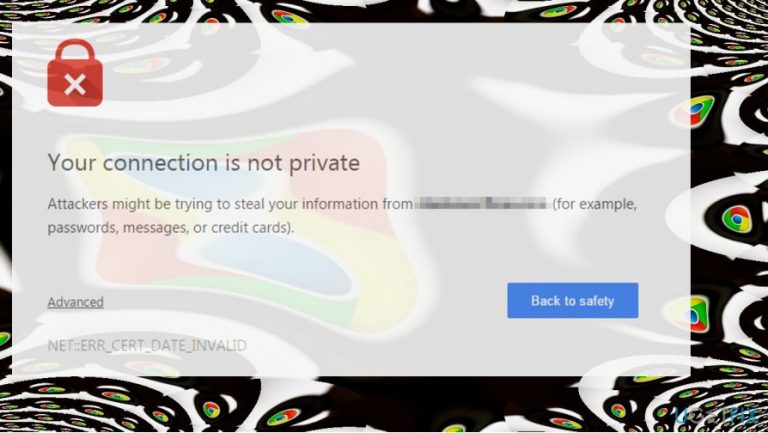
What causes How to Fix NET::ERR_CERT_DATE_INVALID Error on Chrome?
- Internet connection issues
- Device security settings
- Expired SSL certificate
- Malware or potentially unwanted programs (PUP)
- Browser cache problems
Repairs Windows system files, removes malware, and restores a clean OS state — without reinstalling.
My Google Chrome has just started displaying an error message “Your Connection is Not Private” ERR_CERT_COMMON_NAME_INVALID. Strangely, this message shows up when trying to access pages like google.com, youtube.com, Facebook.com, and other reputable domains. It shows up randomly and oddly enough I can still access the “blocked” site. It that serious?
NET::ERR_CERT_DATE_INVALID is a system error which is also known as "Your Connection is Not Private." Usually, people encounter it on Google Chrome[ref en-1] while trying to access specific websites even if they are legitimate and trustworthy. Likewise, people cannot enjoy their browsing experience and visit the necessary pages.
Net::ERR_CERT_DATE_INVALID error means that the Internet connection or the device itself is preventing Google Chrome from loading the page based on the fact that the page is not secure and accessing it poses a risk to one’s privacy. Thus, people cannot access such websites as YouTube, Google, Amazon, Facebook, etc.
People who receive "Your Connection is Not Private" message usually try to simply close the window/tab and reopen the browser. Sometimes, this more than easy trick may help. However, if NET::ERR_CERT_DATE_INVALID error is caused by a potentially unwanted program (PUP)[ref en-2] or even malware-based cyber threat, these actions will be ineffective.
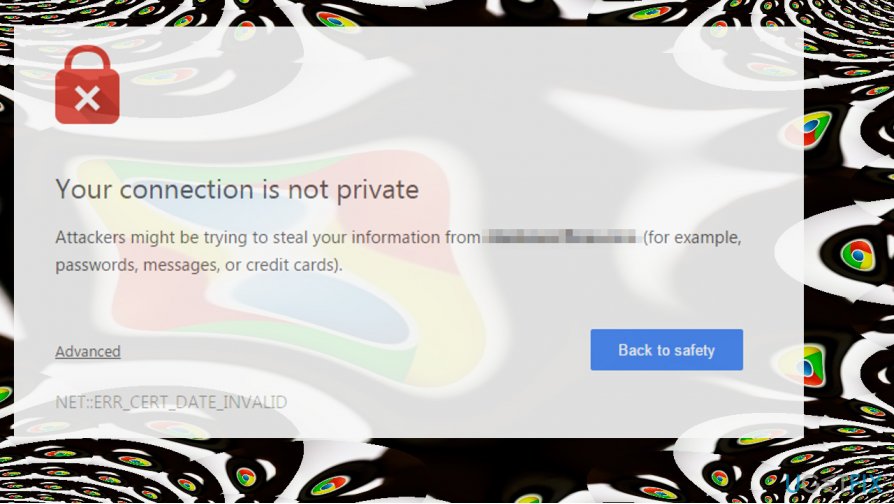
Unfortunately, once the system is damaged by a malicious program, the person needs to see an IT specialist immediately. Although, we suggest you to first run a full system scan with a reputable malware removal software and that might also help to get rid of "Your Connection is Not Private" alert.
Below you will find a guide showing how to fix NET::ERR_CERT_DATE_INVALID system error on Chrome and stop "Your Connection is Not Private" message from popping up. However, please try all the indicated techniques since there are no guarantees that only one will help you right away.
Ways to fix NET::ERR_CERT_DATE_INVALID and get rid of "Your Connection is Not Private" pop-up on Chrome
Sadly, but the culprit of this problem hasn’t been identified yet, but tech-savvy PC enthusiasts come up with several tips and tricks that often help to fix “Your Connection is Not Private” error on Chrome. Here’s what you should try firstly:
- If you are connected to the WiFi hotspot or using another public network, your connection may actually be not private. Therefore, if the “Your Connection is Not Private” net::ERR_CERT_DATE_INVALID error showed up while web browsing on a public network, we would recommend you to stop browsing and disconnect from the current network.
- Scan the system with a professional anti-malware utility. We recommend using [d1]. It might be that a malicious application or virus compromised your web browser.
- Disable doubtful third-party extensions[ref en-3] on the affected web browser.
- Reinstall Chrome or another web browser which is damaged.
- Check Date and Time settings. Incorrect date and time parameters often cause this problem, so fix them if needed.
If these simple steps did not help to fix net::ERR_CERT_DATE_INVALID error, please try the following methods:
This video has information about fixing this error:
[youtube 2CE8rrvHIeY]
Method 1. Clear Browser Cache on Chrome
- Open Chrome and click on Menu icon.
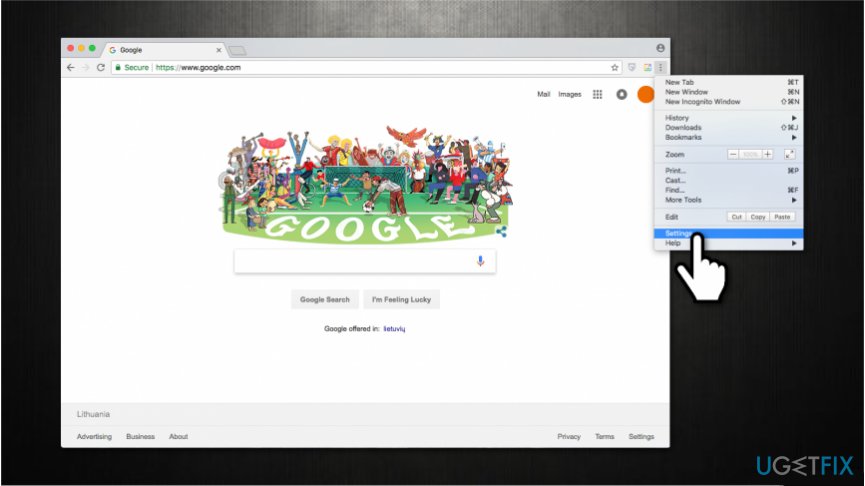
Fix net err cert date invalid error - Open History and select Clear browsing data.
- Make sure to clean Browsing history and cache.
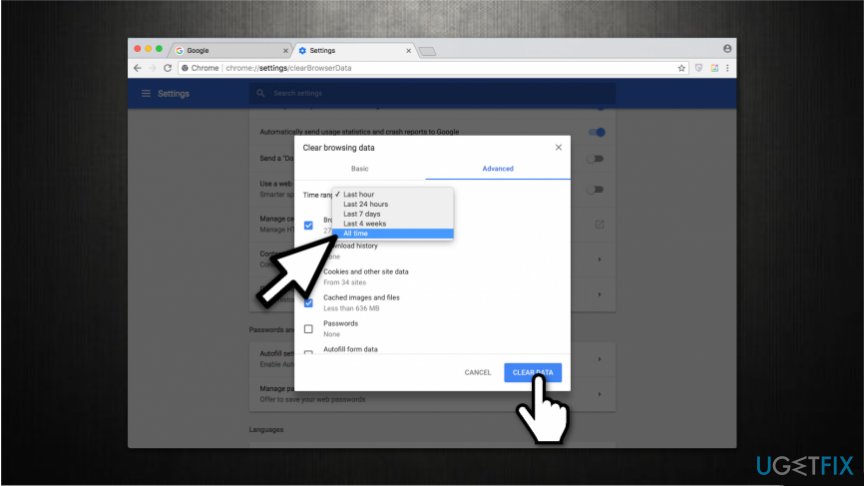
Fix net err cert date invalid issue - Wait for the cleaning to be executed and then reopen the browser.
Method 2. Disable Windows Firewall Temporarily
- Press Windows key and type Windows Firewall.
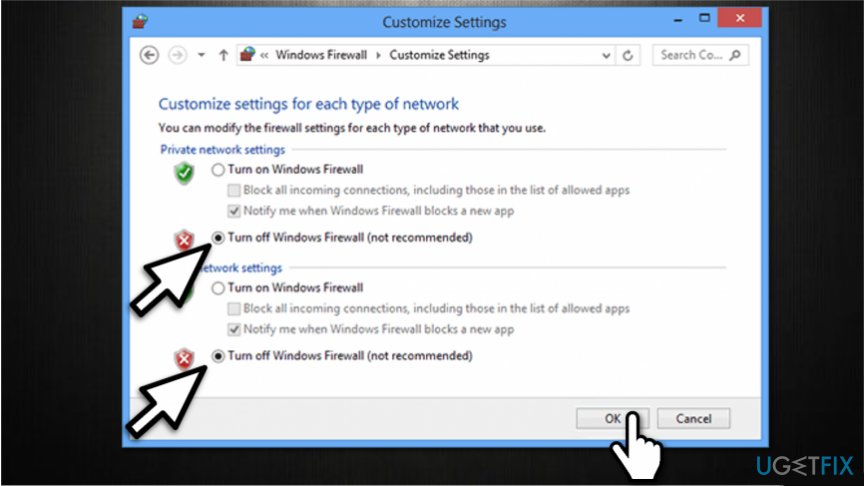
Net err cert date invalid fix - Click on the first option and open Turn Windows Firewall off or on section.
- Select Turn off Windows Firewall and check if the issue still occurs.
Method 3. Replace Current DNS Servers with Google DNS Servers
- Right-click on Windows key and select Control Panel.
- Open Network & Sharing settings.
- Right-click on your network adapter and select Properties.
- Select the Internet Protocol Version 4 (TCP/IPv4) and open Properties.
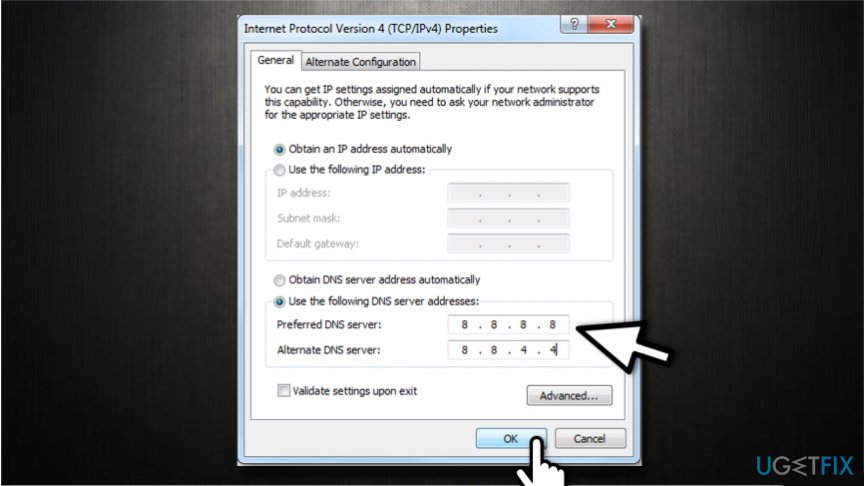
Net err cert date invalid error code - Mark the Use the following DNS server addresses: option and enter these DNS server addresses:
8.8.8.8
8.8.4.4 - Apply the changes.
- Reboot the PC.
Method 4. Modify Network and Sharing Settings
- Navigate to the Control Panel -> Network & Sharing Center.
- Select Change advanced sharing settings on the left.
- Expand the Home or work network (Current Profile) and Public network section.
- Now disable Network Discovery, File and printer sharing, and Public Folder Sharing options.
- Finally, turn on the Password protected sharing option.
Bottom line
To fix the NET::ERR_CERT_DATE_INVALID error, you can try closing and reopening the browser, running a full system scan with reputable malware removal software, and clearing your browser cache. If these solutions do not resolve the issue, it is advisable to consult an IT specialist for further assistance.
Frequently asked questions
To fix this error on Windows 10, ensure your system date and time are set correctly and clear your browser's cache and cookies in Chrome.
You can check the SSL certificate validity by clicking on the padlock icon in the Chrome address bar, then selecting 'Certificate' to review its details.
Yes, keeping Windows 11 updated can help resolve compatibility issues with SSL certificates that may cause the NET::ERR_CERT_DATE_INVALID error.




Report an issue
What's wrong with this guide? We review every report and update or remove content.
Report received — thank you. We'll review and fix it.
You need a free account to submit a report.
Be the first to comment