How to fix
Windows keeps changing default printer
on Windows
Resolve the issue of Windows 10 and 11 changing your default printer. Get expert-tested solutions that fix the problem in minutes.

![[Fix] Windows keeps changing default printer](https://ugetfix.com/wp-content/uploads/articles/askit/fix-windows-keeps-changing-default-printer_en-768x432.jpg)
What causes [Fix] Windows keeps changing default printer?
- Windows automatically sets the last printer on the network as default
- Software updates
- Compatibility issues between the printer and the operating system
- Feature that allows Windows to manage default printer settings
Repairs Windows system files, removes malware, and restores a clean OS state — without reinstalling.
For some reason, Windows keeps changing the printer I set as default - it happens once or twice a month. Why i this happening and how can I prevent Windows from doing this?
Printers continue to be an important part of many business processes, especially in corporate environments. Their importance cannot be underestimated as they are integrated into various business processes. However, some Windows users have encountered issues that prevent this important functionality.
Windows may change default printer settings without user input. This issue can be very frustrating and disrupt workflows as users have to repeatedly reset their favorite printers. The frequency with which this issue occurs varies by user. For some people it happens only once in a while, for others, it happens more often.
The reason why Windows automatically changes the default printer may be due to the operating system's ability to set the last printer on the network as the default. This feature is intended to simplify printing tasks and may inadvertently cause problems. Other possible causes include software updates or compatibility issues between the printer and the operating system.
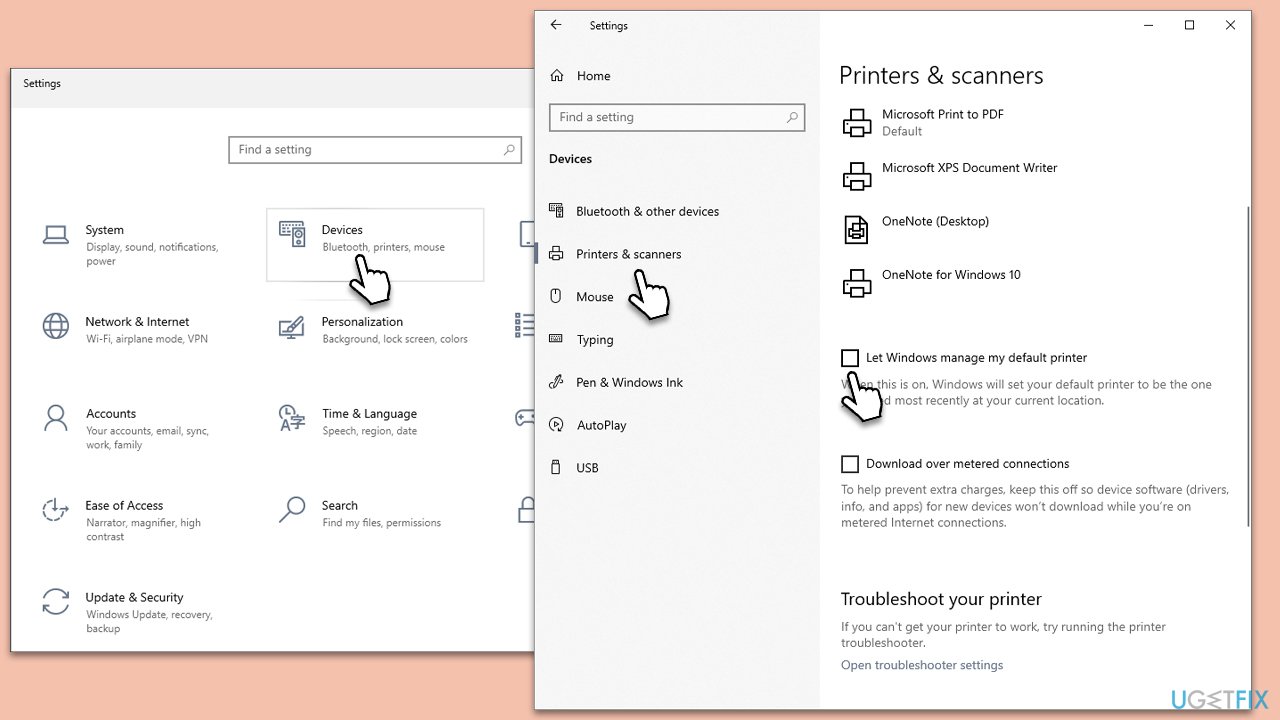
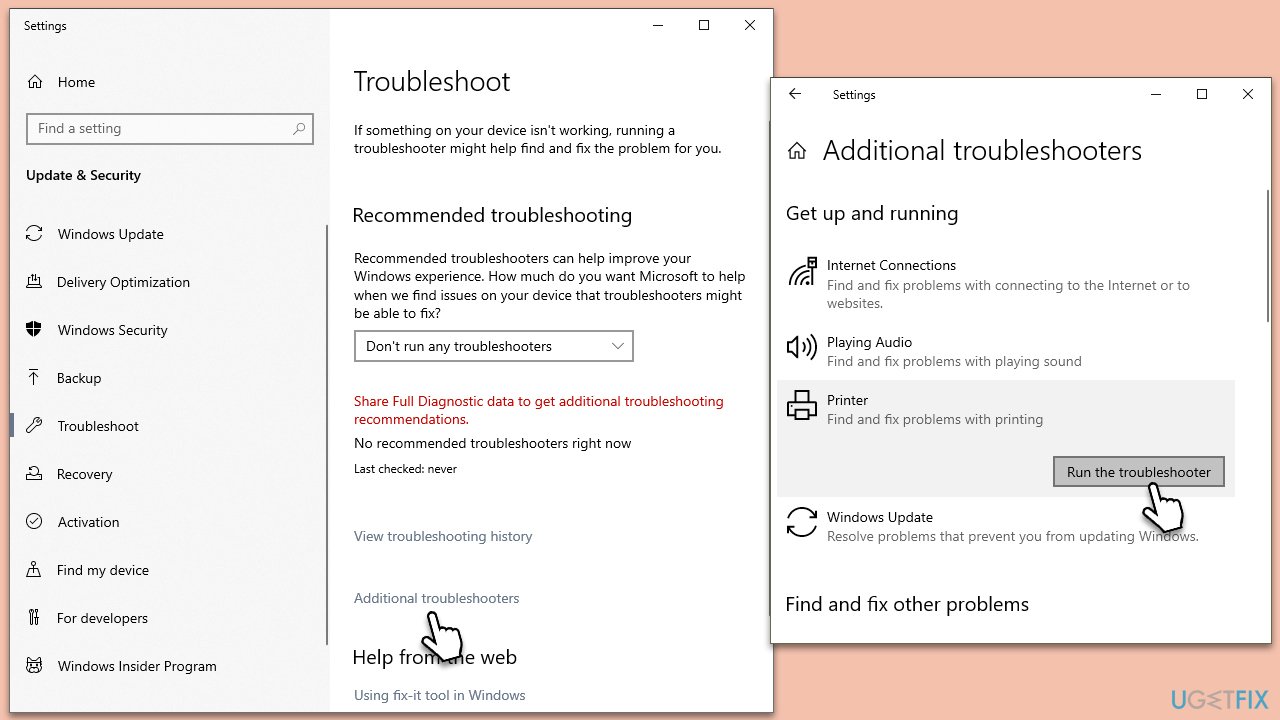
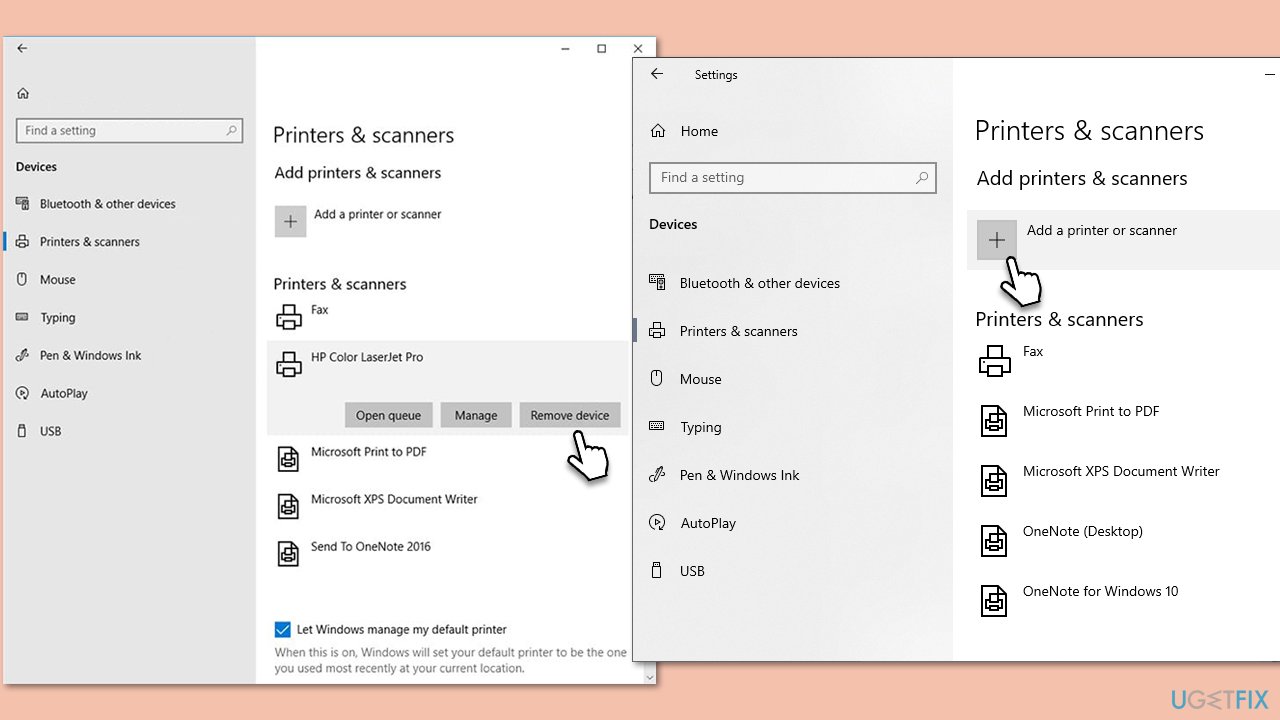
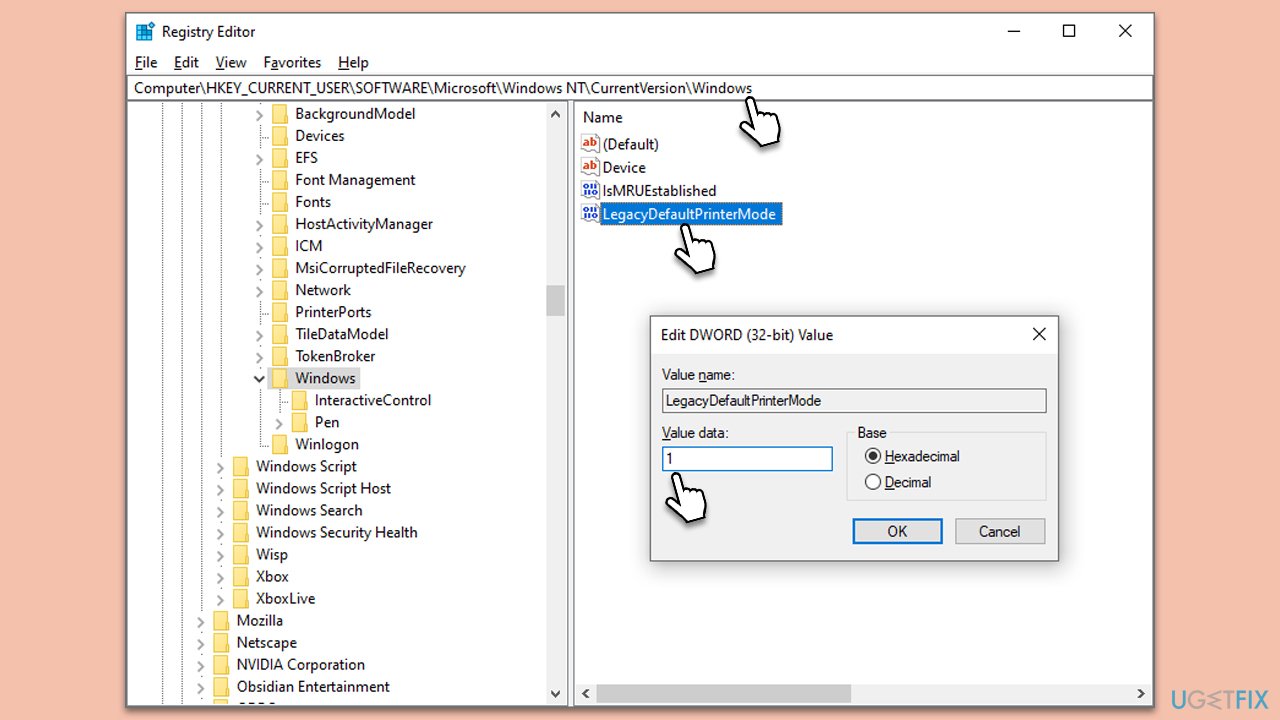
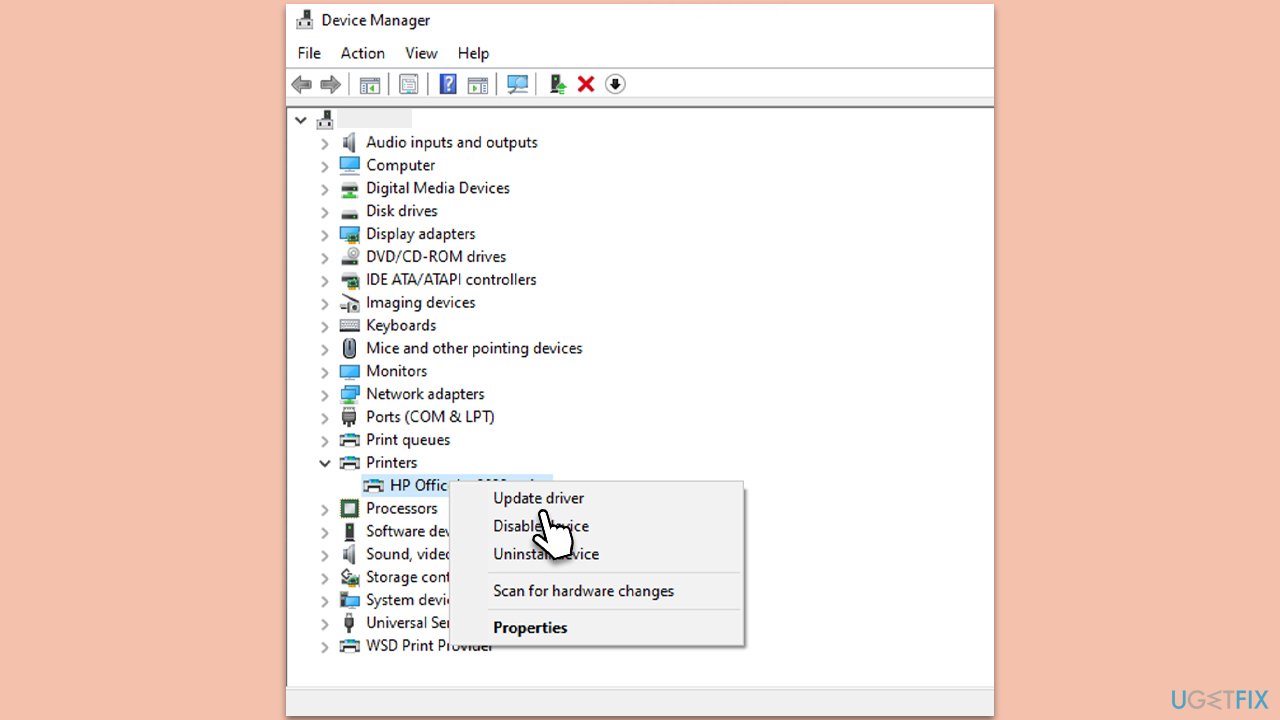
This problem can often be resolved by adjusting the printer settings in Windows. To do this, you need to disable one of the settings that allows it to manage your printer. If this method does not resolve your issue, additional troubleshooting steps may be required: driver updates or system configuration changes.
For a more comprehensive approach to this and other Windows-related issues, consider using the PC Repair Tool [d1]. This software is designed to automatically identify and fix underlying problems in your Windows operating system, providing a comprehensive solution to keep your system stable and efficient.
Bottom line
To resolve the issue of Windows changing the default printer, you can disable the 'Let Windows manage my default printer' option. If this does not fix the problem, consider additional troubleshooting steps such as driver updates or system configuration changes. If none of these solutions work, using a PC Repair Tool may help identify and fix underlying issues.
Frequently asked questions
Windows 10 automatically changes the default printer based on the last used printer at a specific location. This feature can be disabled in the settings to prevent unwanted changes.
To stop Windows 11 from changing the default printer, go to Settings > Devices > Printers & scanners, then disable the 'Let Windows manage my default printer' option.
If your default printer keeps changing, ensure that the printer drivers are up to date and check for any conflicting printer management software on your Windows 10 or Windows 11 system.




Report an issue
What's wrong with this guide? We review every report and update or remove content.
Report received — thank you. We'll review and fix it.
You need a free account to submit a report.
Be the first to comment