How to fix
Microsoft Outlook Cannot Sign or Encrypt This Message error
on Windows
Resolve the Microsoft Outlook sign or encryption error on Windows 10 or Windows 11 swiftly. Get expert-tested solutions and fix it in minutes!


What causes How to fix Microsoft Outlook Cannot Sign or Encrypt This Message error?
- Missing configurations or digital certificates
- Incorrectly set up security settings
- Invalid local S/MIME certificates
- Issues with third-party applications
- Bugs in the program
- Operating system compatibility problems
Repairs Windows system files, removes malware, and restores a clean OS state — without reinstalling.
Hello. I have trouble with certificates and Outlook messages. I use Office 365 account and the error message pop-ups like "Microsoft Outlook Cannot Sign or Encrypt This Message" keeps me from using the email platform at all. Can you provide any tips or help?
Outlook email platform on Microsoft systems is pretty popular. That means that such issues with Microsoft Outlook Cannot Sign or Encrypt This Message error or other errors occur pretty commonly. Users[ref en-1] reported various variations of these messages that appear as pop-ups and warnings.
What is the reason for this? Outlook provides robust security features to protect your emails, including options to sign and encrypt your messages. However, sometimes you might encounter an error message indicating a problem with your email security settings, specifically saying, "Microsoft Outlook Cannot Sign or Encrypt This Message."
Email platforms are used daily, and these programs are not always compatible or working smoothly. Issues come from updates, operating system compatibility and bugs in the program itself. Security certificates might get messed up due to third-party applications and other system issues. However, troubleshooting or updating the app is not always working.
Let's get deeper into this. There are several reasons why you might see this error. One common reason is that the necessary configurations or digital certificates are missing or incorrectly set up. Outlook requires specific security settings and valid digital certificates to sign and encrypt emails. You will encounter an error if any of these elements are absent or not properly configured.
Another reason for this error is related to the encryption method used. Microsoft's preferred encryption method, Microsoft Message Encryption, does not rely on local client certificates. Instead, it uses cloud-based services to manage encryption.
However, if your email client uses local S/MIME (Secure/Multipurpose Internet Mail Extensions) settings and certificates, it might attempt to encrypt the message using these local resources. If the local certificates are invalid or not properly installed, you will see a "Microsoft Outlook Cannot Sign or Encrypt This Message" error.
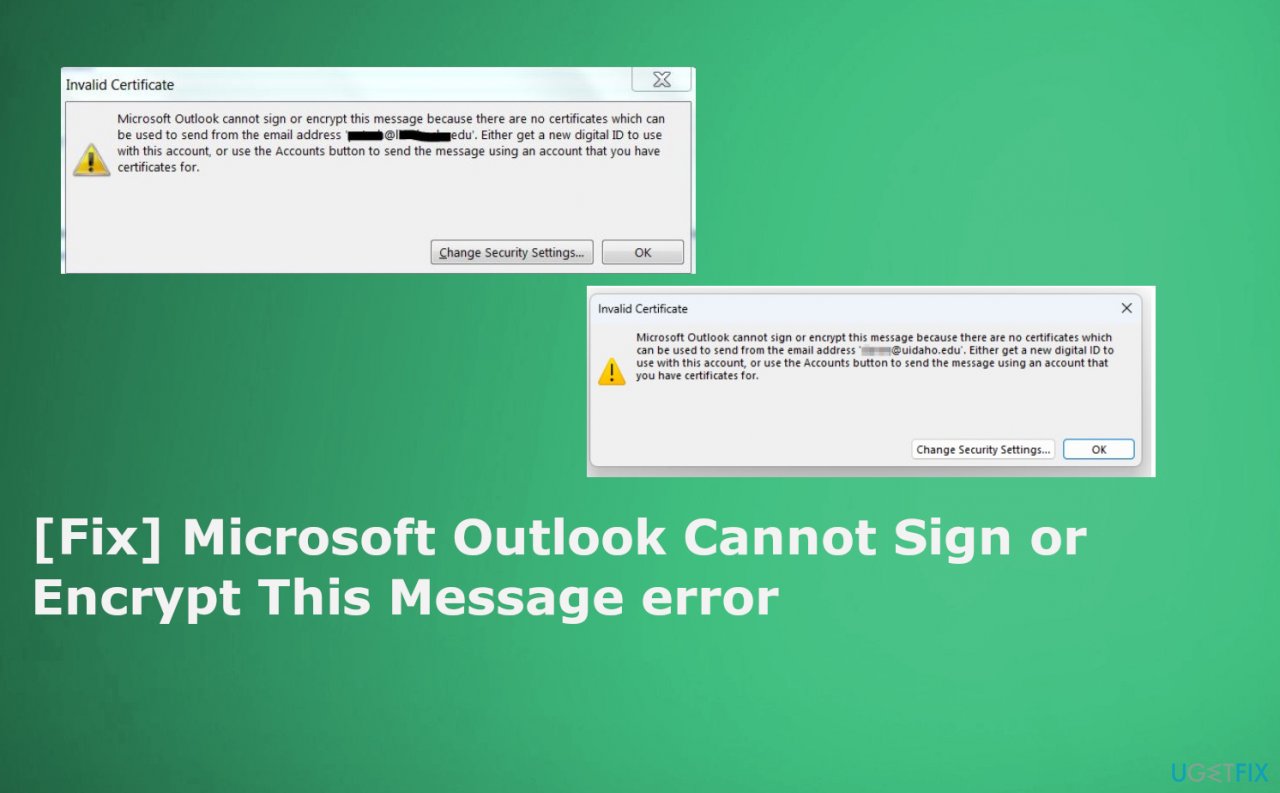
How to fix Microsoft Outlook Cannot Sign or Encrypt This Message error?
To resolve these issues, ensure that your email security settings are correctly configured and that you have valid digital certificates installed. Check that you are using the appropriate encryption method for your needs. If you prefer to use Microsoft's cloud-based encryption, make sure your settings reflect this choice and that you are not relying on local certificates that might be outdated or incorrect.
"Microsoft Outlook Cannot Sign or Encrypt This Message" error usually points to a problem with your email security settings or digital certificates. By verifying your configurations and choosing the right encryption method, you can prevent this error and keep your emails secure.
Overall, there is no one way to fix Microsoft Outlook Cannot Sign or Encrypt This Message error that could work for every user and in every instance. However, we provide some tips and steps to improve the situation. Also, remember that sometimes third-party applications or even PUPs, malware installations can cause some changes and damage to the machine. So rely on [d1] and scan the machine thoroughly to fix issues automatically.
Update Microsoft Outlook
- Open Outlook.
- Go to the top and choose File.
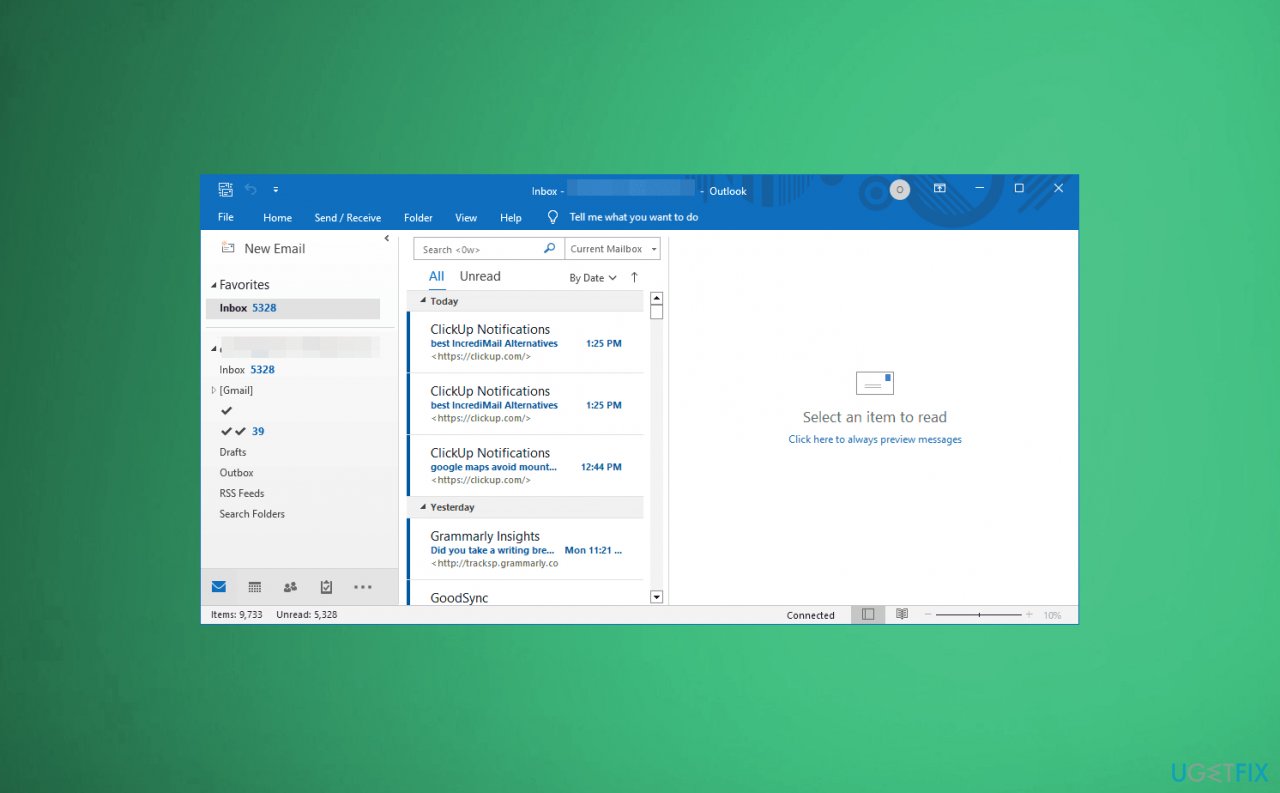
Microsoft outlook cannot sign or encrypt this message mail - Choose Office Account.
- Choose Update Options and select Update Now from the drop-down menu.
- Wait for the automatic update.
Check email security settings
- Tap File in Outlook.
- Click Options.
- Click the Email Security button, and ensure that the Encrypt contents and attachments for outgoing messages and Add digital signatures to outgoing messages boxes are unchecked.
- Tap OK to confirm.
Fix invalid certificates
- Once you open Outlook.
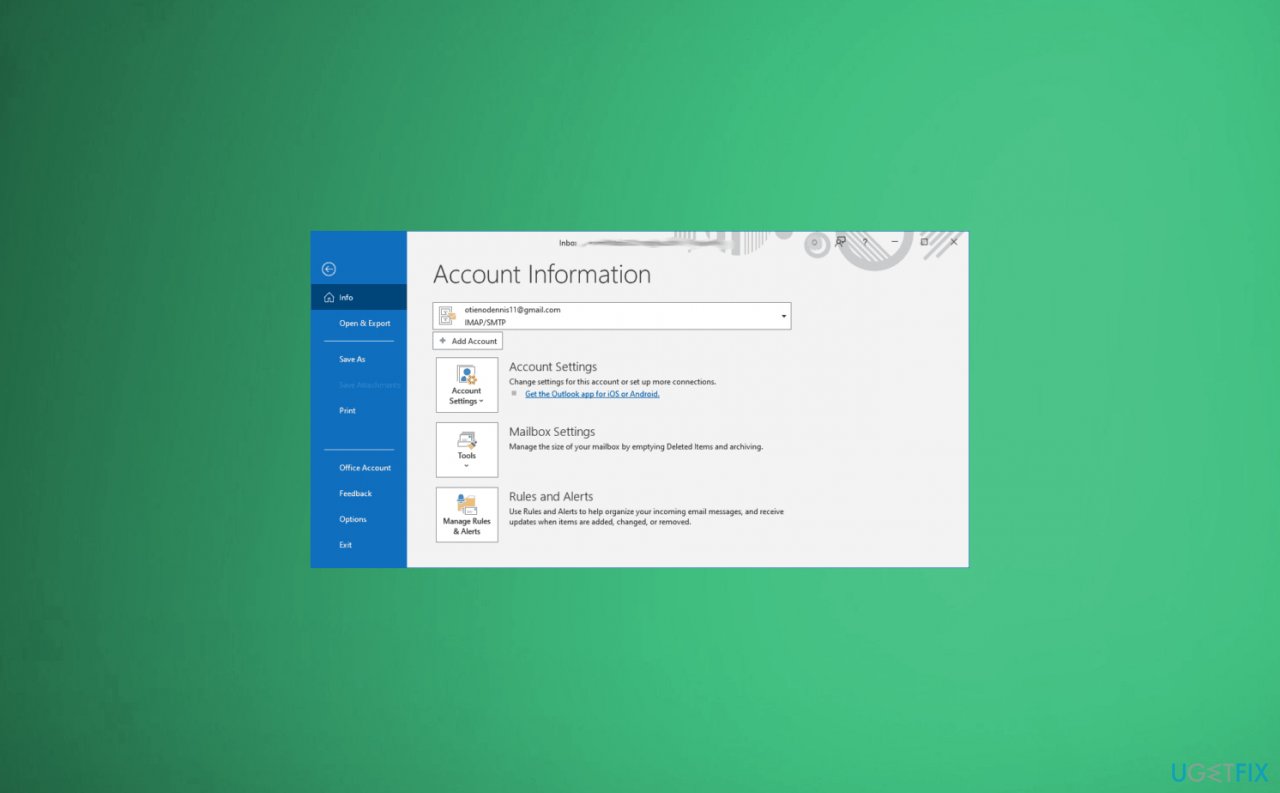
Microsoft outlook cannot sign or encrypt this message feedback - Click File > Options > Trust Center.
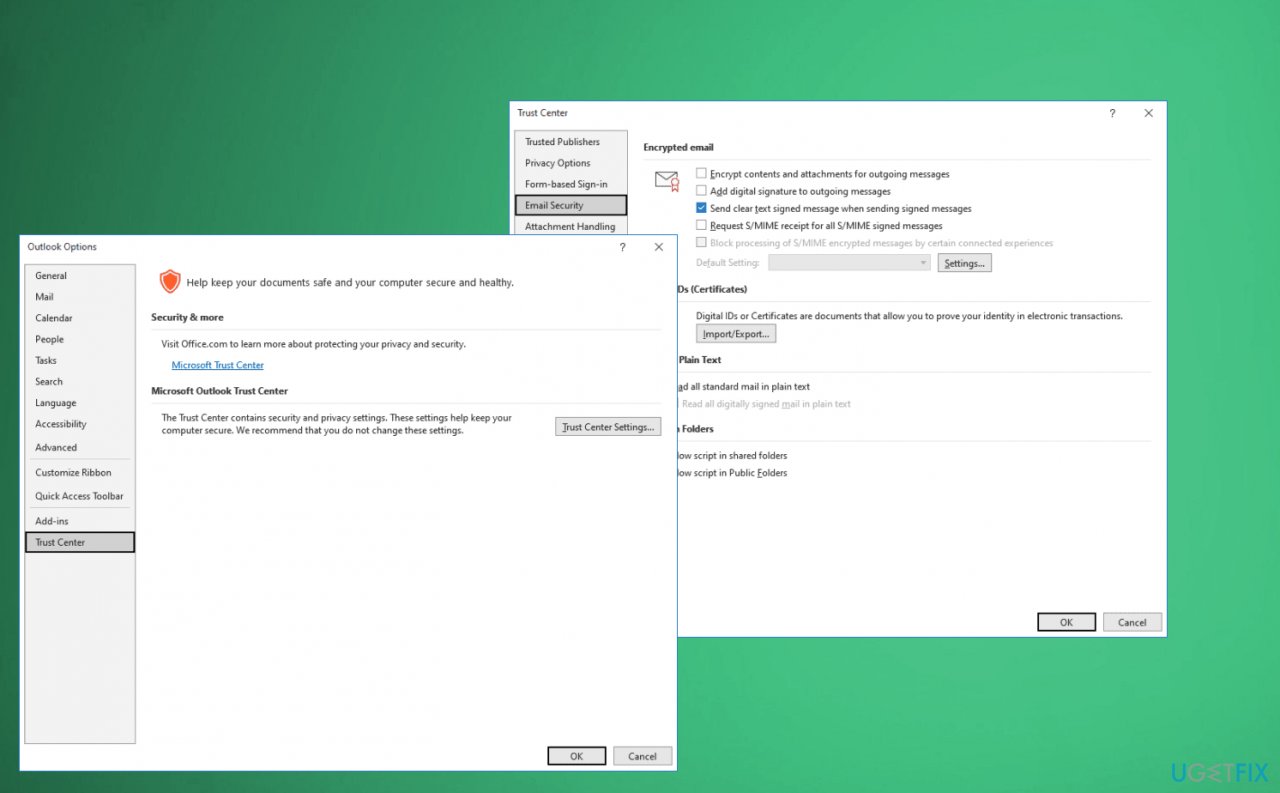
Microsoft outlook cannot sign or encrypt this message trust - Then go to Trust Center Settings and later Email Security.
- Tap Import/Export.
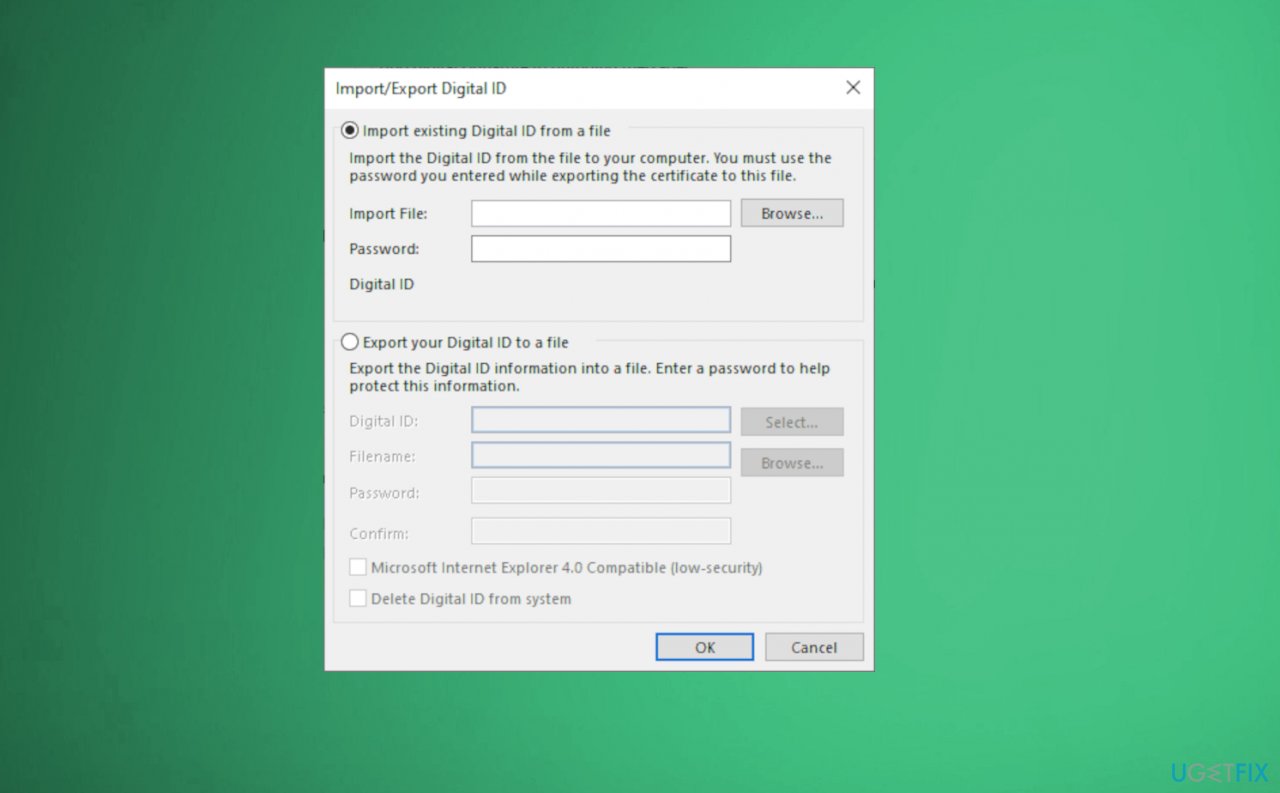
Microsoft outlook cannot sign or encrypt this message import - Click Browse to import the digital ID from your PC.
Bottom line
To fix the 'Microsoft Outlook Cannot Sign or Encrypt This Message' error, ensure that your digital certificates are properly installed and configured. Additionally, check your encryption method and consider switching to Microsoft's preferred cloud-based encryption. If these solutions do not resolve the issue, further troubleshooting or professional assistance may be necessary.
Frequently asked questions
Ensure that your digital certificate is correctly installed and active in Windows 10 by checking the Certificate Manager. Additionally, verify that your email settings are configured correctly for signing and encrypting messages.
Open the Certificate Manager by typing 'certmgr.msc' in the Run dialog, then navigate to Personal > Certificates to verify if your digital certificate is valid and not expired.
Yes, you can try repairing the Office installation via the Control Panel or ensuring that all Windows 11 updates are installed, which may resolve underlying issues.




Report an issue
What's wrong with this guide? We review every report and update or remove content.
Report received — thank you. We'll review and fix it.
You need a free account to submit a report.
Be the first to comment