How to fix
Outlook is already running error
on Windows
Resolve the "Outlook is already running" error in Windows 10 or 11 quickly and easily. Get expert-tested solutions for seamless email access.

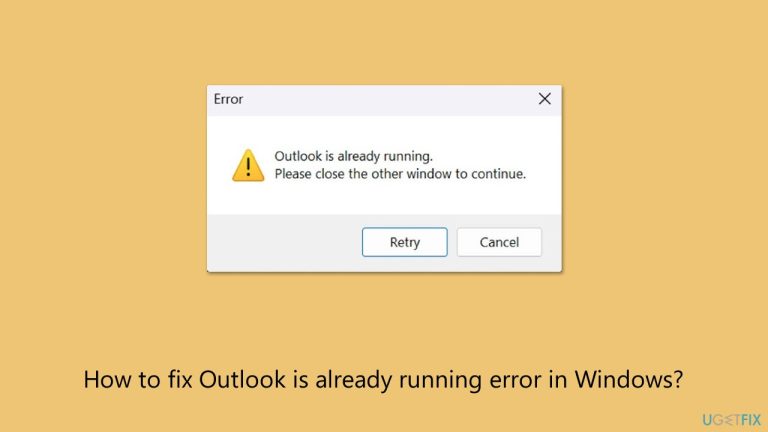
What causes How to fix Outlook is already running error in Windows?
- Outlook doesn’t fully close
- Hidden process active in the background
- Crash of the application
- Unexpected shutdown
- Clash with another program
Repairs Windows system files, removes malware, and restores a clean OS state — without reinstalling.
So when I try to launch Outlook (I'm using Windows), it says that it's already running, although it isn't. How can I fix that?
When you attempt to open Outlook only to be faced with a message telling you that Outlook is already running, that can indeed be frustrating. Even though Outlook isn't visible on your screen, this message will continues to display, leaving you hanging and unable to access your email or calendar. Many Windows users have experienced this common trouble that can destroy their day, which has often plagued countless Windows users.
It is Microsoft's influential email and productivity software and part of the Microsoft Office suite. With the intention of bringing together one's emails, calendar, contacts, and tasks in one place, Outlook boasts features such as search functionality, cloud connection with OneDrive, and impressive security options that endear it to its users for both work and personal use.
Why does the Outlook is already running error happen?
The Outlook is already running error shows up when Outlook doesn’t fully close, leaving a hidden process active in the background. Windows detects this and blocks you from opening a new session, even if you can’t see the app. This might happen because of a crash, an unexpected shutdown, or a clash with another program running on your system.
This Outlook is already running error is more than just a nuisance - it stops you from using Outlook when you need it. Whether you're waiting for an important message or looking at your calendar, this glitch can disrupt your work. It affects several versions of Outlook and Windows, including Windows 11, so it's widespread.
What's next?
There are straightforward ways to tackle the "Outlook is already running error," from simple checks to more thorough fixes. You’ll find detailed solutions below. For a quick and easy option, the [d1] system repair tool can automatically resolve this and other Windows issues that might be behind the problem.
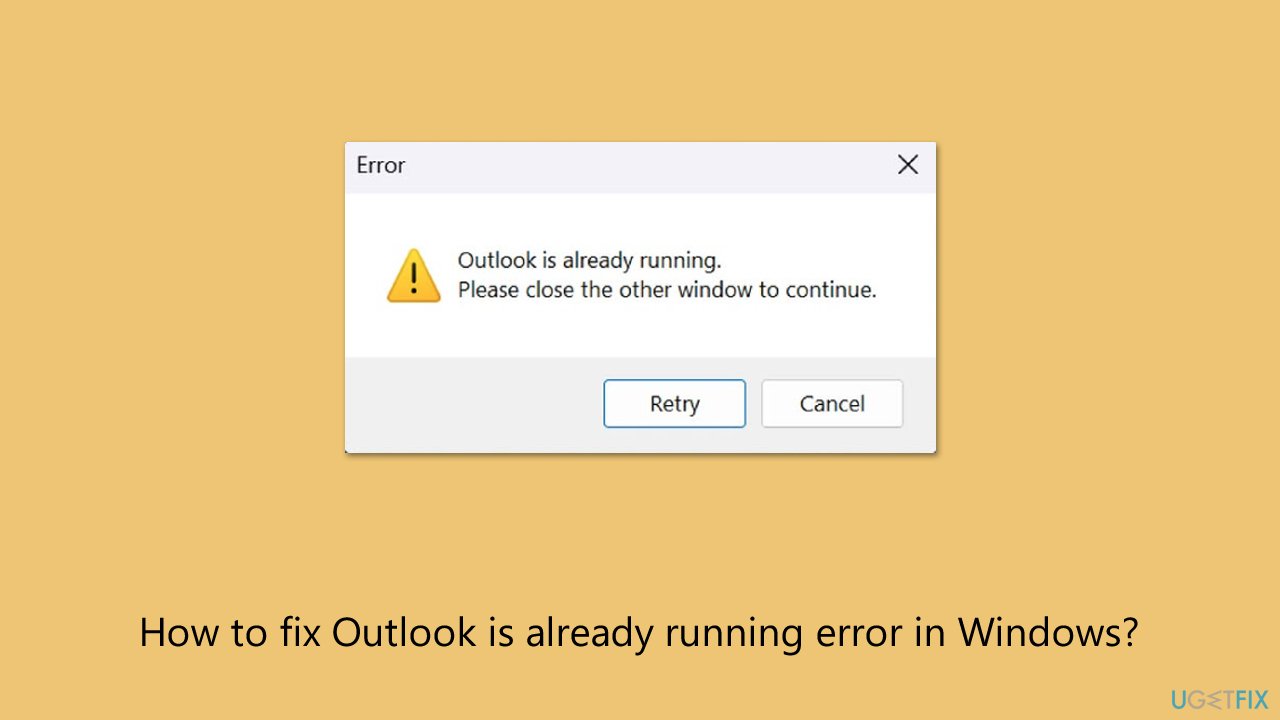
1. Close Outlook using Task Manager
This method forces any hidden Outlook process to shut down.
- Press Ctrl + Shift + Esc to open Task Manager.
- Click More details if needed.
- Look for Microsoft Outlook in the list.
- Right-click it and select End Task to stop it completely.
- Try opening Outlook again.
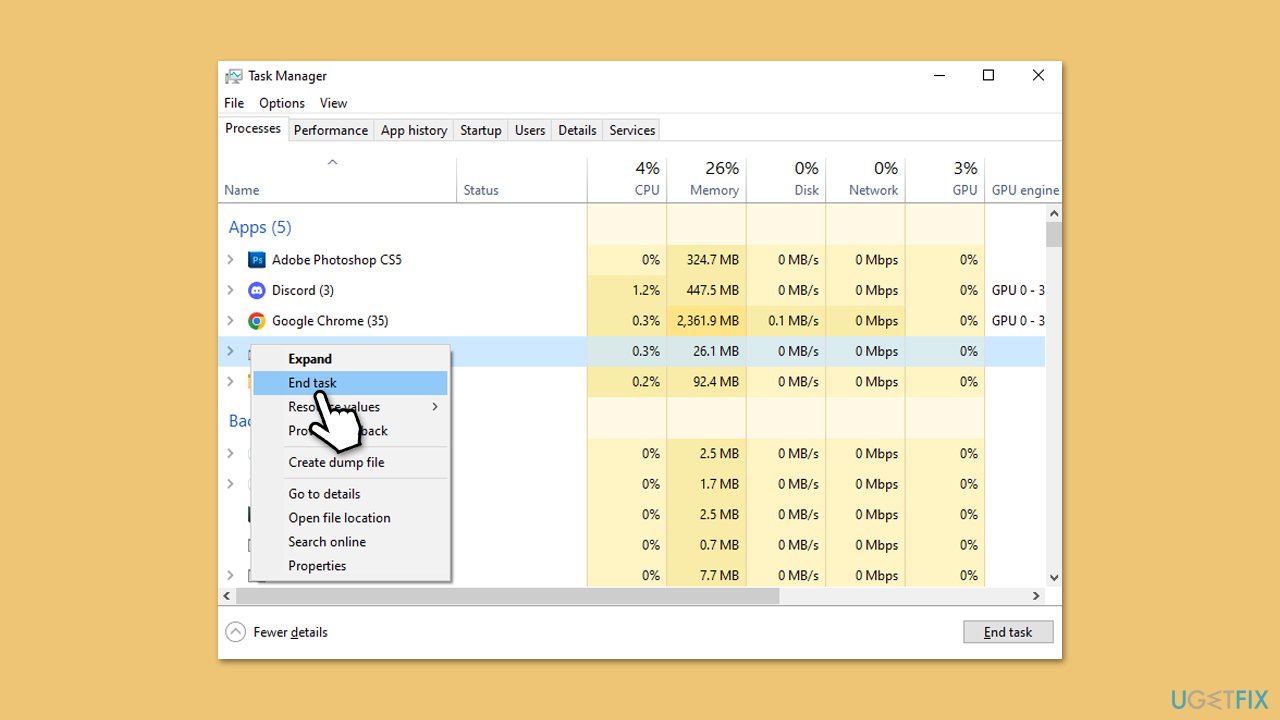
2. Check for multiple Outlook instances
Sometimes, multiple unseen instances confuse Windows, so closing down these instance would address te problem.
- Open the Task Manager.
- Scroll through the Processes tab carefully.
- Look for more than one entry named Microsoft Outlook.
- End each one by right-clicking and selecting End Task.
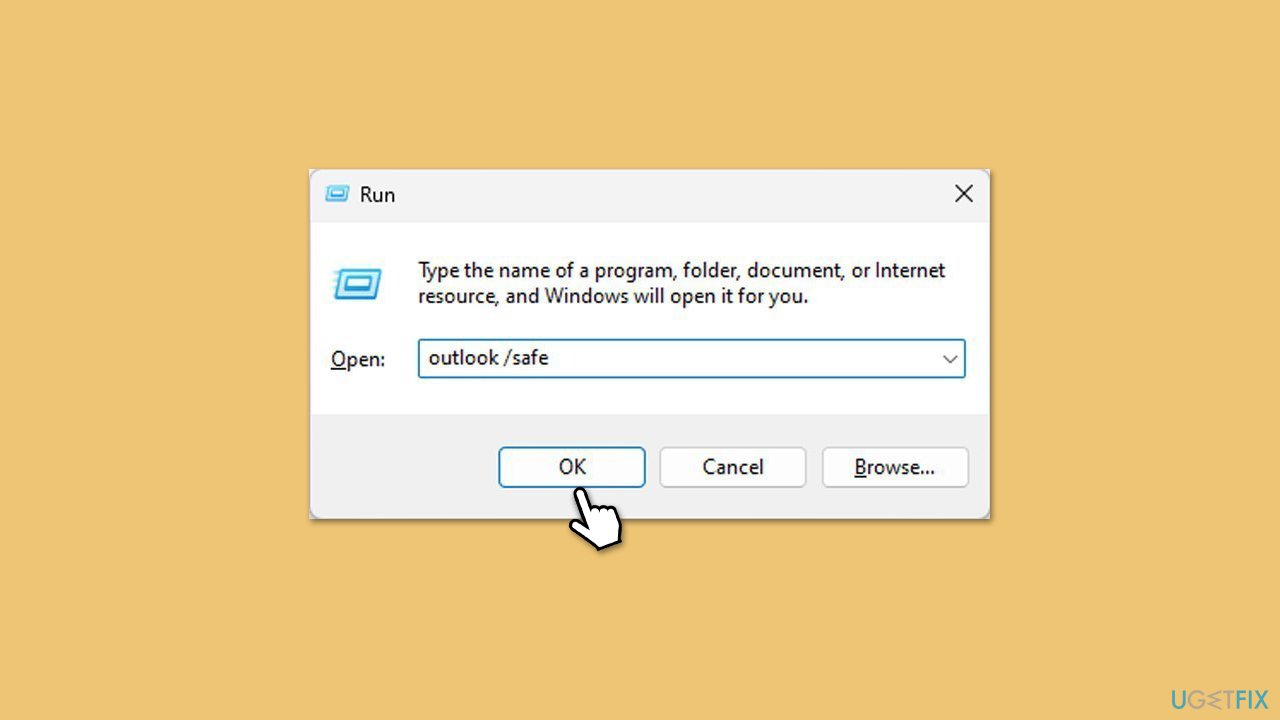
3. Start Outlook in Safe Mode (and disable ad-ins)
- Press Win + R to summon the Run dialog.
- Type outlook /safe and hit Enter.
- If Outlook launches, add-ins may be causing the issue.
- Deactivate them by navigating to File > Options > Add-ins, selecting COM Add-ins, and clicking Go. Disable all add-ins and restart Outlook normally to see if the problem is resolved.
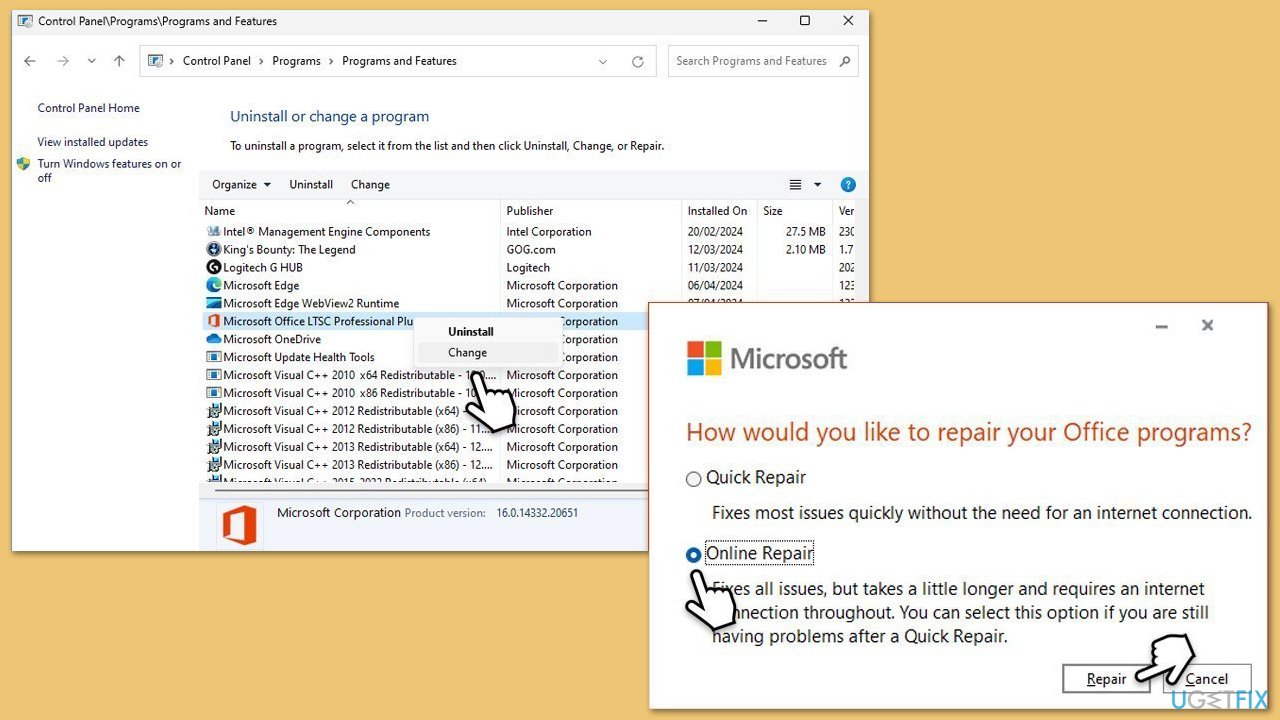
4. Repair Outlook through Control Panel
- Open Control Panel.
- Select Programs > Programs and Features.
- Select Microsoft Office and click on Change.
- Choose the option for Online Repair and click Repair.
- Follow the prompts to finish the process.
5. Update Windows and Outlook
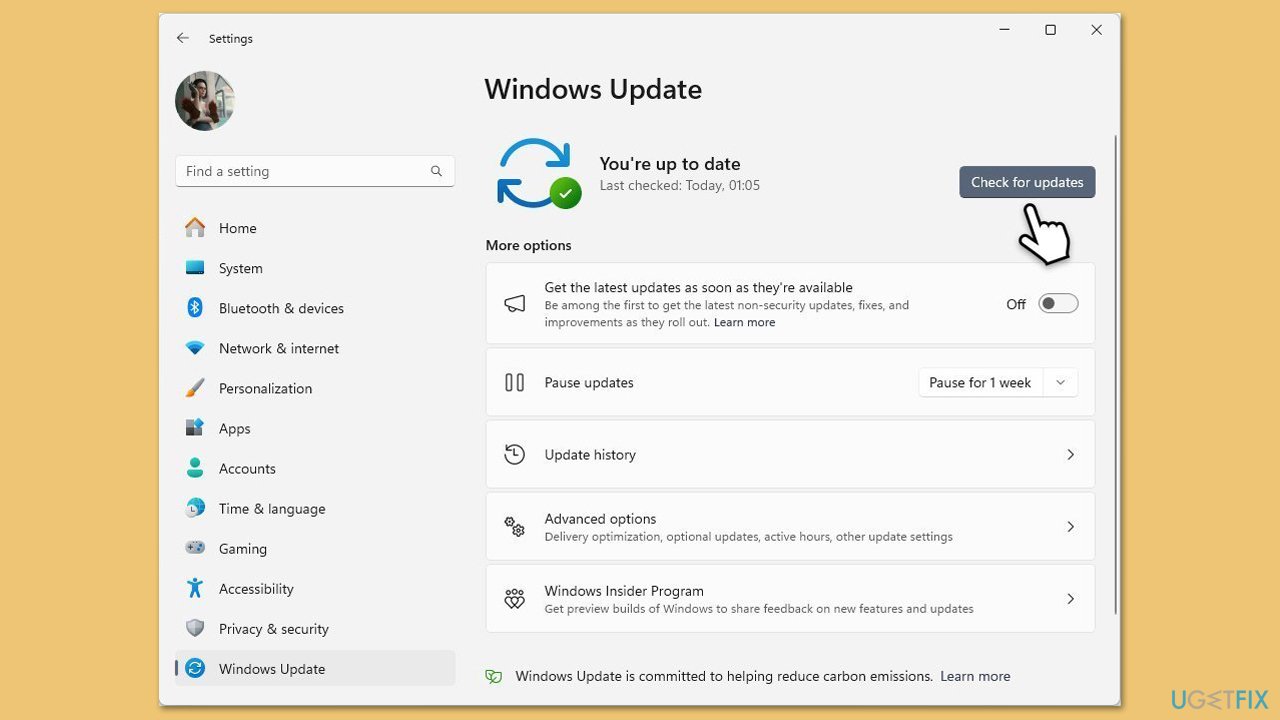
Update Windows
- Type Updates in Windows search and hit Enter.
- If updates are available, click Install updates.
- Otherwise, click Check for updates.
- If optional updates are available, install them as well.
- When all the update processes are complete, restart your system.
Update Outlook
- Open Outlook and click on the File menu.
- Choose Office Account or Account (the option may vary depending on your version of Outlook).
- Under the Product Information section, you will find an Update Options button. Click it and select Update Now.
- Outlook will check for and install any available updates.
- Once the update is complete, restart Outlook to ensure the changes take effect.
6. Disable conflicting antivirus software
By disabling third-party software, you can avoid conflicts with Outlook.
- Open your antivirus program.
- Look for an option to turn off real-time scanning.
- Try launching Outlook again.
- If it works, add Outlook as an exception in your antivirus settings.
7. Clear temporary files manually
Temporary files can pile up and interfere with Outlook, so try clearing them:
- Press the Win + R key together, type %temp% and press Enter.
- A folder will open with lots of files - select all by pressing Control + A key, then press Delete.
- Empty the Recycle Bin afterward.
- Restart your PC and open Outlook.

Bottom line
To fix the 'Outlook is already running' error, you can close Outlook using Task Manager, or use a system repair tool to automatically resolve the issue. If these methods do not work, consider exploring other troubleshooting steps or seeking further assistance.
Frequently asked questions
Try restarting your computer to clear any stuck processes, and then reopen Outlook. If the error persists, check the Task Manager for any hidden Outlook processes and end them.
Ensure that Outlook is not running in the background by checking the Task Manager for any active Outlook instances and terminating them. If that doesn't work, consider repairing your Office installation through the Settings app.
You can prevent this error by ensuring that your Outlook application is updated to the latest version and by disabling any add-ins that may interfere with its startup. Additionally, regularly clearing your Outlook cache can help avoid potential conflicts.




Report an issue
What's wrong with this guide? We review every report and update or remove content.
Report received — thank you. We'll review and fix it.
You need a free account to submit a report.
Be the first to comment