How to fix
Exception error code 0xc000027b
on Windows
Resolve Exception error code 0xc000027b on Windows 10/11 effortlessly with our expert-tested solutions. Get your system back on track in minutes!

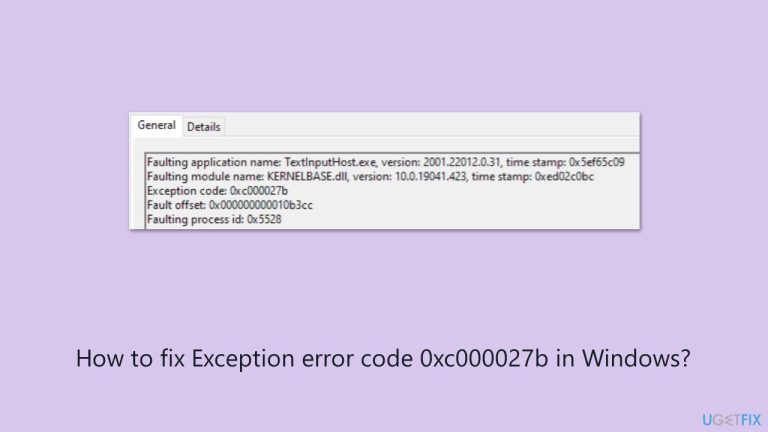
What causes How to fix Exception error code 0xc000027b in Windows?
- Corrupted system components
- Incorrect date/time settings
- Graphics driver issues
- Registry glitches
- Store cache problems
- Xbox driver conflicts
Repairs Windows system files, removes malware, and restores a clean OS state — without reinstalling.
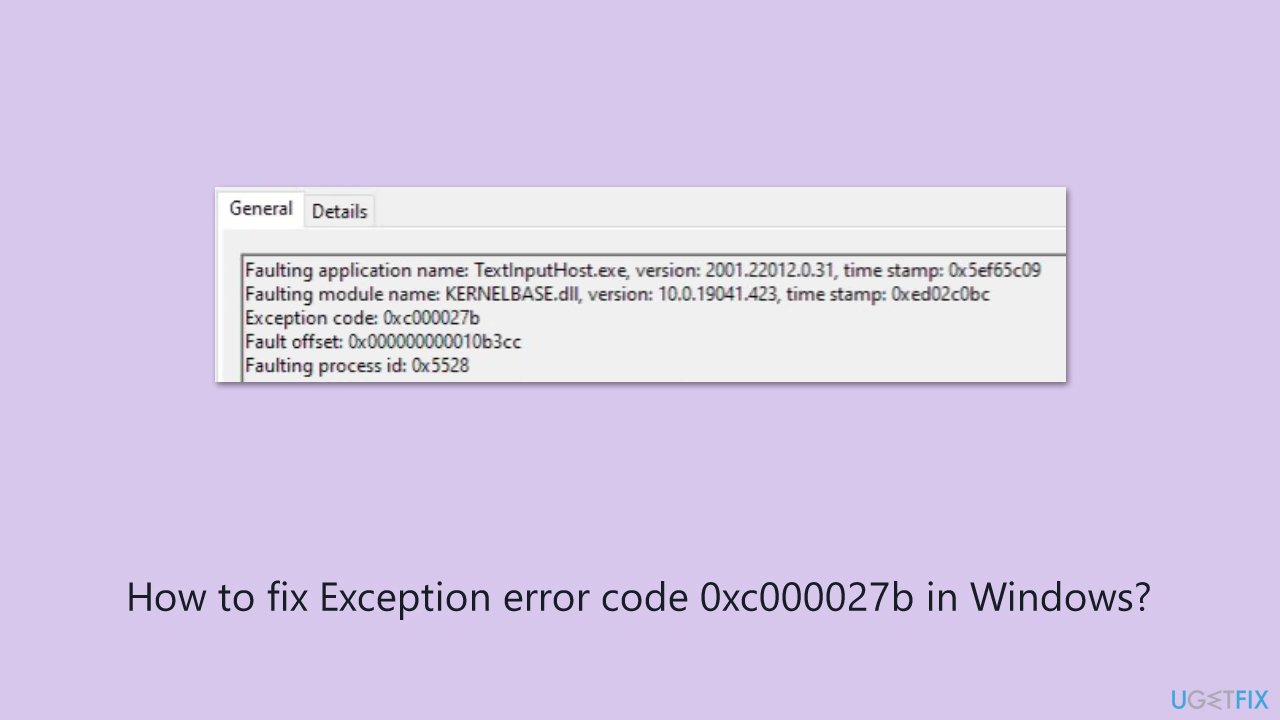
I tried opening the Microsoft Store on my Windows 11 PC to download an app, but it crashed. I then checked the logs and saw it's Exception code: 0xc000027b. Does it tell you anything? Can you help me with this? I've noticed this is happening with the Xbox app too.
A Windows 0xc000027b error triggers multiple essential system operations to fail thus creating confusion and frustration for users. Users encounter this error message across multiple applications, which include Microsoft Store and Xbox app and Windows Settings. The error manifests by making applications crash or preventing them from launching, while also avoiding displaying any error messages that would trigger users to inspect the Event Viewer logs.
User feedback demonstrates that this issue affects many Universal Windows Platform (UWP) users because misconfigured files and system problems and server connectivity issues frequently occur in this environment.
For Microsoft Store users, the 0xc000027b error typically emerges during app downloads or updates, halting access to new software. Xbox app users encounter it when signing in or installing games, disrupting gaming sessions. Meanwhile, in Windows Settings, it might freeze the interface when checking updates or adjusting display options, often post-upgrade.
Each case shares a thread of potential causes: corrupted system components, incorrect date/time settings, graphics driver issues, or registry glitches. The variability means pinpointing the trigger (whether it’s a Store cache gone awry, an Xbox driver conflict, or a Settings registry hiccup) requires tailored troubleshooting, depending on where the error hits.
Solutions for the 0xc000027b error will address all these scenarios - Microsoft Store, Xbox app, and Windows Settings - offering comprehensive steps to restore functionality. Whether it’s resetting app data, repairing system files, or syncing your system clock, the fixes will cater to each case’s nuances.
For a faster resolution, the [d1] repair tool can automate the process, targeting underlying system issues like file corruption or driver errors that fuel 0xc000027b, ensuring a swift return to normal operations across all affected areas. Detailed guidance follows to tackle this error head-on.
Solutions for error 0xc000027b in Microsoft Store
Fix 1. Reset Microsoft store cache
Resetting corrupted cache files can remove problematic data that hinders the Store’s ability to function properly
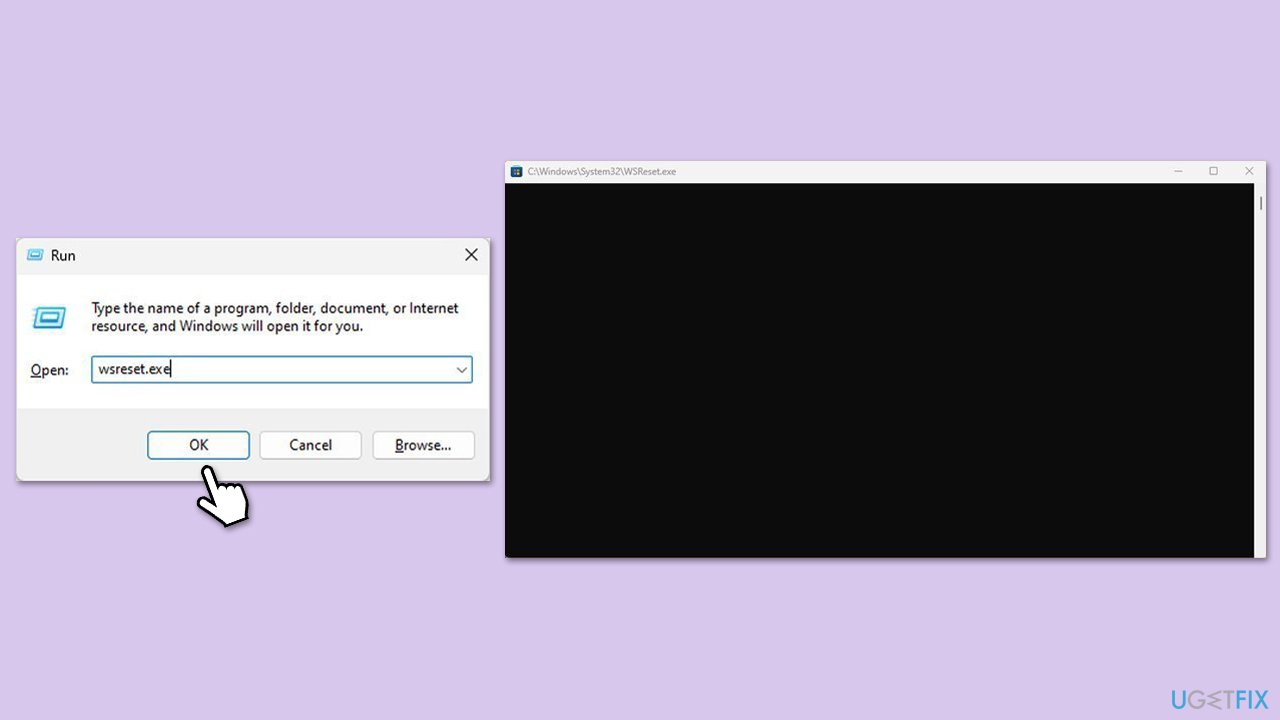
- Press the Win + R on your keyboard to open the Run dialog box.
- In the dialog box, type wsreset.exe and then hit Enter or click OK.
- A blank Command Prompt window will open (do not close it), and after about ten seconds, the window will close, and the Microsoft Store will open automatically.
Fix 2. Synchronize system date and time
The Store's server authentication may be hampered by incorrect date or time settings; synchronizing them guarantees correct connection.
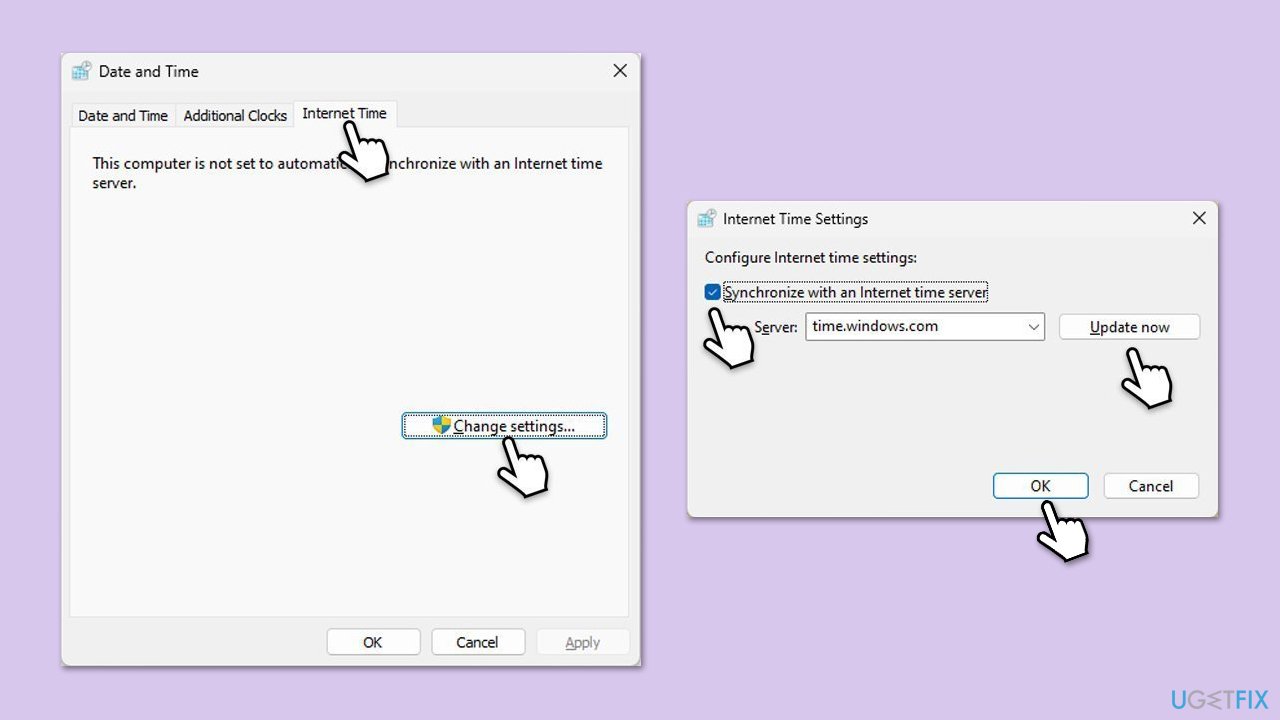
- Type in Control Panel in Windows search and press Enter.
- Go to Clock and Region and click on Date and Time.
- Pick the Internet Time tab and select Change Settings.
- Make sure that the Synchronize with an Internet time server box is ticked.
- Click Update now and OK.
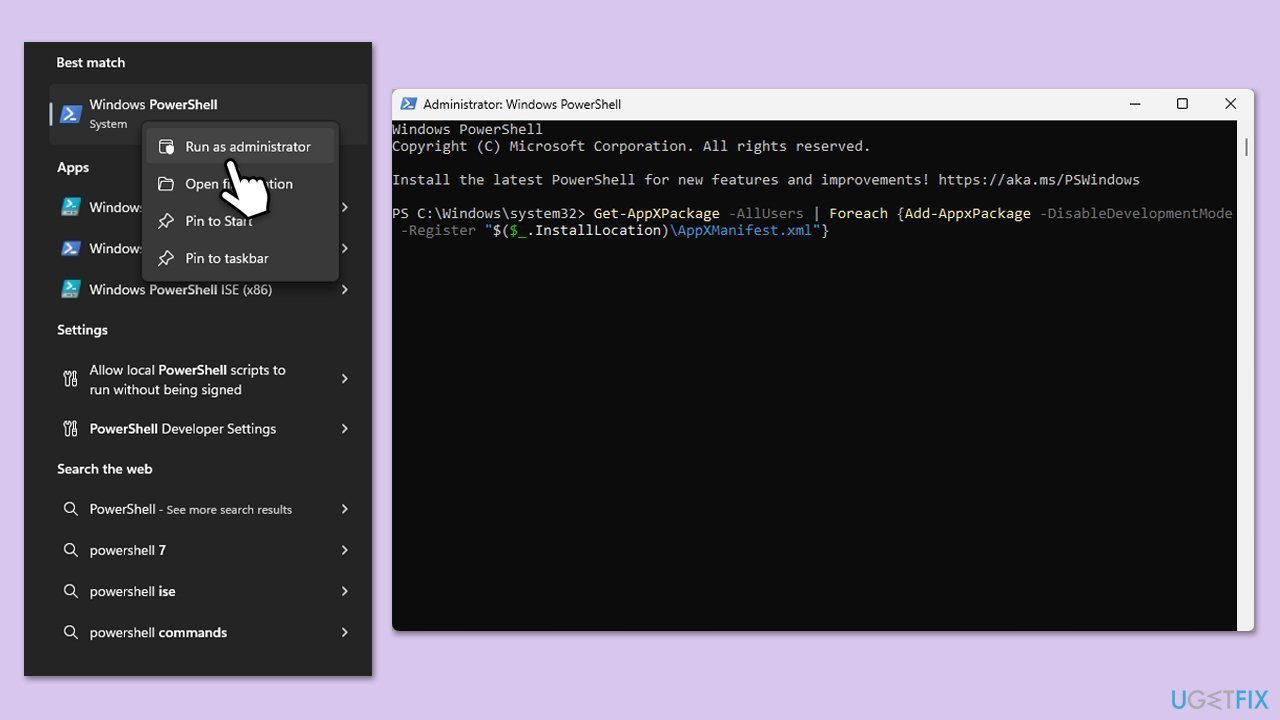
Fix 3. Re-register Microsoft Store
When the Store app's registration becomes misaligned, it may stop functioning properly, but re-registering it helps restore its core settings.
- Make sure your Microsoft Store is closed and not running in the background.
- Right-click on Start and select PowerShell (Admin)/Terminal (Admin).
- When UAC shows up, click Yes.
- Paste the following command and press Enter:
Get-AppXPackage *Microsoft.WindowsStore* | Foreach {Add-AppxPackage -DisableDevelopmentMode -Register “$($_.InstallLocation)\AppXManifest.xml”} - Close Powershell.
Fix 4. Run SFC and DISM scans
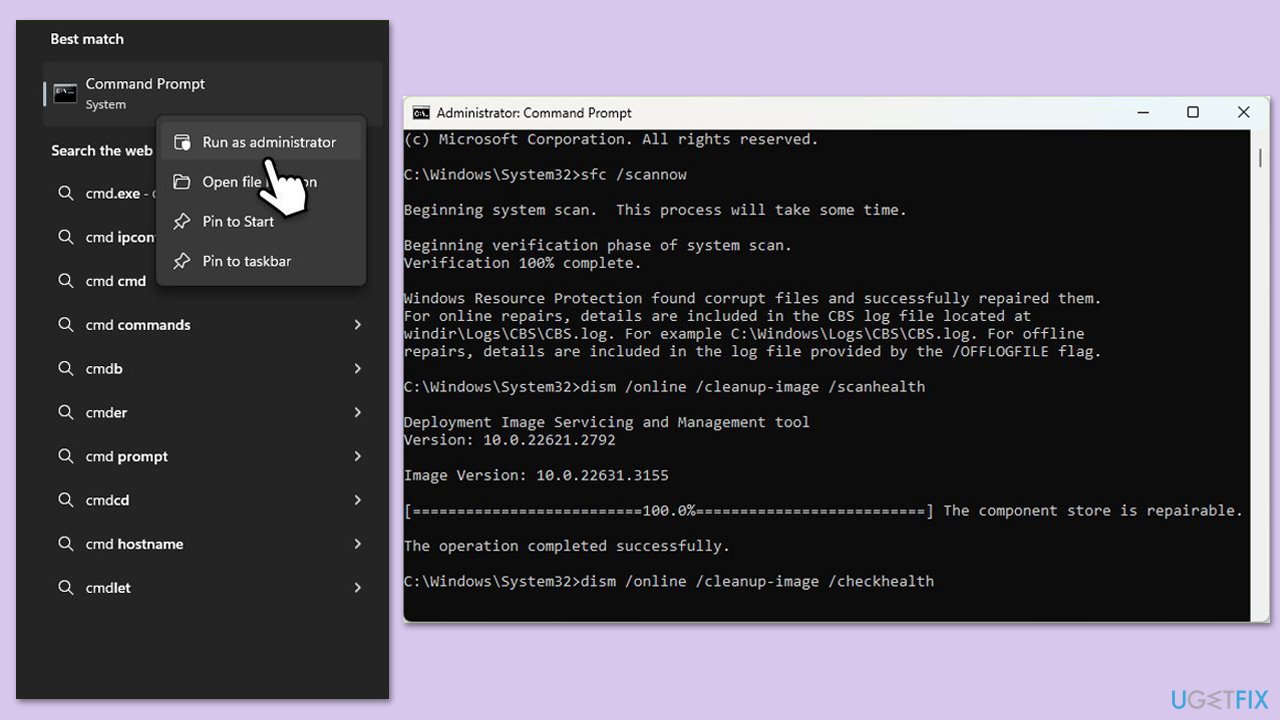
Damaged system files can disrupt UWP apps like the Store, and these scans repair them to restore stability.
- Type cmd in Windows search.
- Right-click on Command Prompt and select Run as administrator.
- When User Account Control window shows up, click Yes.
- Paste the following command into the new window:
sfc /scannow - Press Enter and wait till the scan is executed.
- As soon as the scan finishes, Windows will report whether integrity violations were found and if they could be fixed. Regardless of the outcome, use these commands next, pressing Enter after each:
DISM /Online /Cleanup-Image /CheckHealth
DISM /Online /Cleanup-Image /ScanHealth
DISM /Online /Cleanup-Image /RestoreHealth - (Note: if you get an error executing this last command, add /Source:C:\RepairSource\Windows /LimitAccess to it and try again).
- Close down the Command Prompt and restart your computer.
Solutions for error 0xc000027b in Xbox App
Fix 1. Update graphics drivers
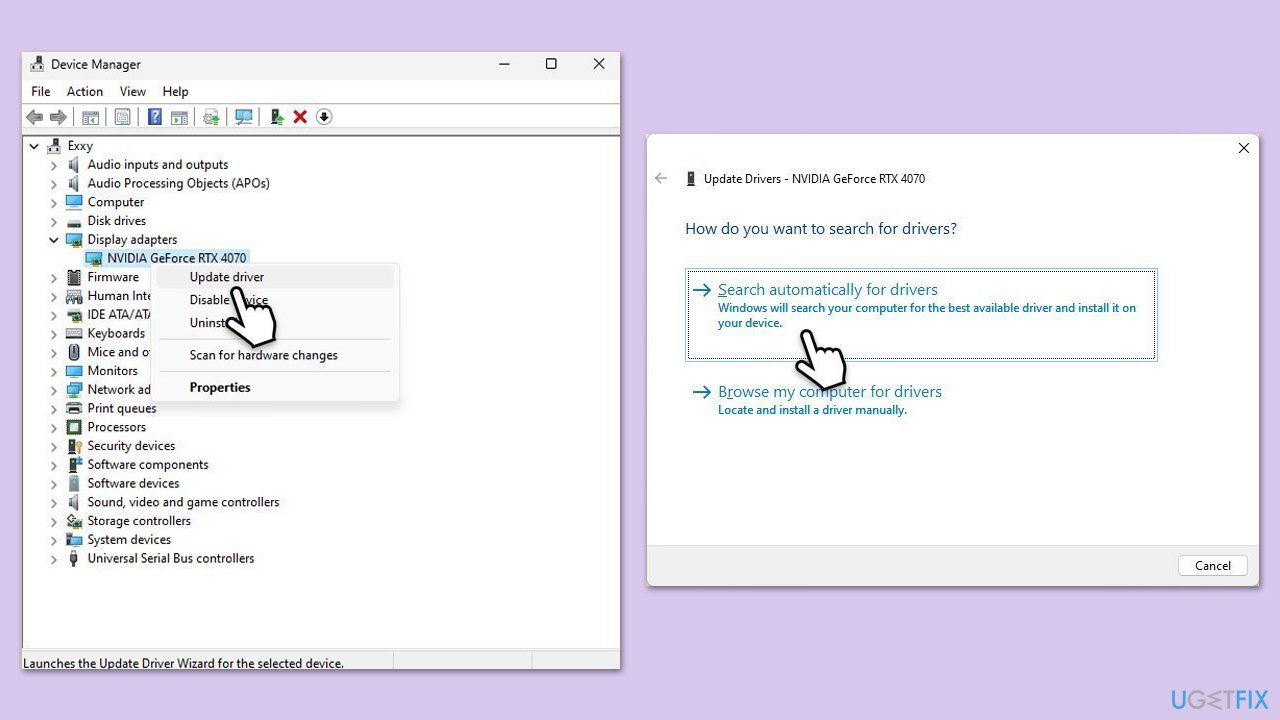
Outdated or faulty graphics drivers can destabilize the Xbox app, especially for gaming features, and updating them may eliminate the error.
- Right-click on the Start button and select Device Manager from the menu.
- Expand the Display adapters section.
- Right-click on your device and select Update driver.
- Pick Search automatically for drivers.
- If updates are found, allow them to install.
- Restart your computer after updating all necessary drivers.
- For a quicker way to update drivers, use an automatic tool like [ref id="DriverFix"].
Fix 2. Repair Xbox app installation
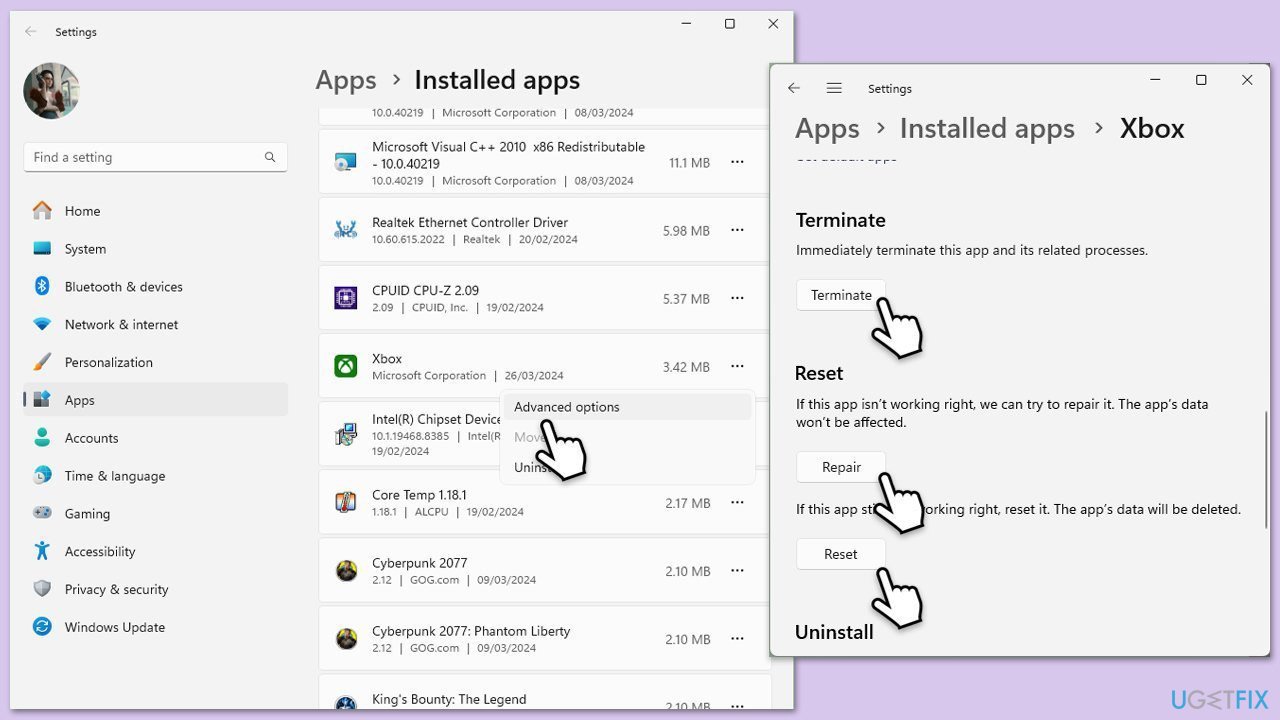
Repair the app via Windows Settings. Resetting it may also be useful.
- Right-click on Start and select Apps & Features/Installed apps.
- Scroll down to find Xbox app and click Advanced options.
- Scroll down again and click Terminate and Repair.
- If that does not work, try using Reset.
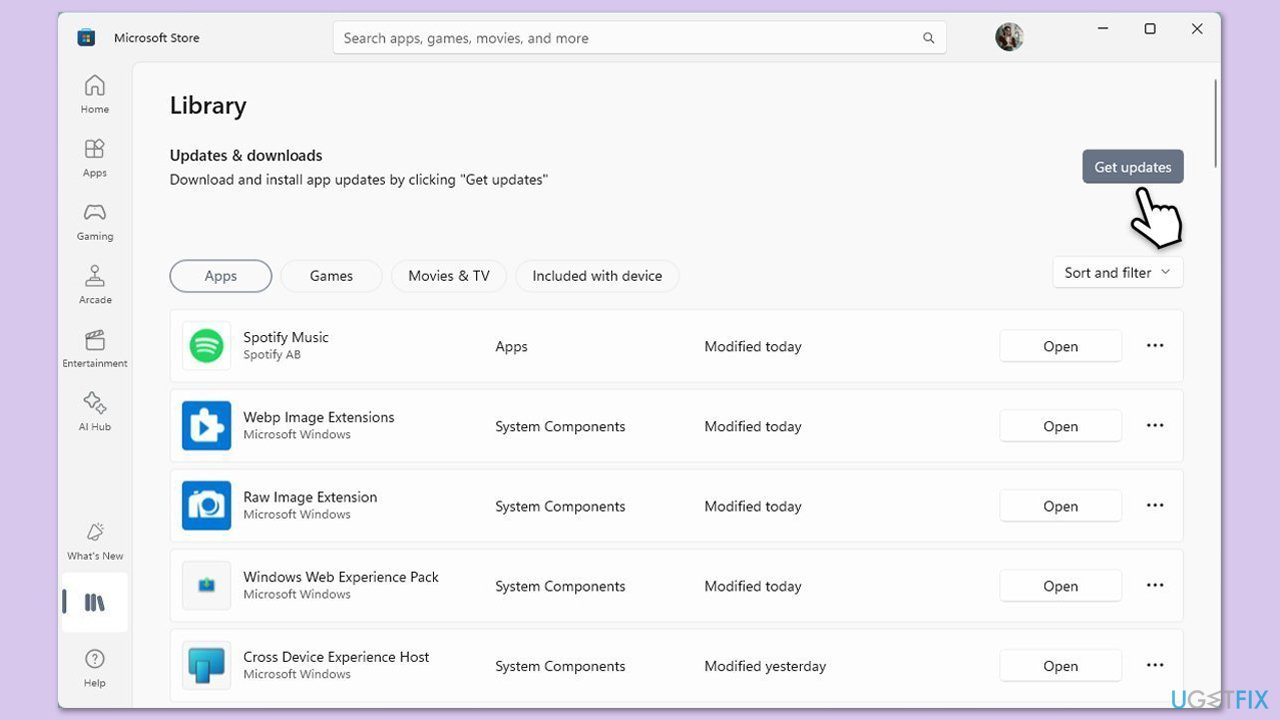
Fix 3. Check Microsoft Store updates
Compatibility problems can be fixed by updating the Store components that the Xbox app depends on.
- Open Microsoft Store.
- Click on Library.
- If updates are pending, click Update all.
- Otherwise, click Get updates.
- You can also update the apps individually.
Solutions for error 0xc000027b in Windows Settings
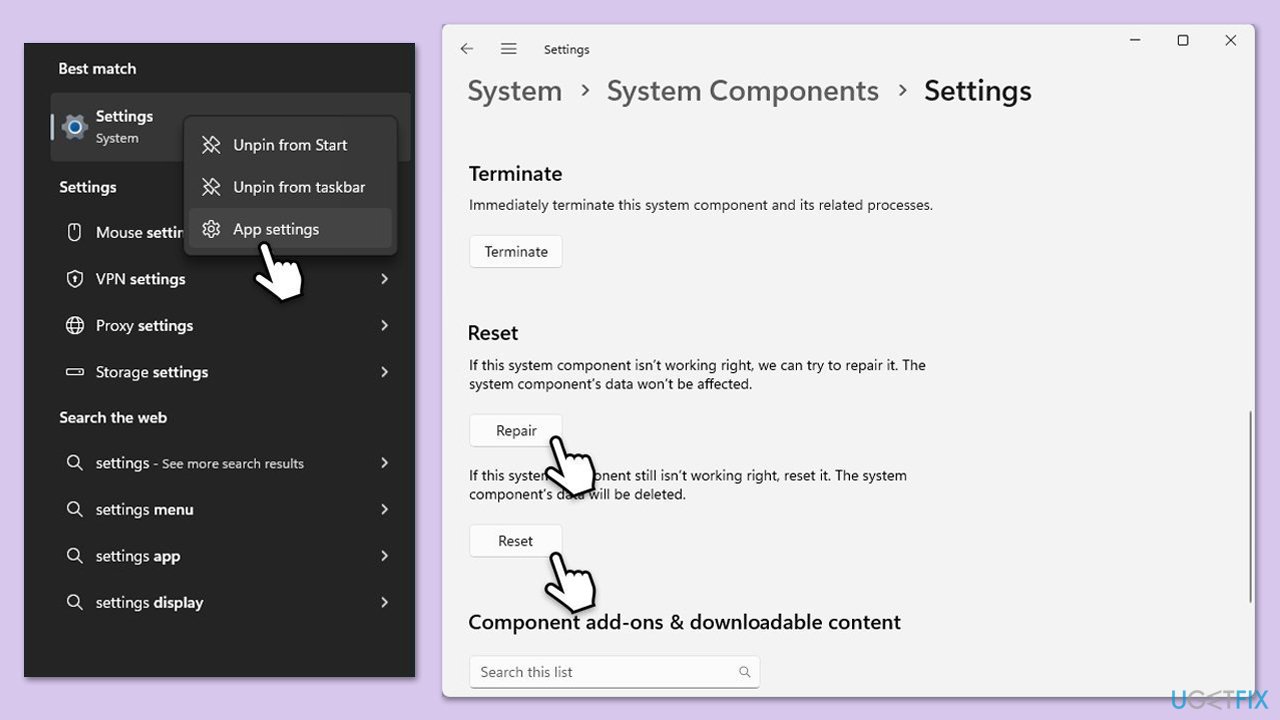
Fix 1. Repair or reset Windows Settings app
Corrupted Settings app data might cause 0xc000027b, and resetting it can restore normal operation.
- Type Settings in Windows search.
- Right-click on the result and select App Settings.
- Scroll down and click Repair.
- If that does not work, try the Reset option.
Fix 2. Update Windows system
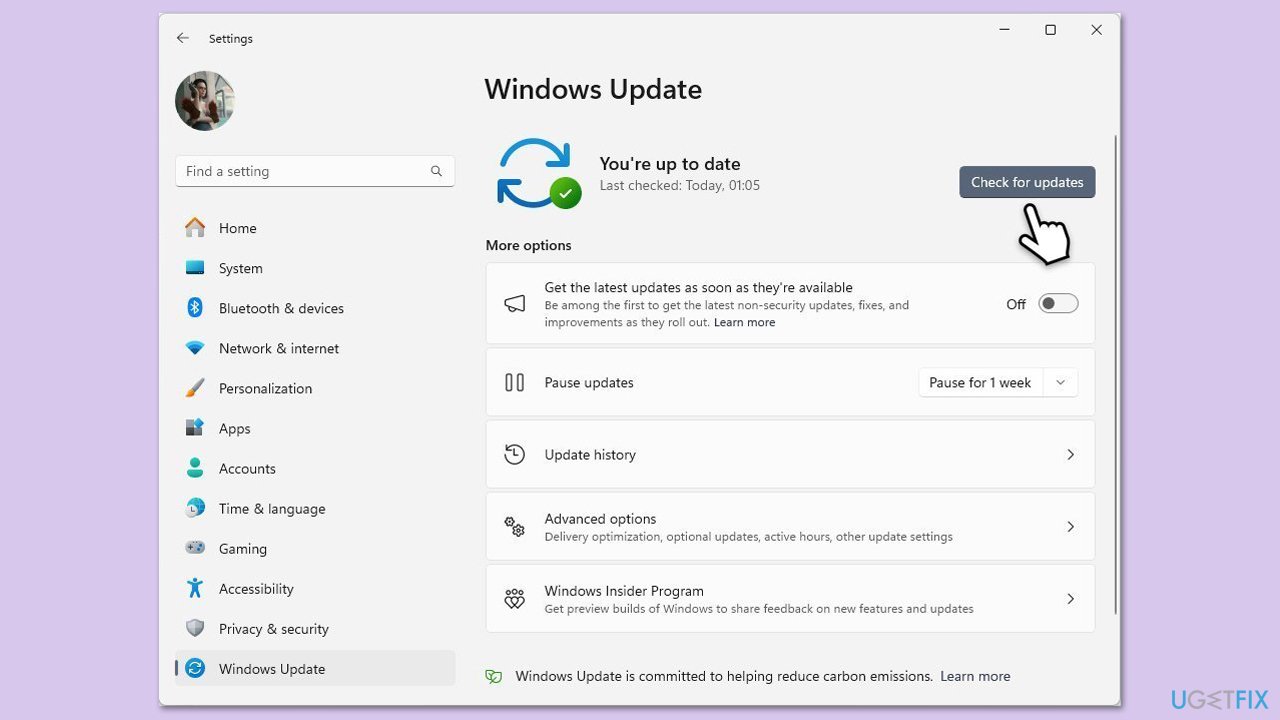
Outdated system files can cause settings to become unstable, so installing updates could resolve the error.
- Type Updates in Windows search and press Enter.
- Here, click Check for updates or Install updates (if available).
- Wait till Windows downloads and installs all the nescessary files.
- If optional updates are available, install them as well.
- Reboot your device.
Fix 3. Reset Settings app via PowerShell
Corrupted files or configurations in the Settings app can lead to crashes. Resetting it through Powershell reinstalls the app’s core components, potentially resolving the error.
- Open PowerShell as administrator.
- Type the following command and press Enter:
Get-AppxPackage immersivecontrolpanel | Foreach {Add-AppxPackage -DisableDevelopmentMode -Register "$($_.InstallLocation)\AppXManifest.xml"}. - Wait for the command to complete.
- Close PowerShell and restart your computer.
- Try launching the Settings app to see if the issue is fixed.
Bottom line
To fix the 0xc000027b error, users can reset app data, repair system files, or sync their system clock. If these solutions do not resolve the issue, consider using a repair tool to automate the process and address underlying system problems.
Frequently asked questions
The exception error code 0xc000027b typically indicates a problem with system files or a failure in the Windows Boot Manager, which can lead to startup issues.
To resolve the 0xc000027b error in Windows 11, you can try using the Startup Repair tool from the Advanced Startup Options menu.
Yes, you can fix the 0xc000027b error in Windows 10 by running the System File Checker (SFC) scan and the DISM tool to repair corrupted system files.




Report an issue
What's wrong with this guide? We review every report and update or remove content.
Report received — thank you. We'll review and fix it.
You need a free account to submit a report.
Be the first to comment