How to fix
Exploit.swf.bd virus warning
on Windows
Resolve the Exploit.swf.bd virus warning on Windows 10 and 11 effortlessly. Follow our expert-tested guide for quick fixes and enhanced security.

What causes How to fix Exploit.swf.bd virus warning?
- Received notification from Windows Firewall about Exploit.SWF.bd
- Detected adware programs with Windows Defender
- Trojans are often distributed via e-mail and hacked websites
- Pop-up alerts indicate a target of scammers
- Scammers use the alert to gain remote access to computers
Repairs Windows system files, removes malware, and restores a clean OS state — without reinstalling.
Hello. Could you please help me to remove the Exploit.SWF.bd virus? Today I’ve started receiving a notification that Windows Firewall Security is damaged by Exploit.SWF.bd. I’m supposed to call for technical support, but I don’t trust those services, so I prefer removing it myself.
Ran a scan with Windows Defender and it detected a couple of adware programs. The Exploit.SWF.bd virus was not detected, so I keep receiving the alarming pop-up on my web browser. Could you please help?
According to McAfee, Exploit.SWF.bd is a Trojan horse,[ref en-1] which is usually distributed via e-mail, hacked websites, peer-to-peer networks, and similar ways. The nature of Trojans is to steal personal information, such as credit card details, but they are often exploited for injecting other viruses, such as Zeus,[ref en-2] into the operating system.
In most of the cases, Trojans are easily recognized by professional anti-malware tools, but it’s a must to renew its security definitions before executing the scan.
Despite the fact that Exploit.SWF.bd is an existing cyber infection, the pop-up alert reporting about this infection generated by your web browser indicates the fact that you became a target of scammers.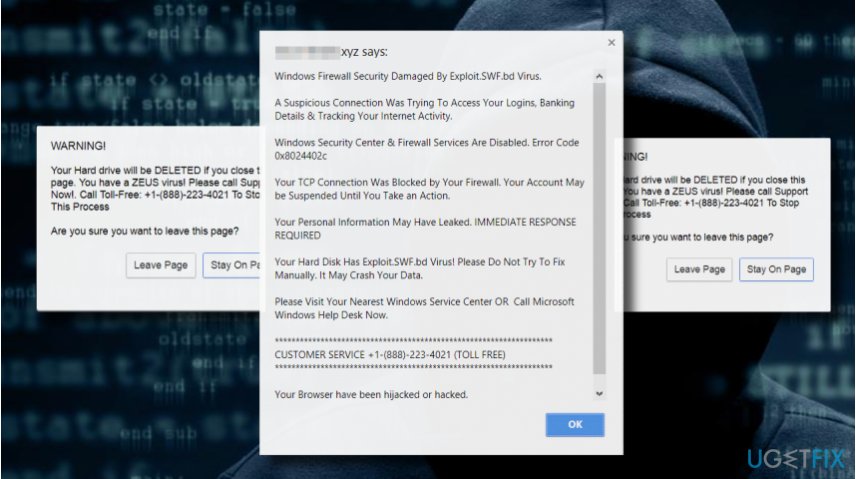
“Windows Firewall Security Damaged By Exploit.SWF.bd Virus” Alert is a Scam
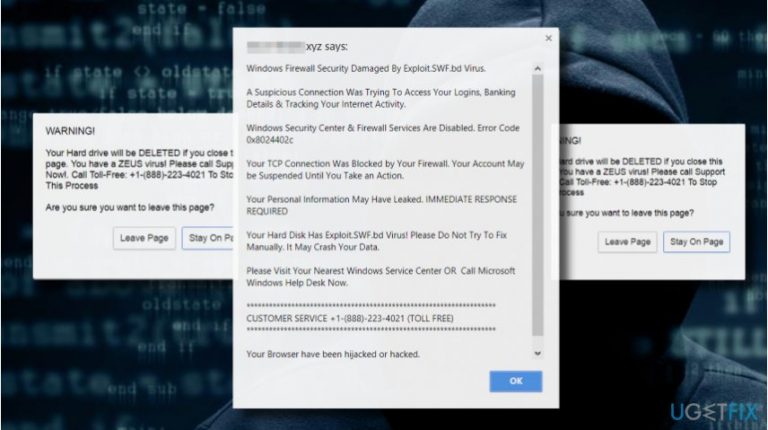
For the last couple of weeks, cyber security-related forums are receiving many questions about a pop-up alert on a web browser, which claims that Windows Firewall Security is Damaged by Exploit.SWF.bd Virus. The report further identifies the Error Code 0x8024402c and warns about a possible leakage of logins, banking details, and Internet activity.
The most intimidating part of the Exploit.SWF.bd Virus alert is the removal of hard drive if the PC’s user decides to close the pop-up. “Windows Firewall Security Damaged By Exploit.SWF.bd Virus” pop-up is yet another Tech-Support-Scam.[ref en-3]
The alert contains a “Toll-Free” customer service number, which should be dialed to remove the infection and prevent data leakage, but restrain from dialing it because it’s owned by scammers.
Scammers use Exploit.SWF.bd Virus pop-up to gain remote access to people’s computers
Do not call for “Customer Service” using +1-(888)-223-4021 number. First of all, the crooks on the other side of the handset may try to get your trust by explaining the “Windows Firewall Security Damaged By Exploit.SWF.bd Virus” pop-up in a very professional manner. Furthermore, they may ask you to install software that is needed to remote desktop connection.[ref en-4]
Furthermore, they may ask for your ID and password. This way scammers are capable of accessing people’s computers remotely and then easily getting their credit card details, logins, and similar information.
Fixing Exploit.swf.bd scam
The “Windows Firewall Security Damaged By Exploit.SWF.bd Virus” scam is usually triggered by adware infection. Therefore, to stop the fake message from appearing, you have to eliminate the adware and then necessarily reset your web browser.
IMPORTANT: the removal of adware is now sufficient. If you leave web browser infected, it will keep returning the Exploit.swf.bd scam. Thus, make sure to reset your web browser’s default settings.
Several people reported that the pop-up started emerging right after clicking on a link provided in an email message. In this case, we would recommend scanning the system with a professional anti-malware tool, such as [d1] to eliminate possible infections and then block the sender of the email.
The removal of adware infections can be initiated both manually or automatically. If you have never dealt with an adware-type program before, we would highly recommend using a professional antivirus, which will eradicate the infection completely. Nevertheless, you'll have to reset your web browser manually.
If you want to remove Exploit.SWF.bd virus notification manually, you have to:
Step 1. Disable web browser's process
Usually, the Exploit.SWF.bd pop-up freezes the web browser. Therefore, you should press Ctrl + Alt + Del and open Task Manager. Open Processes tab and find your web browser's process. Click it and select End Task.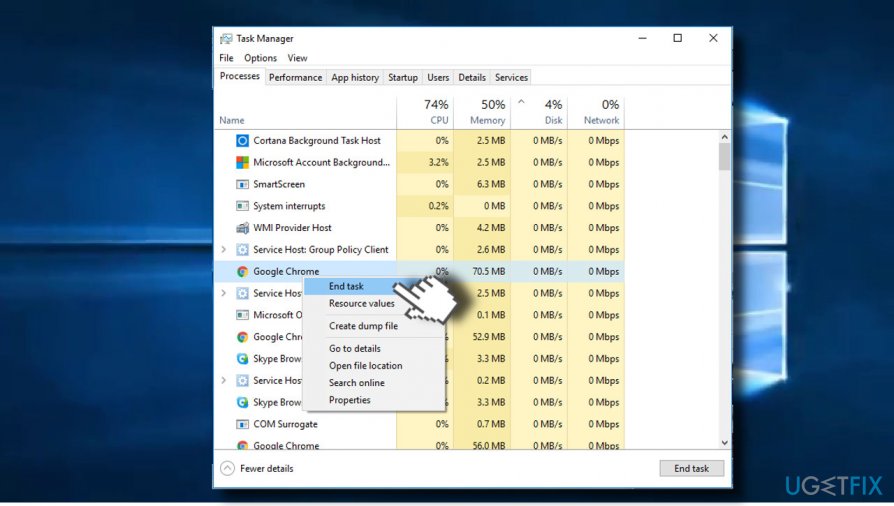
IMPORTANT: the next time you open the browser, DO NOT restore the last browsing session.
Step 2. Remove the infection
- Open Start > Control Panel > Programs and Features > Add/Remove Programs (Windows 7, XP).
- Press Windows key + I to open Settings. Select Apps and open Programs & Features section on the left pane. (Windows 8, 10).
- Carefully check what programs have been recently installed. Select the unknown/suspicious program, click it, and select Uninstall. To confirm the removal, click OK/Uninstall.
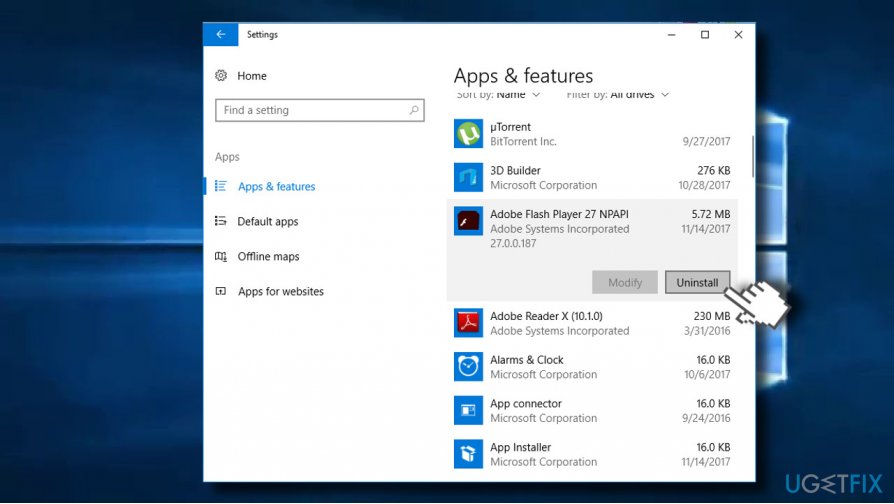
Uninstall suspicious programs
Step 3. Reset your web browser
If after removal of the Exploit.SWF.bd scam root, make sure to reset your web browser to eliminate potentially unwanted plug-ins and other supplements. 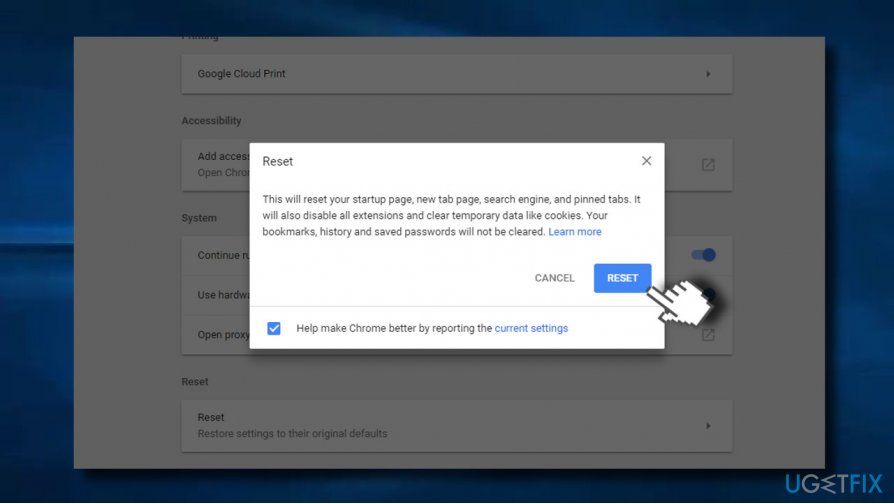
Bottom line
To fix the Exploit.SWF.bd virus warning, ensure that your anti-malware tools have updated security definitions and perform a thorough scan. Avoid calling the provided customer service number as it is associated with scammers. If these steps do not resolve the issue, consider seeking professional help.
Frequently asked questions
To remove the Exploit.swf.bd virus warning on Windows 10, run a full system scan using Windows Defender or a reputable antivirus program to detect and eliminate the threat.
Yes, you can fix the Exploit.swf.bd virus warning on Windows 11 by using built-in tools like the Windows Security app to quarantine or remove the infected files.
No, it is not safe to ignore the Exploit.swf.bd virus warning on Windows; it indicates a potential security threat that should be addressed immediately to protect your system.




Report an issue
What's wrong with this guide? We review every report and update or remove content.
Report received — thank you. We'll review and fix it.
You need a free account to submit a report.
Be the first to comment