How to fix
“An Error Occurred, Please Try Again Later” problem on YouTube
on Windows
Resolve the "An Error Occurred, Please Try Again Later" issue on YouTube for Windows 10 and Windows 11. Quick fixes and expert-tested solutions await!

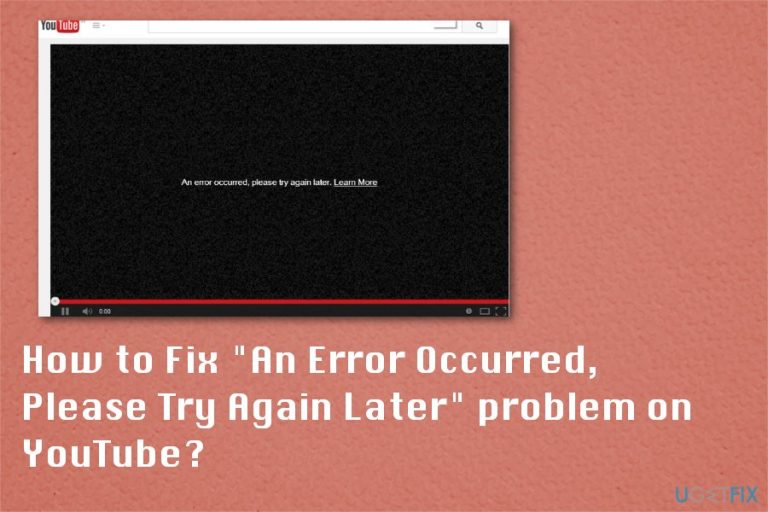
What causes How to Fix “An Error Occurred, Please Try Again Later” problem on YouTube?
- High traffic on YouTube
- AdBlock programs
- Browser extensions
- Device issues
- Playback ID errors
Repairs Windows system files, removes malware, and restores a clean OS state — without reinstalling.
Hey guys, Occasionally, when I want to watch a video on YouTube, the video stops an error message pops up: "An Error Occurred, Please Try Again Later. Learn more." In some cases, an additional Playback ID code appears. After I refresh the web page, the problem disappears. It also occurs when I try to search for something on Youtube. The issue is starting to get on my nerves. I’d appreciate your advice.
“An Error Occurred, Please Try Again Later” YouTube error is a common occurrence, no matter which operating system[ref en-1] or the web browser is used. In general, after 30 seconds or so, the playback continues and you can watch the wanted video, but this is still an annoying issue. There are several different reasons causing this issue and various solutions.
First of all, you should take into account that YouTube is a highly popular video streaming site that has millions of visitors each day, so there is no surprise that sometimes it runs into the error. If “An Error Occurred, Please Try Again Later” appears on YouTube when you are trying to search for a video, try solving this glitch by restarting the device.
In most cases, YouTube errors and other FlashPlayer or video playback issues appear due to the AdBlock programs and browser extensions. More recent reports on YouTube an error occurred playback ID in Reddit,[ref en-4] show that people managed to get rid of the problem with the "An Error Occurred, Please Try Again Later. Learn more." error by disabling such programs or changing particular personalized ads features.
YouTube is the platform that is based on ad revenue, so showing advertisements is especially important for creators that make their pay this way and for the managers of the platform itself, so they can offer other features and improve the platform overall.
The error that appears on the screen can show a particular Playback ID error code. Since the issue is not specific for the OS, you can see this playback id error Youtube on mac or on Windows device. Also, it is possible to run into issues while using the mobile phone YouTube app.
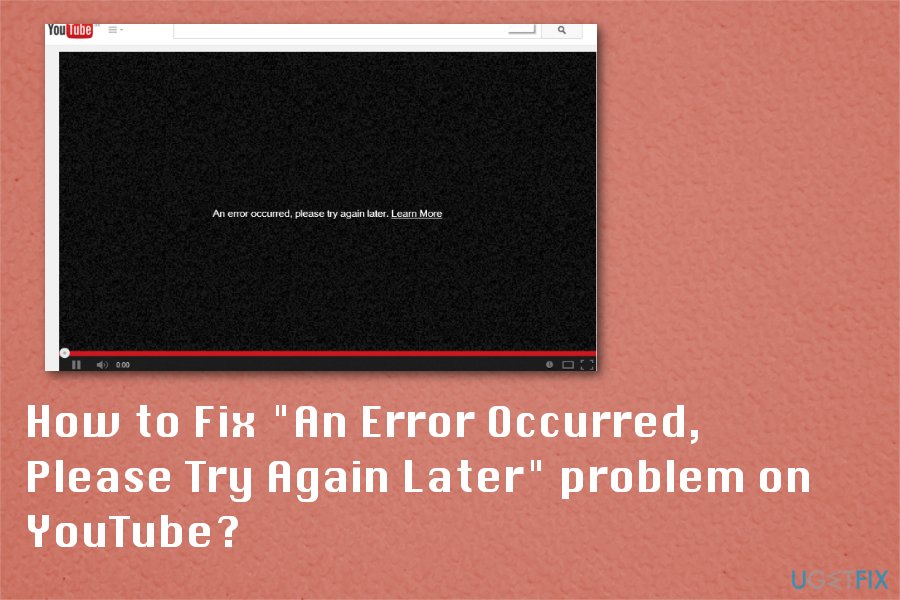
There are many reasons why it happens. YouTube An error occurred playback ID 2020 issue is still affecting devices and keeping users from accessing content on the web.
However, the other possible reason why you can't use Youtube properly because of this error - the corrupt Shockwave Flash add-on installed on the system, outdated audio drivers or YouTube web page scripts. In this case, you should check these drivers and make sure that they are updated.[ref en-2] Finally, the “An Error Occurred, Please Try Again Later” issue can be related to Youtube's servers or Google's, which is a current owner of Youtube, issues.
And sometimes various playback errors appear on the browser that has some files corrupted and missing. Reinstalling the web browser you use or all of them can be helpful for this and other issues regarding your time online. By reinstalling the web browser you automatically delete users' cookies and cached data, so you save some time for other possible solutions.
How to fix “An Error Occurred, Please Try Again Later” YouTube error
As you can see, experts have found numerous issues related to this error, so we tried to provide several step-by-step guides to help you solve problems related to “An Error Occurred, Please Try Again Later” message on Youtube. However, before you start, perform a full scan with [d1] to make sure that there is no malware on your system. Having in mind how cleverly hackers install it,[ref en-3] a full system scan should be your priority to get rid of Youtube video errors. Youtube screen locker is a perfect illustration for this case.
If you have checked the system already, move further:
Restart your Internet Service Provider router if the problem reoccurs in all types of browsers
If the same video does not load but starts running after refreshing the web page or connecting to YouTube after several hours, the issue can be related to stuck programs. In this case, opt for the easiest solution – restart the router device. Click on the power button to turn it off. Wait approximately 30 seconds and turn the device again.
Reinstalling web browsers to fix YouTube An error occurred playback ID issue
- Press the Windows key and R at the same time.
- When Run dialogue opens type appwiz.cpl and press Enter.
- When Programs and Features window opens, scroll down through the list and find the browser you want to reinstall.
- Select the browser and right-click to choose Uninstall.
- Follow the steps on the screen and then download the browser from the official source again.
Clear browsing data to fix “An Error Occurred, Please Try Again Later”
You might do so after you rebooted the router.
- Depending on your browser, click on the Menu icon usually found in the top right corner on a browser.
- Then enter Browsing History and locate Clear browsing data.
- You may also opt for a full browser reset. This option is visible under Advanced settings.
Clear cookies and cache to fix Youtube An error occurred playback id Safari
- Go to the History of your browser.
- Then choose Clear browsing data.
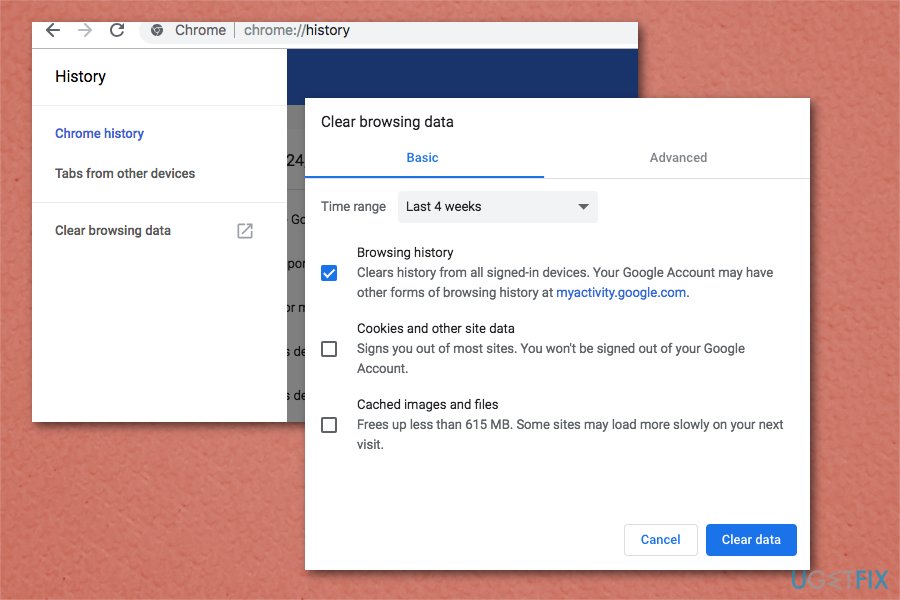
Fix an error occurred please try again later clearing history - Select the type of data you want to clear and the time range.
- Restart the browser.
Change DNS settings to fix YouTube An error occurred playback ID issue
DNS stands for Domain Name Service. These settings are controlled by your ISP router. They transform usual domain names into an encrypted numerical code. Modifying the assigned numerical titles often helps solve Internet connectivity problems. Since they are different for each router, you can find more information on how to change them depending on the model of your router.
Fix “An Error Occurred, Please Try Again Later” with "Forget about this site" option on Firefox
This is a great Firefox browser feature that allows you to remove cookies, passwords, and cache files for specific websites. This way you can fix YouTube An error occurred playback ID issue on web browsers.
- Open your Firefox and then go to Browsing History. You can also press Ctrl+H on the keyboard or Command + Y on Mac.
- Search Youtube in your browsing history and find any link from the website.
- Right-click and then choose Forget About This Site.
- Restart the browser and try loading a Youtube video.
Disable Shockwave Flash and fix YouTube playback error
“An Error Occurred, Please Try Again Later” error can sometimes be caused by the Shockwave Flash in browsers including Firefox.
- Go to your Firefox and type about:addons to address bar.
- Go to Plugins and find Shockwave Flash.
- In the drop-down menu select Never Activate.
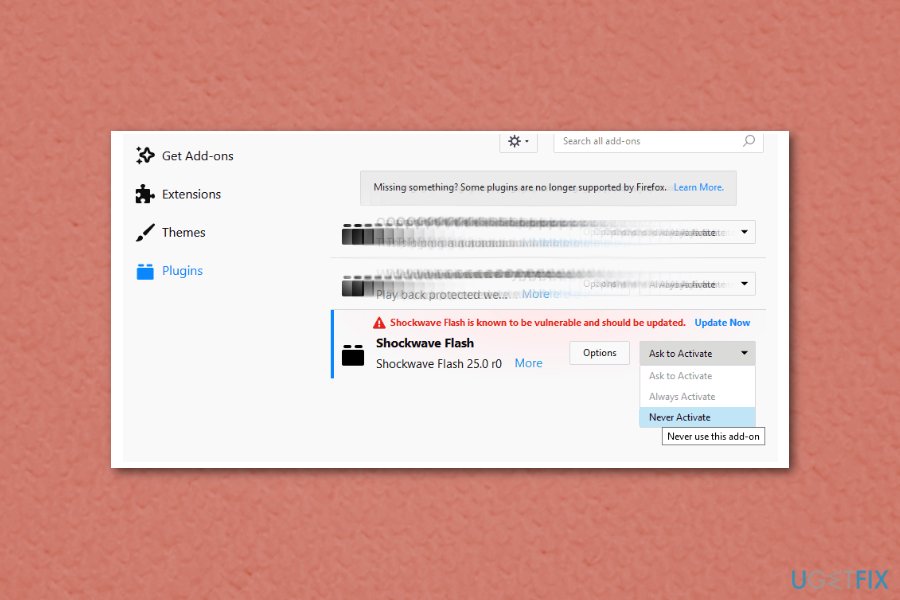
Fix an error occurred please try again later shockwave flash
For other browsers: disable Shockwave Flash on any given browser. The process is similar.
Check audio drivers for “An Error Occurred, Please Try Again Later” fix
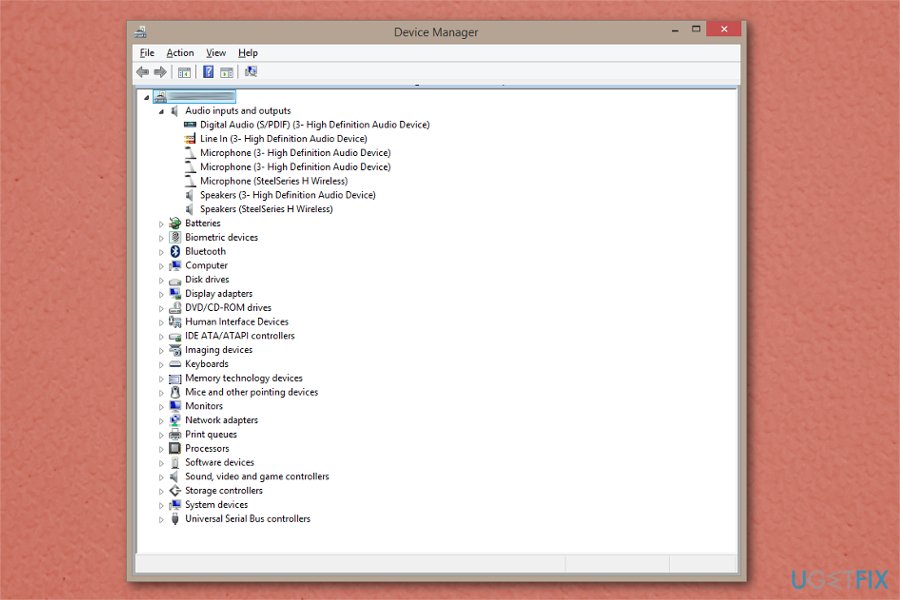
You might try updating the audio drivers. Windows 10 automatically install necessary audio drivers. You can do it also manually. Visit the official web page of your audio manufacturer to download the necessary edition. If you are not sure what particular audio drivers are installed in the operating system, enter the Control Panel and locate Device Manager. Once it opens, extend Audio inputs and outputs.
Bottom line
To fix the 'An Error Occurred, Please Try Again Later' issue on YouTube, try restarting your device, disabling AdBlock programs, or changing personalized ad features. If the problem persists after these steps, consider checking for browser extensions that may be interfering with playback.
Frequently asked questions
Try clearing your browser cache and cookies, as this can resolve many playback issues on YouTube. If the problem persists, consider updating your browser or switching to a different one.
Ensure that your YouTube app is up to date by checking for updates in the Microsoft Store. Additionally, try reinstalling the app if the error continues.
Yes, you can run the built-in Windows Network Troubleshooter by going to Settings > Network & Internet > Status, then clicking on 'Network troubleshooter.' This may help identify and fix connectivity issues affecting YouTube.




Report an issue
What's wrong with this guide? We review every report and update or remove content.
Report received — thank you. We'll review and fix it.
You need a free account to submit a report.
Be the first to comment