How to fix
0x80049e00 activation error
on Windows
Resolve the 0x80049e00 activation error in Windows 10 and 11 effortlessly. Follow our expert-tested solutions for a seamless experience!

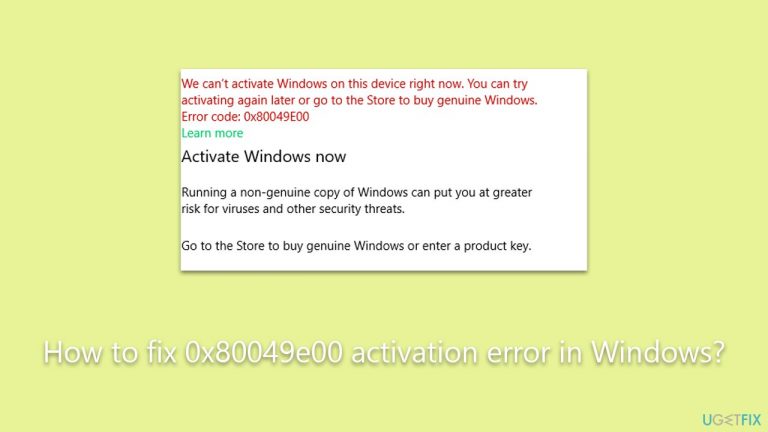
What causes How to fix 0x80049e00 activation error in Windows?
- Lack of internet connection
- Conflicts with firewall or antivirus software
- Corrupted system files
- Inability of Windows Activation Servers to validate the key
- Discrepancies in time and date settings
Repairs Windows system files, removes malware, and restores a clean OS state — without reinstalling.
I have recently added a second monitor, and since then, I am constantly being asked to activate Windows. When I do, I get an error 0x80049e00. How do I resolve this?
Windows is a prominent operating system developed by Microsoft and utilized by millions of computers globally. It requires activation to authenticate the software, ensuring compliance with Microsoft’s Software License Terms. The activation process can be carried out through various types of licenses, such as OEM, Retail, or Volume Licensing. Depending on the specific needs and use cases, individual users or organizations may choose a particular license type.
Activation works by connecting the software to the hardware of the computer using a product key, thus confirming its legitimacy. There could be multiple reasons for users to activate Windows, ranging from the need to access full functionality, obtaining regular updates and security features, compliance with licensing requirements, or reactivating after significant hardware changes or system reinstallation.
Despite the seemingly straightforward process, some users may encounter issues during activation, one of which is the 0x80049e00 error. This specific error can manifest for a variety of reasons. A lack of internet connection is a common cause, as the activation process requires communication with Microsoft's servers. Other potential causes include conflicts with a firewall or antivirus software, which might block the activation process, and the presence of corrupted system files, which can disrupt the normal functioning of the activation mechanism.
Furthermore, the inability of Windows Activation Servers to validate the key or discrepancies in the time and date settings of the system could also lead to this error. Importantly, if the 0x80049e00 error stems from using a pirated or non-genuine version of Windows, standard troubleshooting will not rectify the problem, and legitimate purchase and activation will be necessary.
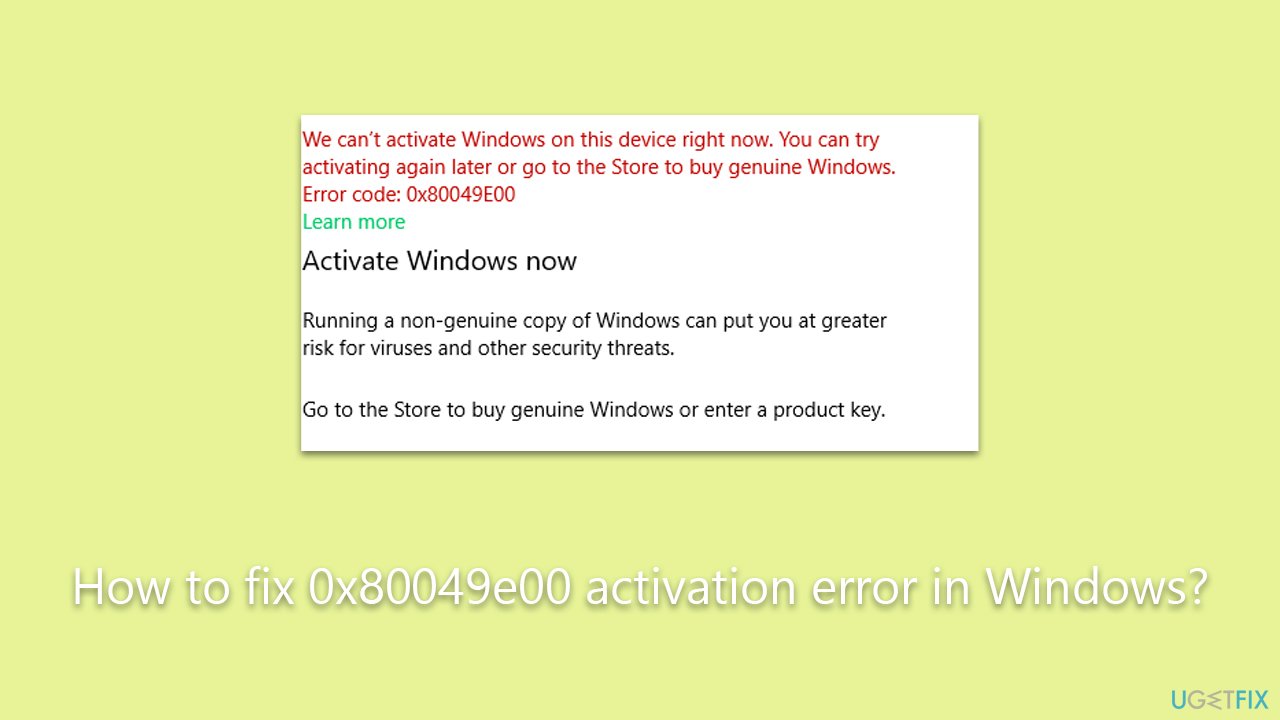
For legitimate users encountering the 0x80049e00 error, a variety of solutions are available. These can include ensuring a proper internet connection, adjusting or disabling conflicting firewall or antivirus software temporarily, correcting system time and date, repairing corrupted system files, and in persistent cases, reaching out to Microsoft support for specialized assistance.
In addition to these targeted solutions, employing a general PC repair tool like [d1] may also be beneficial. Though it's not a direct fix for the 0x80049e00 error, it can address underlying system issues, such as fixing corrupted system files, resolving registry problems, and cleaning junk files, all of which contribute to a more optimized and stable computer system.
Fix 1. Run the troubleshooter
Windows has built-in troubleshooters that can automatically diagnose and fix common issues related to activation. Running the activation troubleshooter can quickly resolve the error.
- Right-click on Start and select Settings.
- Go to Update & Security section.
- On the left side of the window, pick Activation.
- On the right side, you should see the error message and below it - Troubleshoot.
- Click Troubleshoot and wait for the process to finish.

Fix 2. Perform SFC and DISM scans
System File Checker and Deployment Image Service and Management Tool can detect and repair corrupted or missing system files that might prevent activation.
- Type in cmd in Windows search.
- Right-click on Command Prompt and select Run as administrator.
- When User Account Control shows up, click Yes.
- In the Command Prompt window, paste the following command and hit Enter:
sfc /scannow - Next, use the following commands, pressing Enter each time:
Dism /Online /Cleanup-Image /CheckHealth
Dism /Online /Cleanup-Image /ScanHealth
Dism /Online /Cleanup-Image /RestoreHealth
(Note: if you get an error executing this last command, add /Source:C:\RepairSource\Windows /LimitAccess to it and try again). - Reboot your system.

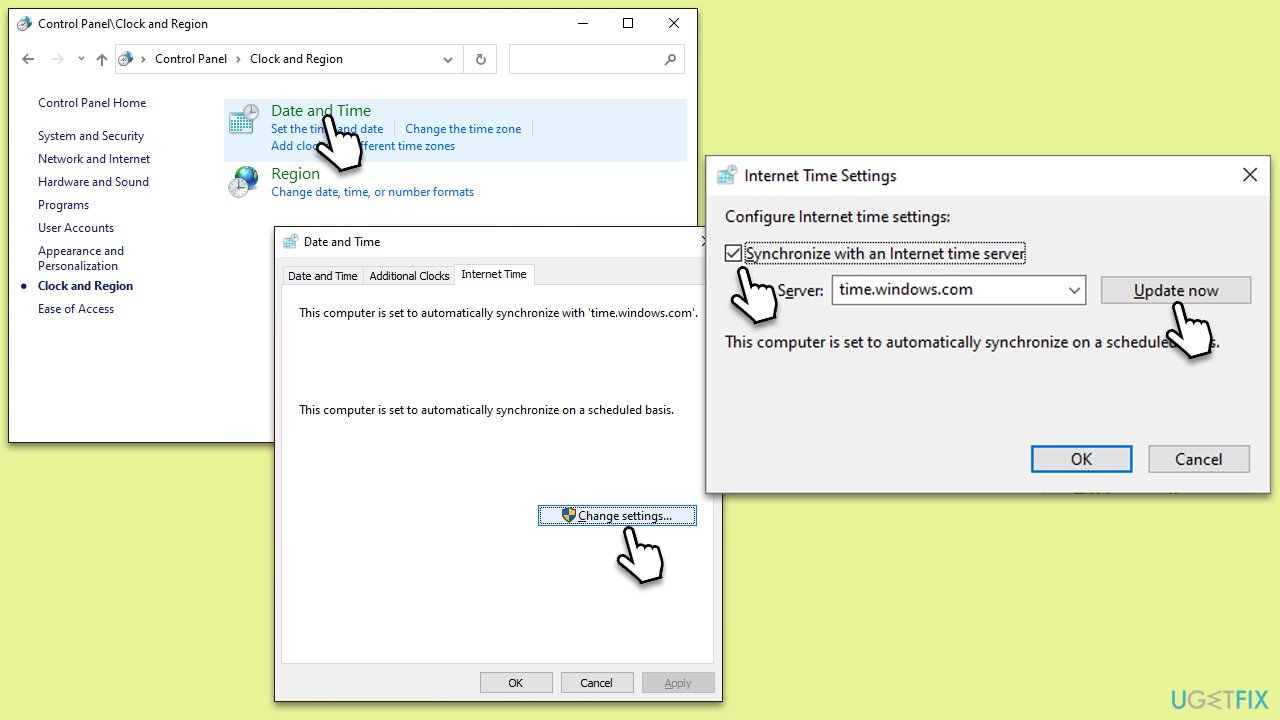
Fix 3. Correct system time and date
Incorrect system time and date settings can cause discrepancies with the activation servers, resulting in the error.
- Type in Control Panel in Windows search and press Enter.
- Go to Clock and Region and click on Date and Time.
- Pick the Internet Time tab and select Change Settings.
- Make sure that Synchronize with an Internet time server box is ticked.
- Click Update now and OK.
Fix 4. Run Network troubleshooter
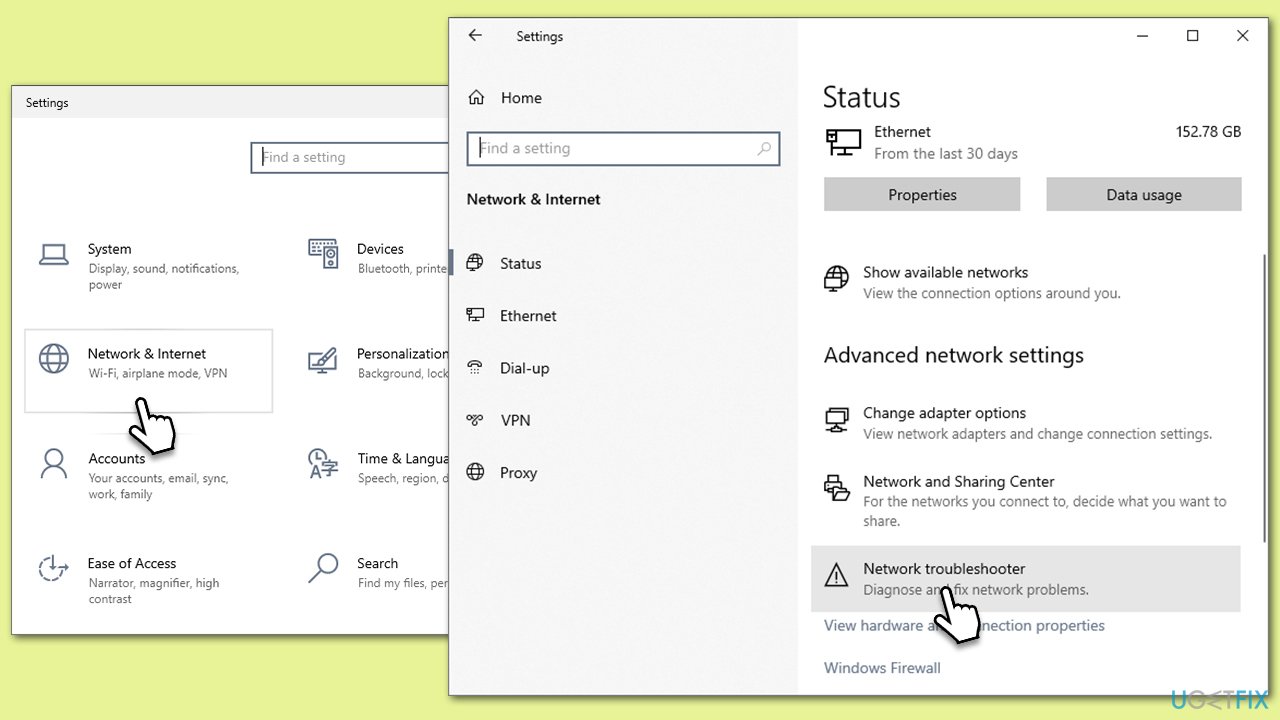
A problem with the network connection can prevent communication with the activation servers. The Network troubleshooter can identify and fix these issues.
- Right-click on Start and pick Settings.
- Go to Network & Internet section.
- On the right side, find the Advanced network settings section.
- Click Network troubleshooter and wait.
- The fixes should be automatically applied.
Fix 5. Activate by phone
For those who have changed hardware, such as a motherboard, regular activation methods might not work. Microsoft might be able to activate based on your Microsoft account through phone activation.
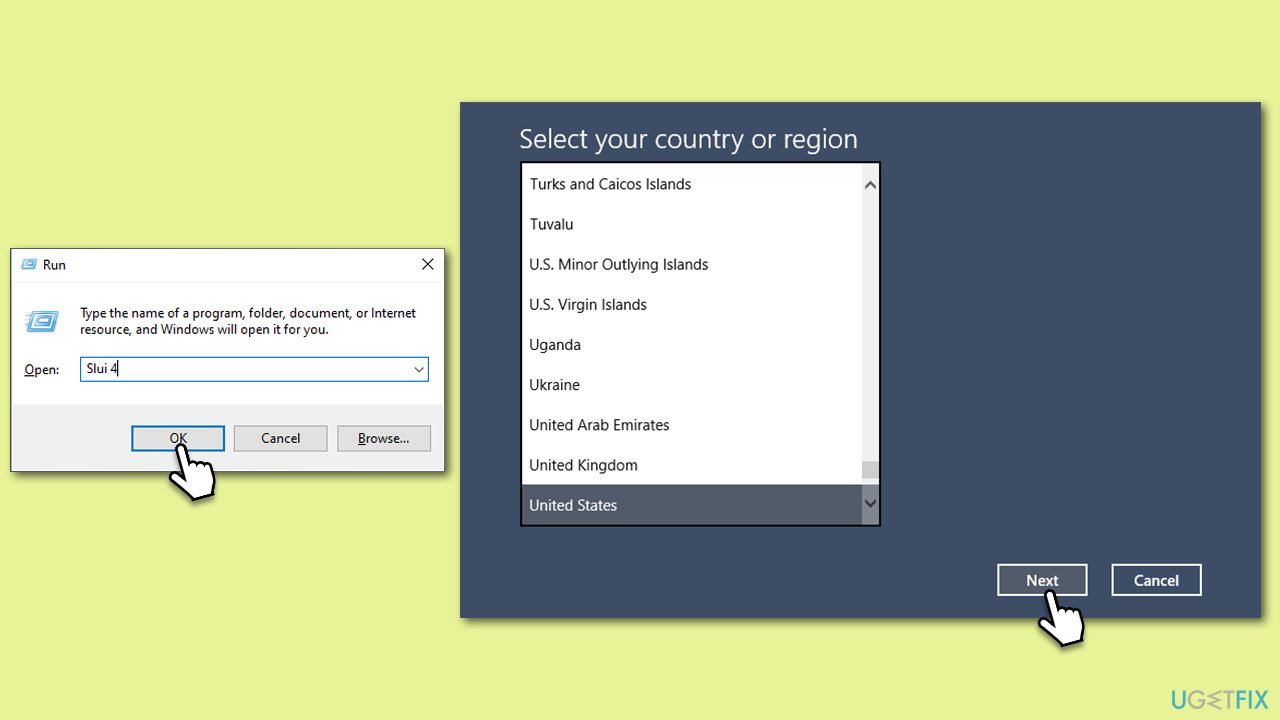
- Press Win + R on your keyboard and type slui 4, then press Enter.
- Select your country and click Next.
- Call the toll-free number provided.
- Follow the automated instructions or speak to a representative. Make sure you have your Windows product key/digital license number ready.
Fix 6. Perform activation via Command Prompt
Activation can be done manually via Command Prompt if other methods fail. This requires administrative access.
Digital license:
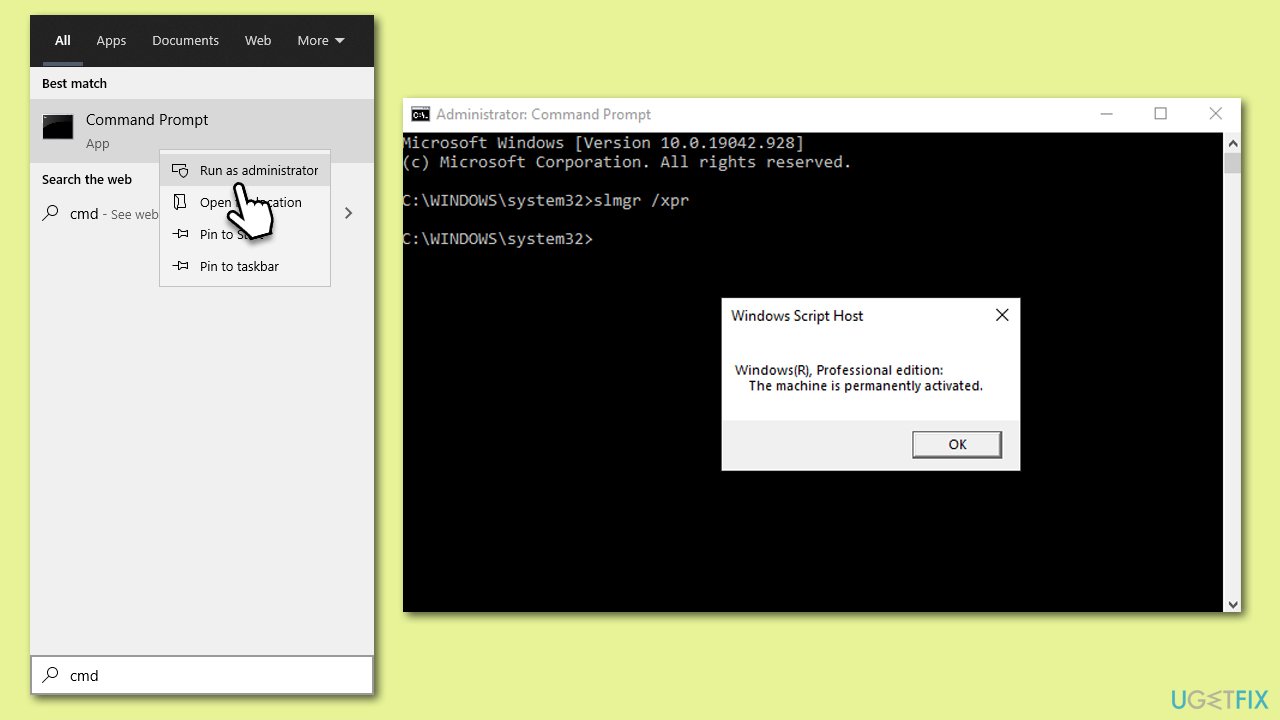
- Open Command Prompt administrator.
- When User Account Control shows up, click Yes.
- Once Command Prompt opens, copy and paste the following command:
slmgr /xpr - Press Enter and click OK.
Product key:
- Open Command Prompt as administrator and use the following command:
wmic path softwarelicensingservice get OA3xOriginalProductKey - Paste the slmgr.vbs.ipk <product key> into the window, and press Enter
- Finally, use slmgr.vbs/ato command and hit Enter
- Restart your PC and see if the problem persists.
Bottom line
To fix the 0x80049e00 activation error, ensure a proper internet connection, adjust or disable conflicting firewall or antivirus software, correct the system time and date, and repair corrupted system files. If these solutions do not resolve the issue, consider reaching out to Microsoft support for further assistance.
Frequently asked questions
The 0x80049e00 activation error indicates that there is a problem with the activation process of Windows, often due to issues with the product key or server connectivity.
To fix the 0x80049e00 error on Windows 11, try running the Activation Troubleshooter from Settings > Update & Security > Activation, or ensure your internet connection is stable.
Yes, you can open Command Prompt as an administrator and run the command 'slmgr.vbs /ato' to attempt reactivation, which may resolve the 0x80049e00 error.




Report an issue
What's wrong with this guide? We review every report and update or remove content.
Report received — thank you. We'll review and fix it.
You need a free account to submit a report.
Be the first to comment