How to fix
0x8007045d error
on Windows
Resolve the 0x8007045d error on Windows 10 effortlessly. Get expert-tested solutions that fix issues in minutes, ensuring a smooth experience.


What causes How to fix 0x8007045d error in Windows 10?
- Device issues
- File requirement failures
- Corrupt Windows registry
- Corrupt program system files
- Incomplete file downloads
Repairs Windows system files, removes malware, and restores a clean OS state — without reinstalling.
Hello. I cannot update my Windows 10 because I get the 0x8007045d error constantly. I don't know why it is occurring and how to solve the issue. I recently tried to update a different application, and the same code appeared. I think it is not related to the operating system alone. Do you have any explanation?
There are various instances when users encounter the 0x8007045d error in Windows 10 and other versions of the operating system. When the device has issues locating or reading files needed for the OS update, application upgrade, this code occurs. Users also report that the error code is triggered when the system backup cannot happen or file transfer fails.[ref en-1]
A pop-up message with the error can appear with the particular message and indication about the trigger that caused the problem. The particular error can be caused by device issues, file requirement failures, additional system problems. Corrupt Windows registry or program system files can lead to these issues.
When the fil download was incomplete before, upgrades of programs and the OS can trigger errors. There are various pieces of faulty modules, damaged data that can result in errors. These issues also appear when the operating system update has issues like missing or faulty files and pieces. Windows updates often trigger issues,[ref en-2] however, that can e patched and easily solved.
Possible error messages that can appear on the system when the error with 0x8007045d code appears in Windows:
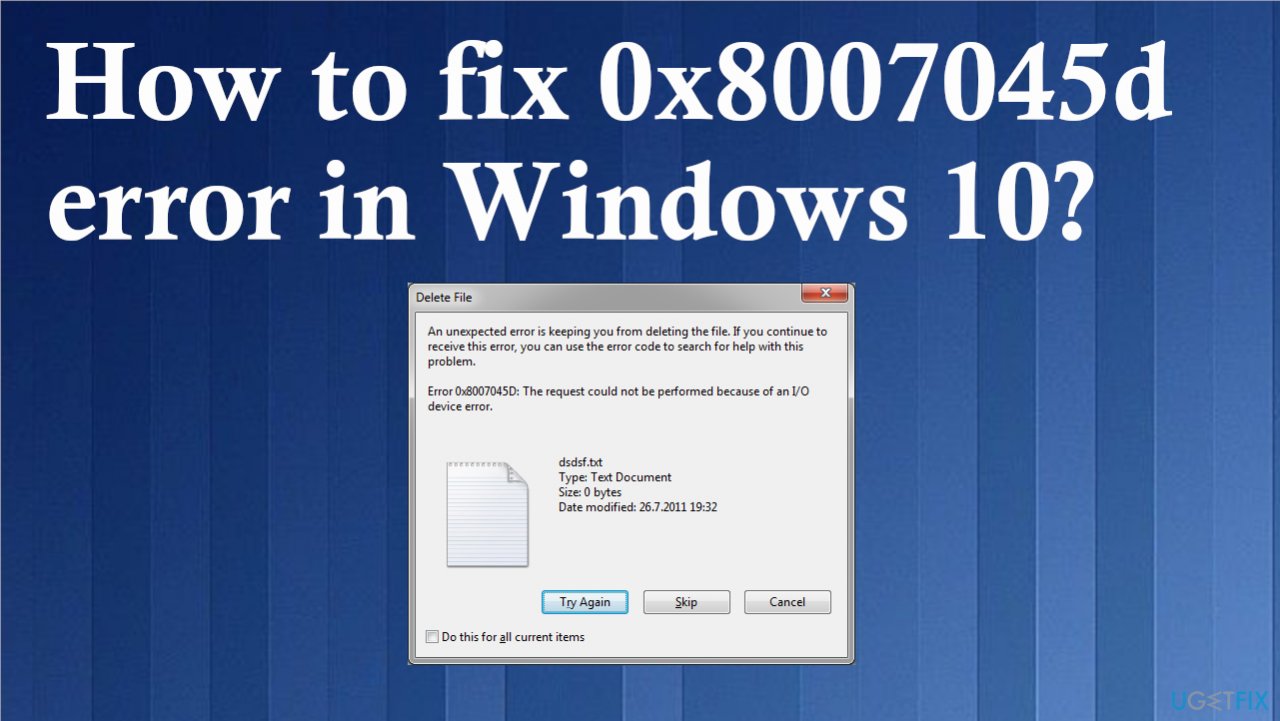
- The request could not be performed because of an I/O device error. Please rerun backup once the issue is resolved.
- Windows cannot install the required files. Make sure all files required for installation are available and restart the installation.
As for the solutions, when such errors occur, the fix for the problem depends on the reason why it is there in the first place. Malware[ref en-3] issues can be solved with anti-malware tools, file corruption can be solved using [d1] and other tools like system repair or optimization applications. Generally, the 0x8007045d error in Windows 10 is solvable, so do not panic. You might need some troubleshooting, and trying a few methods from the list below is advised.
1. Update Windows
- Go to Settings.
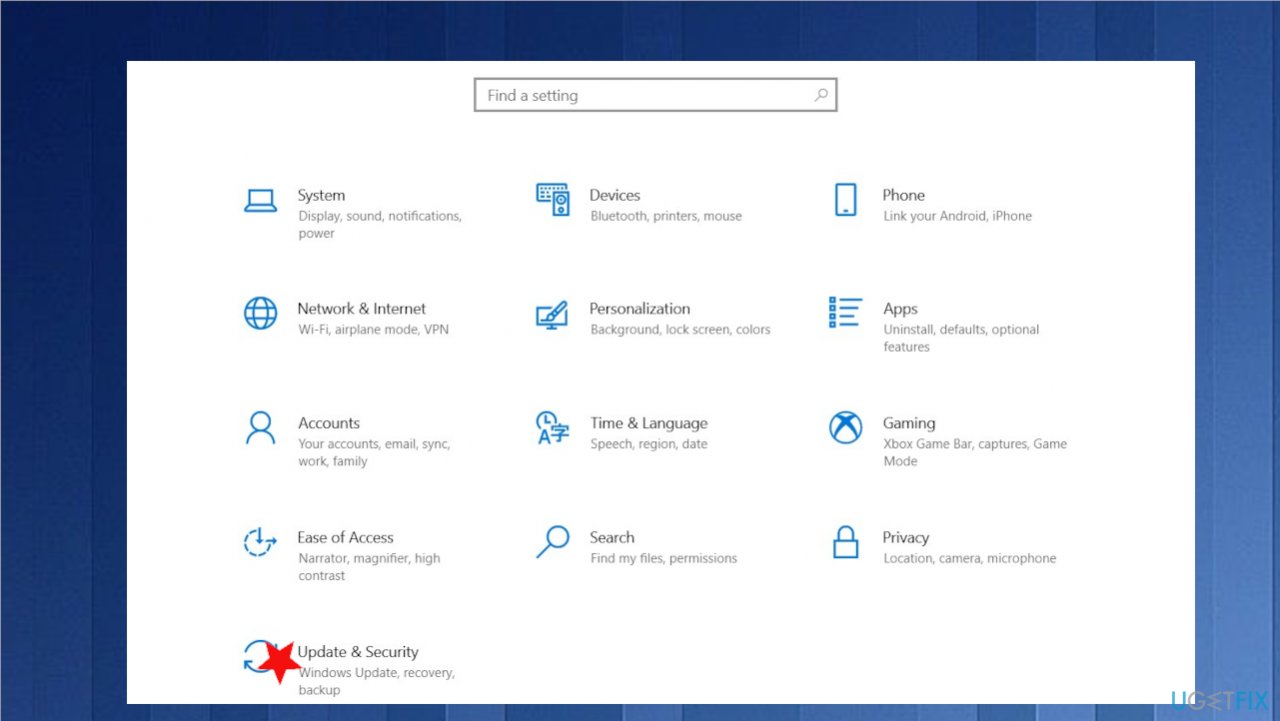
0x8007045d error on windows fix setting - Choose Update & Security.
- On the right side, click Check for updates.
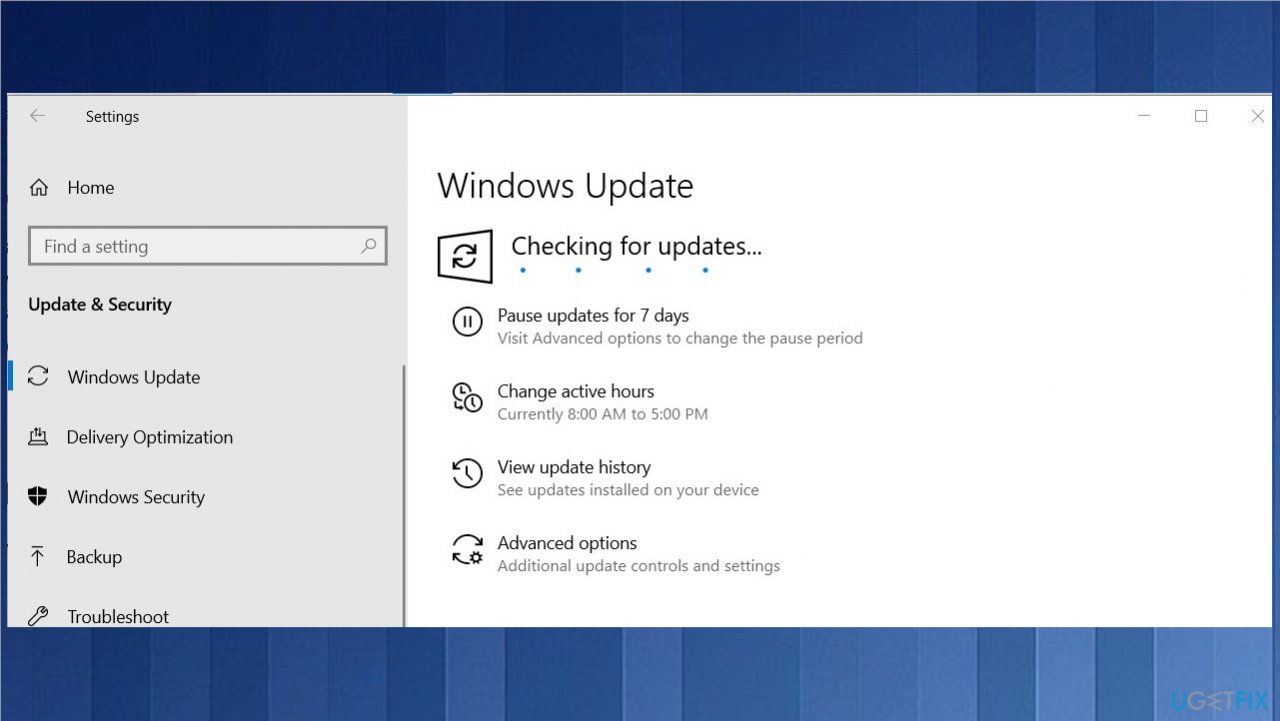
0x8007045d error on windows fix checking updates - Install update.
- Wait till Windows downloads and installs updates.
- Reboot your system.
2. Update drivers
- Right-click on Start and select Device Manager.
- Expand Display adapters section. You can choose any section that has exclamation points - indicates issues.
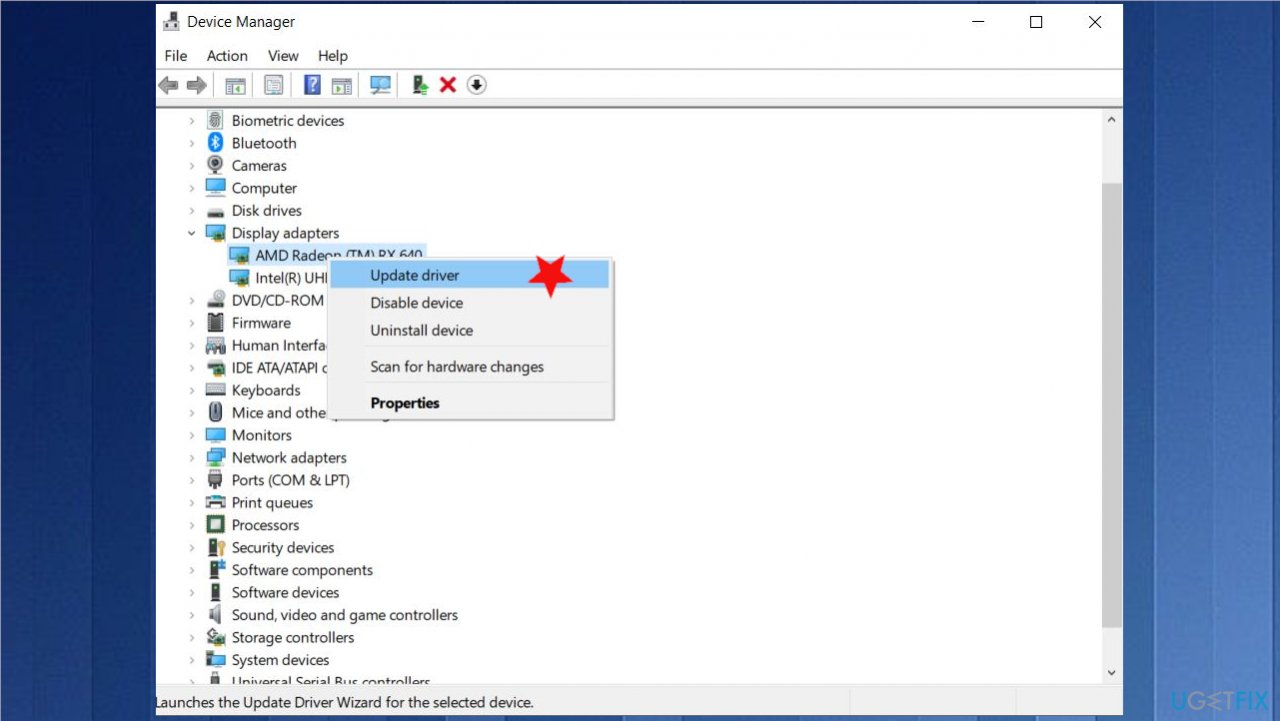
0x8007045d error on windows fix driver update - Right-click on your driver and select Update Driver.
- Pick Search automatically for updated driver software.
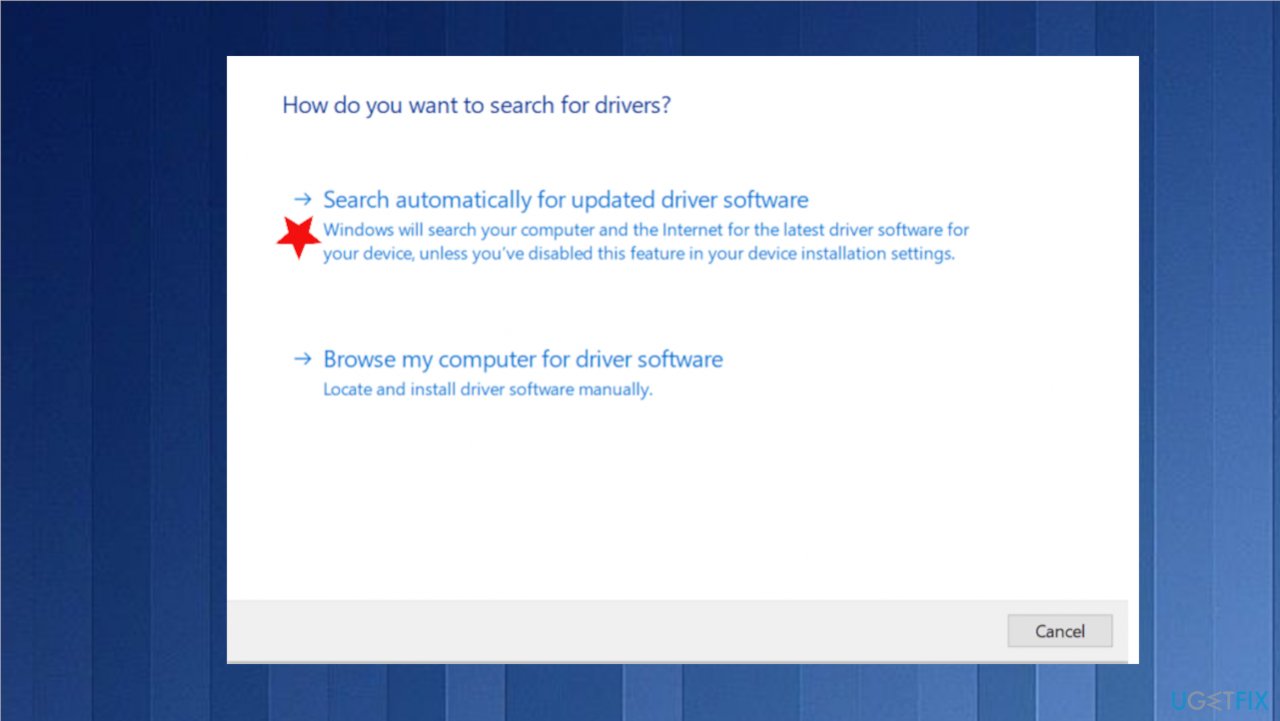
0x8007045d error on windows fix search - Wait till Windows downloads and installs updates.
- Reboot.
3. Run Hardware and Devices Troubleshooter
- Select Settings.
- Go to Update & Security.
- Locate Troubleshoot.
- Then find the particular option under Additional troubleshooting.
- Select Run the troubleshooter under its title.
4. Check the Disk for issues
- Type cmd in search.
- Clicking on the command prompt utility and selecting Run as Administrator.
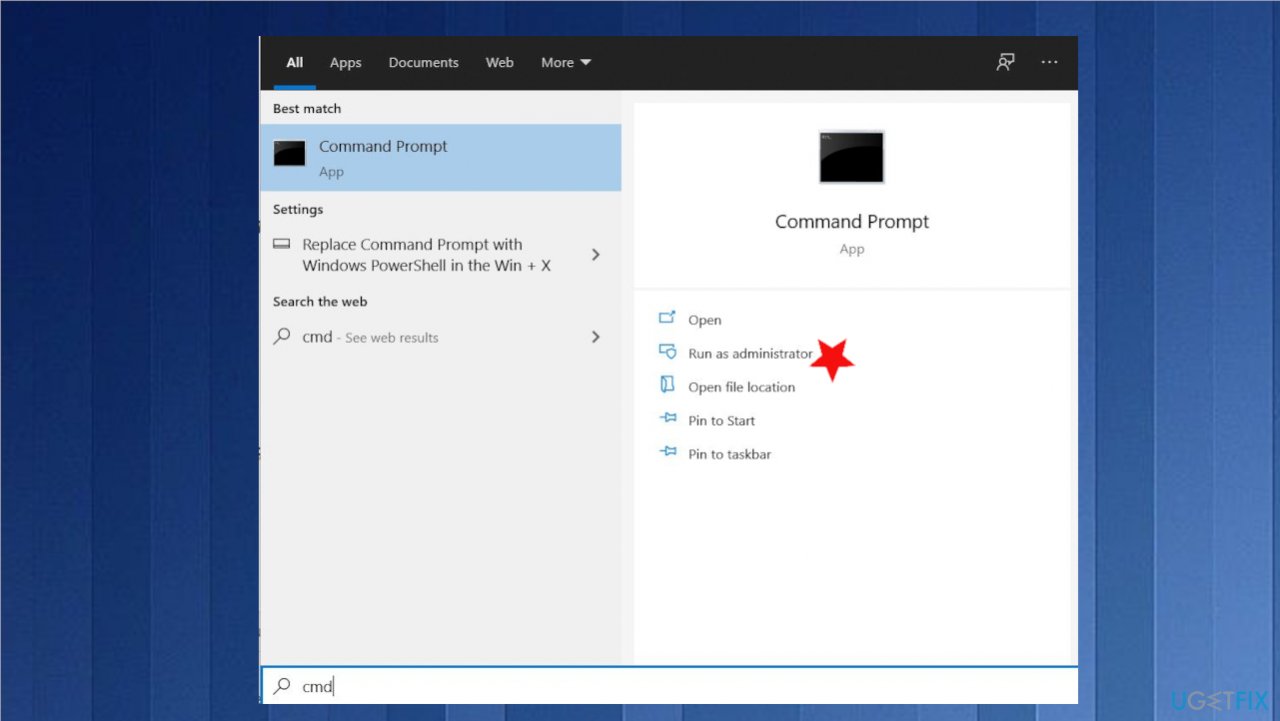
0x8007045d error on windows fix cmd admin - In the command prompt window, type;
chkdsk e: /F /R /X /B - Press Enter.
- After the scan is complete, restart your computer and try to copy the files again.
5. Shrink Hard drive volume
- Type control panel in the search box, and then click on Control Panel from the search.
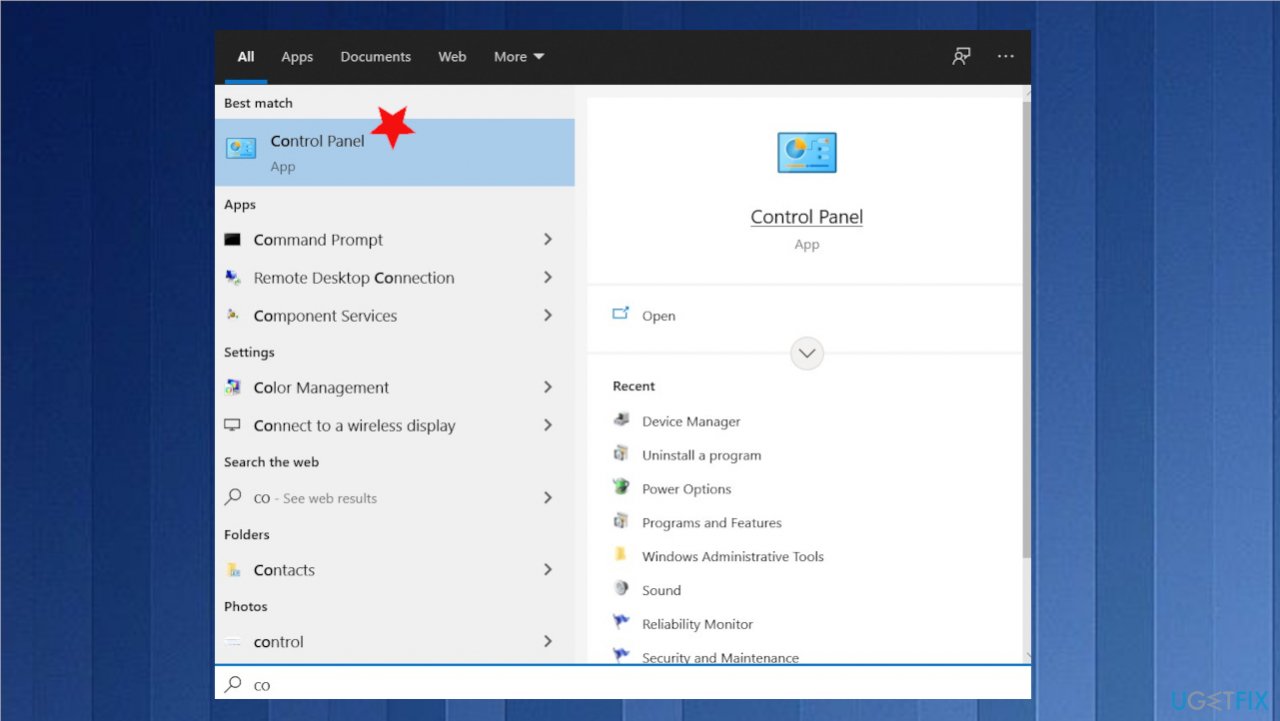
0x8007045d error on windows fix control panel - Click on the System and Security option.
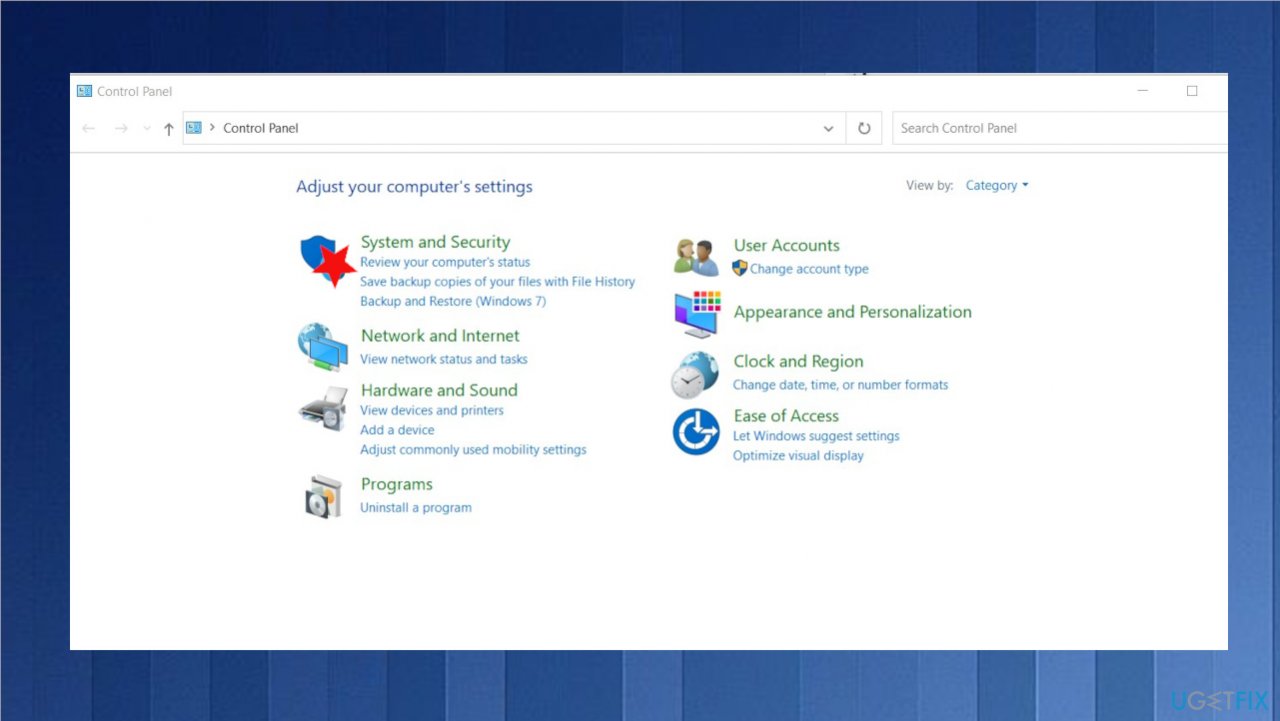
0x8007045d error on windows fix system security - In the System and Security page, click Create and format hard disk partitions.
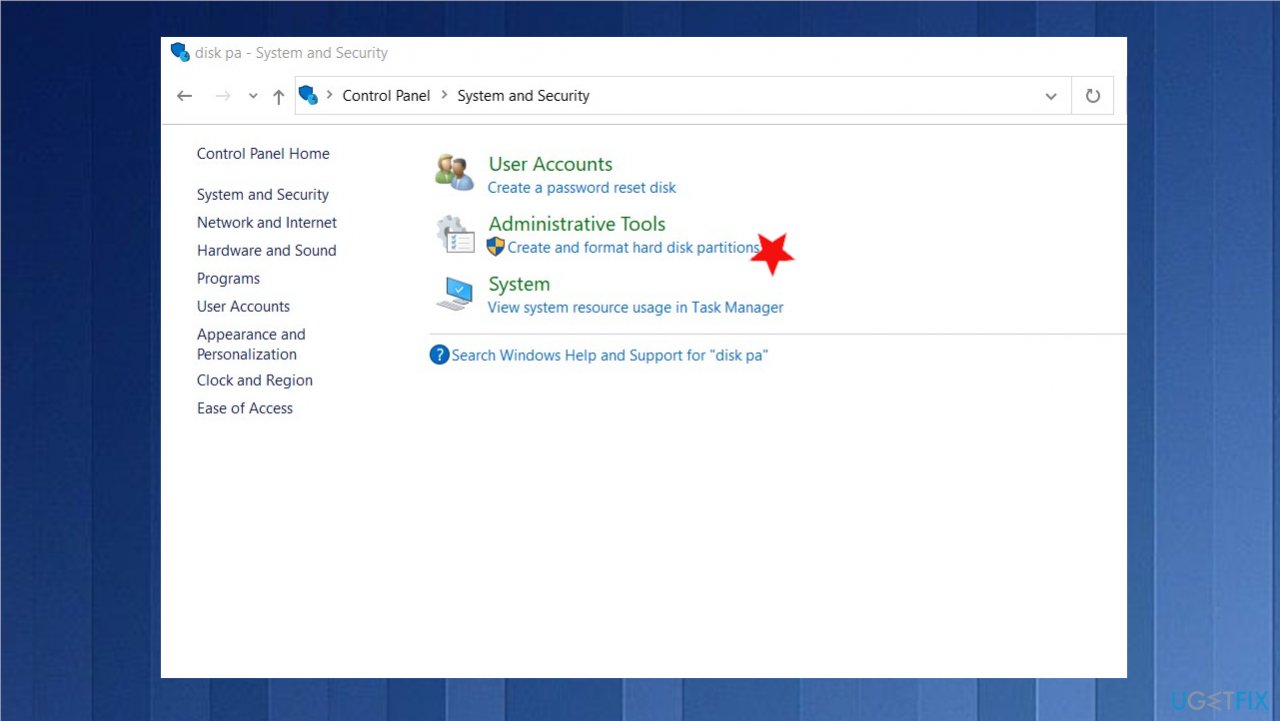
0x8007045d error on windows fix disk partition - Then Disk Management will be opened.
- Right-click the drive that you would like to shrink, and then select the Shrink Volume option from the list.
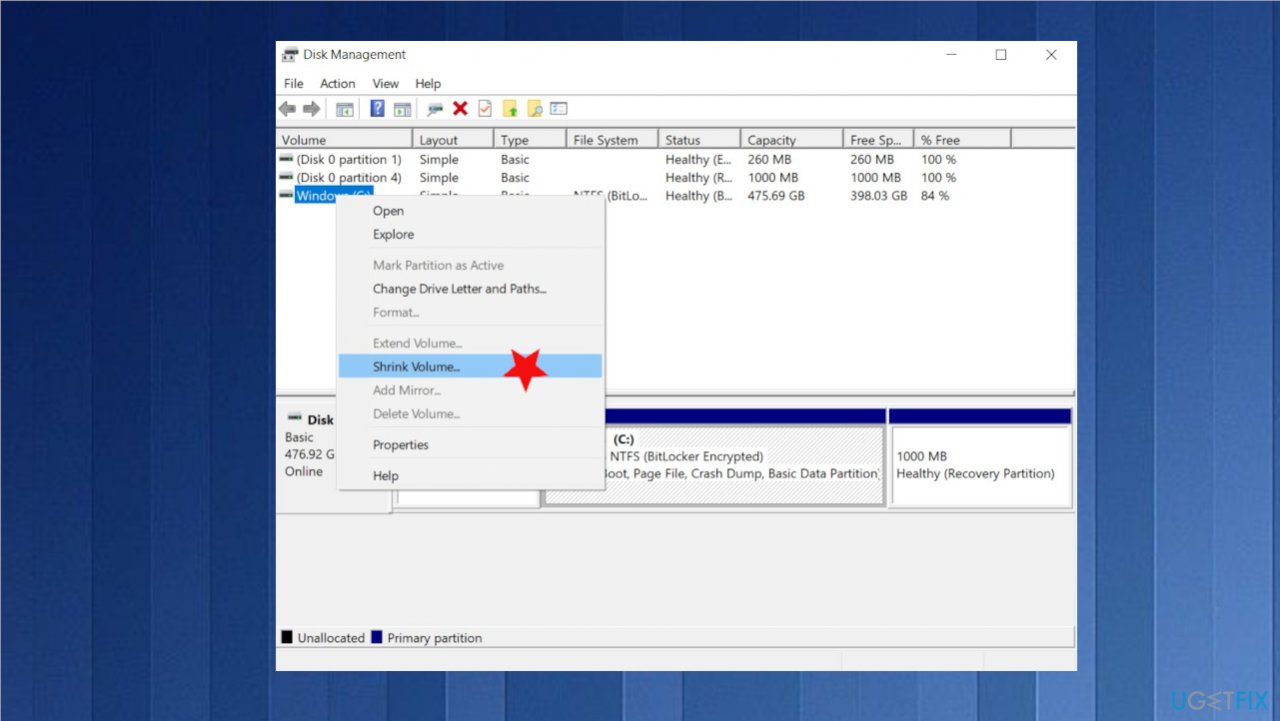
0x8007045d error on windows fix shrink - The operation will be finished automatically.
6. Boot in Safe Mode
- Log in to your computer with administrative rights.
- Click Start and then open the Run window.
- Type MSConfig in the window and hit Enter.
- Click the Boot button in the Systems Configuration applet, and then click Safe Boot.
- Check the Minimal option.
- Click OK to save changes.
- Click the Restart button to reboot your system on the pop-up window.
Bottom line
The 0x8007045d error in Windows 10 can often be resolved by addressing issues such as malware with anti-malware tools, repairing file corruption, or using system repair applications. If these solutions do not work, further troubleshooting may be necessary.
Frequently asked questions
The 0x8007045d error in Windows 10 typically occurs due to issues with hardware, such as a failing hard drive or corrupted files, or problems with device drivers.
To troubleshoot the 0x8007045d error, you can run the Windows built-in troubleshooter, check your hard drive for errors using the CHKDSK command, and ensure that all your device drivers are up to date.
Yes, you can often fix the 0x8007045d error without reinstalling Windows 10 by performing system scans, updating drivers, and checking hardware connections.




Report an issue
What's wrong with this guide? We review every report and update or remove content.
Report received — thank you. We'll review and fix it.
You need a free account to submit a report.
Be the first to comment