How to fix
0x8024402f Error
on Windows
Resolve the 0x8024402f error in Windows 10 quickly with expert-tested solutions to get your system back on track. Fix it in minutes!


What causes How to Fix 0x8024402f Error in Windows 10?
- Corrupted files
- Compatibility issues between the system and installed programs
- Issues with Internet Connection
- Corruption in Firewall Settings
- Non-default Windows firewall
Repairs Windows system files, removes malware, and restores a clean OS state — without reinstalling.
Hello. I have a problem with the error numbered 0x8024402F. As far as I know, this error is related to Windows updates. The problem is that fix center did not solve it because as I've been reported, the Windows firewall is not the default firewall. Any ideas how should I fix the 0x8024402F error?
The 0x8024402f Error in Windows 10 is the issue that frequently is reported by users online.[ref en-1] It is one of many problems that can come up after Microsoft releases Windows operating system updates. The error shows up with the text that states about problems occurring during the installation attempts, and the particular error code is included for identification.
0x8024402f Error prevents users from updating the Windows system and can be caused by corrupted files and compatibility issues between the system and programs installed. Unfortunately, troubleshooting cannot, in most cases, indicate the issue or solutions for fixing the problem.
It is definitely the error related to the Windows update.[ref en-2] Windows have already analyzed this issue and found out that, in most cases, the cause of 0x8024402f error issues with Internet Connection or some corruption in Firewall Settings. Consequently, the Windows system cannot connect the user's computer and Microsoft Server in a proper manner.
Usually, users are very concerned about the emergence of 0x8024402f error since it caused some major problems for those who seek to download the latest Microsoft updates. In the majority of the cases, this error arises in the computers that run Windows 10. So when you have a bug in the current version and cannot get a recent update it creates frustration.
Nevertheless, Windows 8 and 7 may also encounter this issue. If your system has recently informed you about 0x8024402f error, do not wait until the pop-up notification drives you crazy. Besides, such and similar errors should be treated as a serious sign because they may cause other errors, slowdowns, prevent software from responding, and so on. 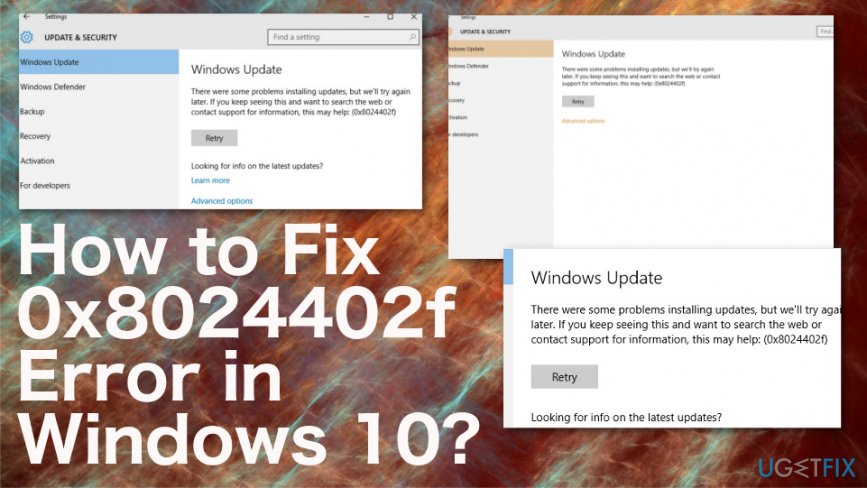
How to Fix Error 0x8024402f in Windows
You should try to download an update to your Windows 10 and check whether that will prompt 0x8024402f error to show up again. In the case that does not work, then the last that we can offer is to fix this issue automatically. The program that can help you with this problem is [rev id=”Reimage”]. This program can use the database of Windows OS files and repair corrupted or even malware[ref en-3] affected parts of the system. You can also try another network if you can or use VPN software to use safe web traffic and connect without problems.
To initiate 0x8024402f fix successfully, you have to perform several steps. There are two methods that can help you deal with this error.
Check Internet network problems
In order to check the system for this matter, you should find “Identify and Repair Network Problems” selection (for that, you can use the 'Search'), click on it and wait for the Search Results. If the system reports about any Internet Connection Network issues, ask the system to fix it (click on the button 'Fix'). If none of the issues are found, then move on to the next step that may help with the Update Error Code 0x8024402f fix in Windows 10.
Change Windows Firewall settings to Fix Error 0x8024402f
It might be that an anti-spyware that you have installed on your Windows deactivates Windows Firewall without notifying about that. On top of that, it may set its Firewall by default. To check and reset such changes, you should:
- Open Search and type Firewall in a search box;
- Select Windows Firewall;
- At the left side, find and click on Turn Windows Firewall on or off;
- Tick Turn on Windows Firewall and then Ok to approve the changes.
Change Windows Update settings to Fix 0x8024402f Error
- Click the Windows key and press I to open Settings.
- Choose Update& Security.
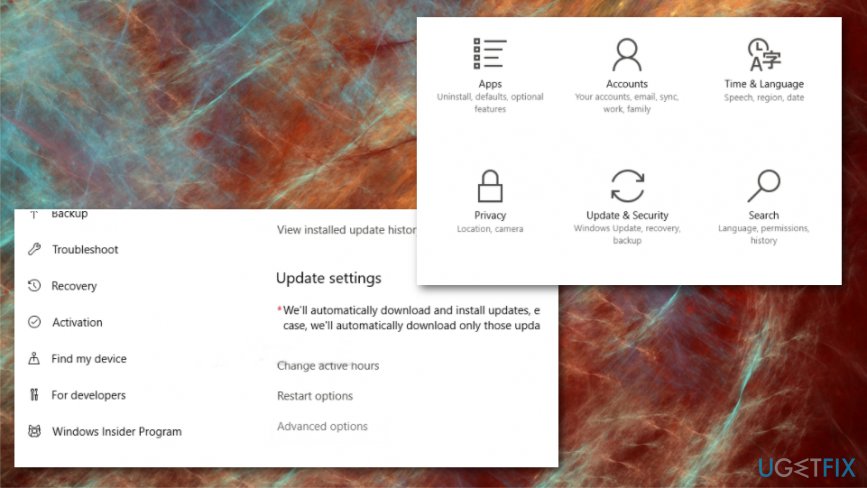
How to fix 0x8024402f error in windows 10 windows settings - Expand Advanced Options.
- Uncheck the options Give me updates for other Microsoft Products when I update Windows.
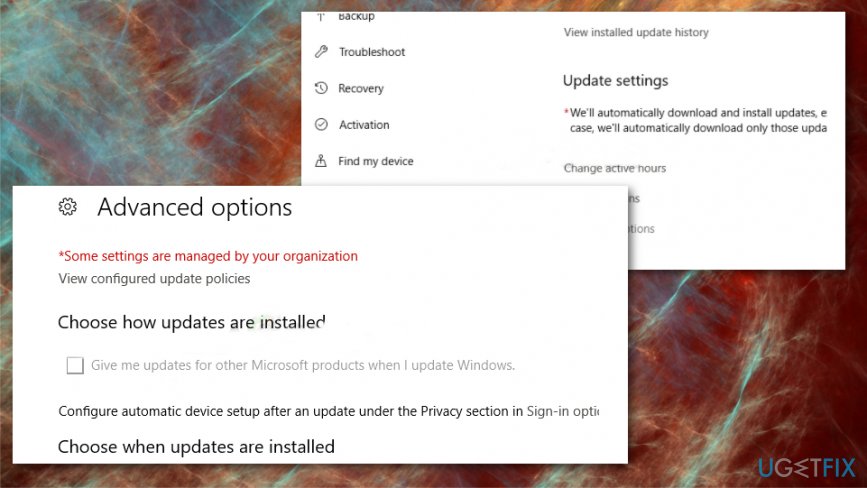
How to fix 0x8024402f error in windows 10 windows settings check
Change Proxy settings
- Open Settings once again and choose Network & Security.
- Click Proxy on the left and open settings.
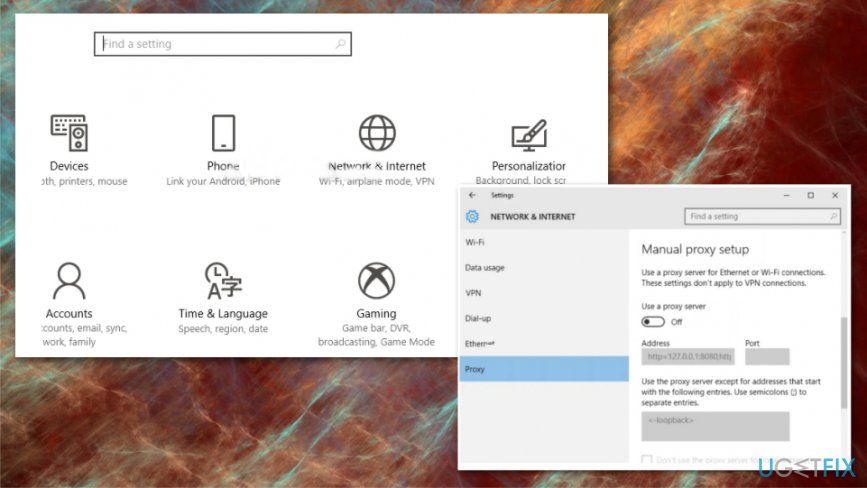
How to fix 0x8024402f error in windows 10 proxy - Turn On the Use a proxy server option.
- Type Proxy Server IP address and Port number.
- Save.
Change Windows Update Service to fix 0x8024402f Error
- Open the Run box command.
- Type services.msc and press Enter.
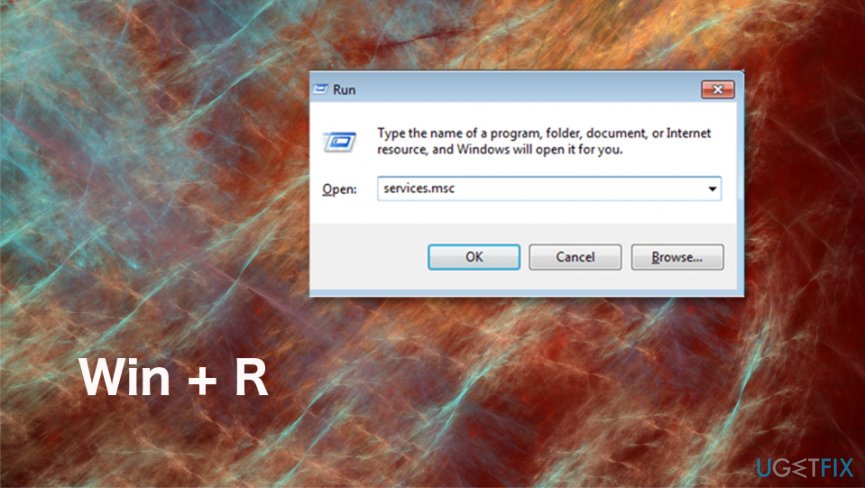
How to fix 0x8024402f error in windows 10 run box - Locate the Windows Update service and double-click.
- Select Delayed Start in the Startup Type menu.
- Choose Start if the service status is stopped.
- Then Apply and OK.
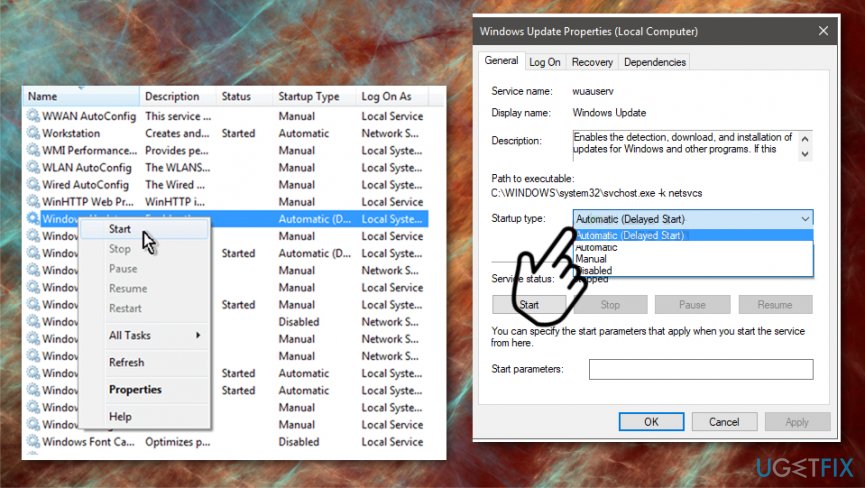
How to fix 0x8024402f error in windows 10 delay
Bottom line
To fix the 0x8024402f error, try downloading an update for Windows 10 and check for any Internet connection issues. If the problem persists, consider checking your firewall settings and ensuring that the default Windows firewall is enabled. If none of these solutions work, further troubleshooting may be necessary.
Frequently asked questions
The 0x8024402f error typically occurs due to issues with Windows Update, such as network connectivity problems or outdated system components.
To fix the 0x8024402f error on Windows 11, you can try resetting the Windows Update components or checking your network connection for issues.
Yes, temporarily disabling your antivirus software may help resolve the 0x8024402f error in Windows 10, as some security programs can interfere with the update process.




Report an issue
What's wrong with this guide? We review every report and update or remove content.
Report received — thank you. We'll review and fix it.
You need a free account to submit a report.
Be the first to comment