How to fix
0xC10100BF error (This file isn’t playable)
on Windows
Resolve the 0xC10100BF error on Windows 10 or 11 effortlessly. Follow our expert-tested guide and get your media files playing in minutes!

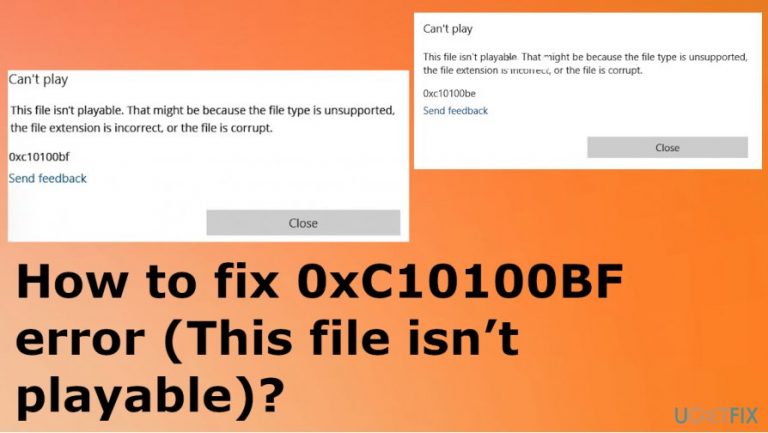
What causes How to fix 0xC10100BF error (This file isn’t playable)?
- File type is unsupported
- File extension is incorrect
- File is corrupt
- Media player is incompatible with the video
- Error occurs when launching files from external storage device
- File may be affected during copying or downloading
Repairs Windows system files, removes malware, and restores a clean OS state — without reinstalling.
Hello. I have an issue with the 0xC10100BF error that shows up on the screen and keeps me from playing anything on my media player. The pop-up states that "This file isn’t playable. That might be because the file type is unsupported, the file extension is incorrect, or the file is corrupt." Don't know what to do in this case. Tried to repair some files with the software, but nothing happened. Can you answer me?
The error that states about tile compatibility indicate that the media player might be incompatible with the video you try to play or the video itself is a broken file. As the pop-up states, there is an issue regarding file extension too that could possibly affect the performance and lead to 0xC10100BF error (This file isn’t playable).
Getting the 0xC10100BF error on your screen is the sign that you need to change either the file that you want to launch or the software that you use to do so. There a few situations that this particular error code occurs, so it might be when you download files and try to launch them from the external storage device like a thumb drive.[ref en-1]
Also, 0xC10100BF error code message can appear when the video is moved from the external device to your computer and the error, in this case, resides in the file that might get affected or corrupted due to incorrect process of copying or downloading.
Users report the issues online commonly, so you are not the only one getting this.[ref en-2] This issue is not related to particular file type, so trying to open files in MP4, MOV, MKV, and other formats can trigger the error with the full message:
"This file isn't playable. That might be because the file type is unsupported, the file extension is incorrect, or the file is corrupt. 0xc10100bf.
It is not that difficult to fix the 0xC10100BF error (This file isn’t playable), but the issue is to determine what caused the appearance of this message. We can assure that malware[ref en-3] is more likely not the trigger here, so do not panic thinking that the machine is infected. Unreliable sources, video formats, file corruption, and other reasons determine the particular solution, so read further.
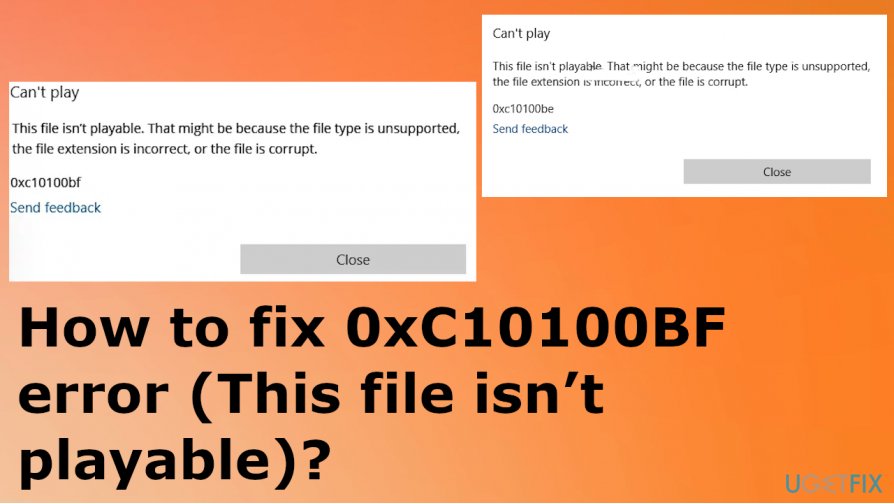
How to fix 0xC10100BF error (This file isn’t playable)
Since the file-corruption issue is one of the more common triggers for this 0xC10100BF error, we should note that there are various things that lead to such file compatibility or file damage. Torrent sites, pirating software services and other sources are not the most reliable for the infection possibility and legal issues. These files might be already corrupted or damaged, so you face more issues.
You can fix 0xC10100BF error by running [d1] or a different system repair tool that checks the machine for affected program files and fixes such damage automatically. If you do this first, you can be sure that there are fewer things to do manually for you. You can try to play the file on a different device or check the file format before you try other options. Also, running an anti-malware tool and checking for malicious files or programs beforehand can only make things easier for you.
Troubleshoot the issue
- Press the Win key and R to open the Run box.
- Then type control and press enter.
- Go to the Control panel and search for troubleshooting.
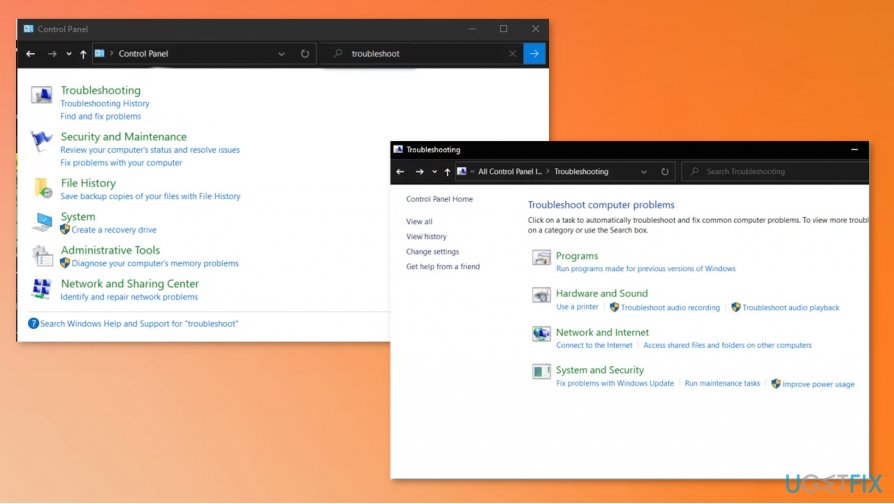
How to fix 0xc10100bf error this file isnt playable troubleshoot - Launch the troubleshooter window and click View all to see all the options.
- Find the Windows Media Player Settings.
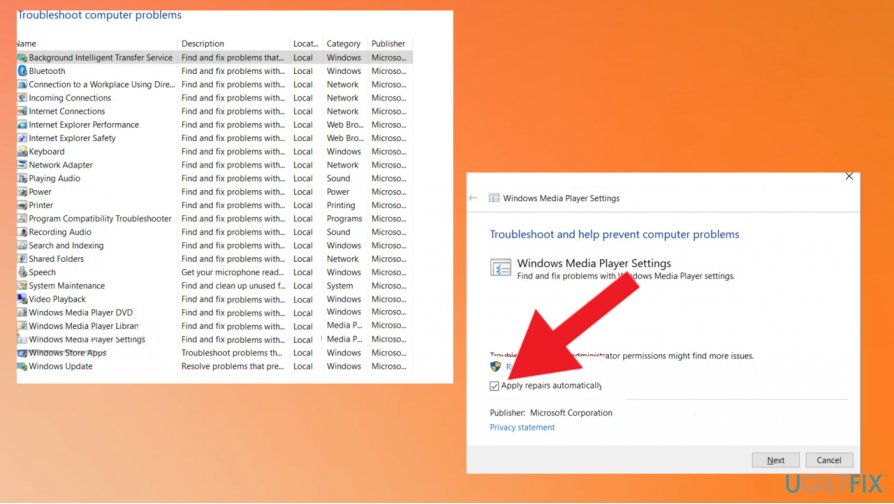
How to fix 0xc10100bf error this file isnt playable troubleshooting repair - Go for Advanced settings and make sure to check the box by Apply repairs automatically.
- Scan the machine and choose to Apply this fix when the troubleshooter offers any.
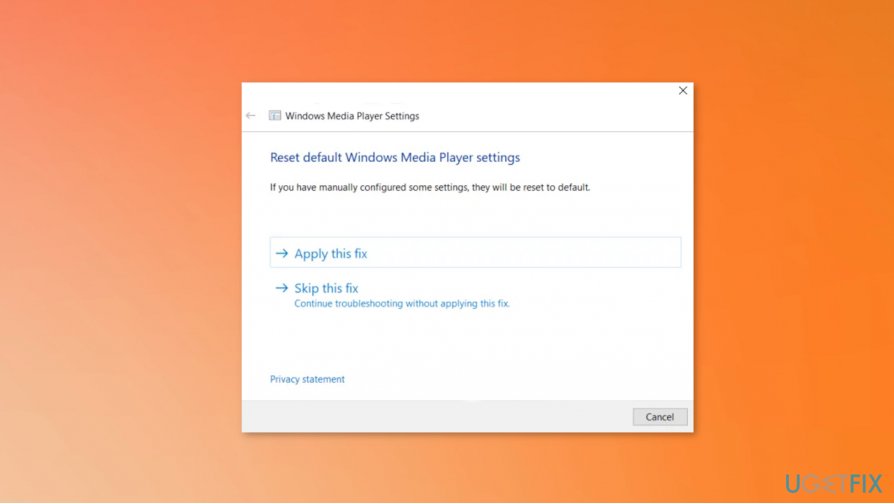
How to fix 0xc10100bf error this file isnt playable apply fix
Check the supported file format to fix 0xC10100BF error (This file isn’t playable)
You can ensure that the file format is particular and the one supported by the Windows Media Player or other applications. You can convert the file to a needed one when you know that file you have is not in the correct one.
Reinstall the program that creates problems
Troubleshooting might not solve all the issues for you, so try to fix the problem by reinstalling the application entirely. This way, you can freshly add all the files belonging to the app and make sure that it is running smoothly as it supposed to. Make sure to use reliable sources though. You can also try different players since there are many free video format players available.
Bottom line
To fix the 0xC10100BF error, consider changing the file you are trying to play or using a different media player. If the issue persists, ensure the file is not corrupted and try downloading it again. If none of these solutions work, further investigation may be needed.
Frequently asked questions
The 0xC10100BF error typically occurs due to incompatible video formats, corrupted media files, or issues with the Windows Media Player codecs.
To fix the 0xC10100BF error on Windows 11, try updating your media player, reinstalling the codecs, or converting the video file to a compatible format.
Yes, you can troubleshoot the 0xC10100BF error on Windows 10 by using the built-in Video Playback troubleshooter found in the Settings under Update & Security.




Report an issue
What's wrong with this guide? We review every report and update or remove content.
Report received — thank you. We'll review and fix it.
You need a free account to submit a report.
Be the first to comment