How to fix
A Windows Screen Flipped Upside Down
on Windows
Easily restore your Windows 10 or Windows 11 screen to normal with simple fixes for upside-down display issues. Expert-tested solutions await!

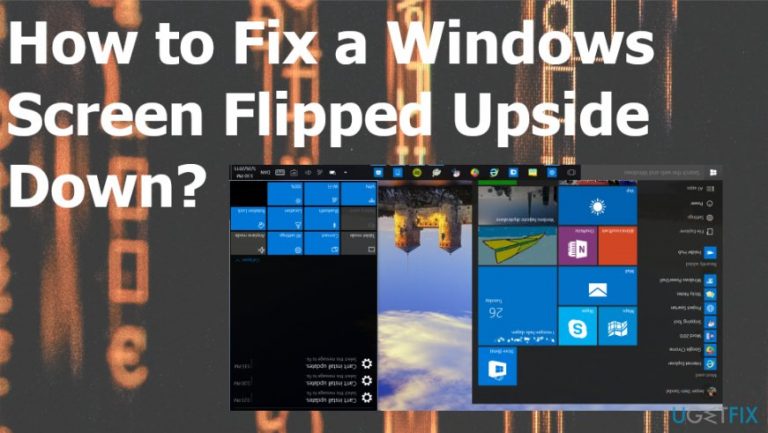
What causes How to Fix a Windows Screen Flipped Upside Down?
- Accidentally pressed the wrong keys on the keyboard
- Outdated graphics driver
- Possibility of virus infection
- Windows 10 bug not yet analyzed by Microsoft
Repairs Windows system files, removes malware, and restores a clean OS state — without reinstalling.
Hello. I’m encountering a quite unusual issue with my PC. I left my computer for 10min or so, but when I came back the screen was flipped upside down. No one touched my PC as I was alone at home. The Ctrl + Alt + Up or Down arrow keys did not help. I’m running Windows 10. Does anybody know what should I do?
If your screen got suddenly rotated upside down it is quite easy to flip, so do not panic. This is probably not the issue of your hardware or software, so damage is not the thing that you should worry about. You can get your screen back on tracks and it is not asking for any additional programs or interference with the settings. However, it mainly depends on the device and the particular cause, so read further to learn.
Windows 10 users are facing many issues related to the screen and among the most common ones appears to be screen freezes.[ref en-1] However, several users have contacted us claiming that their Windows screen has been flipped upside down out of nowhere. Windows 8 and earlier versions are seldom affected by this issue. However, quite a lot of Windows 10 users are dealing with the upside-down screen and can’t, actually, use their PCs normally.[ref en-2]
Since this Windows 10 bug is not very common, Microsoft did not analyze and confirmed it yet the cause of the flipped screen. Nonetheless, there are three possible reasons that we came up with. First of all, it might be that you have accidentally pressed the wrong keys with your keyboard and rotated the screen by yourself.
Second of all, if you haven’t been working with your PC while the screen was flipped upside down, the issue might have appeared due to an outdated graphics driver. Third of all, the possibility of virus infection should also not be excluded.[ref en-3] Keep in mind that serious viruses seek to make computers as useless as possible, so flipping the screen upside down might be one of the techniques employed by hackers. 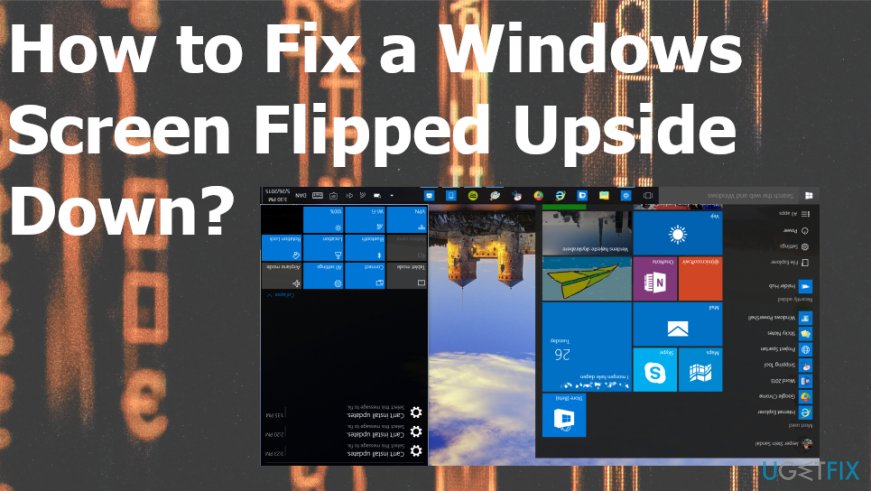
How to fix a Windows screen flipped upside down
First of all, to exclude the malware infection - check for any virus-related issues or system damage that could have caused this unusual screen rotation. For this purpose, you have to install a professional tool with an updated virus database. In the case of system damage and affected files, we would recommend using [d1].
Use hotkey sets to fix Windows screen flipped upside down
In case you have accidentally pressed the wrong keys and rotated the screen 90 degrees, hotkey sets are here for you to help. What you have to do is to try the below-given commands and we are pretty sure that they will revert your screen back to normal.
- Ctrl + Alt + Down Arrow (Flip The Screen)
- Ctrl + Alt + Up Arrow (Reverts The Flipped Screen)
- Ctrl + Alt + Left Arrow (Rotate The Screen Left)
- Ctrl + Alt + Right Arrow (Rotate The Screen Right)
If you have tried them all, but none of them moved your Windows screen from its current position, then you should try updating your graphics driver.
Change the display orientation
- Right-click on the empty place of the Desktop and select Display Settings.
- When the screen opens, select Display Orientation drop-down arrow to find Landscape.
- Apply to rotate the display.
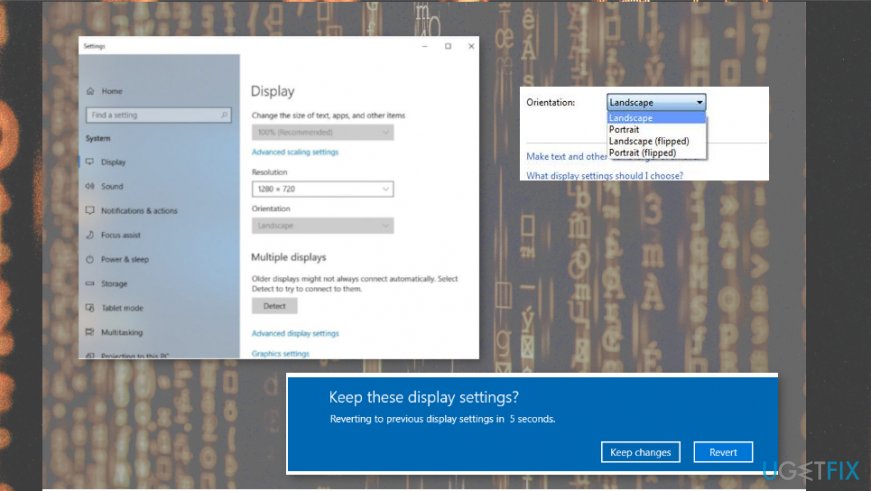
Fix windows screen flipped display
Update graphics driver
The flipped screen may also mean that your graphics driver is out-of-date and has to be updated ASAP. For this purpose, you have to do the following:
- Right-click on the Win key and select Control Panel.
- Go to the Hardware and Sound and locate Device Manager (Under Devices and Printers).
- In case you run onboard graphics, right-click on the Intel HD under Device Manager and choose Update Driver Software.
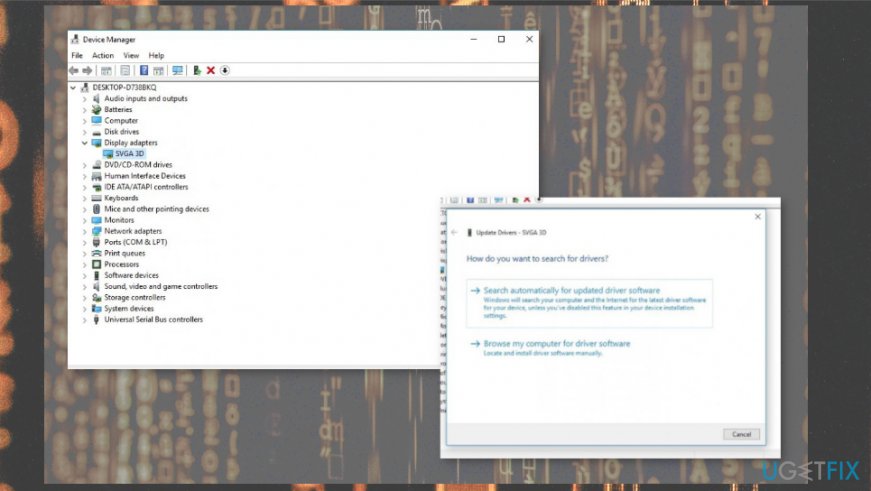
Fix windows screen flipped drivers - Select Automatically Search and then Update Drivers.
- Finally, reboot your PC/laptop.
Bottom line
To fix the upside-down screen issue, you can try using keyboard shortcuts, updating your graphics driver, or checking for virus infections. If none of these solutions work, further troubleshooting may be necessary.
Frequently asked questions
You can press Ctrl + Alt + Up Arrow to restore your screen to its normal orientation in Windows 10.
If the screen rotation option is missing, ensure your graphics drivers are updated and check the display settings for rotation options.
Yes, keyboard shortcuts like Ctrl + Alt + Arrow keys can accidentally flip your screen orientation in both Windows 10 and Windows 11.




Report an issue
What's wrong with this guide? We review every report and update or remove content.
Report received — thank you. We'll review and fix it.
You need a free account to submit a report.
Be the first to comment