How to fix
Apple Mail if it’s Sending Emails from Wrong Address
on Windows
Resolve issues with Apple Mail sending emails from the wrong address on your Windows 10 or Windows 11. Get expert-tested solutions for quick fixes.

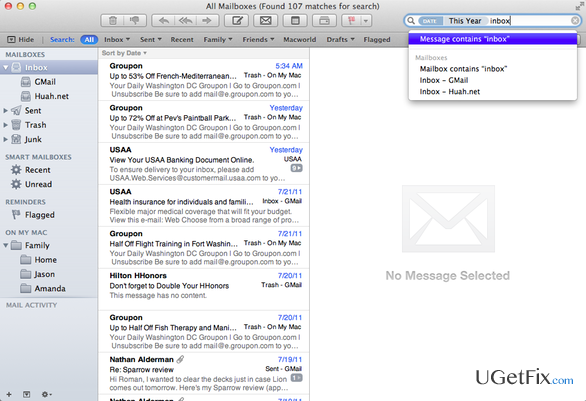
What causes How to Fix Apple Mail if it’s Sending Emails from Wrong Address?
- Incorrectly set account settings
- Using two or more accounts on Apple Mail
- Confusing account setup screens
- Email addresses switched off
Repairs Windows system files, removes malware, and restores a clean OS state — without reinstalling.
Apple Mail shows the wrong name when I type my email address in the To or CC field. Besides, I’ve noticed that my home and work e-mail addresses are switched off. When I sent an email from my home account, it appears that the email was sent from my work account or vice verse. I don’t understand how this is happening and how to fix that. I’m running MacOS Sierra Apple Mail, version 5.0. Please help.
Apple Mail is the default email client that is pre-installed on every Mac using OS X 10.0 and later. The app is easy to use due to straightforward settings and functions. To make it even more easy to use, Apple provides the guidelines on what functions Apple Mail has and how to use them. Beware that the app not only allows sending/receiving e-mail messages, but also saves the names of recipients, auto-completes their names, filter spam, customize mail toolbar, create notes/to do’s, and so on. However, people who are using Apple Mail commonly encounter various issues related to sending or receiving e-mail messages. For example, sometimes the messages are not sent as the mail app appears to be offline or the send button is dimmed. Besides, it seems that Apple Mail features a set of confusing account setup screens, which if set in a wrong way, may cause alternation of email addresses. For instance, if you send an email from one account, once sent it may appear to be sent from the wrong address. This problem may occur if you are using two or more accounts on your Apple Mail. Thus, if you have noticed that your Apple Mail is sending emails from the wrong address, you can fix the issue quite quickly. HowToGeek experts have provided a detailed guide on how to fix Apple Mail Sending Emails from the Wrong Email Address, so here’s what you have to do:
How to Fix the Wrong Email Address while Sending Emails from Apple Mail?
As pointed out, the wrong email address on Apple Mail may be indicated due to the incorrectly set account settings. Therefore, to fix Apple Mail Sending Emails from the Wrong Email Address error, you will have to change some of the email account settings:
- Open Apple Mail -> Mail -> Preferences.
- Now open Accounts (at the top of the Preferences screen) and select the email account that is problematic.
- Select Server Settings. Here you should see two options - Incoming Mail Server and Outgoing Mail server. If you are using several email accounts from the same source, for example, Gmail, Outlook, Yahoo, etc., the Outgoing Mail server may treat all the accounts as one, which is why your work and home accounts may be mixed up. To fix that, you should rename each account.
- So, select Outgoing Mail and open Account.
- Select Edit SMTP Server List. If you are using several Gmail accounts, all accounts should be simply named as Gmail, so it’s a must to differentiate them.
- Select the first account on the list, click User Name, and select Descriptions.
- Change the description according to the purpose of the account, e.g. “Gmail – Personal.”
- Once done, click OK.
- After that, click Account under Outgoing Mail Server (SMTP) and now you will be able to see the difference between your work and home accounts. From now on, there will be no account confusion when sending emails via Apple Mail. If you have any questions, please let us know!
Bottom line
To fix the issue of Apple Mail sending emails from the wrong address, check and correct your account settings, ensure that the correct email address is selected when composing messages, and review your account configurations. If these solutions do not resolve the problem, consider seeking further assistance or consulting additional resources.
Frequently asked questions
Ensure that the Apple Mail account settings are properly set up in your email client on Windows 10, including checking the default sending address under account preferences.
Go to your Apple Mail settings and verify that the correct email address is selected as the default for sending emails on your Windows 11 device.
You can reset your Apple Mail settings by removing and re-adding your email account in Windows, which can resolve issues with sending from the wrong address.




Report an issue
What's wrong with this guide? We review every report and update or remove content.
Report received — thank you. We'll review and fix it.
You need a free account to submit a report.
Be the first to comment