How to fix
BSOD DllRegisterServer failed with the error code 0x80040201
on Windows
Resolve BSOD DllRegisterServer error code 0x80040201 on Windows 10 or 11 easily with expert-tested solutions for a smooth experience. Fixed in minutes!

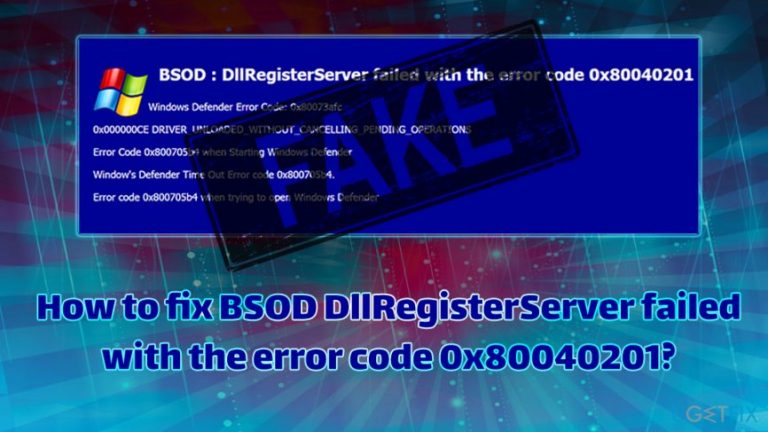
What causes How to fix BSOD DllRegisterServer failed with the error code 0x80040201?
- Error associated with MS Office Outlook 2007
- DLL registration attempted without administrator rights
- Presence of adware on the machine
- Technical support scam message
- Fraudulent pop-up windows
- Redirects to questionable websites
Repairs Windows system files, removes malware, and restores a clean OS state — without reinstalling.
Whenever I browse the internet, I receive a full screen error that says "BSOD DllRegisterServer failed with the error code 0x80040201". The message is also displayed on a pop-up window. It asks me to call Help desk for a fix but I am not sure if this is legit? When I tried to search for the error, I can only find answers from Microsoft about Outlook error. But this is not the case for me. What is this? Is this error coming from Microsoft and is it connected to my search results?
Initially, 0x80040201 error was associated with MS Office Outlook 2007 running on Windows. Additionally, users can encounter the error while drying to register a DLL[ref en-1] file when they are trying to the command not as administrator. This problem is easy to resolve by using Admin rights and opening Command Prompt.
However, the error BSOD DllRegisterServer failed with the error code 0x80040201 encountered on a browser is fake, and cybercrooks are trying to trick users in what seems to be an elaborate scam campaign. Users are led to questionable websites that display the fraudulent message. There redirects typically occur due to the presence of adware installed on the machine.
BSOD DllRegisterServer failed with the error code 0x80040201 is a technical support scam,[ref en-2] and bad actors simply copied the legitimate code of a system error. Surely, those less computer savvy might think that the BSoD is real, and proceed with contacting fake technicians. We highly advise users to refrain from associating with criminals, as they are only interested in monetary gain, in the expense innocent computer users' wallet.
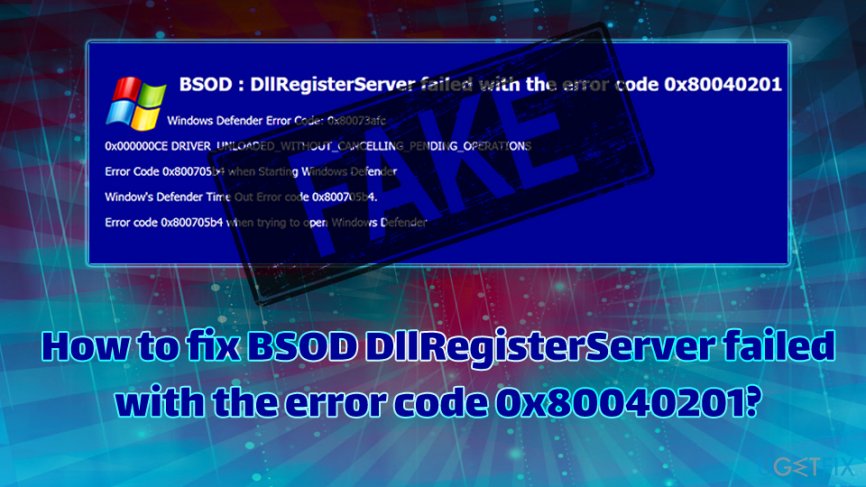
Therefore, it is important to recognize online scams and avoid contacting cybercrooks. Instead, users can fix BSOD DllRegisterServer failed with the error code 0x80040201 by performing a complete removal of the adware. If you want to find 0x80040201 error fix now, scroll down for the instructions.
The pop-up says:
BSOD: DLL Registry failure the error code 0x80040201
Windows Defender Error Code : 0x80073afc
0x000000CE DLLRIVER_UNLOADED_WITHOUT Missing Files
Error Code 0x800705b4 when starting Windows Operating system.
Windows Defender Time Out Error Code 0x80040201
Error code 0x800705b4 when trying to open without a driver.
Windows Health is CRITICAL!
Please Contact help Desk:+1-844-565-5474
Those who already believed that BSOD DllRegisterServer failed with the error code 0x80040201 alert is real and contacted cybercriminals, might face money loss due to purchased useless software, increased phone bill due to premium number charges, or even infiltration of malware if a remote access is is granted.[ref en-3]
Instead of contacting malicious actors, follow the steps below to fix BSOD DllRegisterServer failed with the error code 0x80040201.
How to fix BSOD DllRegisterServer failed with the error code 0x80040201 automatically?
If you are suffering from irritating BSOD DllRegisterServer failed with the error code 0x80040201 pop-ups, you should not think that your PC is broken. In reality, the only issue is adware that is hiding on your PC. Luckily, it's not difficult to root out this pest. You can fix BSOD DllRegisterServer failed with the error code 0x80040201 automatically by running a scan with [rev id=”Reimage”] or invest some time and perform the fix manually. Instructions are provided below; for more information about "BSOD DllRegisterServer failed" problem, see this post.
Remove BSOD DllRegisterServer failed with the error code 0x80040201 from Windows
- Go to Start → Control Panel → Programs and Features. (Windows 7 or Vista)
- Go to Start → Control Panel → Add/Remove Programs (Windows XP)
- Click on Start button and type in Control Panel. Then select Uninstall a Program. (Windows 8/10)
- Look through a list of programs that are installed on your computer and find the ones that look suspicious to you.
- Uninstall these programs and click OK.
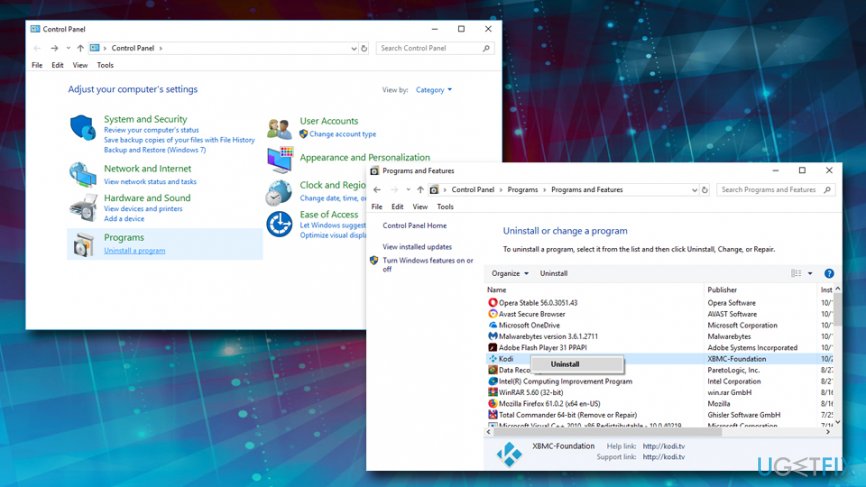
Bsod dllregisterserver failed with the error code 0x80040201 uninstall from windows
Remove BSOD DllRegisterServer failed with the error code 0x80040201 from macOS
- Click Go → Finder → Applications.
- Find all questionable programs, right-click on them and move them to Trash.
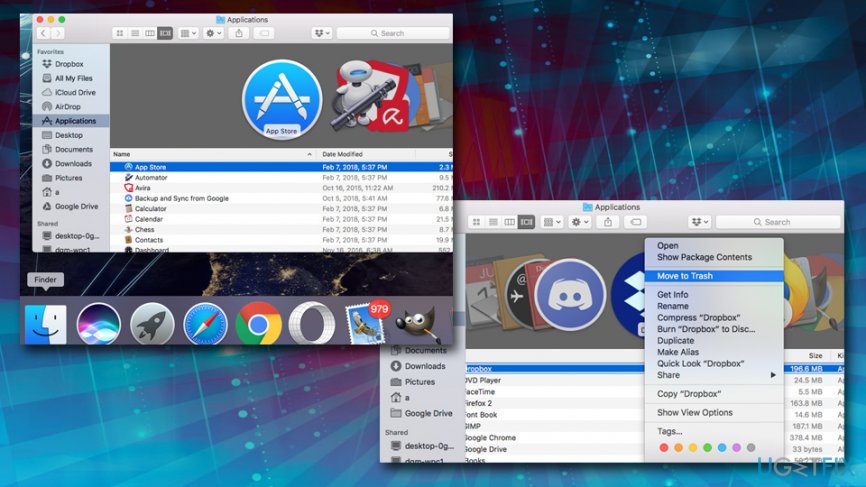
Bsod dllregisterserver failed with the error code 0x80040201 remove from macos
Refresh Mozilla Firefox
Adware and other unwanted programs might leave traces on your browsers. Therefore you should reset ech browser individually. Let's start from Mozilla Firefox:
- Launch Mozilla Firefox, open its menu (click on three bars in the top right corner of the window), and then go to Add-ons → Extensions.
- In the Extensions panel, look for suspicious browser extensions that you do not remember installing. Click Remove next to extensions that you do not want to keep.
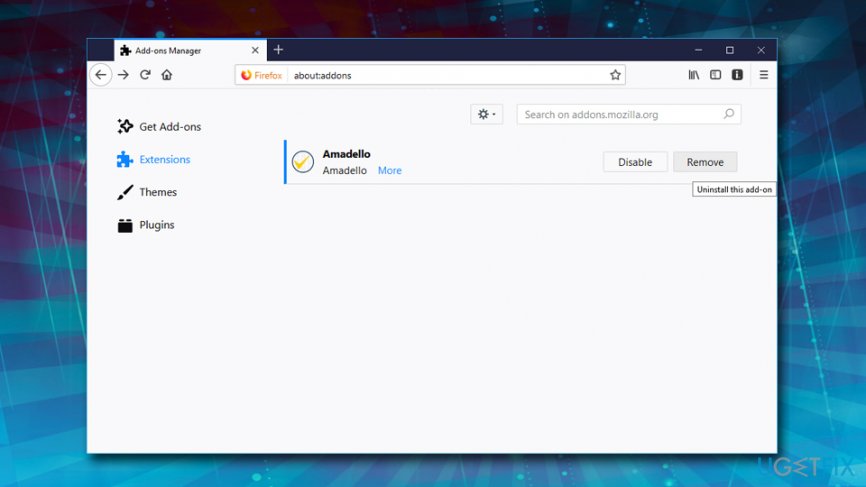
Bsod dllregisterserver failed with the error code 0x80040201 remove firefox addons - Now, check if your homepage wasn’t changed by this computer parasite. Open Mozilla Firefox menu once again, and go to Options → General.
- In the Startup section, click Restore to Default, or just enter another Home Page URL and click OK.
- Reset your browser. Again, open Firefox menu, go to Troubleshooting Information and then click Reset Firefox.
- When a pop-up message asking to confirm your choice appears, click Reset Firefox again.
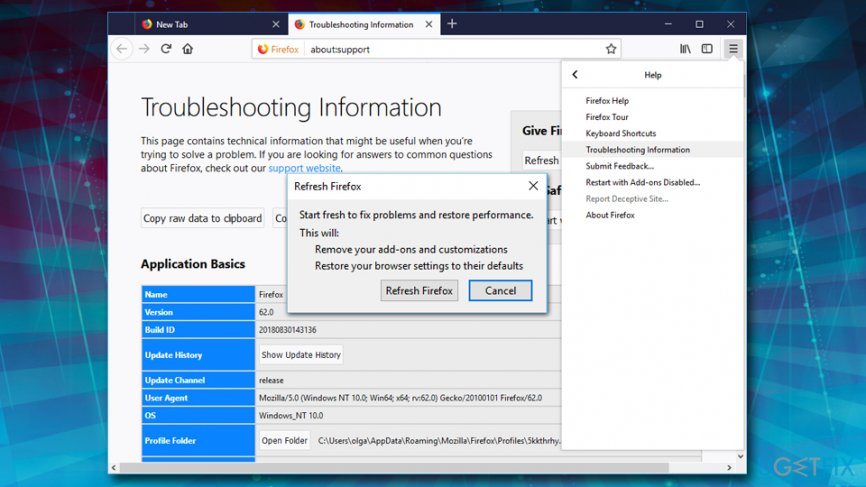
Bsod dllregisterserver failed with the error code 0x80040201 reset firefox
Reset Internet Explorer
- Launch IE browser, and then open its menu by clicking on the Gear icon, which is at the top right corner of the browser. Then go to Manage Add-ons.
- When the Manage Add-ons window appears, look through all questionable browser extensions and disable them. For that, right-click each of them and then select Disable.
- Open menu once again and go to Internet Options. In General tab, replace the Homepage address with a URL of your choice. Then hit Apply to save.
- Reset IE. Open its menu, go to Internet Options → Advanced. Click Reset.
- When the Reset Internet Explorer Settings window shows up, put a tick next to option Delete personal settings and hit Reset again.
Reset Google Chrome
- Launch Google Chrome, click on three-bar button at the top right corner (Menu button) and go to Tools → Extensions.
- Look for suspicious browser extensions and eliminate them by clicking on Trash icons next to them.
- Open menu again, then go to Settings. Find On startup part, and click Set pages next to Open a specific page or a set of pages option.
- Remove suspicious websites by clicking on X next to them, and then enter a URL of the site that you would like to set as your homepage.
- Then go to Menu → Settings → Manage Search engines.
- When Search engine window shows up, remove all suspicious entries and leave only the search engine that you would like to use on a daily basis.
- Reset Google Chrome. Go to Menu → Settings, then click on Reset Browser Settings button at the bottom of the page.
- Once Reset browser settings window appears, click Reset to confirm your choice.
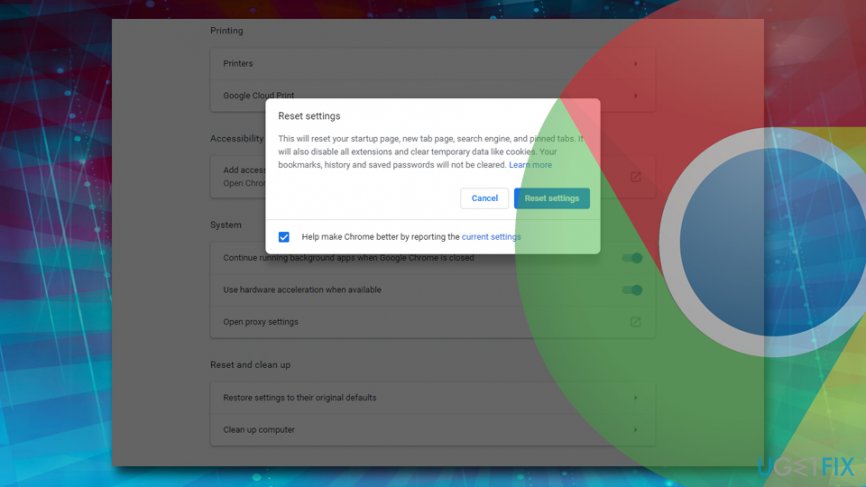
Bsod dllregisterserver failed with the error code 0x80040201 reset chrome
Reset Safari
- Launch Safari, and then find and click Safari in the menu bar at the top of the screen. Then go to Preferences.
- Go to Extensions tab and look for suspicious entries. Uninstall each of them.
- Then go to General tab and check what URL is entered into Homepage box. If you see a suspicious link, remove it and replace it with a website that you want to set as a homepage. Remember that you must type in http:// before entering a preferred URL.
- Reset Safari. Click Safari, and click on Reset Safari… option.
- When Reset Safari pop-up appears, select all tick boxes and click Reset.
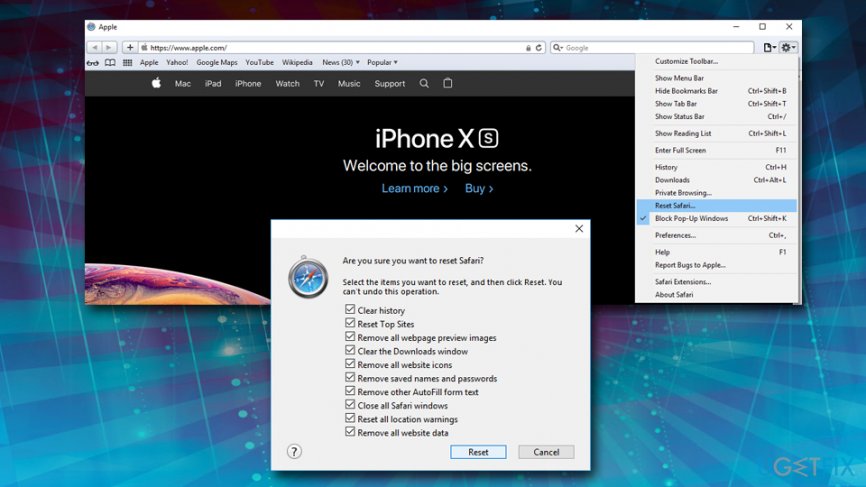
Bsod dllregisterserver failed with the error code 0x80040201 reset safari
Bottom line
The BSOD DllRegisterServer failed with the error code 0x80040201 is a scam and not a legitimate Windows error. Users can resolve this issue by removing adware and ensuring they run commands with administrator rights. If these solutions do not work, further investigation into system security may be necessary.
Frequently asked questions
You can try running the System File Checker tool by executing 'sfc /scannow' in the Command Prompt as an administrator to repair corrupted system files.
Yes, users on Windows 11 may also encounter the DllRegisterServer failed error code 0x80040201, and the same troubleshooting steps apply.
Ensure that your Windows 10 or Windows 11 system is fully updated, as Microsoft frequently releases patches that may resolve underlying issues causing the error.




Report an issue
What's wrong with this guide? We review every report and update or remove content.
Report received — thank you. We'll review and fix it.
You need a free account to submit a report.
Be the first to comment