How to fix
“Check your passwords” Chrome pop-up
on Windows
Solve the "Check your passwords" Chrome pop-up on Windows 10 and 11 effortlessly. Get expert-tested solutions for a smooth browsing experience.

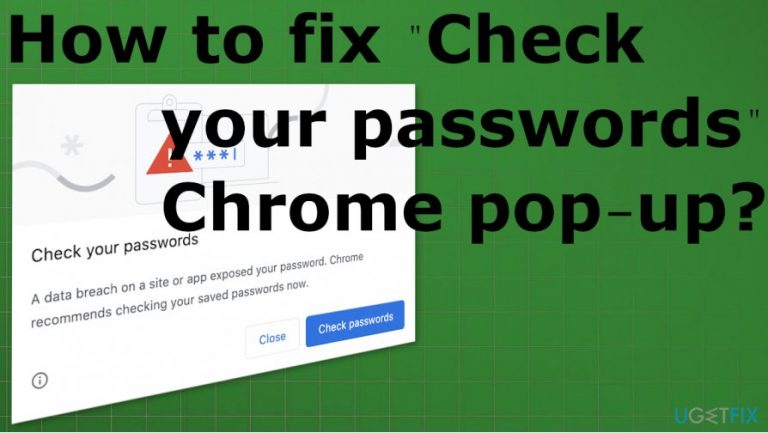
What causes How to fix “Check your passwords” Chrome pop-up?
- Password compromised
- Use of the same password on multiple platforms
- Data breaches exposing credentials
- Google Chrome's password checker feature
Repairs Windows system files, removes malware, and restores a clean OS state — without reinstalling.
Hello. I get "Check your passwords" Chrome pop-up constantly when I try to access my website. I cannot find any solution for this. My password apparently got compromised. Is this a virus? Or can I do anything about it?
"Check your passwords" Chrome pop-up is not a virus, and your accounts are probably not compromised. This is the new feature of the Google Chrome browser.[ref en-1] Users can report[ref en-2] the issues because it possibly scares the user into thinking that the breach affected the security. The question about "Check your passwords" virus message is common.
However, this "Check your passwords" Chrome pop-up is not related to anything malicious or dangerous. Google released the password checker tool at the end of 2019, so users can see if their credentials had been exposed in any known data breaches. Google can detect if the passwords have been used previously.
"Check your passwords" Chrome pop-up warns about the exposed credential, so you should change them, especially when the password is used on multiple platforms. The issues with constant messages can create frustration when you receive the message all the time.
This is why people search for options to fix the "Check your passwords" Chrome pop-up issue. The best one yet is to change the password that gets reported. This is the best because it ensures your accounts' security, and you are no longer getting those questionable messages. However, there are some ways to change the setting regarding password checking, so the issue with pop-ups stops.
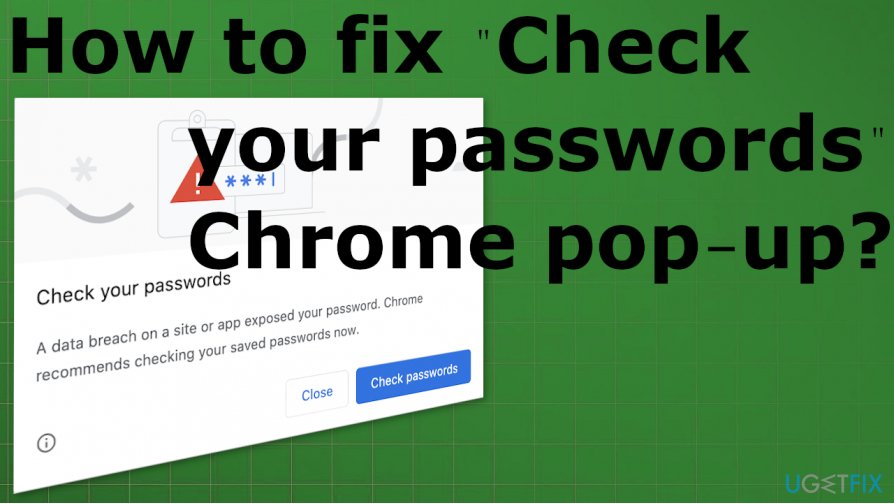
How to fix "Check your passwords" Chrome pop-up
To fix generally fix "Check your passwords" Chrome pop-up problem, you can change the reported password into a secure and more complex one. There are issues with data breaches and other security incidents[ref en-3] during which your credentials might get exposed to the public or unwanted parties.
This is not a scam like Chrome critical error pop-ups might be. However, regardless of the PUP and cyber infection possibility, you need to take this problem seriously and make sure to repair system functions and the Google Chrome browser itself. You may need to change some settings manually, clear cache, or alter different preferences, but the issue is solvable.
Some problems might occur due to incompatibility issues or missing drivers, so [rev id="DriverFix"] might help you repair some problems before you go in for the more difficult steps. You shouldn't panic if you receive these messages from the Google Chrome browser; go through the suggestions below.
Clear cache and cookies
You can do that automatically by running a tool like [d1] because this is the program that not only focuses on optimizing the performance but also ensures privacy and can clear cookies, indicate what other pieces you need to repair or alter. The same tool can help with system files and functions when you are dealing with the "Check your passwords" Chrome pop-up.
- Manual cache and cookie removal require more knowledge. You should go to the menu of the Chrome browser by clicking those three dots.
- Choose More tools and then Clear browsing data.
- Make sure to choose particular pieces to clear.
- Click Clear data.
Disable password checker to fix "Check your passwords" Chrome pop-up
- Open Google Chrome on the computer.
- Tap the address bar at the top.
- Type the following there and press Enter:
chrome://flags - The Chrome Flags window appears on the screen.
- Type password in the search box there.
- Find the Password Leak Detection section on the list.
- Tap the box with options and switch to Disabled from Default.
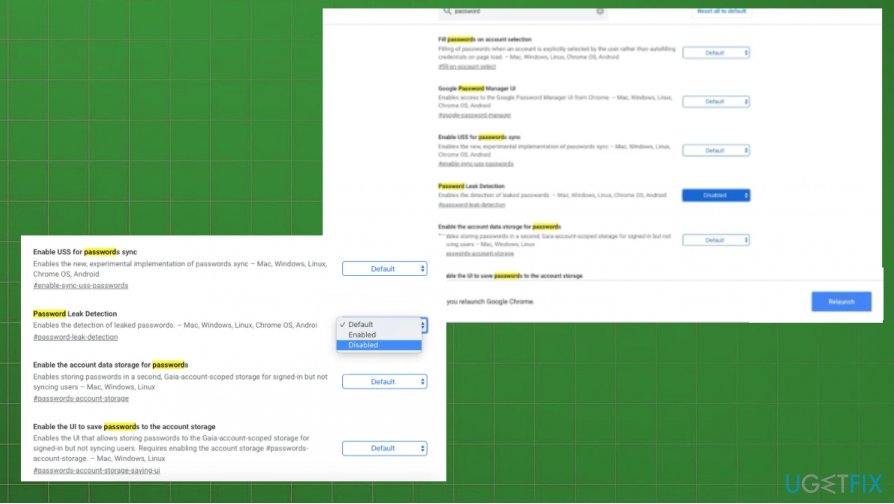
How to fix check your passwords chrome pop up chrome relaunch - Tap the Relaunch button.
On newer version of Google Chrome
- Go to Settings from the menu.
- Then find the Security section and click on it to expand more.
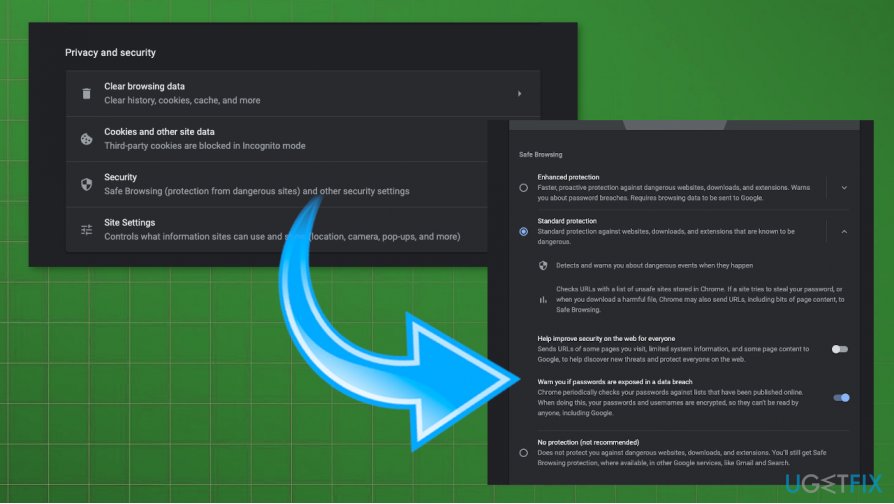
How to fix check your passwords chrome pop up new method chrome - There you can see the Warn you if passwords are exposed in a data breach option.
- Toggle the button to Disable it.
Disable password checker on Android phone to fix "Check your passwords" Chrome pop-up
- Open the browser.
- Then tap the address bar and type chrome://flags.
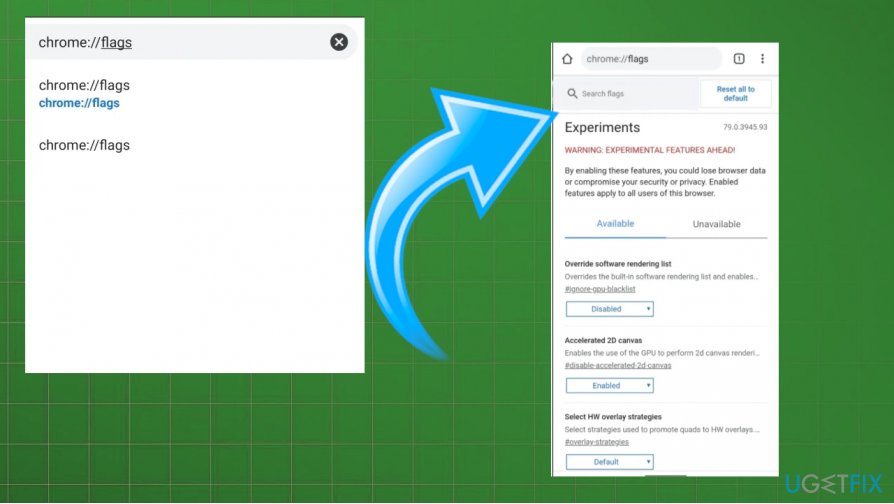
How to fix check your passwords chrome pop up android - Find the search and search for password.
- Scroll to fins Password Leak Detection.
- Change the Default to Disabled.
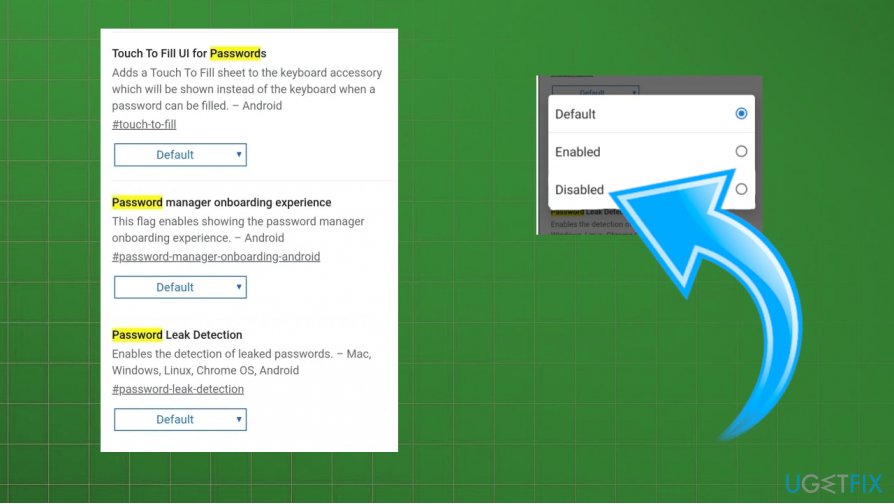
How to fix check your passwords chrome pop up android disable - Relaunch the browser.
Bottom line
To fix the 'Check your passwords' Chrome pop-up, change the reported password to a secure and complex one. Additionally, you can adjust the settings regarding password checking to reduce the frequency of pop-ups. If these solutions do not work, consider repairing system functions and the Google Chrome browser itself.
Frequently asked questions
The 'Check your passwords' pop-up indicates that Chrome has detected potential security issues with your saved passwords and recommends checking them for breaches. It’s a security feature to help protect your accounts.
To disable the 'Check your passwords' feature, go to Chrome settings, navigate to 'Privacy and security', and turn off 'Check passwords' under the 'Password Manager' section.
If the pop-up persists, consider updating Chrome to the latest version, clearing your cache, or resetting Chrome settings to resolve any underlying issues.




Report an issue
What's wrong with this guide? We review every report and update or remove content.
Report received — thank you. We'll review and fix it.
You need a free account to submit a report.
Be the first to comment