How to fix
“Code 80200053: Windows Update encountered an unknown error”
on Windows
Resolve the "Code 80200053" error on Windows 10 and 11 easily. Follow our expert-tested solutions to get your updates back on track in minutes!

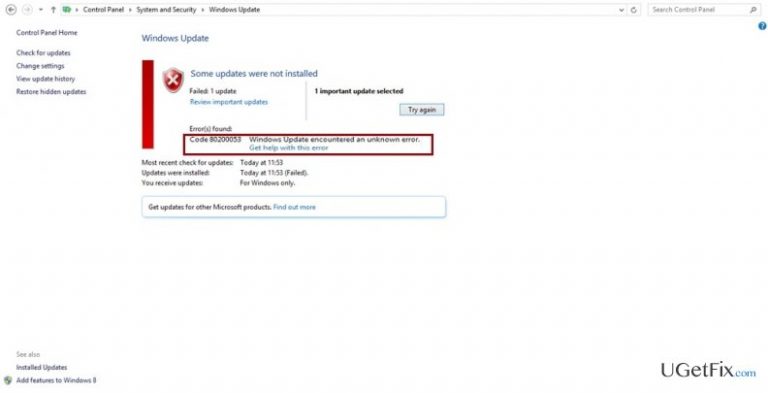
What causes How to fix “Code 80200053: Windows Update encountered an unknown error”?
- Interference from Windows Defender
- Incompatibility with third-party security tools
- Damaged or corrupted ISO files
- Registry errors
- Anti-virus application causing conflicts
Repairs Windows system files, removes malware, and restores a clean OS state — without reinstalling.
I didn‘t have any trouble with the main Windows update, but I‘m stuck with installing Windows Malicious Software Removal Tool x64 (KB890830). After attempting it to run the install several times, it shows “Code 80200053: Windows Update encountered an unknown error.“ How can I solve this?
"Code 80200053: Windows Update encountered an unknown error" is one of the common errors encountered by Windows 10 Anniversary Update users. There are several explanations for the cause of such occurrence. Microsoft developers put many financial resources improving the protection and immunity of the operating system. For example, they developed Windows Defender. However, such improvement resulted in an unpleasant aftermath. The latter tool may interfere with the functionality of third-party security tools. The same situation might be with Windows Software Removal Tool as well. It might not be compatible with your current security program and, thus, result in the previously mentioned error. Alternatively, the issue might arise due to damaged or corrupted ISO files. Therefore, we present you several solutions for this problem.
Option 1. Troubleshoot for errors and repair the registry entries
You can easily access the Troubleshoot functionality right from the Start button.
- Click on the latter button or press Windows button and type Troubleshoot.
- In the Control panel, choose the function.
Alternatively, you may check whether all registry keys function properly. Therefore, launch [rev id=”RegCure Pro”] to repair any damaged files.
Option 2. Disable your anti-virus application
Due to the previously mentioned case of a mismatch between MS software removal tool and your anti-virus utility, you might need to disable the latter temporarily. Alternatively, some programs offer to disable the real-time protection. After you turn on this function, attempt to install the updates again. If you succeed, reactivate your anti-virus application.
Option 3. Turn off Windows Defender
- Enter the Settings and turn off Defender both, in private and public networks.
- Click Start button and type Command Prompt.
- Once the window emerges, copy and paste the following command.
netsh winhttp import proxy source=ie
Click Enter. When the process finishes, restart the device.
Bottom line
To resolve the 'Code 80200053' error, you can troubleshoot for errors and repair registry entries, disable your anti-virus application, or turn off Windows Defender. If none of these solutions work, consider seeking further assistance or checking for additional updates.
Frequently asked questions
The error code 80200053 indicates that Windows Update encountered an unknown error, often related to connectivity issues or corrupted update files on Windows 10 or Windows 11.
To troubleshoot the Code 80200053 error on Windows 10, you can run the Windows Update Troubleshooter and reset the Windows Update components.
Yes, you can fix Code 80200053 on Windows 11 by performing a system file check and ensuring that your network settings are configured correctly.




Report an issue
What's wrong with this guide? We review every report and update or remove content.
Report received — thank you. We'll review and fix it.
You need a free account to submit a report.
Be the first to comment