How to fix
“Critical Vulnerability Found” Error
on Windows
Resolve the "Critical Vulnerability Found" error on Windows 10 and 11 effortlessly. Fix it quickly with our expert-tested solutions.

What causes How to Fix “Critical Vulnerability Found” Error?
- Adware-type programs
- Encoded third-party domains
- Web browser redirects to ispsecurity.info
- Pop-up box freezing the web browser
- Scammers prompting installation of potentially unwanted programs (PUPs)
Repairs Windows system files, removes malware, and restores a clean OS state — without reinstalling.
Chrome returned a security warning “Critical Vulnerability Found” generated by ispsecurity.info domain. I did not click OK because I’m afraid to download a virus. Do you know anything about this domain or alert?
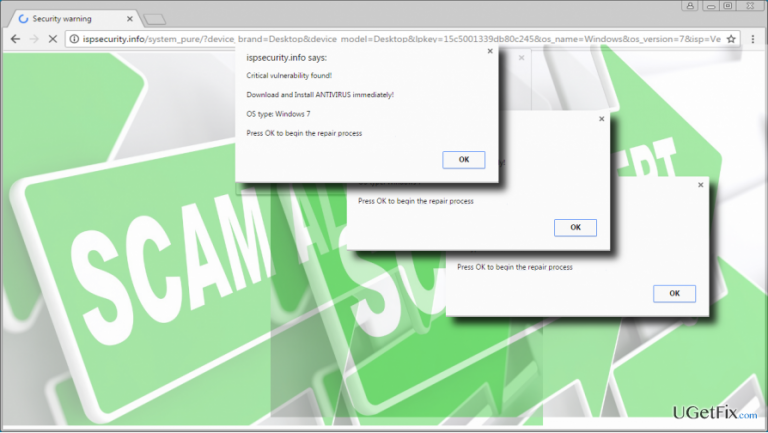
Cyber security experts have recently spread a warning about Tech Support Scam “Critical Vulnerability Found.” The message is distributed via adware-type programs or encoded third-party domains. In most of the cases, people experience web browser’s redirects to the ispsecurity.info web domain, which shows a pop-up box at the top of the screen in the white background. The alert says:
Critical Vulnerability Found
Download and Install ANTIVIRUS immediately.
OS Type: Windows (X)
Press OK to begin repair process.
The Critical Vulnerability Found pop-up freezes the web browser and the only thing the user can do is to click OK button. No matter how intimidating this message may occur from the first glimpse, do not click on OK button. That’s a trick used by scammers to prompt people install potentially unwanted program (PUP), such as rogue antivirus or registry cleaner. Such programs are not malicious like spyware, ransomware or worms, but they can also initiated various shady activities on the target system. They may decrease PC’s performance, establish a connection with third-party servers, track user’s web browsing activities or even download other PUPs. Besides, PUPs often install Browser Helper Objects (BHO), which prevent the app from being removed easily.
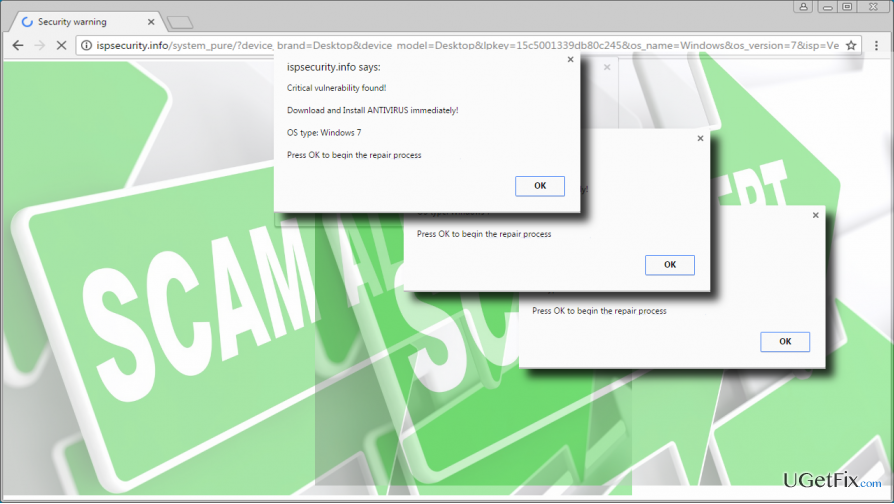
Once the Critical Vulnerability Found Tech-Support-Scam pop-up shows up on a web browser, close your web browser forcefully and run a scan with a professional anti-malware utility. If you don’t know how to do that, follow these steps:
- When the browser is stuck with the Critical Vulnerability Found pop-up, press Ctrl + Alt + Delete.
- Select Task Manager and open Process tab.
- Find the process of your web browser, click on it, and select End Task.
- Then boot your PC into Safe Mode and launch your anti-virus.
- Wait for the anti-virus to perform a full system scan and then command it to remove all dangerous and potentially unwanted apps and files.
These steps should be sufficient to uninstall unwanted third-party apps, but not to fix Critical Vulnerability Found error on your web browser. To remove the pop-up permanently, you should also reset your web browser. You can find instructions on how to do that on these pages:
Google Chrome
Mozilla Firefox
Microsoft Edge
Internet Explorer
Alternatively, you can uninstall Critical Vulnerability Found adware manually. However, since adware type applications may have hidden files and browser helpers, manual removal is not recommended.
- Right-click on Windows key and open Control Panel.
- Select Programs and Features.
- Check the list of installed apps and remove unknown and suspicious ones. Besides, check the date of unknown programs and if it coincide with the emergence of the Critical Vulnerability Found scam, uninstall it without hesitation. To do so, click on the unwanted app and select Uninstall.
- To check if all additional files have been removed, you can open the Registry Editor. Press Windows key + R, type regedit, and hit Enter.
- Then click Edit -> Find.
- Enter the name of the deleted program and if the search delivers some results, removal all remaining files.
- Finally, reset your web browser.
Bottom line
To fix the 'Critical Vulnerability Found' error, forcefully close your web browser and run a scan with a professional anti-malware utility. Boot your PC into Safe Mode and launch your anti-virus to perform a full system scan. If these steps do not resolve the issue, consider seeking further technical assistance.
Frequently asked questions
This error indicates that your system has detected a significant security issue that needs immediate attention to protect your data and system integrity.
To fix this error, ensure that your Windows 11 is fully updated by checking for updates in the Settings app and installing any available security patches.
Yes, you can use the Windows Security app to run a full system scan and apply any recommended fixes for vulnerabilities detected.




Report an issue
What's wrong with this guide? We review every report and update or remove content.
Report received — thank you. We'll review and fix it.
You need a free account to submit a report.
Be the first to comment