How to fix
“D3DCompiler_47.dll is missing” error
on Windows
Resolve the “D3DCompiler_47.dll is missing” error on Windows 10 and 11 with easy solutions. Get expert-tested fixes to restore functionality in minutes!

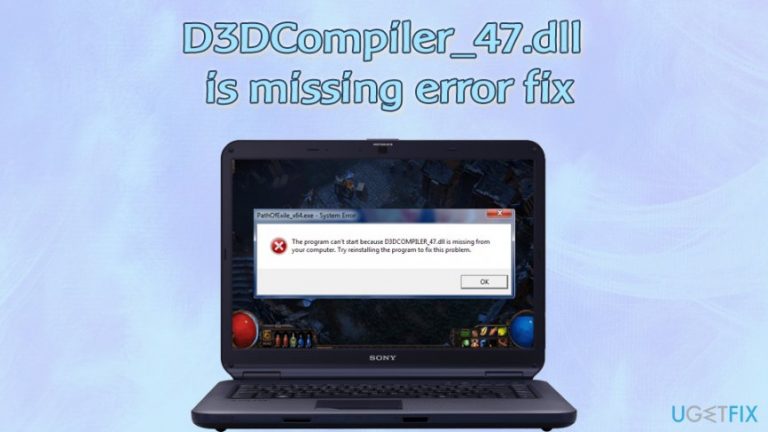
What causes How to fix “D3DCompiler_47.dll is missing” error on Windows?
- Damaged or corrupted D3DCompiler_47.dll file
- Accidentally removed D3DCompiler_47.dll file during the uninstallation of a program
- Outdated Windows
- System file corruption
- Malware infection
- Outdated/incompatible GPU drivers
Repairs Windows system files, removes malware, and restores a clean OS state — without reinstalling.
Hi, I have a problem with an error: "The program can’t start because D3DCompiler_47.dll is missing from your computer. Try reinstalling the program to fix problem." While I usually don't pay attention to errors that do not impact my apps, this one prevents me from playing Warhammer. Please help!
"The program can’t start because D3DCompiler_47.dll is missing from your computer. Try reinstalling the program to fix the problem" is an error that has been consistent during many years, and computer users of all Windows versions can encounter it. The issue lies within the D3DCompiler_47.dll file, which is one of the DirectX[ref en-1] components.
Microsoft DirectX is a collection of APIs (Application Programming Interfaces)[ref en-2] and is mainly used for intensive multimedia tasks like game programming, video rendering, and similar. In other words, if you have a problem with D3DCompiler_47.dll (consequently, DirectX), you will not be able to run the associated tasks - applications or games might fail to launch, drivers will fail to update. This issue is especially prevalent among Photoshop users.
DirectX, namely the Direct3D API, is often used in the development of video games for Windows. Therefore, "The program can’t start because D3DCompiler_47.dll is missing from your computer" error is often encountered when trying to launch various video games.
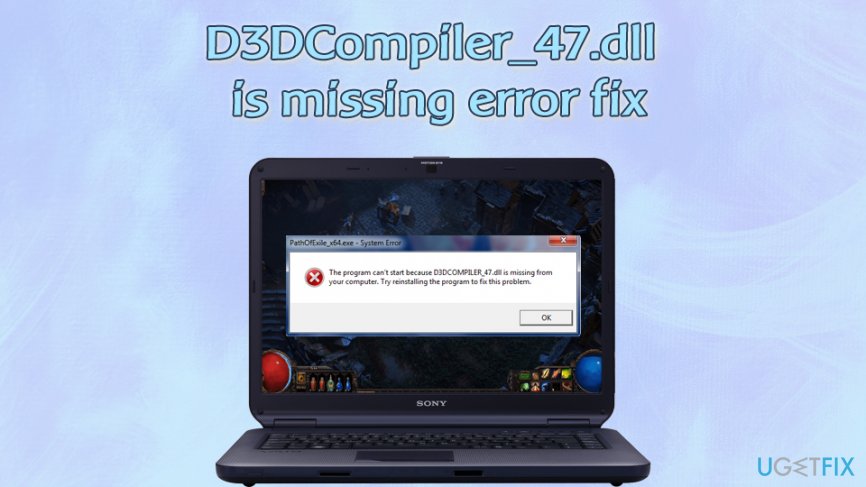
To fix "The program can’t start because D3DCompiler_47.dll is missing from your computer. Try reinstalling the program to fix problem" error, users need to do some troubleshooting, as reasons for the component failing may vary greatly, including:
- Damaged or corrupted D3DCompiler_47.dll file
- Accidentally removed D3DCompiler_47.dll file during the uninstallation of a program
- Outdated Windows
- System file corruption
- Malware infection
- Outdated/incompatible GPU drivers, etc.
Due to that, there are several different ways to fix D3DCompiler_47.dll is a missing error, including re-registering the file, reinstalling the associated program, scanning the PC for system file corruption using the SFC scan, etc.
Nevertheless, if you want to perform a D3DCompiler_47.dll is missing error fix automatically, you can download and install [d1] - this software can perform various system fixes automatically and often saves users from major PC problems.
Fix 1. Update Windows along with DirectX
DirectX is such a vital component of the Windows operating system that its patches are included in the main OS updates. Therefore, as long as you apply Windows updates, DirectX will be updated too. Here's how to do it:
- Right-click on Start and pick Settings
- Go to Update & Security
- On the right side, click Check for updates
- Wait till Widows downloads and installs updates
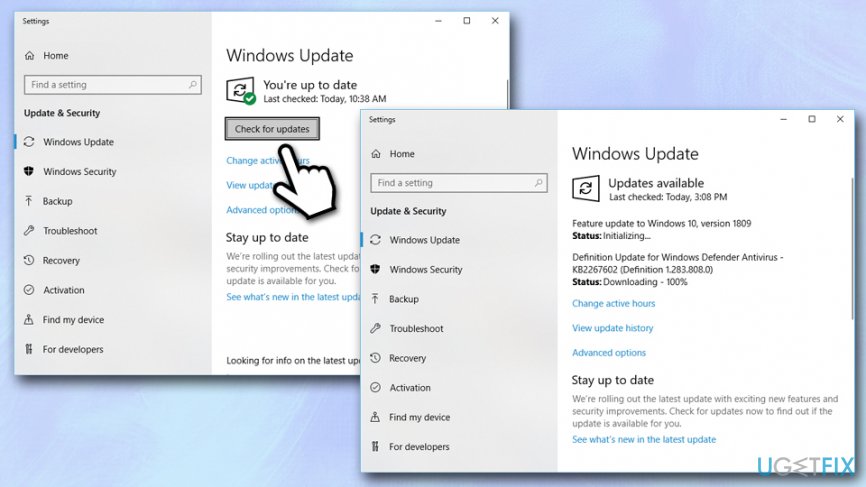
Fix d3dcompiler 47 dll missing error update windows - Restart your system
Note: if you are using Windows 7 or 8, you can try applying the KB4019990 update from here.
Fix 2. Download and install the latest video drivers
Device drivers are vital components of any Windows system, as they ensure normal operation between hardware and software - these can be developed by various companies and have different specifications. Drivers simply work as a connection between the two, and each configuration uses a different set of drivers.
However, drivers are not perfect and sometimes might stop functioning due to various reasons (such as incorrectly applied updates). Although there is no reason for users to update drivers regularly, errors like "The program can't start because D3DCOMPILER_47.dll is missing from your computer" could be fixed by doing precisely that.
Because the D3DCOMPILER_47.dll is a component of DirectX which is related graphics, you should download and install the latest updates for your video drivers:
- Right-click on the Start button and select Device Manager
- Expand the Display adapters section to see the video drivers
- Right-click and the name of your GPU and select Update driver
- Pick Search automatically for updated driver software
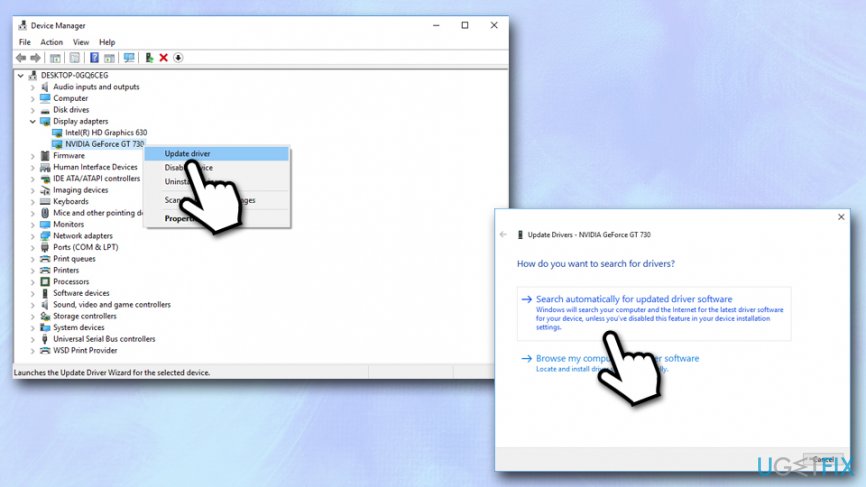
Fix d3dcompiler 47 dll missing error update video drivers - Windows will automatically download and install the latest updates
- Reboot your PC
Fix 3. Run a scan with a professional anti-malware
If neither of the two D3DCompiler_47.dll is missing error fixes listed above work, you should try to check the system for malware. Virus infection can corrupt multiple files of the OS[ref en-3] and prevent it from working normally, resulting in "The program can't start because D3DCOMPILER_47.dll is missing from your computer" error.
There are numerous third-party security applications available that can detect and remove malicious software from your machine. While most vendors have a free version available, you can consider buying a license for comprehensive security. Or, you can simply employ Windows Defender (Microsoft Defender), which comes built-in with Windows and is otherwise free.
- Type in Security into Windows search and select Windows Security option
- Select Virus & Threat protection
- Click Scan options
- Select Full scan and then click Scan now
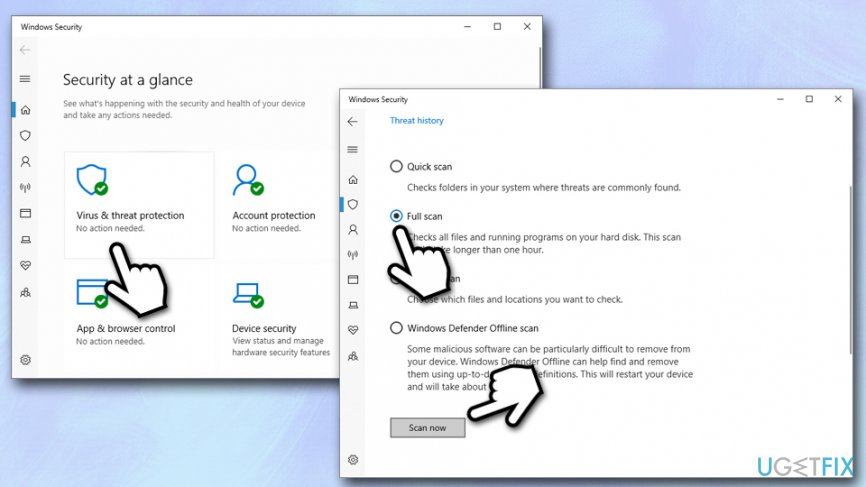
Fix d3dcompiler 47 dll missing error scan computer for malware
Fix 4. Re-register D3DCOMPILER_47.dll file via Command Prompt
DLL files missing is something that is not uncommon, and one of the main fixes that can be applied is trying to re-register the files via Command Prompt. Perform the following steps:
- Type in cmd into Windows search box
- Right-click on Command Prompt search result and select Run as administrator
- In the new window, type in the following commands and hit Enter after each:
regsvr32 /u D3DCompiler_47.dll
regsvr32 /i D3DCompiler_47.dll
- Close Command Prompt and restart your machine
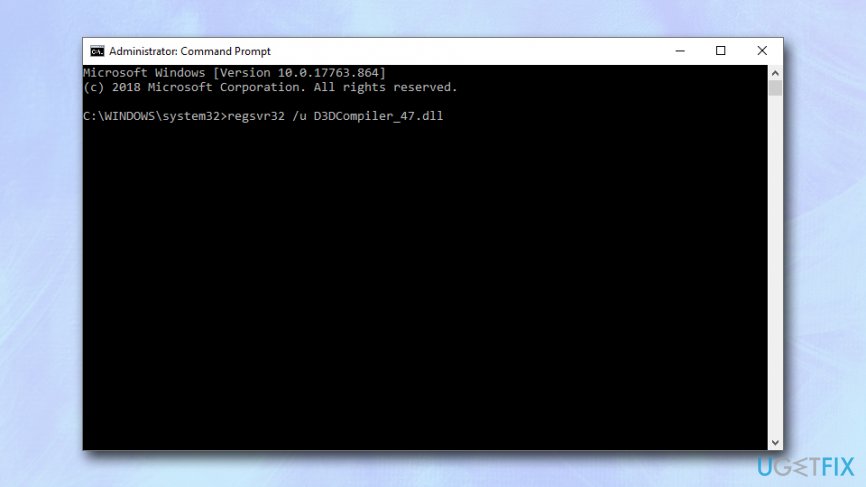
Fix d3dcompiler 47 dll missing error reregister the dll file via command prompt - Try launching the app which showed the "The program can't start because D3DCOMPILER_47.dll is missing from your computer" error
Fix 5. Run SFC scan to check for system corruption
SFC scan is a simple yet effective way to check for Windows file corruption:
- Open Command Prompt as explained in fix no. 4
- Type in the following command and press Enter:
sfc /scannow
- Wait till Windows performs a full scan - it will inform you if any corruption was found and if any fixes applied
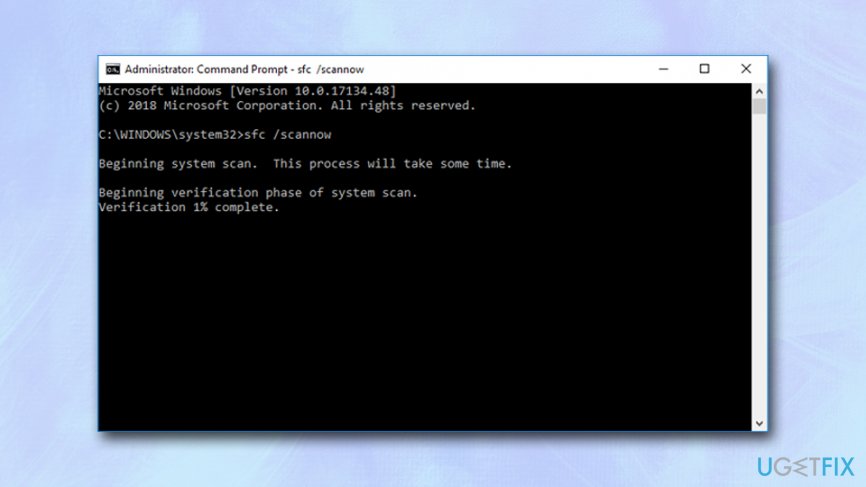
Fix d3dcompiler 47 dll missing error run sfc scan
Fix 6. Reinstall problematic software
If none of the above methods helped, you might consider reinstalling the associated program altogether. For that, simply access Control Panel:
- Type in Control panel into Windows search box
- Right-click on the associated application and pick Uninstall
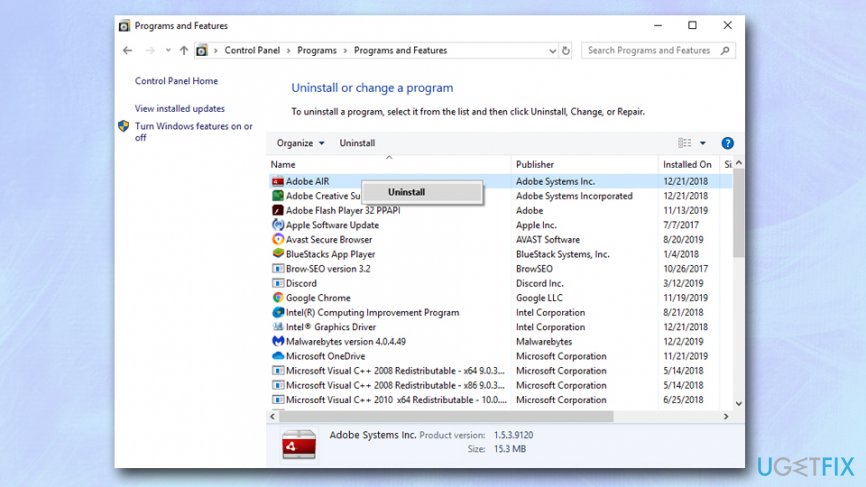
Fix d3dcompiler 47 dll missing error reinstall associated application - Download the app again and install it
- Check if the problem persists
Bottom line
To fix the 'D3DCompiler_47.dll is missing' error, users can update Windows along with DirectX, re-register the file, reinstall the associated program, or scan the PC for system file corruption using the SFC scan. If none of these solutions work, consider downloading and installing software that can perform various system fixes automatically.
Frequently asked questions
The 'D3DCompiler_47.dll is missing' error typically occurs due to missing or corrupted DirectX files, which are essential for running certain applications and games on Windows 10.
You can manually download the D3DCompiler_47.dll file from a reputable DLL website and place it in the game or application's directory or in the Windows System32 folder on Windows 11.
Yes, reinstalling DirectX can help resolve the 'D3DCompiler_47.dll is missing' error by restoring any corrupted or missing files necessary for proper application functionality on Windows.




Report an issue
What's wrong with this guide? We review every report and update or remove content.
Report received — thank you. We'll review and fix it.
You need a free account to submit a report.
Be the first to comment