How to fix
“D3dx9_42.dll Is Missing” Error
on Windows
Resolve the "D3dx9_42.dll Is Missing" error on Windows 10 and 11 quickly with our expert-tested solutions. Get back to gaming in minutes!

What causes How to Fix “D3dx9_42.dll Is Missing” Error on Windows?
- Corrupted DLL file
- Issues with Microsoft DirectX
- Outdated Windows operating system
- Additional bugs from OS updates
- Incompatibility with certain software
Repairs Windows system files, removes malware, and restores a clean OS state — without reinstalling.
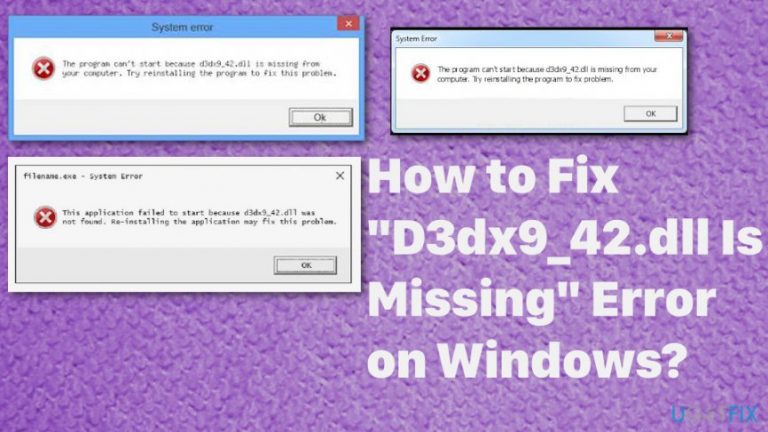
Help! I cannot start Need For Speed game on my PC. When I open it, I get “The program can’t start because d3dx9_42.dll is missing from your computer.” It suggests that I install the program to fix the problem. However, I am not sure where to start. Can you explain how to solve this problem with d3dx9_42.dll?
D3dx9_42.dll error is caused by the corrupted DLL file associated with certain software. Various Windows-based games contain such advanced graphics programs and D3dx9_42.dll errors usually appear when using programs or games.[ref en-1] There are many versions of such errors and causes, as well as solutions.
D3dx9_42.dll is a file that is part of DirectX software. Receiving an error message associated with this file means that you are experiencing an error with Microsoft DirectX. Microsoft DirectX is a set of application programming interfaces (APIs) that help to handle tasks related to game programming, video, and other multimedia.[ref en-2]
You should never attempt to download a missing file from random Internet websites because it is simply not a safe move to make.[ref en-3] You can easily download a malicious or corrupted file instead of the one that you really need. However, to ease the task for you, UGetFix experts prepared an easy guide on how to fix “d3dx9_42.dll is missing” issue.
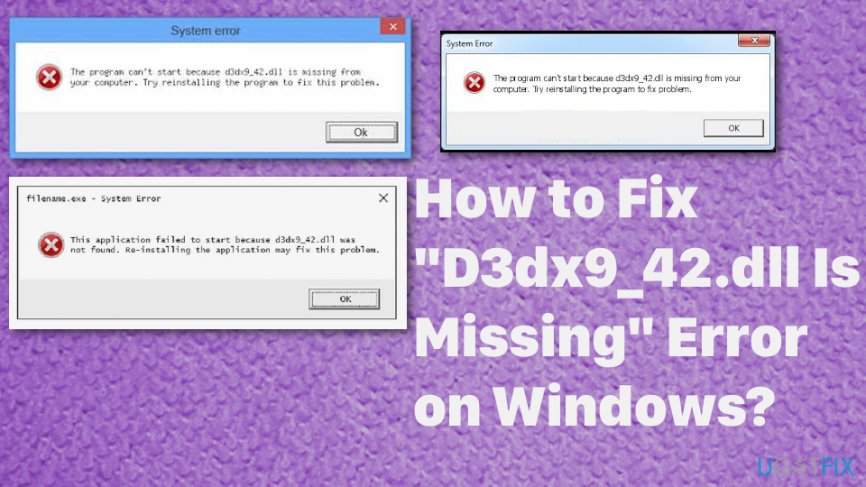
In most cases, the error appears when the user runs or tries to play a video game. This error appears on various versions of Windows operating system, from 98 to Windows 10. Unfortunately, the latter one has some additional bugs and update on the OS might cause more issues besides D3dx9_42.dll error. So check the latest update before attempting any solutions.
The solutions provided below can help to solve the following problems associated with the file:
- "D3dx9_42.dll not found. Reinstalling might help fix this";
- "File d3dx9_42.dll not found";
- "The file d3dx9_42.dll is missing";
- "D3dx9_42.DLL Not Found."
Fix d3dx9_42.dll Is Missing Error on Windows
Provided instructions might not help for everyone to resolve the issue with the missing d3dx9_42.dll file. You should try using software that helps to resolve various Windows errors and issues automatically. Our team recommend using [d1] program for this. You can also remove malicious programs, PUPs, corrupted or infected files this way.
Install the latest version of DirectX to fix d3dx9_42.dll error
In most cases, receiving “d3dx9_42.dll is missing” error indicates that you have an unsupported (outdated) version of DirectX installed on your PC. The issue can be easily solved.
- Download the latest version of DirectX from Microsoft’s official website here.
- Once you download the file, open it and follow further instructions.
- After installing the software, restart your computer and attempt to relaunch your game.
Update Graphics Drivers
- Press these two keyboard keys at the same time: Windows Key + X. From a menu that appears on your screen, select Device Manager. Another option to invite this panel is to open Run prompt by pressing down Windows Key + R, entering devmgmt.msc, and clicking OK.
- Find Display adapters category and expand it by clicking the arrow next to it. Now, find the video card and right-click on it. Here, select Update Driver and carry out the instructions provided by prompt messages.
- Restart your computer to see if the issue was solved.
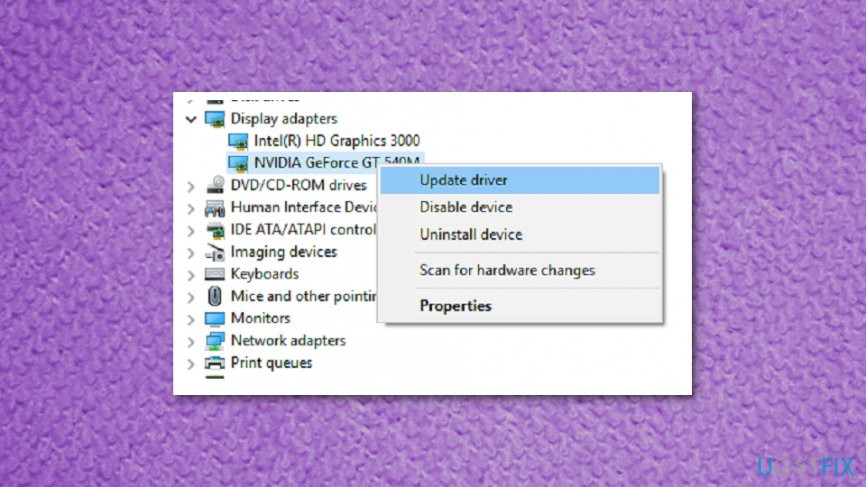
How to fix d3dx9 42 dll is missing error on windows update driver
Register D3dx9_42.dll Using Microsoft Register Server
- Go to Start and type command.
- Don't press Enter immediately and while holding Ctrl +Shift on the keyboard press the Enter button.
- A permission dialog box appears, hit Yes.
- Type regsv32 /i d3dx9_42.dll and press Enter.
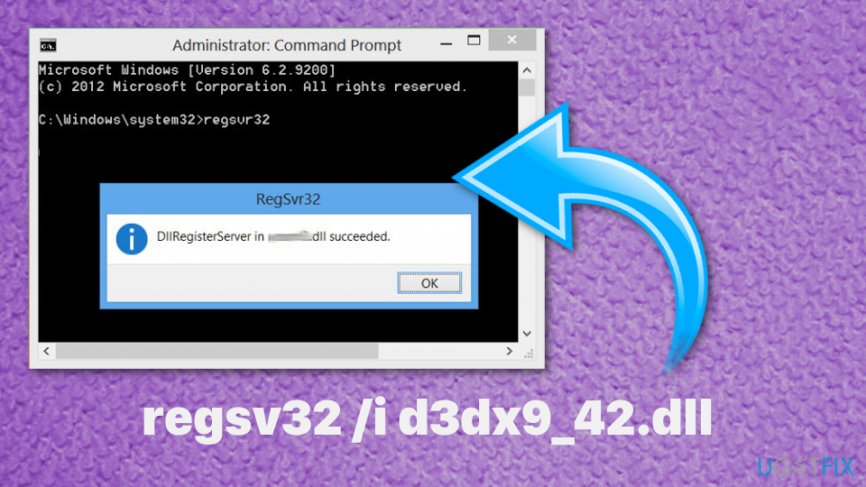
How to fix d3dx9 42 dll is missing error on windows command prompt - This will re-register the file.
- When it is done, close the command prompt.
- Restart the program.
Reinstall or repair the game causing d3dx9_42.dll error
It is possible that some errors occurred during the installation of your preferred game.
- Go to Control Panel > Apps and Features.
- Find the game that won’t start and select it. Then click Repair or Change.
- Follow the directions.
- If the suggested method doesn’t solve the issue, try completely uninstalling and reinstalling the game.
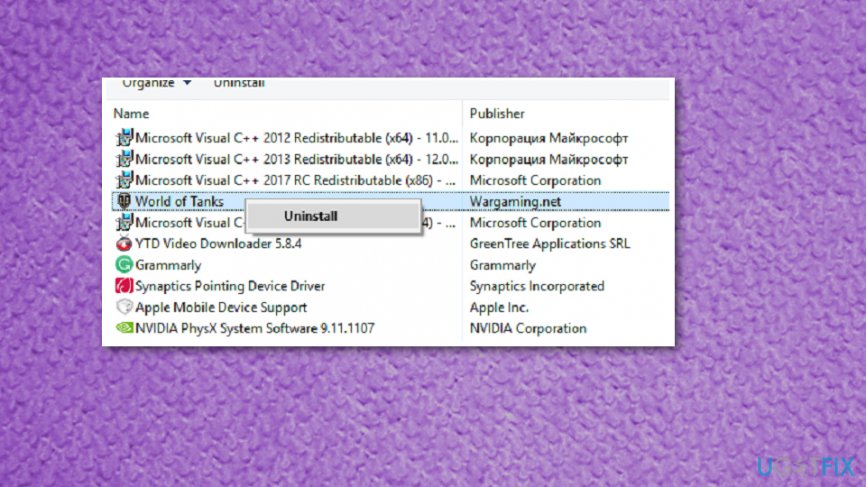
How to fix d3dx9 42 dll is missing error on windows uninstall program
Bottom line
To fix the 'd3dx9_42.dll is missing' error, you should check for the latest Windows updates, reinstall DirectX, and avoid downloading DLL files from untrusted sources. If these solutions do not resolve the issue, consider using software that automatically fixes Windows errors.
Frequently asked questions
This error typically occurs when a game or application requires the DirectX 9 runtime files that include the D3dx9_42.dll, which may not be installed or is corrupted on your Windows 10 system.
To resolve this error on Windows 11, you can download and install the DirectX End-User Runtime Web Installer from the official Microsoft website to restore the missing DLL files.
Yes, you can manually copy the D3dx9_42.dll file from another PC or from a trusted source, and place it in the game's directory or the System32 folder on your Windows system.




Report an issue
What's wrong with this guide? We review every report and update or remove content.
Report received — thank you. We'll review and fix it.
You need a free account to submit a report.
Be the first to comment