How to fix
Desktop is unavailable after Windows 10 update version 1803
on Windows
Resolve the "Desktop is unavailable" issue after the Windows 10 update 1803. Quick solutions to restore functionality, expert-tested for your peace of m…

What causes How to fix Desktop is unavailable after Windows 10 update version 1803?
- Third-party security software
- Incompatibility with Avast
- Incompatibility with AVG
- Forced update installation
- Automatic updates enabled despite settings
Repairs Windows system files, removes malware, and restores a clean OS state — without reinstalling.
Please help me! I have Acer laptop and a PC at home, and they are both running Windows 10. Recently, both of my devices were prompted to update to Windows version 1803, and updates occurred automatically. I had no problems with my desktop. However, when my laptop restarted, I could not get back into Windows at all! I was first asked to choose the language, and then, after few more steps, I was led to the following error message: "C:\\WINDOWS\\system32\\config\\systemprofile\\Desktop is unavailable." Restarting does not help!
Windows 1803 update[ref en-1] is the part of Windows April update. Many users of Microsoft forums complained about this issue - some of them said, that the latest update completely ruined their devices.
We must say that it is not true at all, and your machine is safe. However, the Desktop is unavailable after Windows 10 update fix might not be that easy to achieve. Nevertheless, our security experts prepared few solution options that could help you to eliminate the problem.
It is yet unclear why Desktop is unavailable after Windows 10 update version 1803 bug[ref en-2] occurred, but most security experts point at third-party security software, mainly Avast.[ref en-3] Few other users also reported having AVG (a subsidiary company of Avast) installed on their systems. It is a well-known fact that Windows 10 might not be compatible with certain anti-virus programs; however, this update utterly destroyed the operation of the affected machines.
Users who still have not upgraded to Windows 10 version 1803 should uninstall Avast or AVG software before proceeding.
Some users reported that they got the latest update installed forcefully - even with having automatic updates off. Nevertheless, as soon as the machine boots after the update install, users are prompted to choose their language. After doing so, they are faced with two options - restart the PC again by picking "Windows Rollback" option, or select the boot option which appears to be starting up the OS.
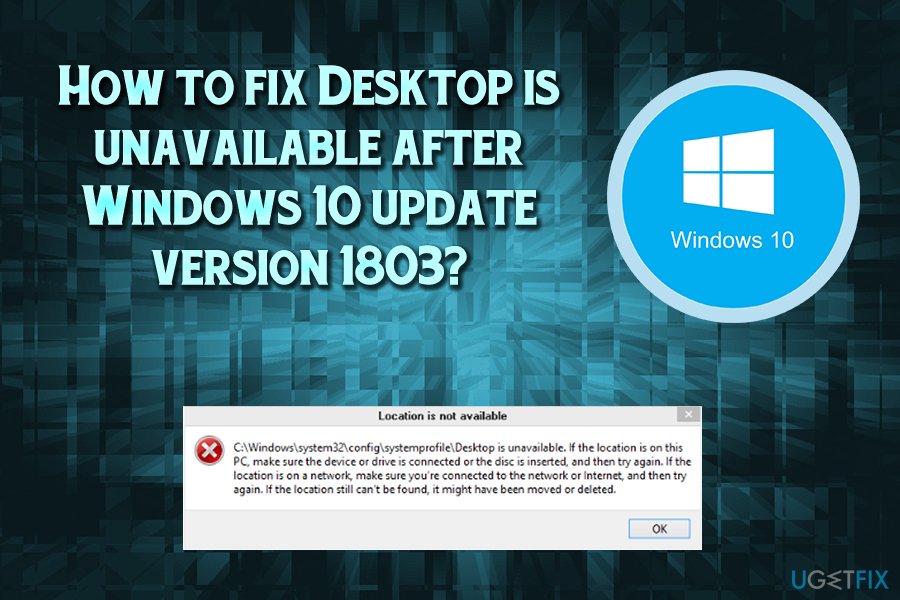
Then, users can see the following message:
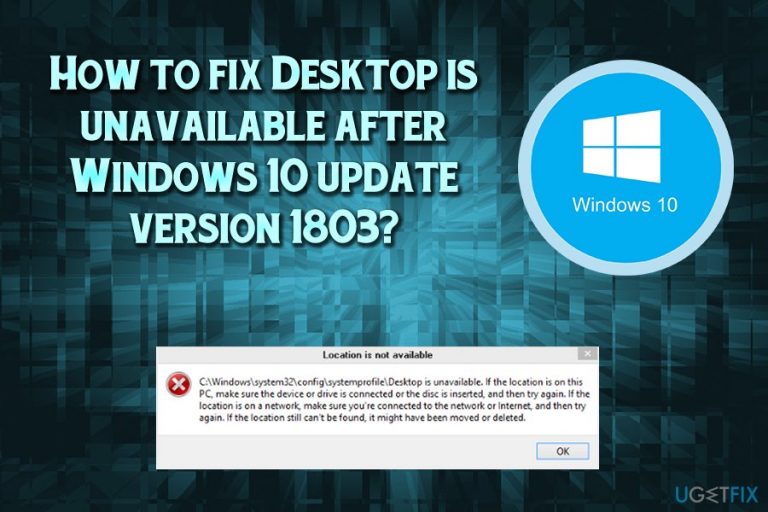
C:\\WINDOWS\\system32\\config\\systemprofile\\Desktop is unavailable. If the location is on this PC, make sure the device or drive is connected or the disc is inserted, and then try again. If the location is on a network, make sure you're connected to the network or internet, and then try again. If the location still can't be found, it might have been moved or deleted.
After clicking OK, users are brought to a black desktop with only recycling bin available. None of normal Windows function work and users are left baffled with what to do next. However, some people reported that they can access Task Manager and few other functions.
Now, without the further delay, let's proceed with solutions.
Fix 1. Copy and paste Desktop folder
If you have access to your File Explorer, try the following:
- Open File Explorer and click View at the top
- Check the Hidden Items box
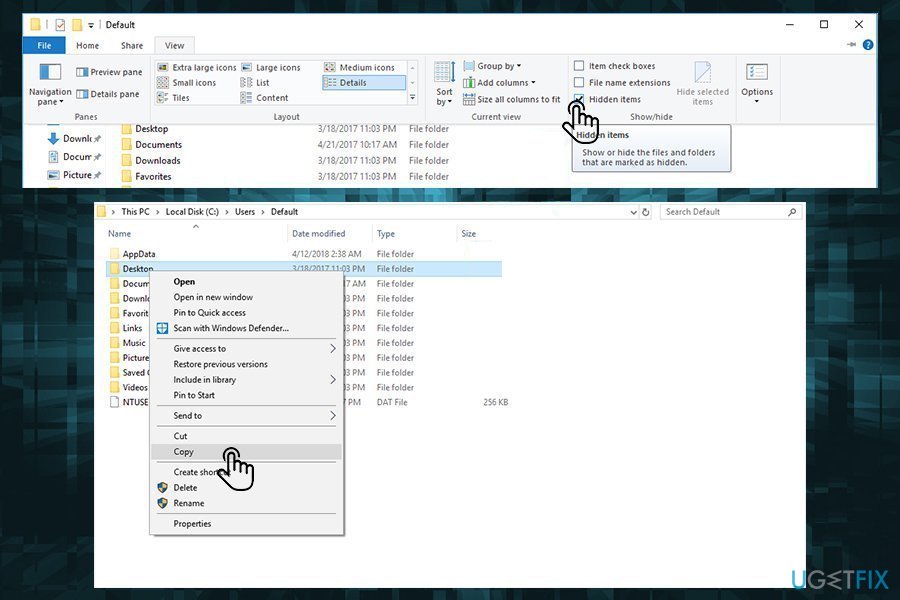
Desktop is unavailable fix copy desktop folder - Navigate to C:\\users\\Default\\
- Select a Desktop folder and press Ctrl+C (or right-click and select Copy)
- Go to C:\\Windows\\system32\\config\\systemprofile and press Ctrl +V
- Restart your machine
Fix 2. Repair your device by using Windows upgrade
You will need an 8GB USB stick to proceed with the following Desktop is unavailable after Windows 10 update fix. Before you start, go to and download installation tool from Microsoft's official website. Create a Windows 10 installation USB on your USB drive (make sure you pick the correct version of your OS - either 32-bit or 64-bit), and follow these steps:
- Boot the PC and pick the language
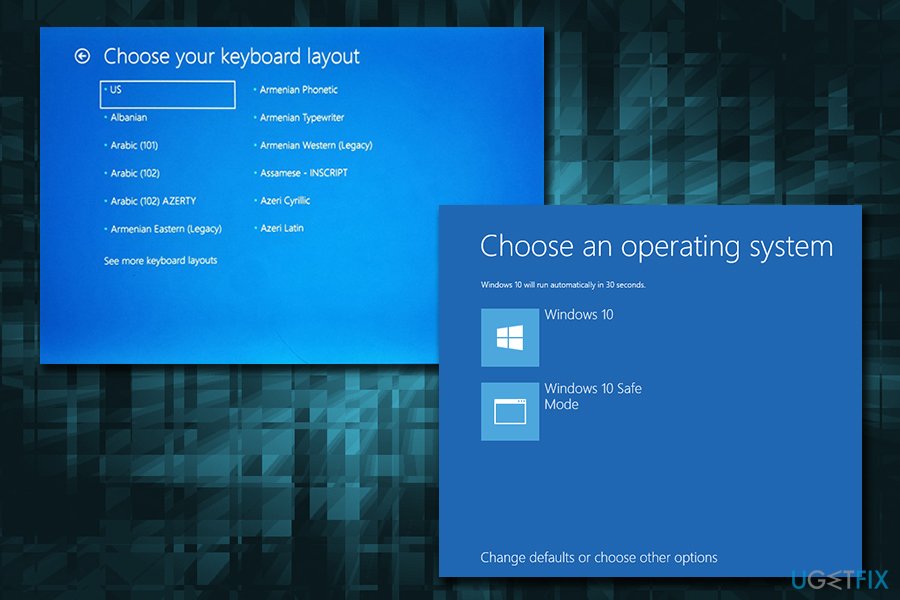
Desktop is unavailable choose keyboard layout - Then, proceed with Use another operating system and Windows 10 on volume [x]
- Once the computer boots and the error message appears, close it down by pressing OK
- Right-click on the task bar and then select Task Manager
- On the top-left of the Task Manager window, click on File-> Run new task (tick the Create this task with administrative privileges box)
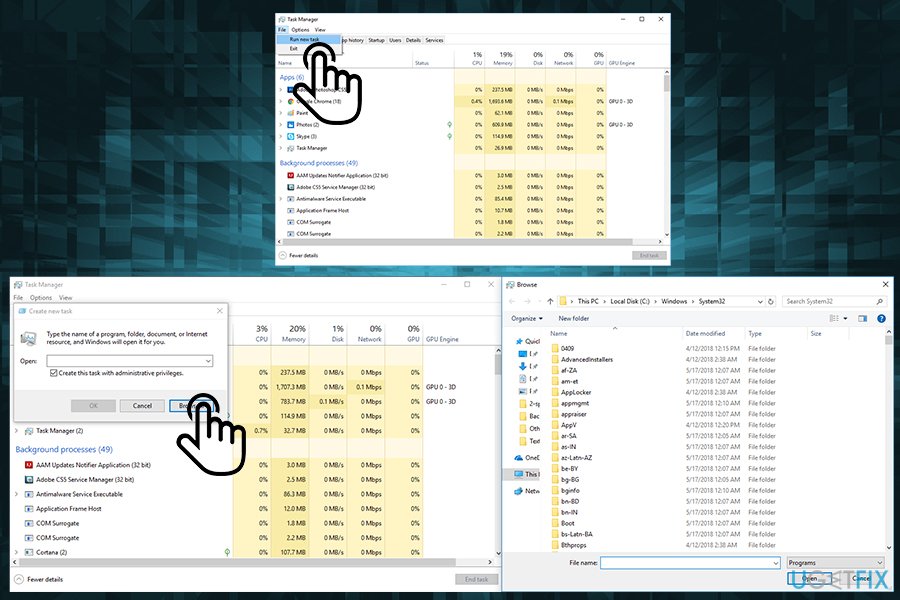
Desktop is unavailable enter task manager - Select Browse and locate setup.exe on your USB drive
- Click on it and proceed until you can choose to upgrade Windows (remove tick marks next to check for new updates and help make this version better)
- Allow the process to run
After the process stops running, your machine should operate fine again, and your files should be intact. In case you encounter any more errors, you should install [d1], which can fix all your problems automatically (for example, fix broken registry entries[ref en-4]).
Bottom line
To fix the 'Desktop is unavailable' issue after the Windows 10 version 1803 update, users should consider uninstalling Avast or AVG software. If the problem persists, they may attempt to use the Windows Rollback option or ensure their device is properly connected. If none of these solutions work, further troubleshooting may be necessary.
Frequently asked questions
Try restarting your computer first, as this can sometimes resolve temporary glitches. If the issue persists, consider creating a new user account to see if the Desktop reappears there.
Right-click on the Desktop, select 'View', and ensure 'Show Desktop Icons' is checked. If that doesn't work, try rebuilding the icon cache using the Command Prompt.
Yes, you can roll back the update by going to Settings > Update & Security > Recovery and selecting 'Go back to the previous version of Windows 10' within 10 days of the update.




Report an issue
What's wrong with this guide? We review every report and update or remove content.
Report received — thank you. We'll review and fix it.
You need a free account to submit a report.
Be the first to comment