How to fix
Dllhost.exe application error
on Windows
Resolve the Dllhost.exe application error on Windows 10 and 11 swiftly. Get expert-tested solutions and regain your system's stability, fixed in minutes!


What causes How to fix Dllhost.exe application error?
- Uninstalled Windows updates
- Invalid registry entries
- Damaged, corrupted or deleted Dllhost.exe files
- Malware attack
- Malicious spam emails
- Infected websites or malware-laden ads
Repairs Windows system files, removes malware, and restores a clean OS state — without reinstalling.
Hello, I receive a strange error message, and I don’t know what to do about it. The notification informs about Dllhost.exe Application Error. It keeps appearing every time I try to open any program on my computer, or even when trying to restart it. Could you please help me fix Dllhost.exe Application Error?
Dllhost.exe file is an important Windows operating system file, which is also known as COM Surrogate. This process is responsible for showing thumbnails, helping File Explorer to function, and so on. If you open the Task Manager, you always see this process running in the background.
Generally speaking, all executable[ref en-1] (such as Dllhost.exe) files are necessary for each software application because they include instructions on how the computer has to carry out particular functions. When you click on this file, the computer reads the command created by the software developers and runs it. Without this kind of components computers and applications won’t work.
However, seeing Dllhost.exe Application Error when launching a computer or running some programs is a sign that something is wrong with your device. Uninstalled Windows updates may cause this error, as well as invalid registry[ref en-2] entries, damaged, corrupted or deleted Dllhost.exe files or other files related to it. However, Dllhost.exe Application Error might also be caused by a malware[ref en-3] attack.
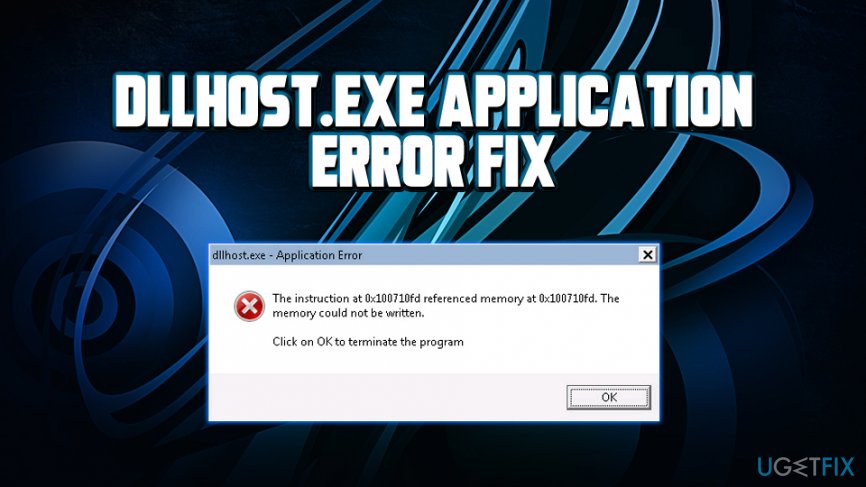
Malware and viruses can use the name of Dllhost.exe to bypass the computer’s security and infiltrate the system. Often malware is spread in the insidious .exe file via malicious spam emails, infected websites or malware-laden ads. Therefore, after getting inside the computer, malware can corrupt, replace or damage .exe files and Dllhost.exe might be one of them. Hence, you receive either Dllhost.exe Application error or one of these warnings:
- “Dllhost.exe Application Error.”
- “Cannot find dllhost.exe.”
- “Dllhost.exe not found.”
- “Dllhost.exe is not a valid Win32 application.”
- “Dllhost.exe has encountered a problem and needs to close. We are sorry for the inconvenience.”
- “Dllhost.exe failed.”
- “Dllhost.exe is not running.”
- “Faulting Application Path: dllhost.exe.”
- “Error starting program: dllhost.exe.”
For this reason, you have to scan your computer with powerful and reputable malware removal tools and make sure that your device is not infected. We recommend performing full system scan with [d1].
How to fix Dllhost.exe Application error manually?
Before talking about manual Dllhost.exe error elimination method, we want to stress that it’s a complicated and laborious task for less advanced computer users. For regular computer users, we recommend relying on professional tools such as [d1] - it can replace damaged or missing files in order to fix Dllhost.exe error automatically.
Method 1. Fix Dllhost.exe Application error using System Restore
System Restore is a useful Windows feature that allows users to revert computer's state to a last good known configuration. It includes Windows Registry, system files, and its settings, as well as installed apps. System Restore will not affect your personal data, so it is safe to use, and you will not lose anything:
- Click the Start button and type in Recovery
- Hit Enter to open Recovery options
- Click on Open System Restore
- In the newly opened window, click Next
- Select the restore point from the list and click Next
- Follow on-screen instructions to finalize the System Restore
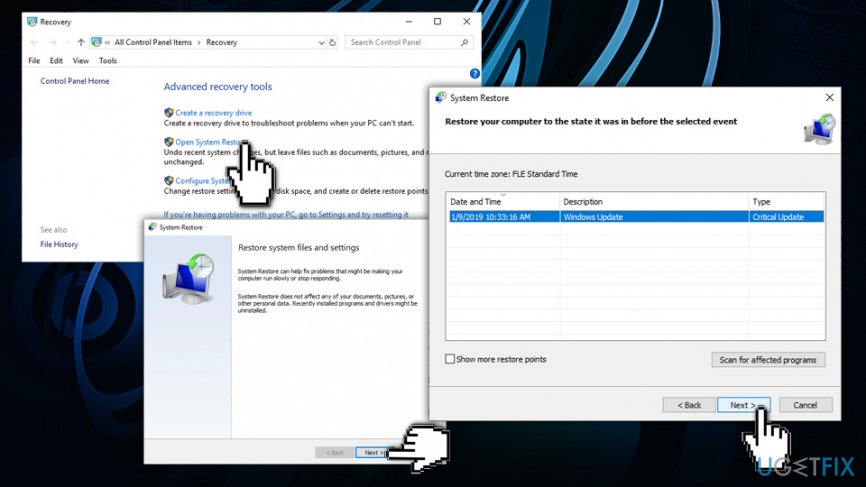
Dllhost exe application error perform system restore
Method 2. Dllhost.exe error using Windows System File Checker
System File Checker is a built-in scanner that is capable of repairing system damage and restoring corrupted files. Perform the following steps:
- Click the Start button and type cmd
- Right-click on search results and select Run as administrator
- Then, you will see a dialog box. Click Yes
- Type sfc /scannow and hit Enter
- Wait while Windows System File Checker starts and finishes scanning for the system file errors
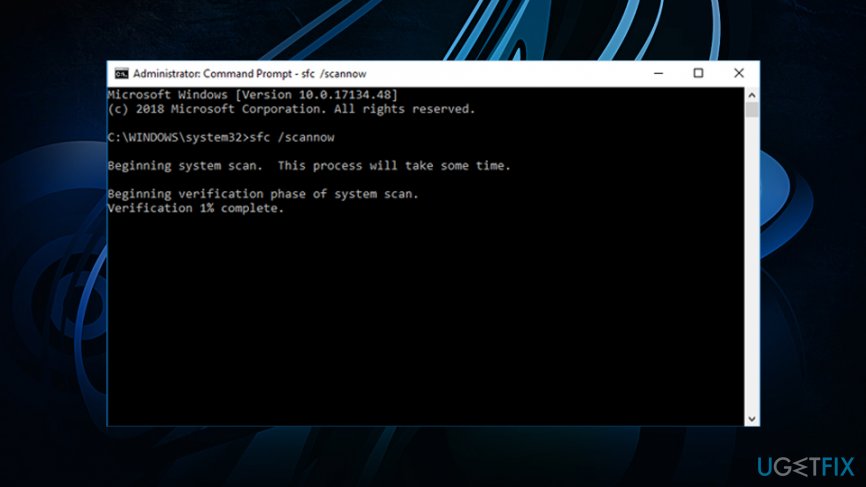
Dllhost exe application error run sysstem file checker
Method 3. Perform DISM scan
DISM (Deployment Imaging and Servicing Management) tool is similar to System File Checker, and it can fix system errors that SFC cannot. Thus, if the latter failed, perform the following:
- Open Command Prompt with administrative privileges as explained above
- Type in DISM /Online /Cleanup-Image /RestoreHealth and press Enter
- Wait for the scan to complete and see if Dllhost.exe is fixed
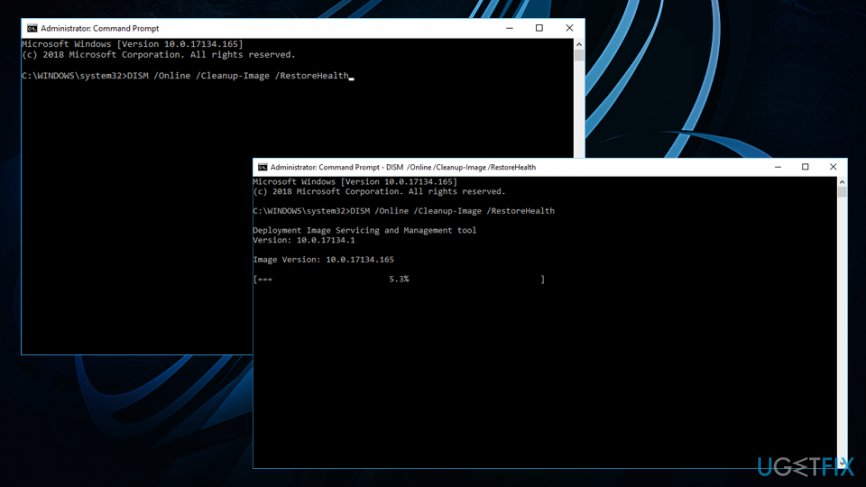
Dllhost exe application error run dism scan
Method 4. Install all available Windows updates
Microsoft regularly releases updates that can fix various critical flaws that hackers can abuse to infect machines with malware, as well as improves the functionality of Windows. Also, an outdated system might result in errors like Dllhost.exe application error to appear. Tun run Windows update service, follow these steps:
- Right-click on the Start button and select Settings
- Click on Update & Security
- In the right pane, click Check for updates
- If updates are available, Windows will download and install them automatically
- After the installation, restart your PC
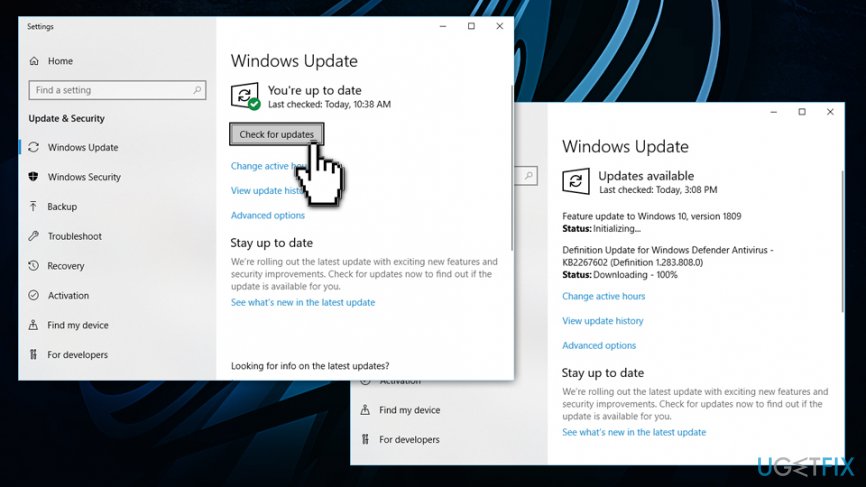
Dllhost exe application error run windows updates
Bottom line
To fix the Dllhost.exe Application Error, you should scan your computer with reputable malware removal tools, check for uninstalled Windows updates, and repair any invalid registry entries. If these solutions do not resolve the issue, consider restoring your system or seeking professional assistance.
Frequently asked questions
The Dllhost.exe application error in Windows 10 can be caused by corrupted system files, malware infections, or issues with COM components. Performing a system file check can help identify and resolve these problems.
To fix the Dllhost.exe application error on Windows 11, open Command Prompt as an administrator and run the command 'sfc /scannow'. This will scan for and repair corrupted system files.
Disabling Dllhost.exe is not recommended as it is a critical Windows process that supports various applications; instead, focus on repairing system files or checking for malware. Addressing the root cause will provide a more effective and safe solution.




Report an issue
What's wrong with this guide? We review every report and update or remove content.
Report received — thank you. We'll review and fix it.
You need a free account to submit a report.
Be the first to comment