How to fix
Doom: Dark Ages error code 0x80073CF3
on Windows
Resolve the Doom: Dark Ages error code 0x80073CF3 on Windows 10 and 11 effortlessly. Follow our expert-tested solutions for quick fixes!

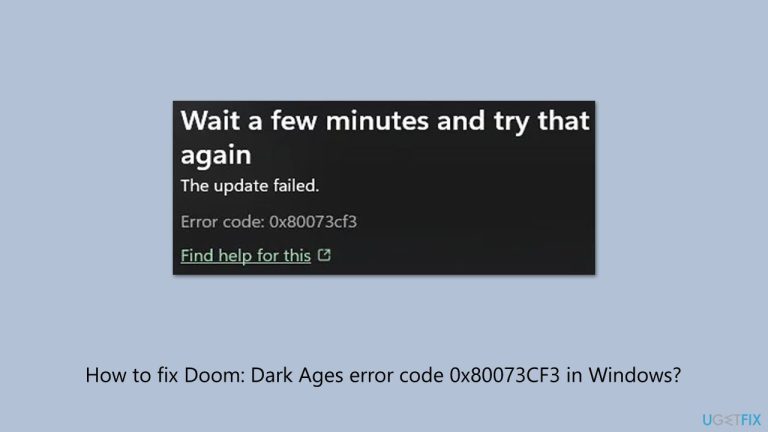
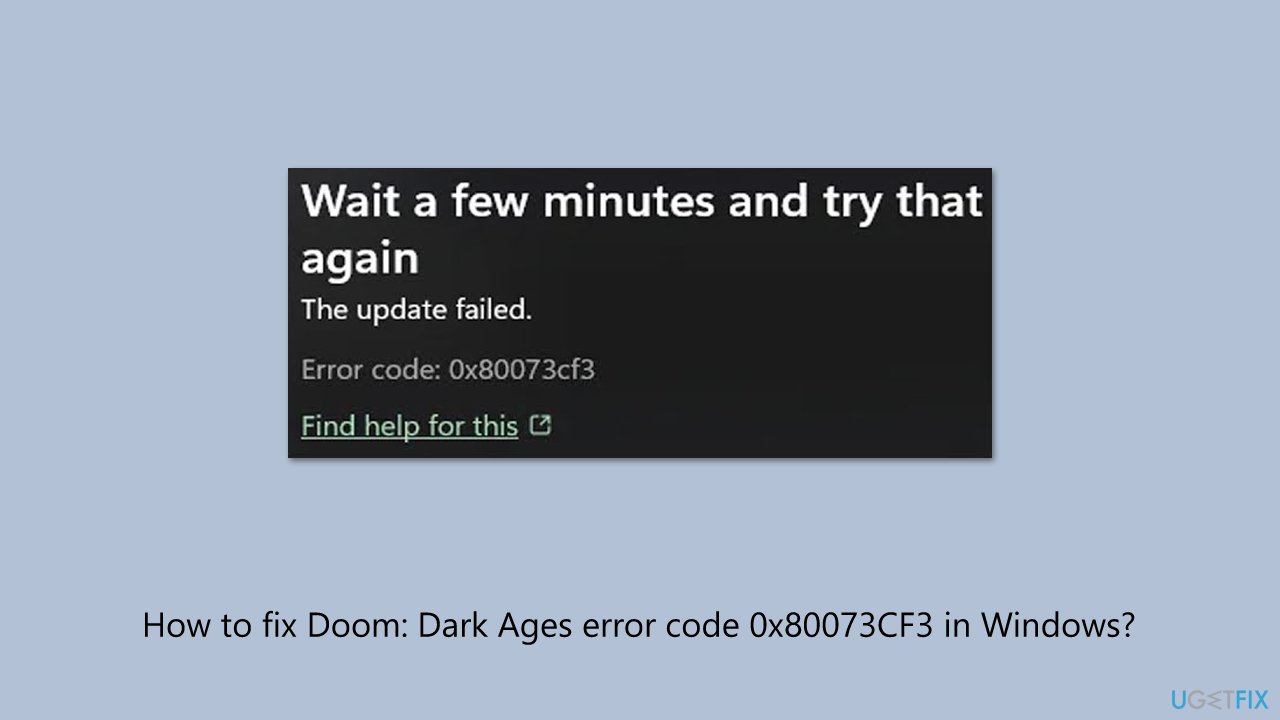
What causes How to fix Doom: Dark Ages error code 0x80073CF3 in Windows?
- Corrupted Microsoft Store cache
- App conflicts between the Xbox app and Microsoft Store
- Corrupted game files
- Damaged data preventing installation or updates
Repairs Windows system files, removes malware, and restores a clean OS state — without reinstalling.
So it was finally time to try out Doom: Dark Ages. I have GamePass so I thought it was perfect opportunity for me to get ino franchsie. However, the game fails to install with the error code 0x80073CF3. It says that it is updating at the end (with the bar showing 100%) but then it just hangs and produces the error message. I'm using Windows 11.
Doom: Dark Ages, released on May 14, 2025, is the latest title in the iconic Doom franchise, a series renowned for its high-speed demon-slaying action since its release in 1993.
Set in a medieval-inspired universe, this prequel to Doom (2016) and Doom Eternal has players inhabit the role of the Doom Slayer, utilizing equipment like the throwaway Shield Saw and commanding giant Atlan mechs as part of an ongoing struggle against the army of Hell. The game marries fantasy with futuristic technology, as swords and dragons clash with high-tech weapons in a narrative-driven sandbox experience rich in detail.
Launched on Xbox Series X|S, PlayStation 5, PC, and Xbox Game Pass (Cloud), Doom: Dark Ages has thrilled gamers with its gory battles and blockbuster graphics. But several users of Windows can experience problems installing or updating Doom: Dark Ages due to error code 0x80073CF3, particularly when they access it through the Xbox app or Microsoft Store. It can block access to the game such that gamers cannot play its medieval carnage, typically due to app incompatibilities or damaged data.
Several factors can cause the Doom: Dark Ages error code 0x80073CF3, including:
- Corrupted Microsoft Store cache: Cached data can interfere with updates, causing the error. Clearing the cache resolves this.
- App conflicts: Conflicts between the Xbox app and Microsoft Store can trigger the error 0x80073CF3. Launching the game from an alternative platform may help.
- Corrupted game files: Damaged game files can prevent installation or updates. Repairing or reinstalling the game can fix this.
The instructions below provide eight fixes to resolve the Doom: Dark Ages error code 0x80073CF3. For a faster solution, we recommend using [d1], a PC repair tool that can automatically address app conflicts, system file issues, and other problems that may be causing this error.
Fix 1. Clear Microsoft Store cache
Corrupted cache files can prevent Doom: Dark Ages from updating, causing error 0x80073CF3.
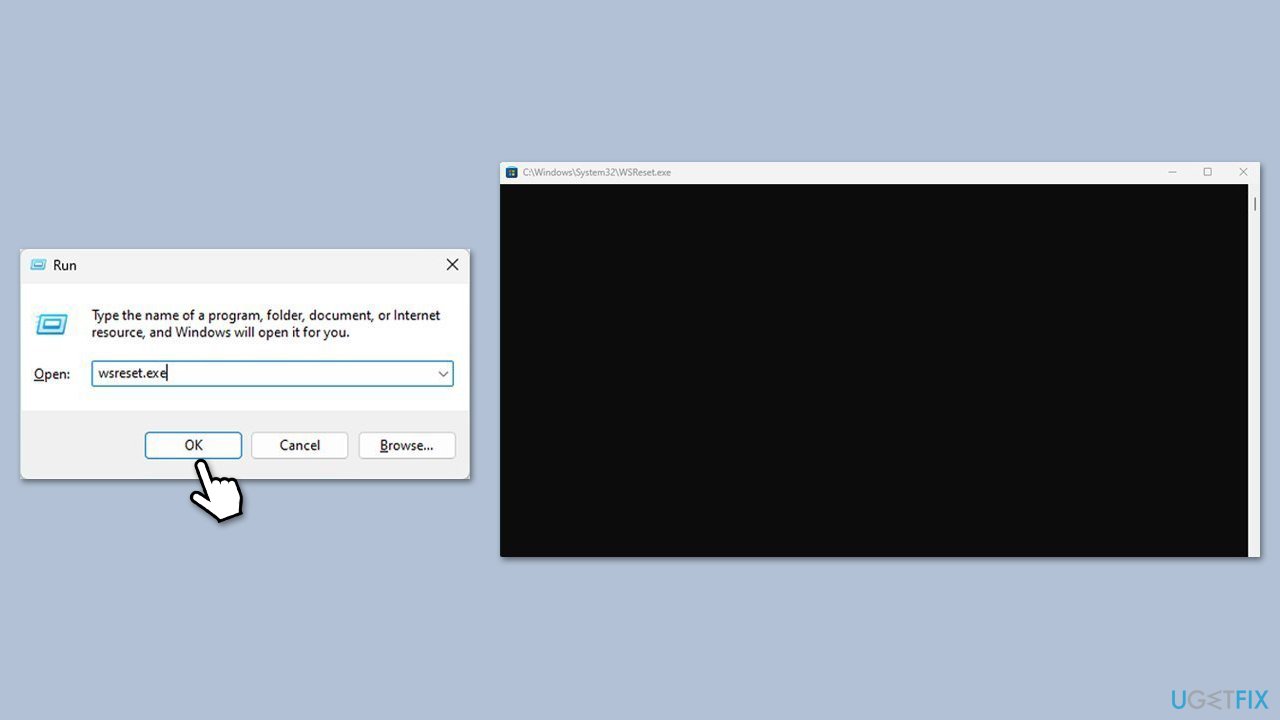
- Press Win + R to open the Run dialog box.
- Type wsreset.exe and press Enter.
- A blank Command Prompt window will open. Wait for it to close automatically.
- Once closed, the Microsoft Store will open automatically, indicating the cache has been reset.
Fix 2. Launch the game from its EXE file
Bypassing the Xbox app by launching directly from the game’s executable can avoid the error.
- Press Win + E to open File Explorer.
- Navigate to the game’s installation folder (e.g., C:\Program Files\WindowsApps).
- Locate the Doom: Dark Ages.exe file (you may need admin access).
- Double-click the .exe to launch the game.
- Check if the game runs without the error.
Fix 3. Launch via Microsoft Store instead of Xbox app
App conflicts can cause the error; launching from the Microsoft Store might work better.
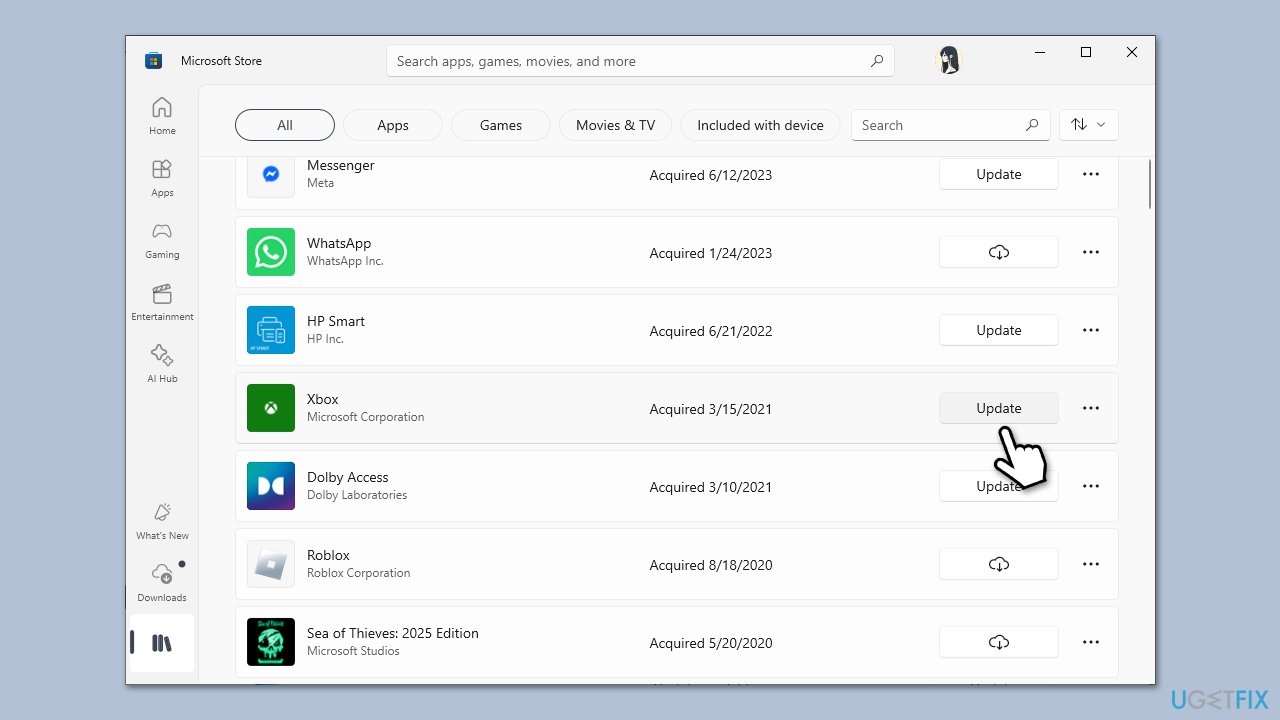
- Open the Microsoft Store, go to your Library and find Doom: Dark Ages.
- Click Launch or Update if available.
- If successful, play the game from the Store.
- Try launching from the Xbox app again later.
Fix 4. Launch via Xbox app instead of Microsoft Store
If launching from the Microsoft Store fails, try the Xbox app to bypass the conflict.
- Open the Xbox app (or Microsoft Store) and locate Doom: Dark Ages in your library.
- Click Play or Update if prompted.
- If successful, play the game from the Xbox app.
- Avoid launching from the Microsoft Store until the issue resolves.
Fix 5. Repair the game installation
Corrupted game files can cause the Doom: Dark Ages install error 0x80073CF3; repairing them can help.
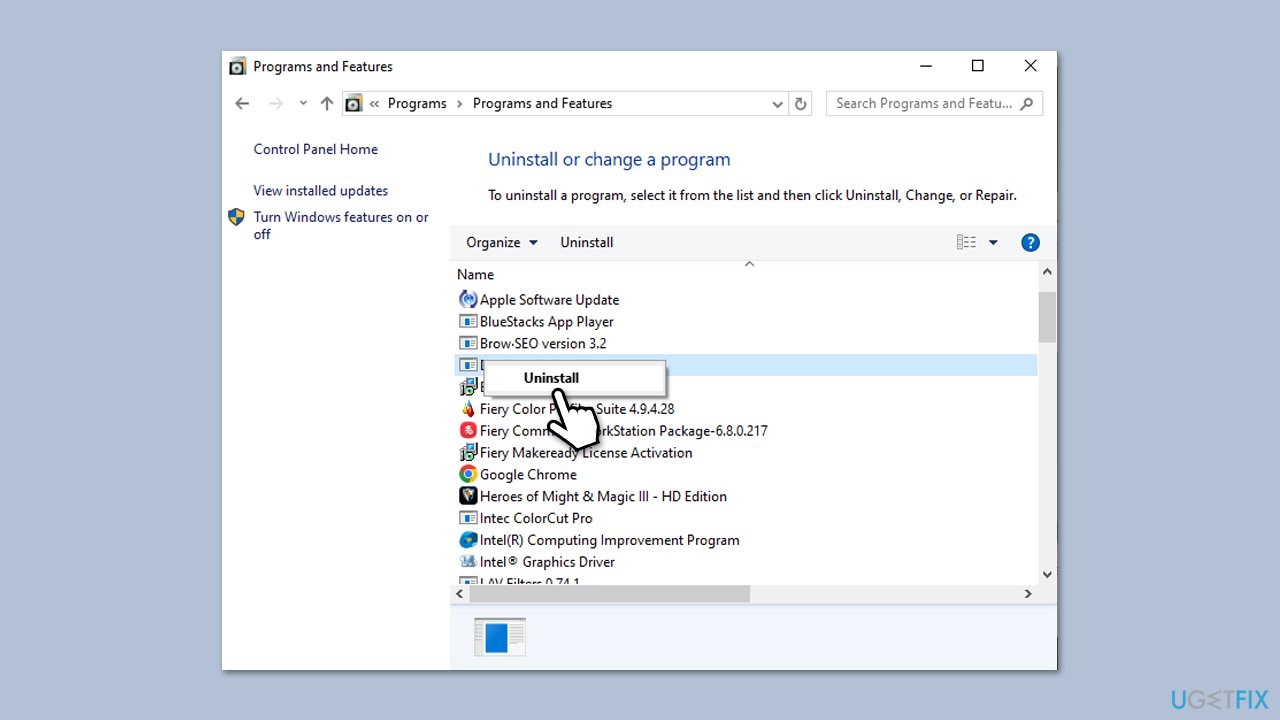
- Type Control Panel in Windows search and press Enter.
- Go to Programs > Uninstall a program.
- Right-click on the game and select Repair, then wait for the process to complete.
- Restart your computer and try launching the game.
Fix 6. Reinstall the game
If repairing doesn’t work, reinstalling Doom: Dark Ages can resolve deeper file corruption.
- Type Control Panel in Windows search and press Enter.
- Go to Programs > Uninstall a program.
- Scroll down to Doom: Dark Ages, click the three-dot menu, and select Uninstall.
- Open the Xbox app or Microsoft Store, reinstall the game, and launch it.
- Ensure a stable internet connection during the process.
Fix 7. Perform a Clean Boot
Third-party software conflicts can cause the error; a Clean Boot isolates the issue.
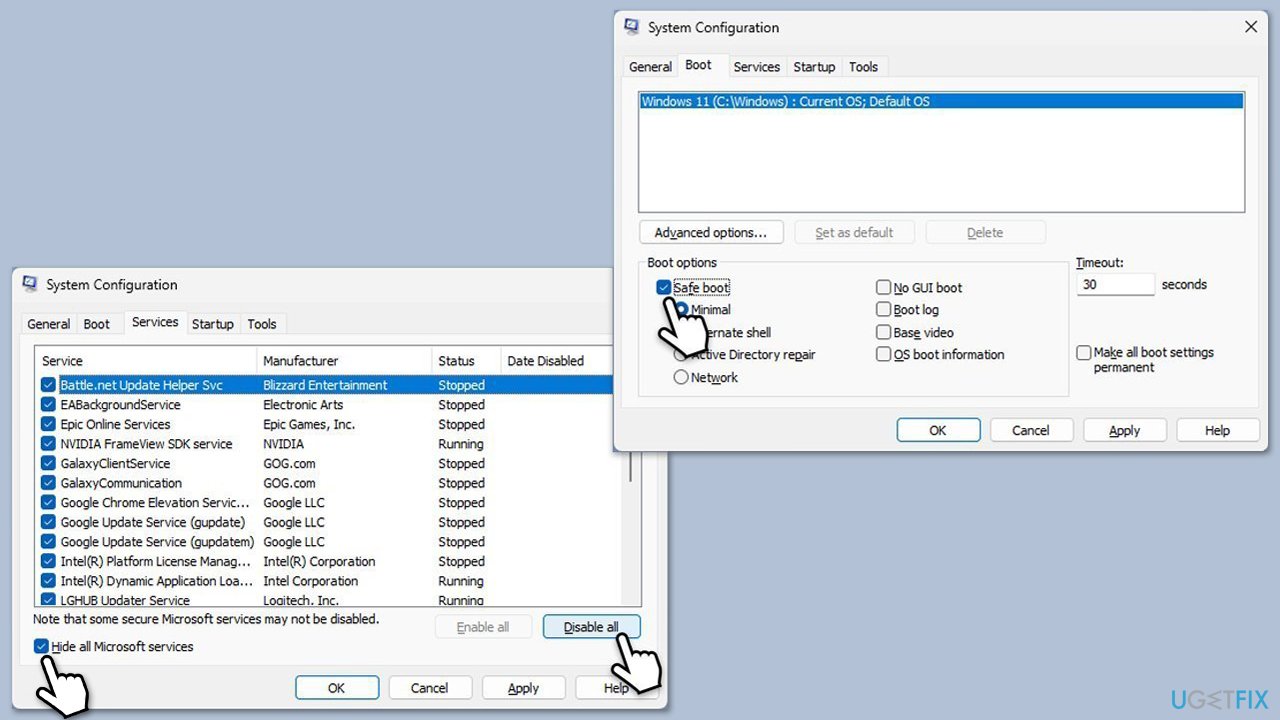
- Type msconfig in Windows Search and press Enter.
- Click on the Services tab and check the Hide all Microsoft Services box.
- Click Disable all to disable non-Microsoft services, then click the Startup tab.
- Open the Task Manager, disable all startup items, and close the Task Manager.
- Go to the Boot tab and mark the Safe boot option.
- Click OK on the System Configuration window and restart your computer.
- If the game launches normally, it is likely that third-party software is causing problems.
- To find out which app(s) is causing conflicts, enable each of the processes (or you can do it in groups), restart, and see if the problem persists. Repeat until you find the faulty app, then either update or uninstall it.
Bottom line
To resolve the Doom: Dark Ages error code 0x80073CF3, you can clear the Microsoft Store cache, launch the game from an alternative platform, or repair and reinstall the game. If these fixes do not work, consider using a PC repair tool to automatically address app conflicts.
Frequently asked questions
Error code 0x80073CF3 typically indicates that the game installation is corrupted or missing files, which can prevent it from running properly on your system.
To fix this error, you can try repairing the game through the Microsoft Store or reinstalling it completely to ensure all necessary files are present.
Yes, make sure your system meets the minimum requirements for Doom: Dark Ages, including sufficient RAM, GPU compatibility, and available disk space to avoid further issues.




Report an issue
What's wrong with this guide? We review every report and update or remove content.
Report received — thank you. We'll review and fix it.
You need a free account to submit a report.
Be the first to comment