How to fix
Double click to install feature on iPhone X
on Windows
Resolve the Double Click to Install issue on your iPhone X effortlessly. Get expert-trusted solutions and tips for seamless performance, fixed in minutes.

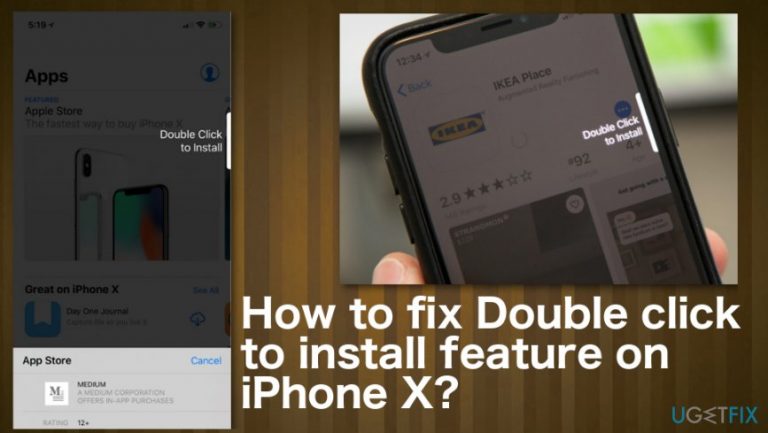
What causes How to fix Double click to install feature on iPhone X?
- Minor application issue
- Firmware problem
- User confusion with the feature
- Security feature malfunction
- Face ID verification issue
Repairs Windows system files, removes malware, and restores a clean OS state — without reinstalling.
Hello, I have an issue with the new iPhone X. There is a feature that frustrates me. The phone keeps telling me to double click to install an application in the App Store, but it will do nothing when I double-click the side button. I cannot download anything now. Can I do something to fix that?
iPhone X or any iPhone has a straightforward procedure for installing applications. However, people are not that happy with this Double click to install feature on iPhone X. Apple included this procedure when installing apps for the security purpose.
Instead of tapping the GET icon user need to Double Click to Install the application. Users have complained about such issues online already. It is either not working or merely annoying as the feature itself.[ref en-1]
Double click to install feature on iPhone X is created so you can confirm that you want to install the said programs, pay for it, or get the update. This way, users don't make bad decisions when installing applications that are not needed or wanted, so you cannot automatically install any PUPs.[ref en-2]
The message can say Double click to install/ unlock/ pay/ update, and it is not clear what you need to to do when the button appears on the screen, or an animation just bounces against the side of the screen. It is not an on-screen button that requires pressing. The message refers to double-clicking the side button on the phone itself, so face ID verification is activated.
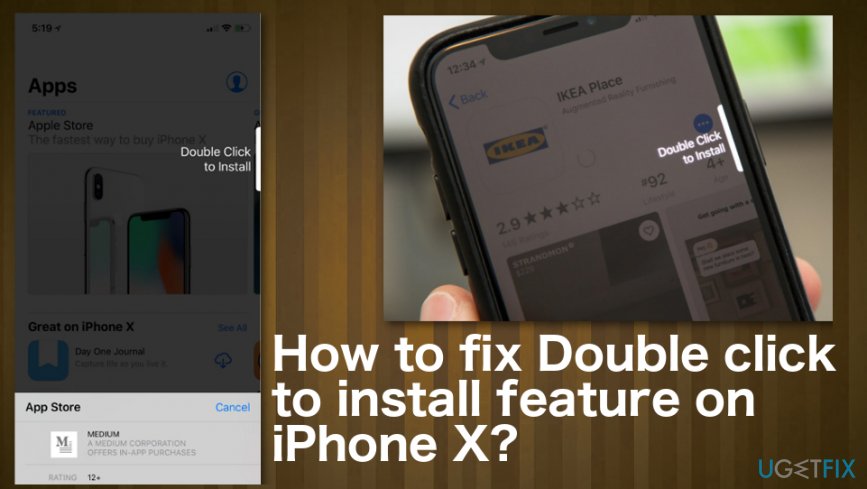
How to fix Double click to install feature on iPhone X
This Double click to install feature on iPhone X is not an error or a system issue or malware[ref en-3] symptom so that you can solve the issue with a few methods listed below. Even such security features start causing problems under certain conditions. The function stops working, or notifications don't appear when supposed to because of the minor application or firmware problem. You can do some troubleshooting to determine the particular reason or try listed methods one by one.
If Double click to install feature on iPhone X is he frustrating feature for you, unfortunately, there is no solution. You cannot turn off this function.
Reboot the iPhone
- Press and hold the Side button and volume button until the slider appears.
- Drag the slider to turn your iPhone off.
- Then, press and hold the Side button again until you see the Apple logo.
- You can also go to Settings> General> Shut Down to achieve that.
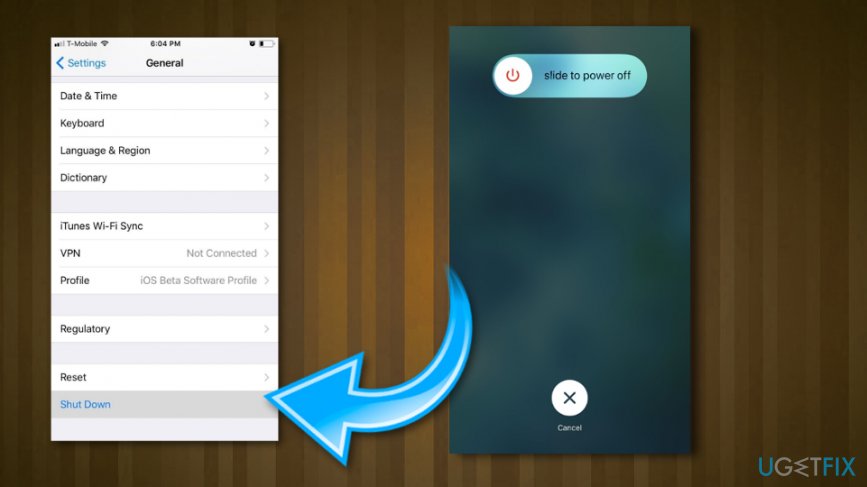
How to fix double click to install feature on iphone x shutdown
Check restrictions to fix Double click to install feature on iPhone X
- Go to Settings.
- Then tap on General and Restrictions.
- Then Enable Restrictions.
- If you need to set up a passcode for restrictions, set one up. Make sure that it is secure and easy to remember.
- Then toggle Installing Apps.
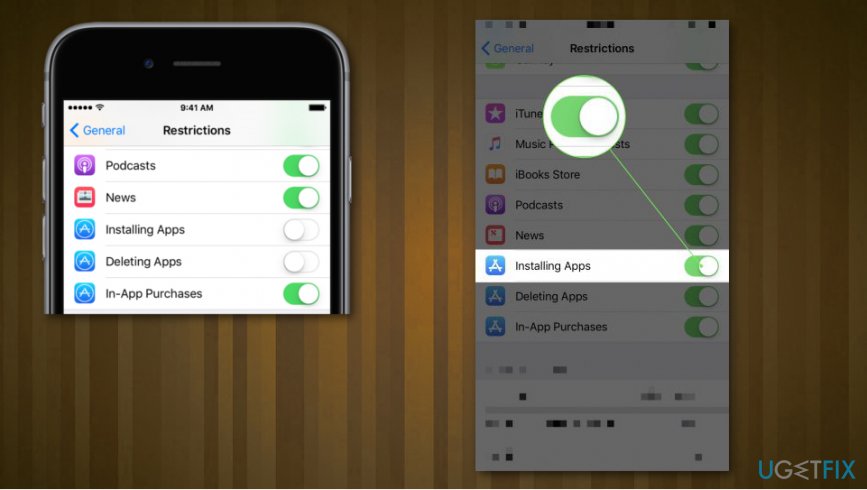
How to fix double click to install feature on iphone x installling apps restriction - Check if the application you needed can now get installed.
Additional tips for Double click to install feature on iPhone X issue
- Force-close the app if you think this is an application glitch.
- Make sure that Airplane Mode is not turned on because that can interfere with network and cellular connections.
- Check if Face ID is registering your face correctly.
Bottom line
To fix the Double click to install feature on iPhone X, you can troubleshoot by checking for minor application or firmware problems. If the issue persists, try verifying your Face ID settings or restarting your device. If none of these methods work, consider reaching out to Apple Support for further assistance.
Frequently asked questions
Ensure that iTunes is updated on your Windows 10 PC, as outdated software can cause installation issues. Additionally, check your device's trust settings to confirm that your iPhone X is recognized by your computer.
Try restarting both your iPhone X and your Windows 11 PC to refresh the connection. If the problem persists, consider reinstalling iTunes to resolve any compatibility issues.
Yes, ensure that your Windows 10 laptop has the latest updates installed, as this can improve compatibility with your iPhone X. Additionally, check for any pending updates for iTunes that may address this specific issue.




Report an issue
What's wrong with this guide? We review every report and update or remove content.
Report received — thank you. We'll review and fix it.
You need a free account to submit a report.
Be the first to comment