How to fix
Error 0xc00d36cb
on Windows
Resolve the 0xc00d36cb error in Windows 10 quickly with our expert-tested solutions. Get your media playing again in minutes!


What causes How to fix error 0xc00d36cb in Windows 10?
- Glitch in system files
- Corruption of data
- Incorrect permissions for specific files
- Corrupted Windows components
- Windows Store issues
Repairs Windows system files, removes malware, and restores a clean OS state — without reinstalling.
Hello. I get this error 0xc00d36cb in Windows 10 and don't know how to tackle the issue properly. I tried resetting some apps, troubleshooting is not helpful too. I cannot play any videos and TV is not launching. Can you offer any help?
The error 0xc00d36cb in Windows 10 is the problem that users[ref en-1] report having pretty commonly. This is the problem with the media player that can be triggered by a glitch in system files or due to corruption of some data. Restoring those pieces can help, but some instances and user reports show that additional solutions are needed.
This playback error with the code 0xc00d36cb in Windows is particularly related to media files like.MKV format videos. The error shows up when people try to play videos in this format or change file names of data in MP3 and MP4 formats.
People want to fix error 0xc00d36cb in Windows because the issue keeps them from using the machine. The reason behind this can be related to incorrect permissions for specific files, Windows issues[ref en-2], even cyber infections.[ref en-3] In severe cases, the error code is traced back to affected user profiles, so registering a different user could act as a solution.
A possible pop-up with the error:
I can’t play the video on “movie and TV”
ERROR:0xc00d36cb
please solve this problem..
The error 0xc00d36cb in Windows 10 can occur due to the generic glitch of components. This is a common cause for various system errors and it is common that glitches could interfere with functionalities like video playback. Troubleshooting this function might help to fix the problem.
Corrupted Windows components and even Windows Store issues can lead to playback issues and errors like this. So it is possible to fix error 0xc00d36cb in Windows 10 by checking those issues or even repairing affected files in the system with tools like [d1]. This program can also check and repair altered or corrupted registry keys, data in system folders, directories.

Method 1. Troubleshoot video playback to fix error 0xc00d36cb in Windows 10
- Click on Start and select Settings.
- Go to Update and Security.
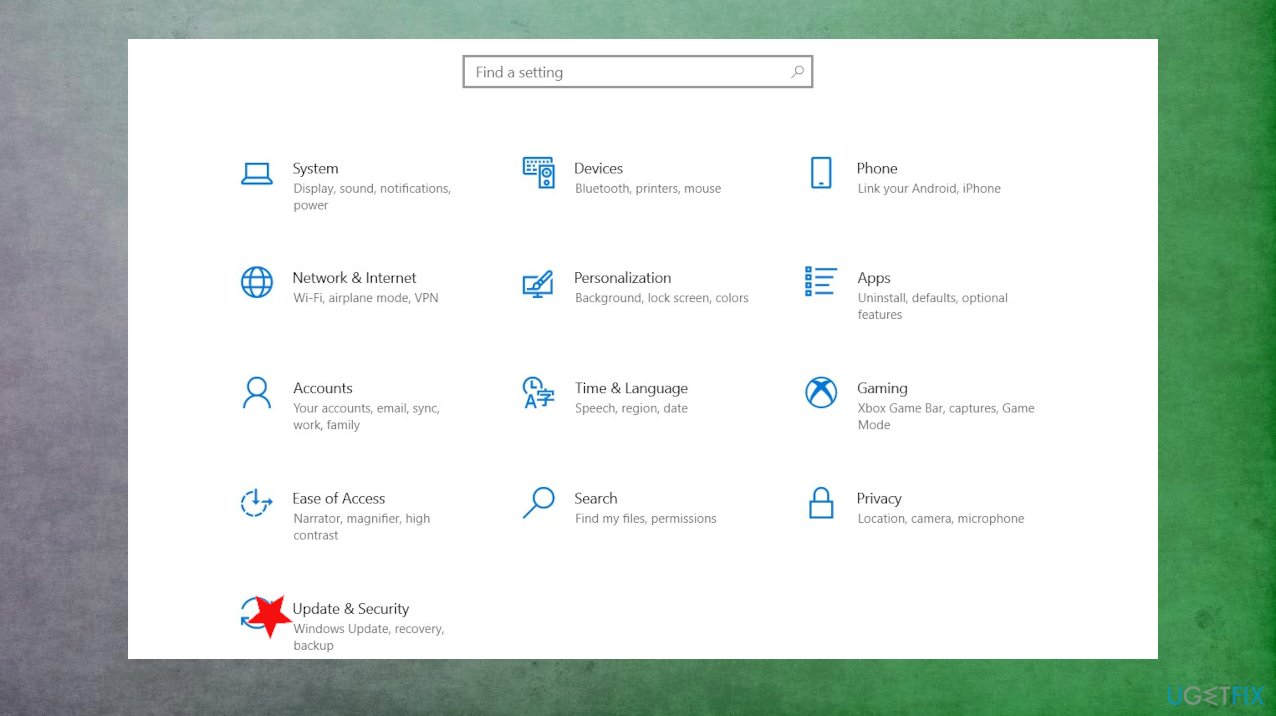
Fix error 0xc00d36cb in windows update - Scroll down and open the Troubleshoot options.
- Select the Video Playback.
- Click the Run the Troubleshooter.
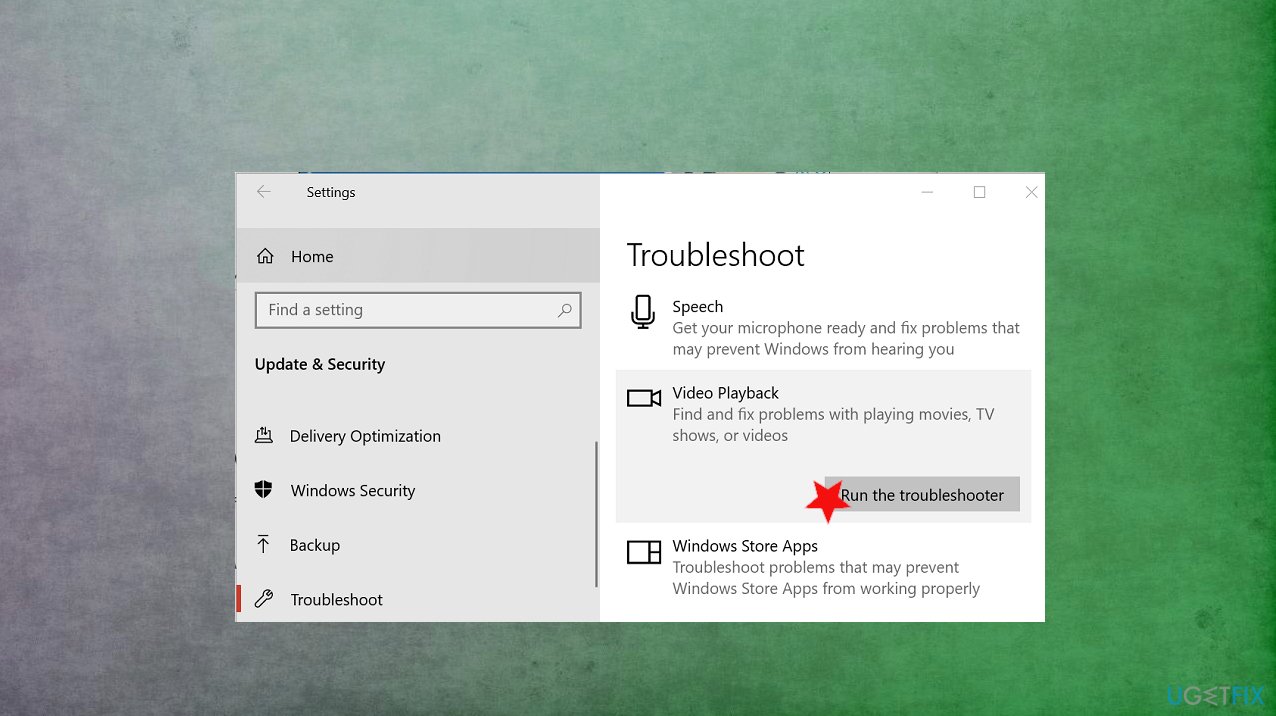
Fix error 0xc00d36cb in windows troubleshoot - The troubleshooter will offer a few options after the check.
- Select Continue with this troubleshooter.
- Follow on-screen instructions and apply recommended fixes.
- Close the troubleshooter, and check if the issue occurs.
Method 2. Reset Movies and TV app
- Click on Start and select Settings.
- Go to Apps and open the Apps and features.
- Scroll down to Movies and TV.
- Click Advanced options.
- Scroll down and click on the Reset button.
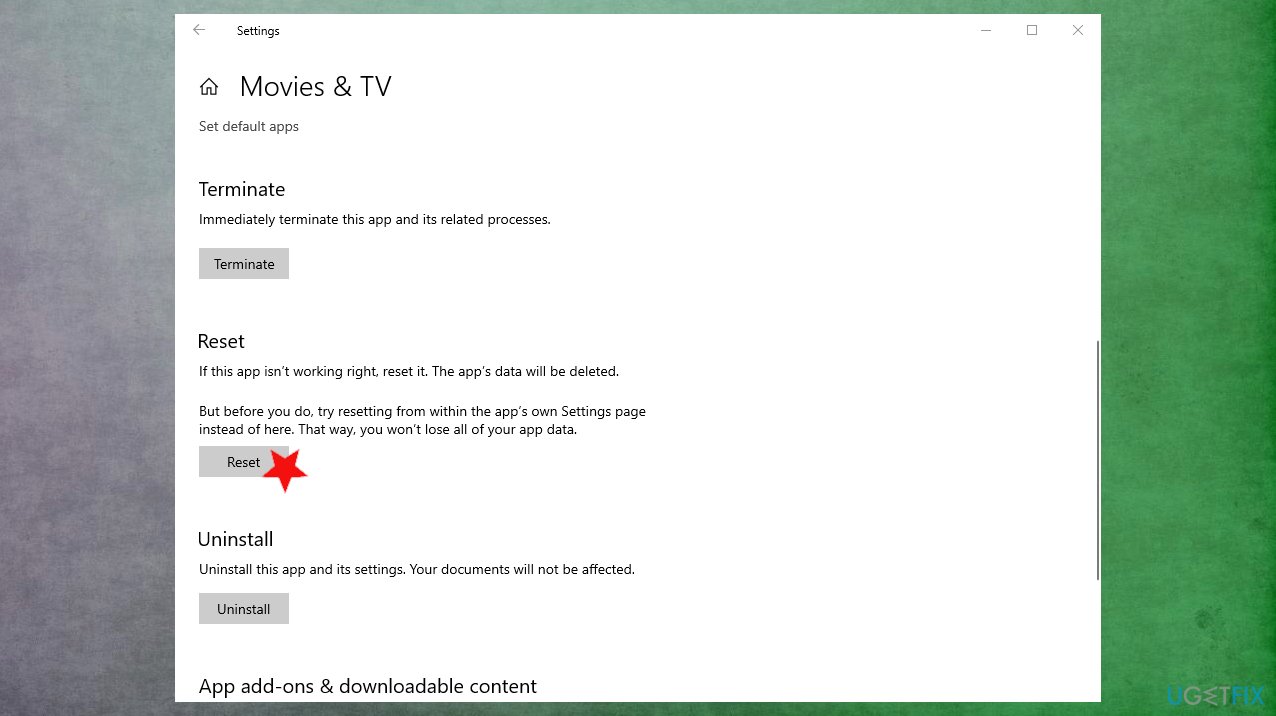
Fix error 0xc00d36cb in windows reset apps - Close the Settings window and try playing the video to check for improvement.
Method 3. Create a new user account to fix error 0xc00d36cb in Windows 10
- Click on Start and select Settings.
- Open Accounts.
- Open the Family & other users tab.
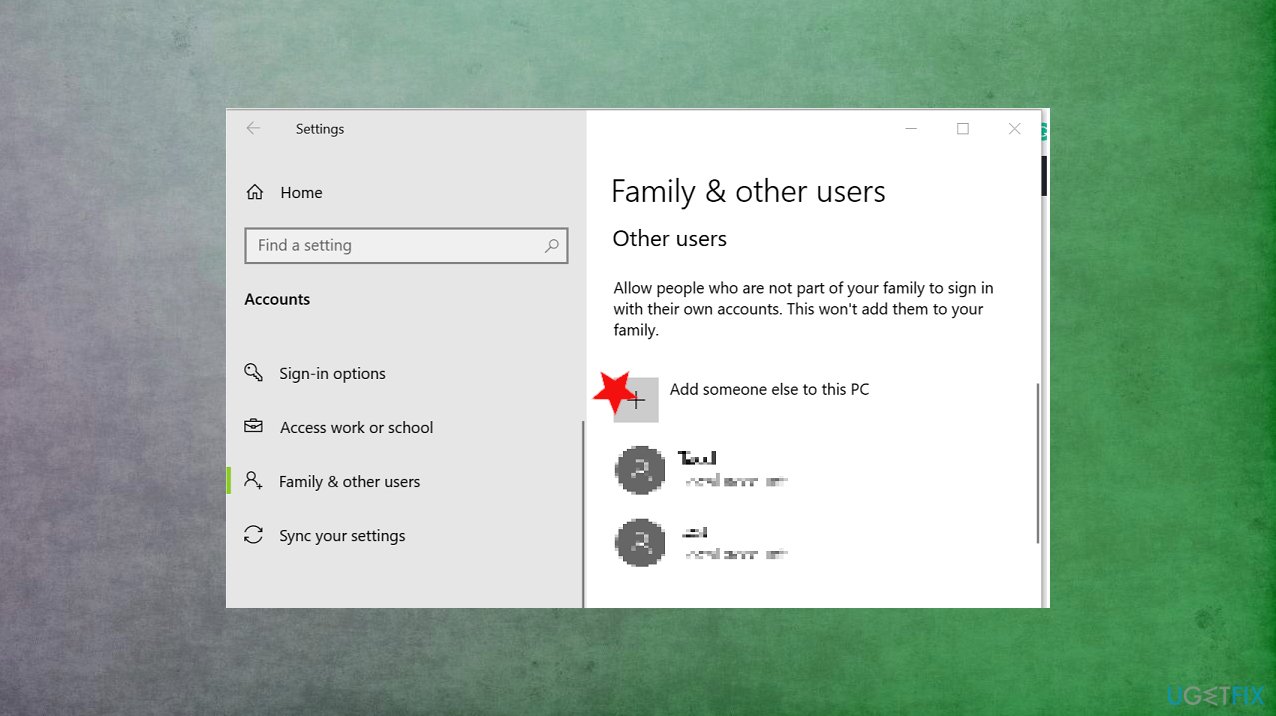
Fix error 0xc00d36cb in windows add user - Scroll down to Other users and click the Add someone else to this PC button.
- Click on I don’t have this person’s sign-in information option instead.
- Next, select Add a user without a Microsoft account.
- Enter a user name and password for your new account.
- Select a security question and add an answer to it.
- Log out of your current account.
- Login with the newly created account.
Bottom line
To fix error 0xc00d36cb in Windows 10, users can troubleshoot video playback, check for corrupted files, and repair affected registry keys. If these methods do not resolve the issue, consider creating a new user profile or seeking additional technical support.
Frequently asked questions
Error 0xc00d36cb typically indicates that the media file you are trying to play is either corrupted or in a format that is not supported by Windows 10.
To fix this error, try updating your video codecs or using a different media player that supports the file format.
You can check for file corruption by attempting to play the media file on another device or using built-in Windows tools like 'sfc /scannow' to scan for system file issues.




Report an issue
What's wrong with this guide? We review every report and update or remove content.
Report received — thank you. We'll review and fix it.
You need a free account to submit a report.
Be the first to comment