How to fix
Error 0xe06d7363 in Forza Horizon 5
on Windows
Resolve the 0xe06d7363 error in Forza Horizon 5 on Windows 10 or 11 effortlessly. Expert-tested solutions for smooth gaming, fixed in minutes.

What causes How to fix error 0xe06d7363 in Forza Horizon 5?
- Compatibility issues
- Missing C++ Redistributable Packages
- Corrupted game files
- Corrupted system files
Repairs Windows system files, removes malware, and restores a clean OS state — without reinstalling.
Hello. Every time I try to launch Forza Horizon 5 on my Windows PC it crashes and I get the 0xe06d7363 error. What should I do?
Forza Horizon 5 is a racing video game developed by Playground Games. It is the fifth installment in the Forza Horizon series and is set in a fictionalized representation of Australia. Players can compete in various racing events, collect cars, and customize their vehicles. The game features over 700 cars and a dynamic weather system that affects the gameplay. It is available on Xbox Series X/S and PC platforms.
Error 0xe06d7363 can impact the player's experience by causing the game to crash or not launch properly. It is a frustrating issue that can prevent players from enjoying the game. The error can be caused by various factors, such as compatibility issues, missing or corrupted C++ Redistributable Packages, and corrupted game files. In this article, we will discuss 4 steps to troubleshoot and fix this error.
These include checking the system compatibility, installing missing C++ Redistributable Packages, verifying the integrity of game files, and trying a clean boot. By following these steps, users can hopefully resolve the issue and get back to playing the game.
Keep in mind that the manual troubleshooting process can be lengthy. Instead, you can use a maintenance tool like [d1] that can fix most system errors, BSODs,[ref en-1] corrupted files, registry[ref en-2] issues, or clear cookies and cache.[ref en-3] Otherwise, follow the step-by-step instructions below.
Method 1. Check System Compatibility
Make sure your device meets the minimum system requirements for the game:
- OS: Windows 11 or Windows 10 version 15063.0 or higher
- Processor: Intel i5-4460 or AMD Ryzen 3 1200
- Memory: 8 GB RAM
- Graphics: NVIDIA GTX 970 OR AMD RX 470
- DirectX: Version 12
- Network: Broadband Internet connection
- Storage: 110 GB available space
Method 2. Install C++ Redistributable Packages
Reinstalling C++ Redistributable Packages can help fix the Visual C++ exception code 0xe06d7363. C++ Redistributable is a set of runtime library files that allow the use of pre-developed code and installation for multiple apps. If its packages become deleted or corrupted, it can cause problems with certain programs. In that case, you will need to install the required version again.
To find which C++ Redistributable Packages are missing, you can try the following steps:
- Press the Windows key + R to open the Run window
- Type appwiz.cpl and press Enter. This will open the Programs and Features window.
- Scroll through the list of installed programs and look for any missing C++ Redistributable Packages. They are usually labeled as Microsoft Visual C++ 20xx Redistributable with the year indicating the version.
- If you find any missing packages, make a note of them.
To install the missing C++ Redistributable Packages, you can follow these steps:
- Go to the Microsoft website
- Select the version of the package that you need to install (e.g., "Visual C++ 2015-2019 Redistributable") and click on the Download button
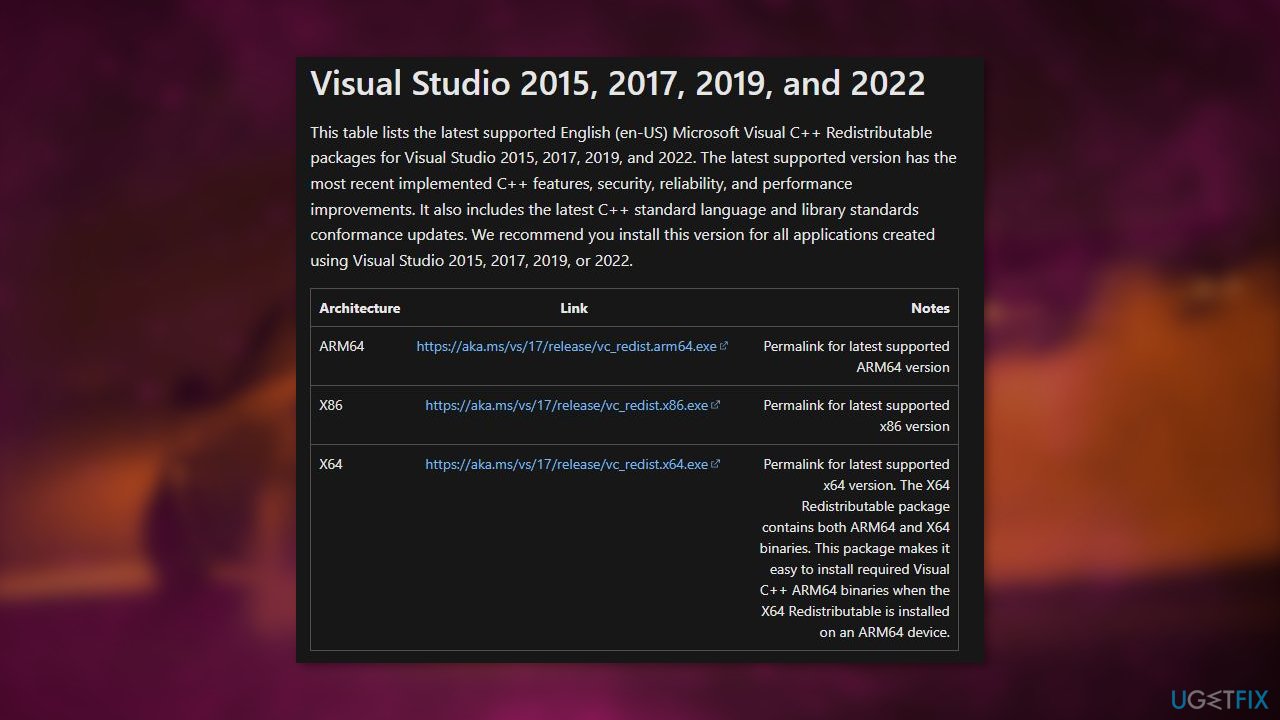
- Once the download is complete, double-click on the downloaded file and follow the prompts to install the package.
- Repeat these steps for any other missing packages that you noted earlier.
Alternatively, you can also try using the Windows Update tool to install the missing packages. To do this:
- Press the Windows key + I to open the Settings app
- Click on Update & Security
- Click on Check for updates
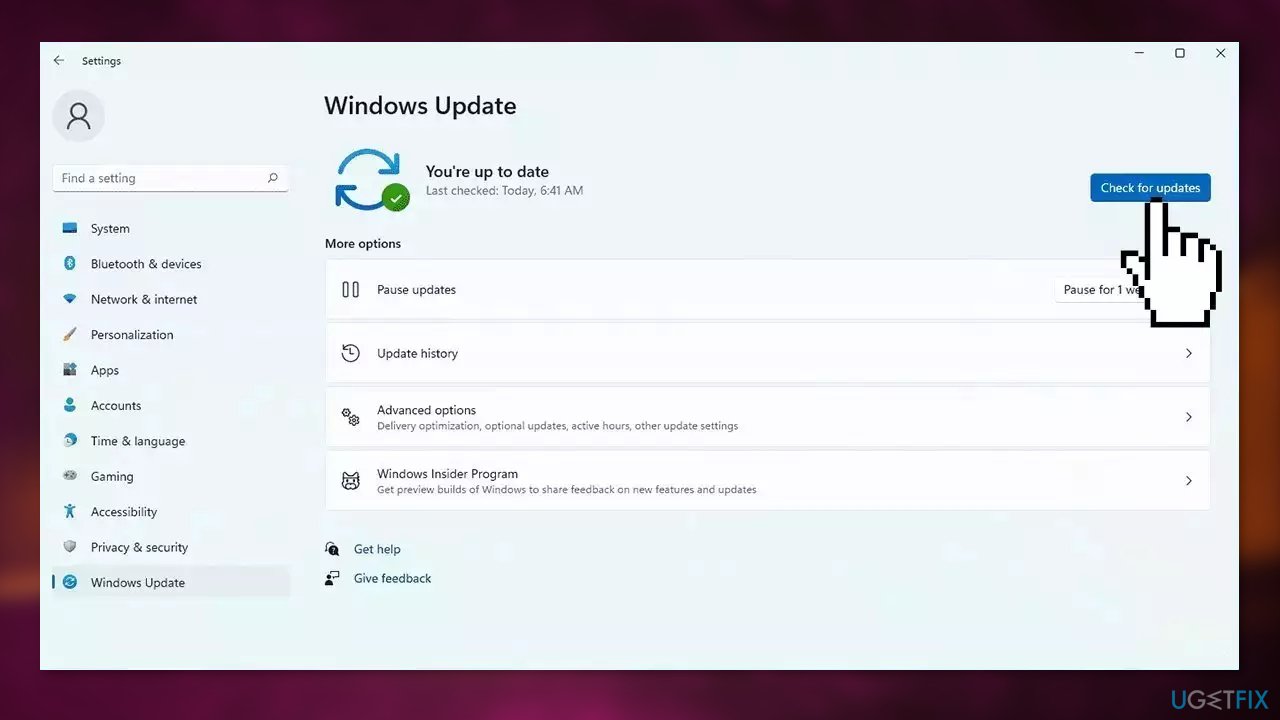
- If any updates are available, follow the prompts to install them. This may include the missing C++ Redistributable Packages.
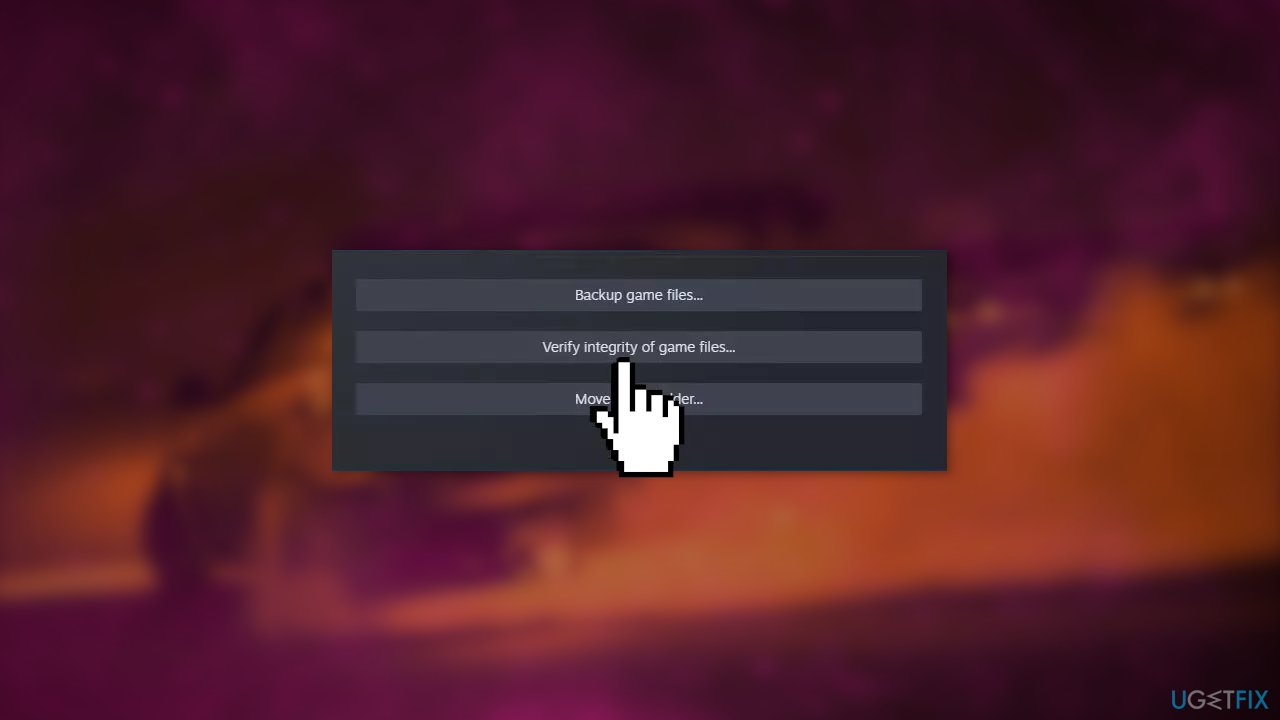
Method 3. Verify Integrity of Game Files
Corrupted game files can cause the error 0xe06d7363. To fix this, you can try verifying the integrity of the game files on your PC.
- Open Steam and go to the Library
- Right-click on Forza Horizon 5.exe from the list
- Select Properties > Local Files
- Click on Verify Integrity of Game Files
Method 4. Try Clean Boot
- Open the Search menu, type in system configuration, and press Enter
- Under the Services tab, tick the Hide all Microsoft services box
- Click on Disable all button
- Head over to the Startup tab and click on Open Task Manager
- Select a third-party program and click on Disable at the top
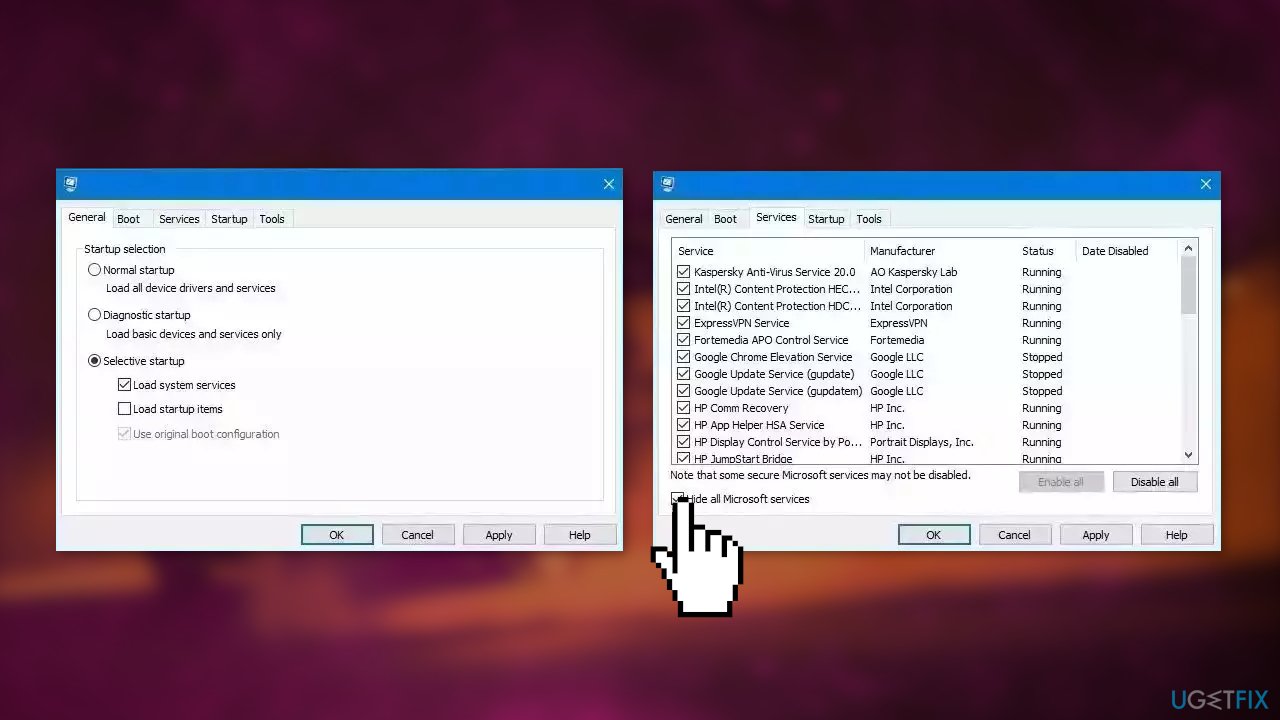
- Repeat this step to disable all third-party apps and programs
- Restart your PC to enter the clean boot state and see if the issue persists
- If the issue disappeared in the clean boot state, then you can be certain that a third-party app is causing it
- Go through all recently installed apps or programs and remove them one by one
Bottom line
To fix error 0xe06d7363 in Forza Horizon 5, check your system compatibility, install the necessary C++ Redistributable Packages, verify the integrity of game files, and try a clean boot. If these steps do not resolve the issue, consider using a maintenance tool to address potential system errors.
Frequently asked questions
The 0xe06d7363 error in Forza Horizon 5 is typically caused by corrupted game files, outdated drivers, or compatibility issues with Windows 10 or 11.
To verify the integrity of Forza Horizon 5 files, open the Xbox app, go to your library, right-click the game, select 'Manage', and then choose 'Verify Files'.
Yes, updating your graphics drivers can resolve the 0xe06d7363 error in Forza Horizon 5, especially if you're running Windows 11 or Windows 10 with outdated drivers.




Report an issue
What's wrong with this guide? We review every report and update or remove content.
Report received — thank you. We'll review and fix it.
You need a free account to submit a report.
Be the first to comment