How to fix
Error code 0x8024a206
on Windows
Resolve the 0x8024a206 error on Windows 10 quickly and easily. Get expert-tested solutions that ensure your system runs smoothly. Fixed in minutes!

What causes How to fix error code 0x8024a206 on Windows 10?
- Corrupted Windows Update download
- Damaged system files
- Interference from third-party software
- Issues with the KB4056254 update
Repairs Windows system files, removes malware, and restores a clean OS state — without reinstalling.
Hi, I have recently got Update KB4056254 for my Windows operating system. Although, when I was trying to update Windows 10, I have received download error code 0x8024a206 and the computer restarts every time. Is there a way how to fix error code 0x8024a206 on Windows 10? I would really appreciate your help!
Code 0x8024a206 indicates a Windows 10[ref en-1] error which might appear once users try to run Update KB4056254. Usually, the update procedure starts but then might stop in the middle and display the former error code to inform the users about the problem.
IT professionals tried to analyze the issue and discover the cause of Windows Update 0x8024a206 error. Unfortunately, it is hard to list one culprit of the issue. Likewise, you might encounter 0x8024a206 error code due to the following reasons:
- Corrupted Windows Update download;
- Damaged system files;
- Interference from third-party software.
According to the users, once they try to update Windows 10, they receive the following message:
There were some problems installing updates, but we'll try again later. If you keep seeing this and want to search the web or contact support for information, this may help - (0x8024a206).
Additionally, some people tried rerunning KB4056254 Update and noticed that the notification slightly differed — Windows update displayed error code 0x80080008 after re-running the update. Note, that both errors are related to the Windows 10 Update and will prevent you from updating your operating system[ref en-2].
Luckily, our IT specialists have come up with some tips and tricks to help you fix error code 0x8024a206 on Windows 10. For that, you should check the instructions below and attentively read the presented methods. Be aware that the first technique might not get rid of 0x8024a206 error immediately. Thus, you are advised to try all methods.
Ways to fix KB4056254 download error 0x8024a206 on Windows 10
Finally, we would like you to recommend an automatic way to fix Windows update 0x8024a206 error on your computer. You merely need to download and install [d1] and let it eliminate Windows errors. This system optimization tool is a great way to keep your computer's performance at best.
Method 1. Use a Batch file to re-register DLLs
- Click Windows key + R and type notepad in the Run box;
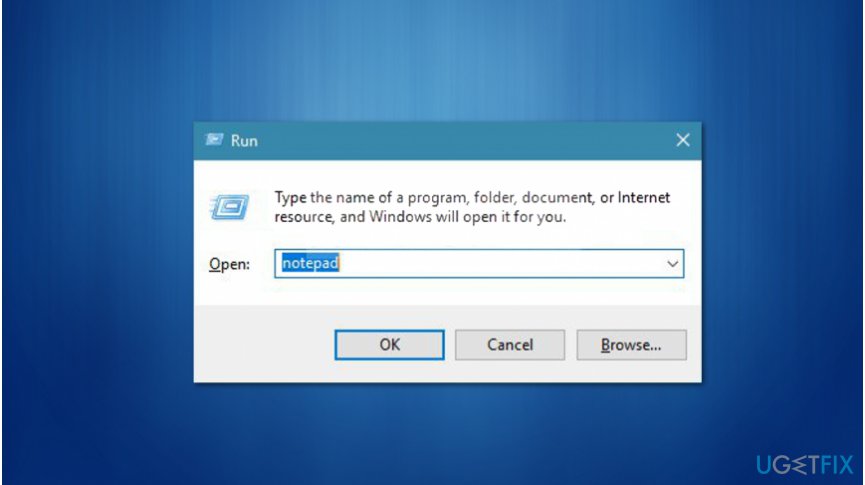
Create a batch file to fix 0x8024a206 error - Copy and paste the following into the notepad file:
REGSVR32 WUPS2.DLL /S
REGSVR32 WUPS.DLL /S
REGSVR32 WUAUENG.DLL /S
REGSVR32 WUAPI.DLL /S
REGSVR32 WUCLTUX.DLL /S
REGSVR32 WUWEBV.DLL /S
REGSVR32 JSCRIPT.DLL /S
REGSVR32 MSXML3.DLL /S - Save the file as register.bat by clicking File > Save As;
- Right-click on the file and select Run as Administrator;
- Restart the computer and try to rerun Windows Update.
Method 2. Get rid of third-party security tools
In some cases, users might encounter error code 0x8024a206 if they have third-party antivirus installed. Note that merely disabling real-time protection[ref en-3] might not help fix Windows Update 0x8024a206 error. Likewise, you should completely uninstall the malware removal software and try downloading the update again.
Method 3. Delete corrupted Windows Update files
- Open File Explorer and navigate to C:\\ Windows \\ SoftwareDistribution \\ Download;
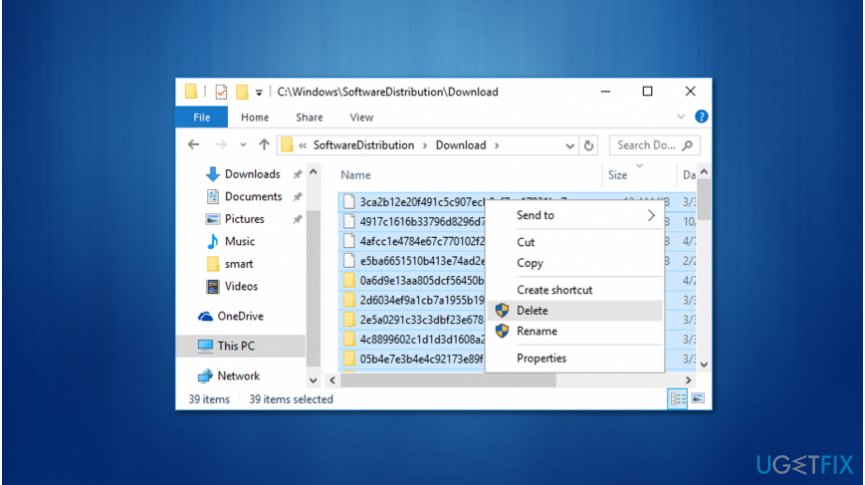
Delete damaged windows update files - Select all files and delete them;
- Press Windows key + R and type cmd;
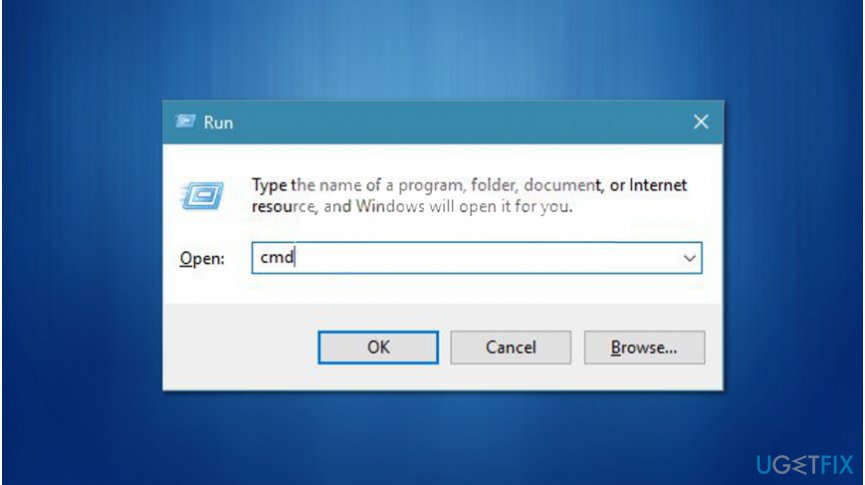
Execute command prompt commands to fix error code 0x8024a206 - Click Ctrl + Shift + Enter and hit Yes;
- Type the following command and press Enter afterward:
wuauclt.exe /updatenow - Restart your computer and try running the Windows Update again.
Bottom line
To fix error code 0x8024a206 on Windows 10, you can try using a Batch file to re-register components, among other methods. If these solutions do not resolve the issue, consider using an automatic tool to eliminate Windows errors.
Frequently asked questions
Error code 0x8024a206 typically indicates issues with Windows Update, often related to corrupted update files or problems with the update service.
To fix this error, you can run the Windows Update Troubleshooter and reset the Windows Update components through Command Prompt.
To prevent this error, ensure that your Windows 10 is up to date and regularly perform system maintenance, including disk cleanup and checking for corrupt system files.




Report an issue
What's wrong with this guide? We review every report and update or remove content.
Report received — thank you. We'll review and fix it.
You need a free account to submit a report.
Be the first to comment