How to fix
Error Code 0xc0000e9
on Windows
Resolve the 0xc0000e9 error on Windows 10 and 11 quickly! Follow our expert-tested solutions for a smooth system recovery. Fixed in minutes!

What causes How to Fix Error Code 0xc0000e9 on Windows?
- Outdated system drivers
- Damaged hard drive
- Incorrectly installed Windows updates
- Corrupted files disrupting registry entries
Repairs Windows system files, removes malware, and restores a clean OS state — without reinstalling.
Hello, I need help ASAP! I cannot access my computer because I see a blue screen of death. Can I fix Windows 0xc0000e9 error manually or I need to purchase the antivirus system which is offered on the screen?
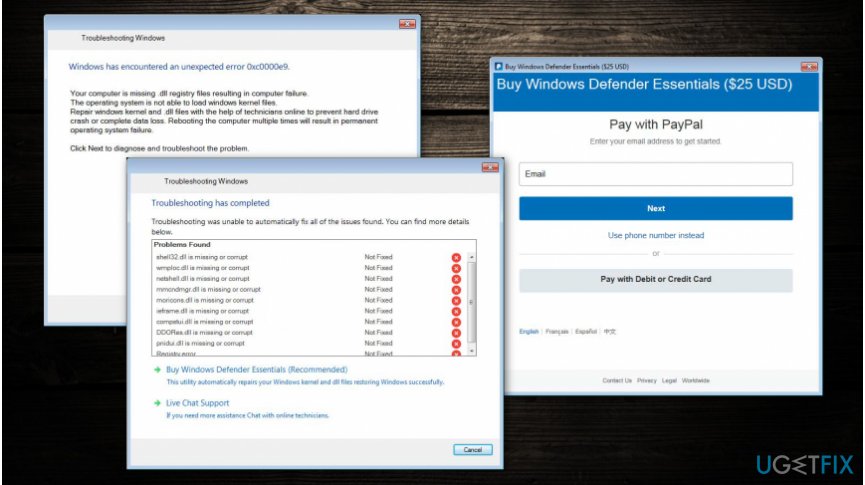
Error code 0xc0000e9 on Windows is merely an attempt to display a fake blue screen of death (BSOD) to swindle money from inexperienced computer users[ref en-1]. "Windows Troubleshooting" is a new scam which has recently emerged on the cyberspace and appears to lock the screen and deliver fake alerts.
Once the imitation of BSOD shows up, the victims are provided with a fake message saying that Windows has encountered an unexpected error 0xc0000e9. Criminals claim that infected computer systems are missing .dll registry files[ref en-2]. As a result, they offer to contact online tech support to prevent the crash of hard drive or data loss and buy Windows defender essentials.
We do not recommend calling or contacting the so-called Live Chat Support since scammers might try to trick you to give in personal information which can be later used for phishing purposes. If you do so, you can receive numerous spam emails, or texts used to deceive gullible people[ref en-3].
Error 0xc0000e9 connects to the Hitechnovation.com and downloads the following files, to maintain the fake BSOD:
- Scshtrv.exe;
- BSOD.exe;
- Adwizz.exe;
- Troubleshoot.exe;
- Csrvc.exe.
Note that error code 0xc0000e9 is an imposter of a legitimate 0xc00000e9 issue on Windows. This startup problem is related to corrupted files which disrupt registry entries or hard disk and occurs when you are starting your computer. One of the main reasons why you might face this error is outdated system drivers, damaged hard drive, or incorrectly installed Windows updates.
You should not confuse these two problems since the legitimate error indicates a real issue which you have to take care of carefully, while the fake Windows error tries to lure you into buying useless security software for $25 via PayPal. Remember that Windows troubleshooting message is a scam and you should not make any transactions when asked.
In case you encounter blue screen of death, check whether it displays a legitimate or fake message. To fix 0xc0000e9 error, you should execute specific commands to unlock your screen. We have prepared a step-by-step guide which will help those who are not experienced enough.
Fix Error Code 0xc0000e9 on Windows
Since error code 0xc0000e9 scam requires you to purchase an antivirus tool via PayPal, it only unlocks the screen when it confirms the transaction. Likewise, the program will try to identify whether you have visited a page with thankuhitechnovation string.
Luckily, you can circumvent the system without paying $25 and get rid of the "Windows Troubleshooting" alert for good. If you wonder how to fix error code 0xc0000e9, follow the instructions below.
Step 1. Open Dialog Box
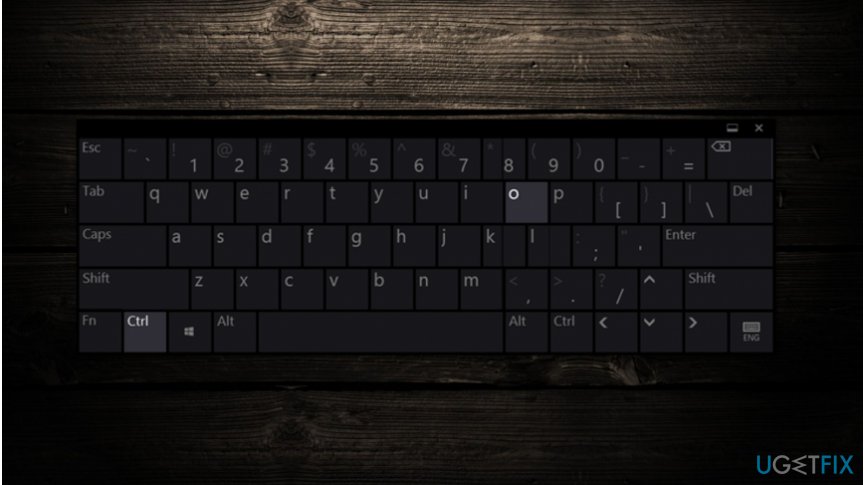
On the fake PayPal window click Ctrl + O to open a dialog box which allows you to navigate the to the file or page of your choice.
Step 2. Enter the required string of the website
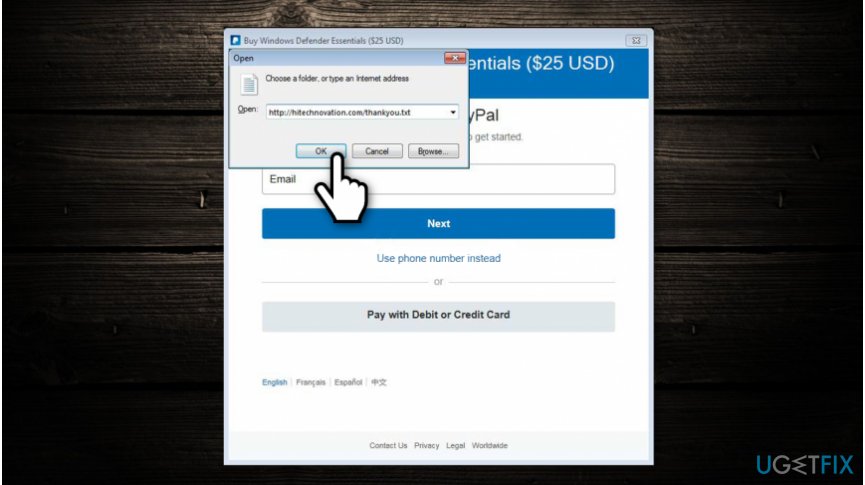
Once the Open window appears, enter http://hitechnovation.com/thankyou.txt in the address bar and click OK.
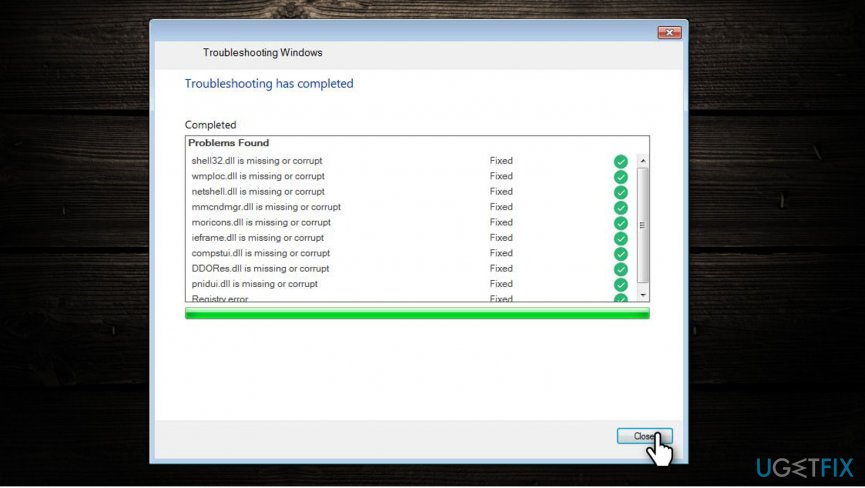
Shortly after, the program will verify the PayPal transaction and unlock your screen.
Bottom line
Error code 0xc0000e9 is a fake blue screen of death designed to scam users into purchasing unnecessary software. To resolve legitimate issues, ensure your system drivers are updated, check your hard drive for damage, and verify that Windows updates are correctly installed. If none of these fixes work, consider seeking professional assistance.
Frequently asked questions
Error code 0xc0000e9 typically indicates a hardware issue related to the hard drive or connection problems, which can affect the booting process of Windows.
To troubleshoot error code 0xc0000e9, start by checking the physical connections of your hard drive, then run a hardware diagnostic test from the Windows recovery environment.
Yes, a corrupted file system can lead to error code 0xc0000e9 on Windows 11, and running the CHKDSK utility can help resolve this issue.




Report an issue
What's wrong with this guide? We review every report and update or remove content.
Report received — thank you. We'll review and fix it.
You need a free account to submit a report.
Be the first to comment