How to fix
Error Code 43 Mac
on Windows
Resolve Error Code 43 on Windows 10 and 11 effortlessly. Follow our expert-tested guide for quick solutions and get your system back on track!

What causes How to fix Error Code 43 Mac?
- Files contain invalid characters in their names
- Permission issues preventing file deletion
- Adware infection affecting permission settings
- System malfunction without additional signs
- Issues with file paths or locations
Repairs Windows system files, removes malware, and restores a clean OS state — without reinstalling.
Hi, since yesterday I can't throw some of the files into the trach because the system shows an error code-43. I did not have such problems before, so I don't have any ideas on how to fix it. It's really annoying.
Mac OS is a sophisticated and complex operating system[ref en-1], so the problems a user encounters while using it can be equally complex. in comparison with Windows[ref en-2], any version of Mac OS is much less prone to malfunctions, errors like Error Code-43 can emerge and disrupt users' activities on the machine.
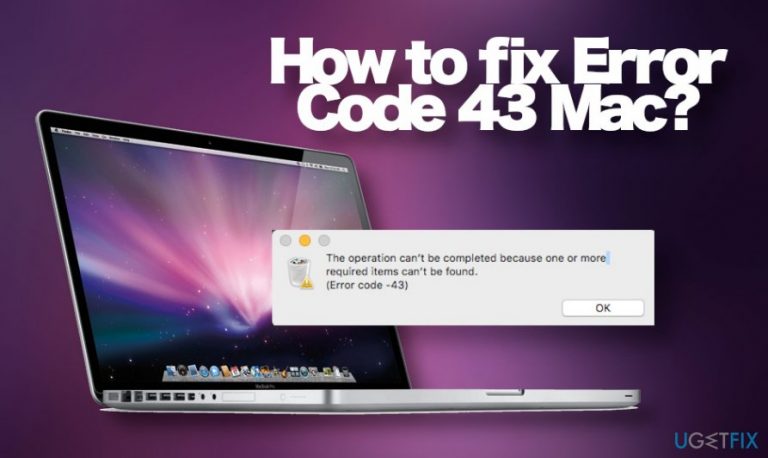
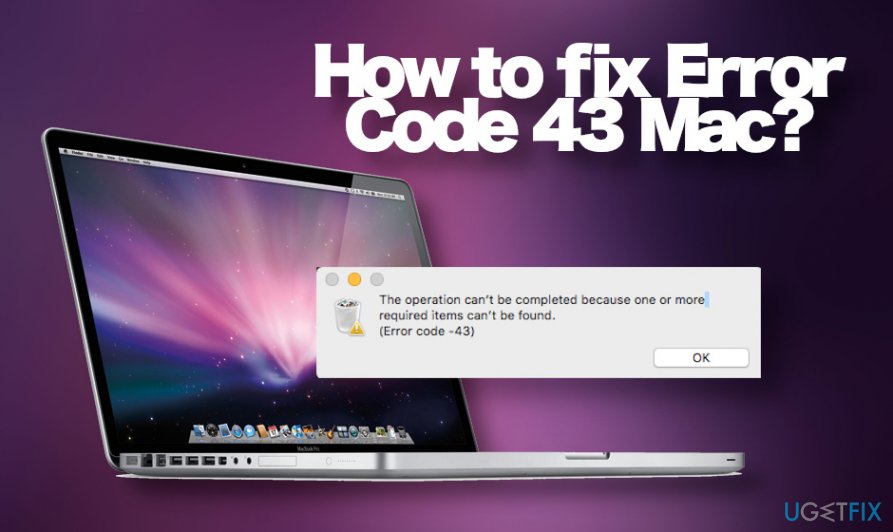
The Mac error code 43 is a problem that exceptionally happens when people[ref en-3] are trying to drag and drop some files to the Trash or make a copy of a file. According to the reports, the files can be deleted from the terminal successfully, though an attempt to remove something through finder ends up with the following error pop-up:
The operation can’t be completed because one or more required items can’t be found.
(Error code -43)
Usually, aside from the error code -43 mac system does not exhibit additional signs of malfunctioning. In this case, the culprit of the problem may be related to the files themselves. Mac OS may fail to read some characters that do not conform to the naming protocol, including ? [ ] / \\ = + < > ; : “ , | *. If the file you opt for deleting contains any of these characters, simply rename it and retry the removal.
Nevertheless, people report error code 43 mac can't delete files issue along with other Mac malfunctioning. For example, the system displays "Permission Denied" error or pop-ups like "xxx wants to show notifications" show up withing web browsers. In this case, we would strongly recommend checking Mac OS with a reliable anti-malware tool. Quite often suchlike problems are triggered by adware infection, which exhibits rather aggressive capabilities and manages to change permission settings.
If it's not a case of a virus, finding out what's wrong with the Mac OS may involve debugging tools, intricate knowledge of memory structure, applications, and source coding. However, not all measures are recommended to be taken by a regular Mac OS user alone. Nevertheless, there is a couple of conventional methods that can help you to fix Mac error code 43 quite easily.
Remove irrelevant characters of the saved files
One of the easiest mac error code 43 fixes is the renaming of files. If you cannot delete a particular file or document through Finder, terminal or elsewhere, double-check if the file name does not contain the following characters:
? [ ] / \\ = + < > ; : “ , | *
In case one of these characters is included in the name of the file that can't be deleted, fix Error Code 43 by deleting from the name.
Run First Aid utility
In case you have recently changed some Mac OS configurations, it might be that you have initiated something in the wrong way. One of the ways to fix error code 43 on Mac OS is to the inbuilt First Aid Utility.
- Open the Applications folder and navigate to Utilities.
- Double-click on the Disk Utility icon.
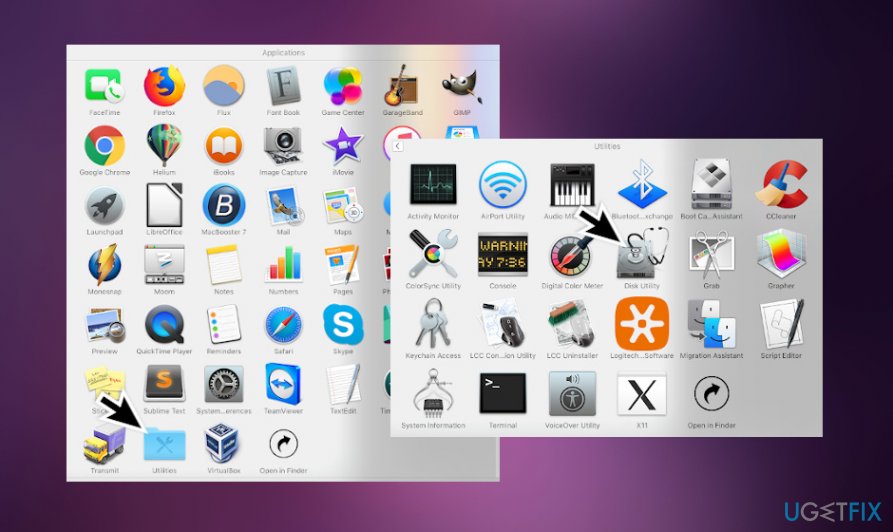
Open utilities - Find the startup disk on the left side of the window and click on it.
- Navigate to the First Aid tab and click on the Repair Disk Permissions.
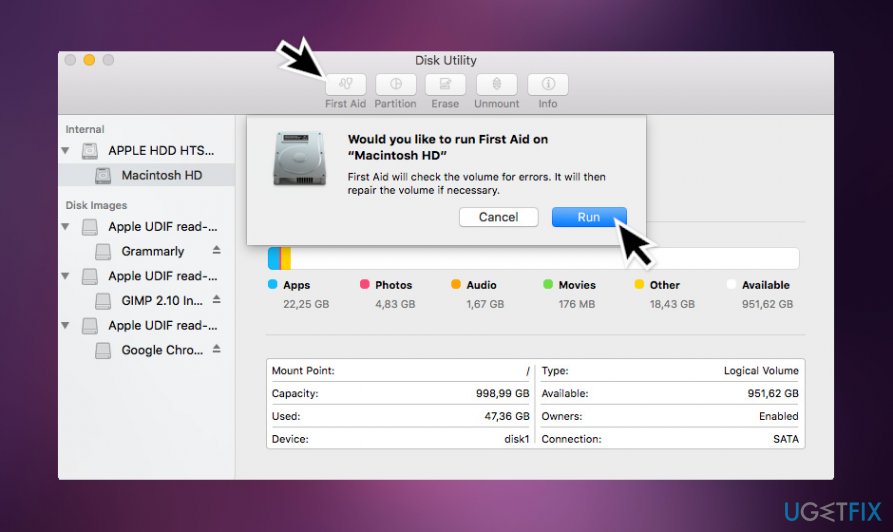
Run first aid
This function may help to solve the problems with files and folder with incorrect settings, so give it a try.
Force quit the Finder
In most of the cases, the error code - 43 shows up for Mac users when they try to delete files through Finder. Therefore, it's very likely that the problem is not the file, but rather the problem with the Finder. Many people reported that the problem has successfully been solved by simply using a Force Quit function to close it.
If an app on your Mac stops responding and you can't quit the app normally, use Force Quit to close the app. For this purpose, perform the following steps:
- Press Options, Command, and Esc keys simultaneously.
- Alternatively, you can click Apple icon at the top-left corner of the screen
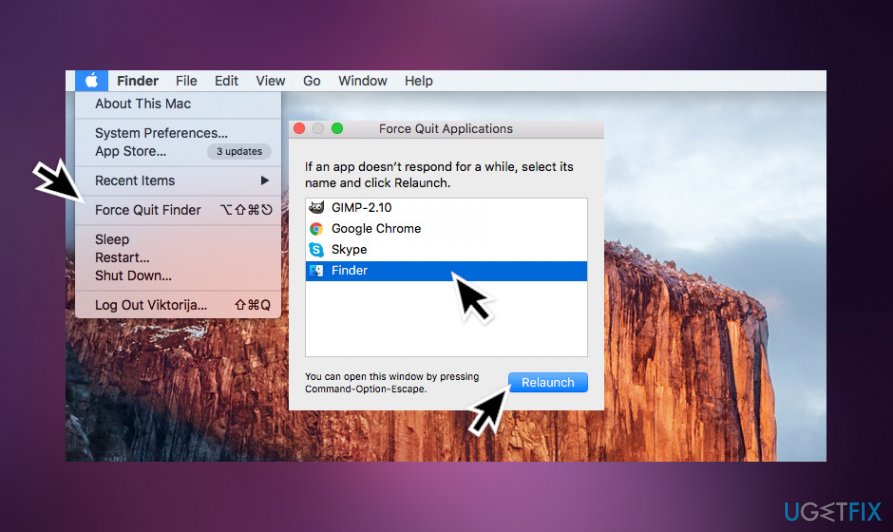
Force quit finder - Select Finder and click the Relaunch button.
Delete files in Safe Mode
In the above methods did not solve Error Code 43 on Mac problem, then try to bypass it at least temporarily. If you need to get rid of a specific file urgently, you can try to boot into Safe Mode.
Please note that this method does not solve the problem permanently. The error code -43 mac may reappear, but you may be allowed to get rid of an unwanted file. If you don't know how to restart into Safe Mode, please follow these steps:
- Turn on or restart your Mac if you've been currently working on it.
Note: Before restarting, save the documents that you've been working on to prevent loss. - During the startup process, press and hold the Shift key.
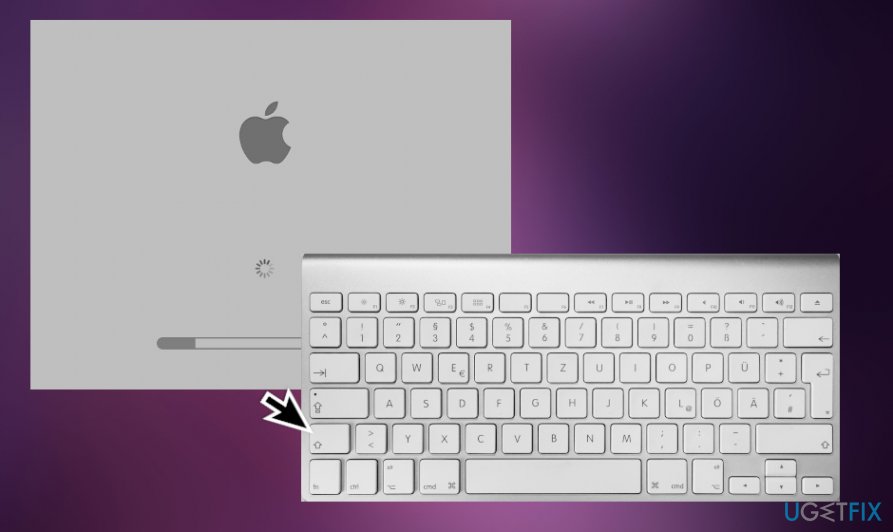
Restart into safe boot - Release the key when you see the login screen.
- Find the Safe Boot option at the upper-right corner.
- Log in to your Mac.
Reset PRAM and NVRAM
If you can't copy or remove files on Mac because of error code 43 popup shows up on the screen and none of the above methods help to solve the issue, resetting PRAM and NVRAM may help. The process is simple:
- Restart your Mac.
- Before the system starts up, press and hold the Command, Option, P, and R keys on your keyboard.
- You should hear the Mac boot sound three times.
- After the third sound, release the keys.
If none of these options helped to fix Error code -43 on your Mac, then we recommend scanning your PC with a repair tool, such as [d1]. If it found zero inconsistencies, then contact us for help and we'll try to solve your problem individually.
Bottom line
To fix Error Code 43, try renaming files that contain invalid characters, check for permission issues, and scan your Mac with a reliable anti-malware tool. If these solutions do not work, consider using debugging tools or seeking professional help.
Frequently asked questions
Try disconnecting the USB device and reconnecting it to a different port, or check the device on another computer to determine if the issue lies with the device itself.
Yes, Error Code 43 can appear in Windows 11 due to driver issues, so ensure that all your device drivers are up to date through Device Manager.
You can resolve this by uninstalling the graphics driver from Device Manager, then restarting your computer to allow Windows 10 to reinstall the driver automatically.




Report an issue
What's wrong with this guide? We review every report and update or remove content.
Report received — thank you. We'll review and fix it.
You need a free account to submit a report.
Be the first to comment