How to fix
Error Code HT201165
on Windows
Discover effective solutions for error code HT201165 on Windows 10/11, ensuring a smooth and seamless experience. Expert-tested for quick resolution!

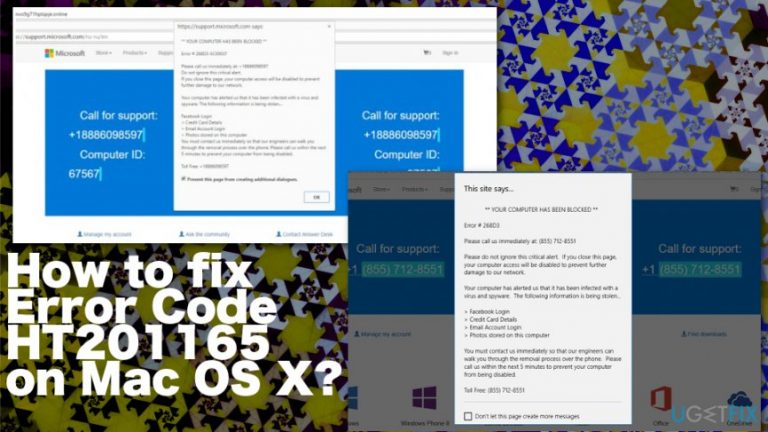
What causes How to fix Error Code HT201165 on Mac OS X?
- Triggered by an ad-supported web browser extension
- Free downloads often carry attachments
- Attachments may include potentially unwanted programs (PUPs)
- Scammers exploit the pop-up to trick users
- The provided support number is not legitimate
- Error code HT201165 is not found in reputable databases
Repairs Windows system files, removes malware, and restores a clean OS state — without reinstalling.
Please help! A couple of days ago I’ve received a pop-up from alert.apple-error.com. It says that someone has been trying to hack my PC and that I should take immediate actions to prevent hackers from stealing my personal data. There is an Apple Support number given (+1-844-652-9242) and an Error Code HT201165 indicated. What should I do? Is this number reliable? Can‘t find anything online.
A pop-up System Security at Risk and indicating an Error Code HT201165 is a scam![ref en-1] It‘s first wave has been recorded at the beggining of December, 2016, so there is not much information about it yet. Nevertheless, it appears that it targets Mac OS X users in the priority, but it is suspected that Windows OS can also be affected by Error Code HT201165 virus.
It is assumed that this Error Code HT201165 pop-up is triggered by an ad-supported web browser extension. Free download often carry attachments (add-ons, plug-ins, toolbars, etc.), what helps their developers to monetize free products. Unfortunately, but these attachments are seldom checked in a proper way, which is why half of them appear to be potentially unwanted programs (PUPs) that are used for the distribution of ads or, in this case, tech support scam.
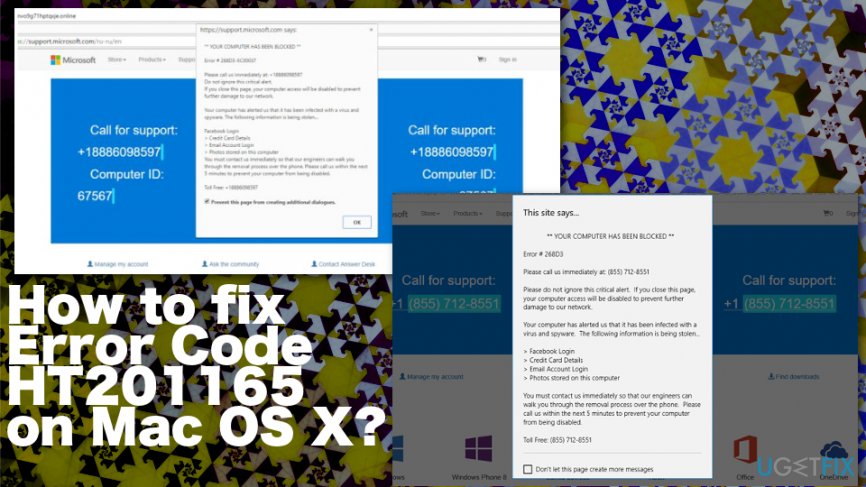
Recent research has revealed that the number provided on this pop-up is located in Kansas, which is not the location of Apple. Besides, error code HT201165 cannot be find in both Windows/Mac OS error and reputable antivirus databases. In a nutshell, all information collected about Error Code HT201165 pop-up and +1-844-652-9242 number prove the fact that this pop-up is a scam,[ref en-2] which should not be responded.
The full message looks like this:
YOUR COMPUTER HAS BEEN BLOCKED
Error Code HT201165
Please call us immediately at: +1-844-652-9242
Do not ignore this critical alert.
If you close this page, your computer access will be disabled to prevent further damage to our network.
Your computer has alerted us that it has been infected with a virus and spyware. The following information is being stolen…Facebook Login Credit Card Details Email Account Login Photos stored on this computer
You must contact us immediately so that our engineers can walk you through the removal process over the phone. Please call us within the next 5 minutes to prevent your computer from being disabled.
Toll Free:+1-844-652-9242.
This way, online frauds are trying to gain control over people‘s Macs and other devices and then, within a couple of days or less, start initiating purchases using victim‘s credit card details. Therefore, be very careful and DO NOT call for this number or, even more, DO NOT provide any personal information for the people in the other side of the handset. If you have started receiving Error Code HT201165 pop-ups on Mac OS while browsing (with Safari usually), force web browser to close and clean your PC from malware.
How to Fix Error Code HT201165 on Mac OS X?
As we have mentioned, Error Code HT201165 tech support scam[ref en-3] pop-up tends to show up on devices that run Mac OS X. In case you have recently received this fake alert, you have to decide whether you want to deal with it automatically or manually. If you prefer automatic Error Code HT201165 fix, our recommendation would be to run a full system scan with [d1]. If you can't perform a manual system scan, don't worry because there is a way to work around Error Code HT201165 alert manually.
Error Code HT201165 fic for Mac users
- Click Go to Applications.
- Find all questionable programs, right-click on them and move them to Trash.
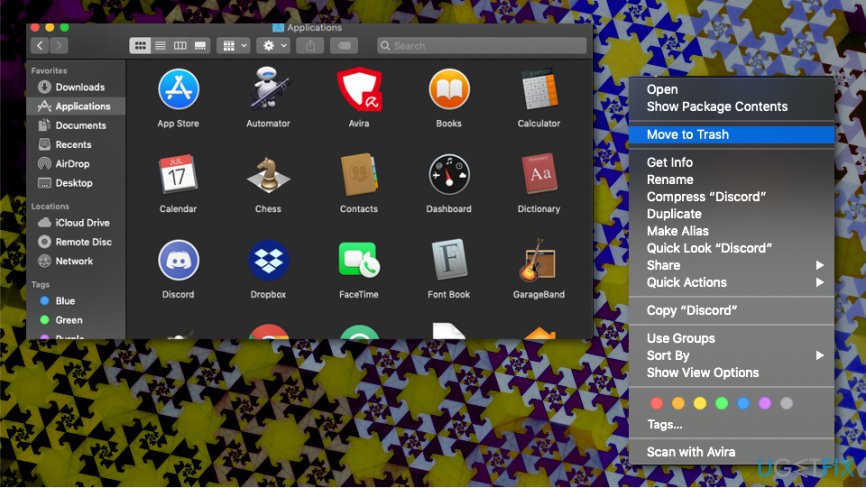
How to fix error code ht201165 on mac os x applications
Once done, reset Safari's settings. For this purpose, do the following:
- Launch Safari, and then find and click Safari in the menu bar at the top of the screen. Then go to Preferences.
- Go to Extensions tab and look for suspicious entries. Uninstall each of them.
- Then go to General tab and check what URL is entered into Homepage box. If you see a suspicious link, remove it and replace it with a website that you want to set as a homepage. Remember that you must type in http:// before entering a preferred URL.
- Reset Safari. Click Safari, and click on Reset Safari… option.
- When Reset Safari pop-up appears, check all checkboxes and click Reset.
In case you are using another web browser and it's also affected by Error Code HT201165, make sure that you reset its settings as well.
Fox for Windows users
First of all, you should terminate all suspicious processes via Task Manager. Unfortunately, but tech support scam pop-ups typically block Task Manager, which is why you may be able to close neither the window, which displays the pop-up, nor your web browser. In this case, you should:
- Enter "C:/windows/explorer.exe" into the URL address bar (file///C:/windows/explorer.exe on Mozilla Firefox) and hit Enter.
- When the download is complete, open the downloaded file to open Computer catalog.
- Navigate to C: disk -> Windows -> Explorer.exe.
- Look for the Command Prompt, type tasklist in it, and press Enter.
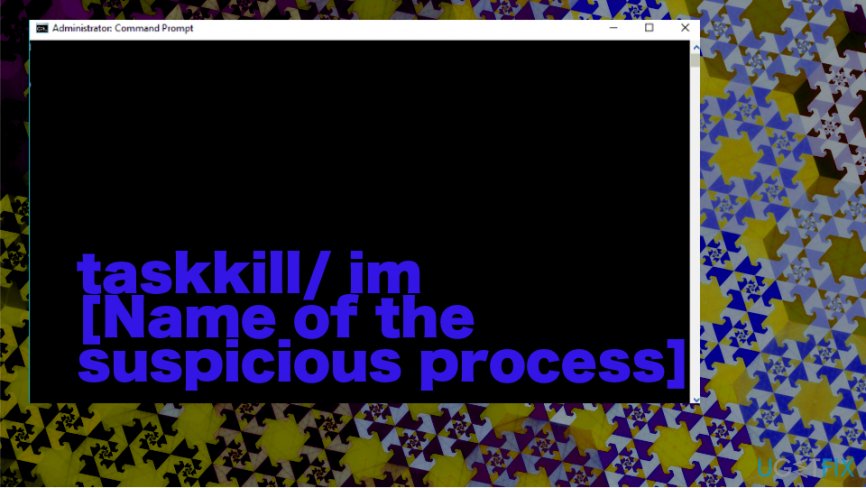
How to fix error code ht201165 on mac os x command prompt - In the list of processes, find the suspicious ones. Copy their names and type the following command in the command line to close them: taskkill/ im [Name of the suspicious process].
These steps should disable the malicious pop-up, so now you should delete all suspicious programs from Control Panel, remove related files from the registries, and, finally, then reset your web browser's settings. For the best results, reset all web browsers that are installed on your PC.
Bottom line
The Error Code HT201165 pop-up is a scam targeting users, primarily on Mac OS X but potentially affecting Windows as well. To resolve this issue, users should remove any suspicious browser extensions and avoid contacting the provided support number. If these fixes do not work, consider running a full antivirus scan to detect and remove any unwanted software.
Frequently asked questions
Error Code HT201165 is specific to Mac OS X, so you won't encounter it directly on Windows 10 or Windows 11.
If you experience installation errors on Windows, try running the Windows Troubleshooter or checking for system updates.
Yes, Windows users might encounter error codes like 0x80070005 or 0x80004005 during installation or update processes.




Report an issue
What's wrong with this guide? We review every report and update or remove content.
Report received — thank you. We'll review and fix it.
You need a free account to submit a report.
Be the first to comment