How to fix
Error code:WBOL157
on Windows
Resolve the WBOL157 error on Windows 10 or 11 quickly and efficiently. Expert-tested solutions ensure your system runs smoothly again, fixed in minutes.

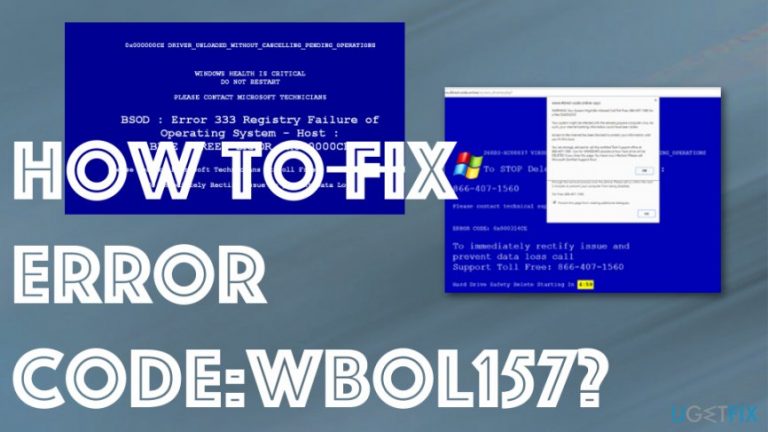
What causes How to Fix Error code:WBOL157?
- Technical support scam
- Presence of PUP (Potentially Unwanted Programs)
- Installation of adware or browser hijackers
- Fake error messages designed to scare users
- Pressure to install remote access software
Repairs Windows system files, removes malware, and restores a clean OS state — without reinstalling.
Hello, I need your help. Error code:WBOL157 pop-ups have been bothering me for quite some time now. They say I have to call this number +448006891673 to have my PC fixed. I'm not that gullible though. I know it's a scam. I just want to stop seeing these ads on my PC...
Error code: WBOL 157 is a technical support scam delivered by PUP developers that focus on getting valuable information from victims and even tricking them into installing some shady software.[ref en-1] These fake warnings and alerts often focus on showing some kind of error code to fake the legitimate issue and scare people into calling the provided support number.
Error code:WBOL157 is not the only online scam that will try to convince the potential victims that their computers have been infected with a vicious virus and that they must call Microsoft technicians by a number +448006891673 in order to fix this issue.[ref en-2] The message goes on to explain that the user’s computer has supposedly been infected with an infamous banking Trojan called Zeus and is not at risk of being compromised.
The scammers threaten that the virus will steal passwords, web browsing history, credit card information and even affect the files saved on the computer’s hard drive. If the victim gets hooked up on Error code:WBOL157 scam and calls the indicated number, the evil extortionists will switch to the helpful Microsoft technician mode and urge to allow them to access the computer remotely.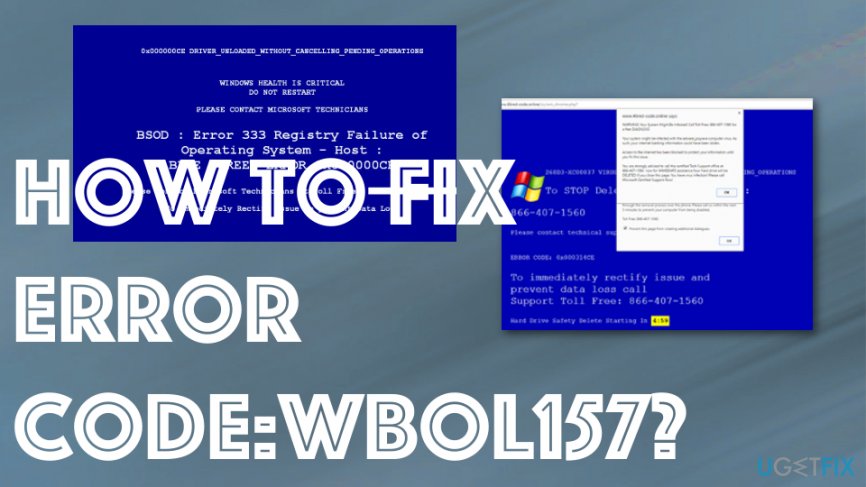
Error code:WBOL157 is a typical example of a Tech Support Scam. Such infections are typically carried around by lightweight and innocent-looking programs such as adware or browser hijackers which gain access to the computers with the help of software bundling strategy. In other words, these programs arrive in software packages together with other freeware or shareware applications and users install them on their computers unknowingly.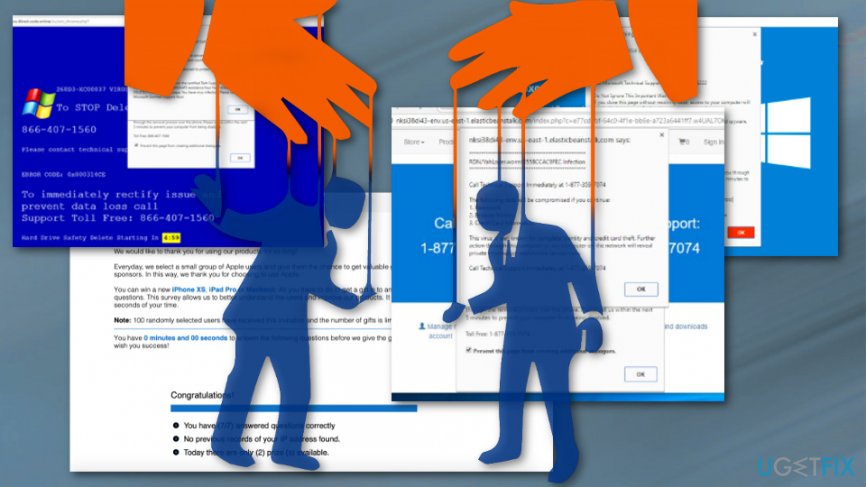
How to fix Error code:WBOL157
This means that removing these potentially unwanted programs from the computer should stop the Error code:WBOL157 pop-ups from showing up on your browser as well. If you choose to remove the virus automatically, you can launch the scanner while your computer is booted in Safe Mode to get all the traces of the PUP. You should consider calling the technical support number or contacting those scammers in any other way. Instead, you must cut the remote connection and hang up on the criminals immediately if you already initiated the call, and scan your PC with [rev id=”Reimage”] security utility to eliminate any junk that may have been installed on it without your permission.
Enable Safe Mode on Windows 10 and 8:
- Open the Windows start menu and move your cursor over the Power button
- While hovering, press-hold the Shift key and select Restart from the additional boot options list
- When PC restarts, choose Troubleshoot → Advanced Options → Startup Settings
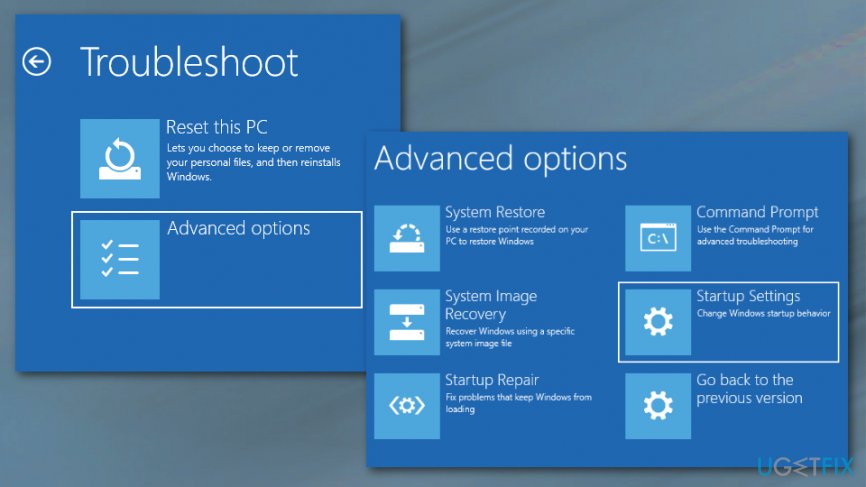
How to fix error code wbol157 troubleshoot - Click Restart
- You will then see a new table with the list of boot settings. Press F5 to enable Safe Mode with Networking mode
Enable Safe Mode in earlier Windows versions:
- Shut down your PC or restart it
- While the PC is booting, hold the Shift button and keep pressing the F8 key on your keyboard
- You will then see an Advanced Boot Options window, where you will have to navigate to the Safe Mode with Networking using the arrow keys and hit Enter.
If you do not have the chance to use automatic software to scan your PC for potentially unwanted programs, you will have to do it manually. We explain this process in detail below:
- Click the Windows Start menu and select Control Panel
- From the Control Panel options choose Programs and Features (for earlier Windows versions Add/Remove Programs)
- Uninstall all suspicious programs (toolbars, add-ons, etc.) from this list
- Reset all your web browsers to default settings.
Remove Error code:WBOL157 virus traces from Google Chrome
- Open the browser and click on the menu icon.
- Select More Tools and then Extensions.
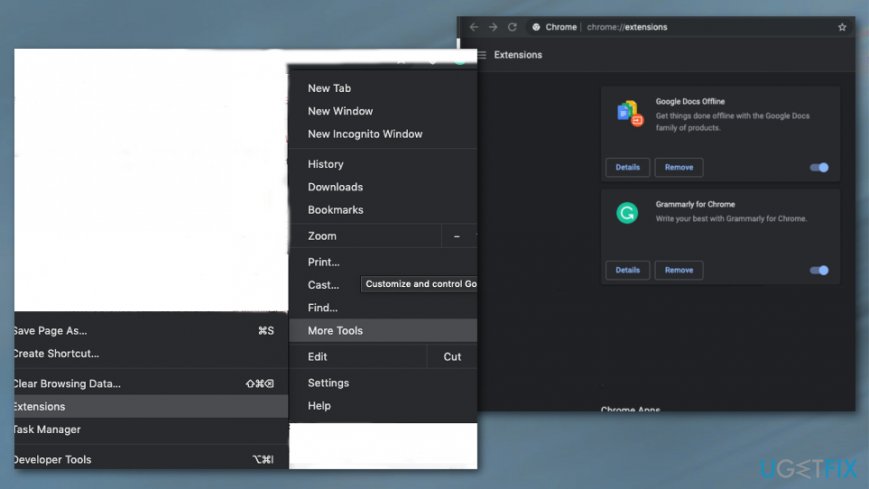
How to fix error code wbol157 - Find any suspicious installations, plugins and choose the trash icon or Remove button to delete them.
- Go to Advanced Settings and Reset browser settings.
- Press Reset to confirm.
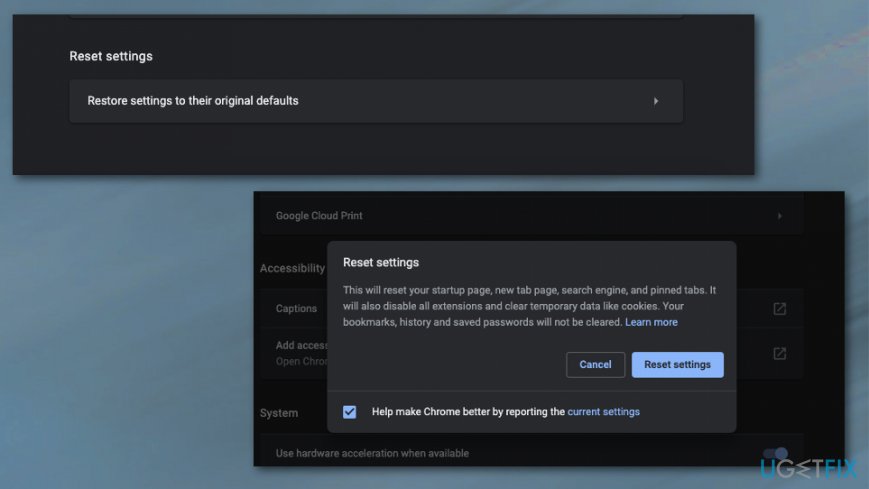
How to fix error code wbol157 reset default
Bottom line
To fix Error code: WBOL157, users should avoid calling the provided support number and refrain from installing any suggested software. It's important to remove any PUPs or adware from the system and consider using reputable antivirus software. If these steps do not resolve the issue, seeking professional technical support may be necessary.
Frequently asked questions
Error code WBOL157 typically indicates a problem with the Windows Update service or a corrupted system file. This can prevent you from downloading or installing updates properly.
To fix error code WBOL157 on Windows 10, you can try running the Windows Update Troubleshooter and resetting the Windows Update components. Additionally, performing a System File Checker (SFC) scan can help resolve underlying issues.
Yes, on Windows 11, you can resolve WBOL157 by ensuring your system is fully updated, running the troubleshooter, and checking for any pending updates that may need to be installed.




Report an issue
What's wrong with this guide? We review every report and update or remove content.
Report received — thank you. We'll review and fix it.
You need a free account to submit a report.
Be the first to comment