How to fix
ERROR_SERVICE_DOES_NOT_EXIST
on Windows
Resolve the ERROR_SERVICE_DOES_NOT_EXIST issue on Windows 10 or 11 quickly and effectively with expert-tested solutions that get you back on track.

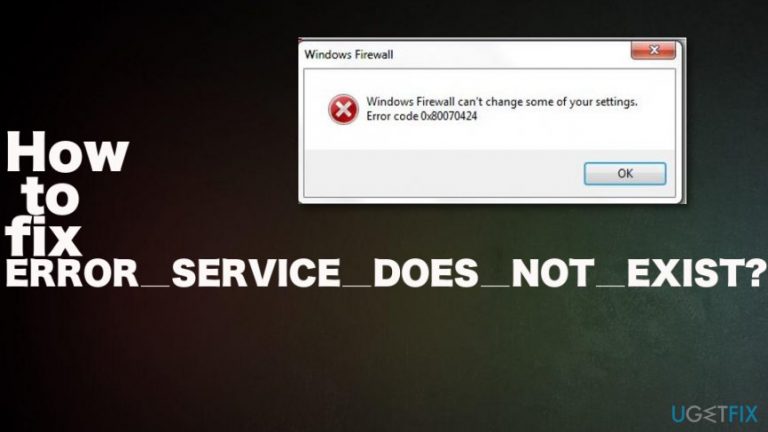
What causes How to fix ERROR_SERVICE_DOES_NOT_EXIST?
- Windows update services are not running
- Required system files are missing or not registered
- Potentially unwanted program or scam involvement
- Issues with Windows Store services
- Problems with Windows Update Standalone Installer
Repairs Windows system files, removes malware, and restores a clean OS state — without reinstalling.
Hello, I get "ERROR_SERVICE_DOES_NOT_EXIST" when trying to update Windows. Sometimes it also shows the error code 0x80070424. I am updating my Windows 10 running laptop. I have no idea how I can solve this. Is there any particular reason why this error shows up or a method to fix it?
ERROR_SERVICE_DOES_NOT_EXIST is one of many Windows system errors. All of them display the particular error codes that indicate specific problems, and due to different issues, there are many ways to solve them.
This 0x80070424 error code also is known for involving either Windows Update or Windows Store services in Windows 10 OS. These both are inter-dependable services,[ref en-1] and when one of the services receives the error, the other one can get the alert too.
Some users report to encounter the ERROR_SERVICE_DOES_NOT_EXIST error during the Windows updating process or upgrading Windows Defender, and other ones state the issue occurs to Windows Update Standalone Installer sections.[ref en-2]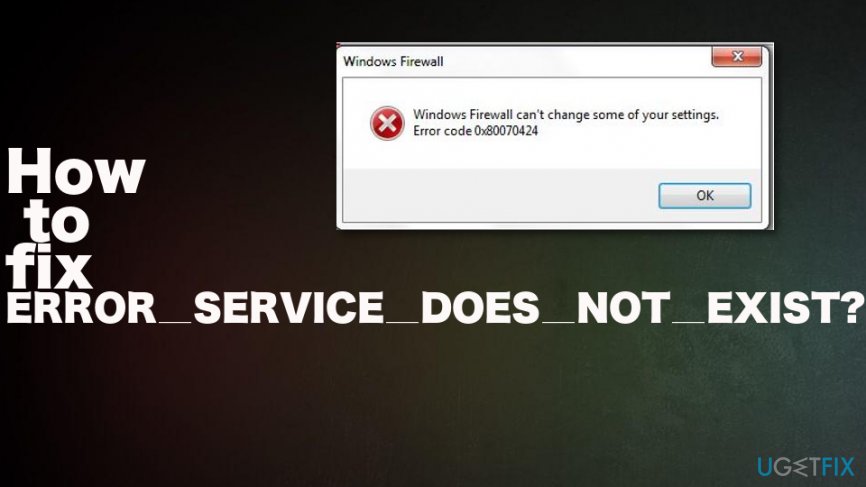
ERROR_SERVICE_DOES_NOT_EXIST 1060 (0X424) can have a few reasons:
- Windows update services. When the update requires particular services and processes to do the safe installation. When the needed services cannot run the error appears on the screen.
- Required system files. When particular system files are needed for the update, and they are not found or not registered on the system, the error pops up on the screen.
- 0x80070424 error scam. It may be related to a potentially unwanted program or a technical support scam[ref en-3] that aims to trick people into paying for some fake software or alleged technical support help.
How to fix ERROR_SERVICE_DOES_NOT_EXIST 1060 (0X424)
Since ERROR_SERVICE_DOES_NOT_EXIST appears due to issues with particular services and files there is a need to repair particular issues, so the error is no longer appearing on the screen. Different messages with the same error code may appear on the screen because Windows Store and Windows Update Installer state about particular issues. However, you can repair needed files, or patch additional issues in applications, so the problem is no longer frustrating you.
It happens when some services are disabled or missing, so you need to ensure that necessary services are available, running and repaired. Some system files or issues can be fixed with repair tools like [d1]
Troubleshoot to fix ERROR_SERVICE_DOES_NOT_EXIST
- Press Windows key + I to open Settings.
- Click Update & Security.
- Select the Troubleshoot tab and click Windows Update.
- Choose to Run Troubleshooter.
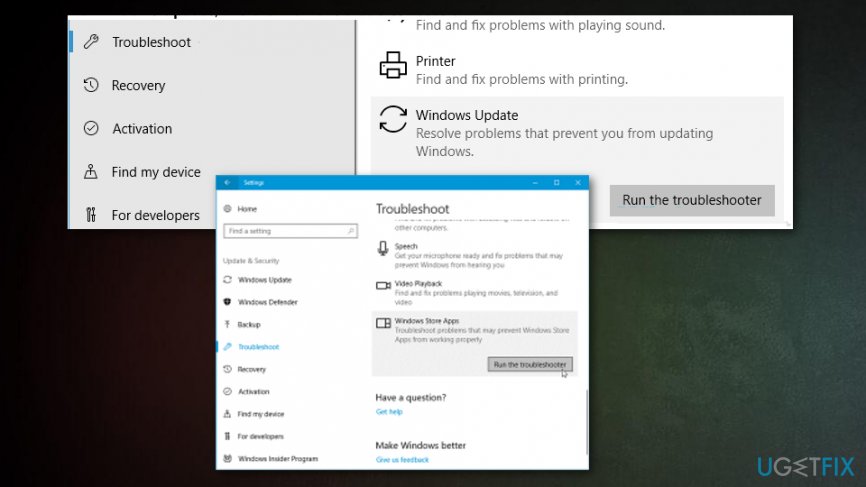
How to fix error service does not exist troubleshoot
Register system files
- Open the Run dialog window and enter the following lines one by one:
regsvr32 Qmgr.dll /s
regsv32 Qmgrprxy.dll /s - Reboot the machine and repeat the update.
Enable Windows Update Service ERROR_SERVICE_DOES_NOT_EXIST 1060 (0X424)
- Open Run window.
- Type services.msc.
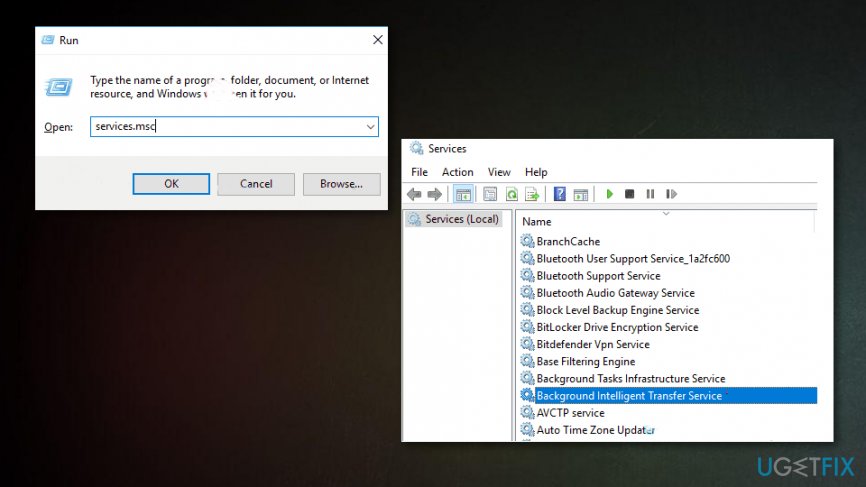
How to fix error service does not exist services - Locate particular Windows services (Workstation, Windows Update, and Background Intelligent Transfer) and double-click them one by one.
- Set the services to Automatic and running.
- Choose the Startup type to Automatic and click Apply if it is needed.
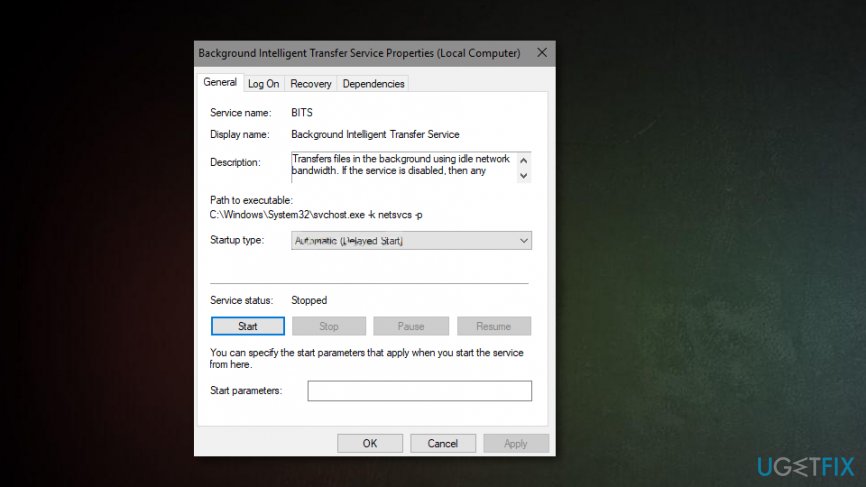
How to fix error service does not exist startup - Reboot and try again.
Fix 0x80070424 error via Windows Registry
- Press Windows key + R and open Run.
- Type regedit.
- Paste the following:
HKEY_LOCAL_MACHINE\\SOFTWARE\\Policies\\Microsoft\\Windows\\WindowsUpdate - Choose the DisableWindowsUpdateAccess DWORD on the right-hand pane.
- Double-click and set the value to 0.
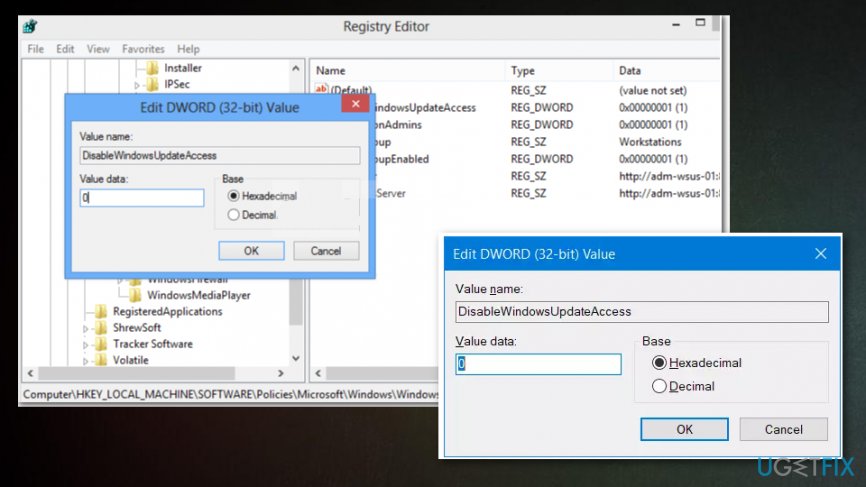
How to fix error service does not exist regedit - Enable Windows Update from the registry
- Restart and try again.
Bottom line
To fix ERROR_SERVICE_DOES_NOT_EXIST, ensure that necessary services are running and repair any missing system files. If the issue persists, check for potential scams or unwanted programs that may be affecting the system. If none of these solutions work, consider seeking further technical support.
Frequently asked questions
You can try restarting the affected service via the Services app or use the Command Prompt to check if the service is registered correctly. If the issue persists, consider running the System File Checker to repair any corrupted files.
To identify the problematic service, check the Event Viewer for error logs that may indicate which service is missing. Once identified, you can attempt to reinstall or re-register the service.
To prevent this error, ensure that your Windows 10 or Windows 11 system is regularly updated and avoid uninstalling services that are crucial for system operations.




Report an issue
What's wrong with this guide? We review every report and update or remove content.
Report received — thank you. We'll review and fix it.
You need a free account to submit a report.
Be the first to comment