How to fix
“gdi32full.dll was not found” error
on Windows
Resolve the "gdi32full.dll was not found" error in Windows 10 or 11 with expert-tested solutions. Fix it quickly and get back to work! Fixed in minutes.

What causes How to fix “gdi32full.dll was not found” error in Windows?
- Missing gdi32full.dll file
- Damaged gdi32full.dll file
- Malicious programs affecting the file
- Misplaced files related to gdi32full.dll
- Corrupted Windows Registry entries
Repairs Windows system files, removes malware, and restores a clean OS state — without reinstalling.
Hello. I get the gdi32full.dll was not found error on my laptop. The execution could not happen it says and the file is the indicated problem. I want to use the device and cannot. I am frustrated, but do not want to mess things up with manual changes myself. Can you offer any guidance?
"gdi32full.dll was not found" error in Windows is related to the dynamic library files that are part of the Windows operating system. Mainly users[ref en-1] experience the issue on Windows 10 devices. The particular GDI file is related to Microsoft's most commonly used client. People encounter the issue when such files get missing or damaged.
However, there are many problems that can occur when DLL files get affected, missing, or corrupted.[ref en-2] These pieces are important for the OS and are required by Windows for running certain programs. Some of them are shared by a few applications at the time.
DLL files share resources with functions, classes, variables, other features like images or icons. The issue with this file can appear due to misplaced files or even malicious programs [ref en-3] that affected the file or damaged the associated program, Windows Registry entries.
The message that is delivered with gdi32full.dll was not found error in Windows:
"The code execution cannot proceed because C:\\WINDOWS\\SYSTEM32\\gdi32full.dll was not found. Re-installing might fix the problem"
These shared libraries get damaged and can cause various issues with the system, so the message is a great indication that the machine requires repair procedures. It might be crucial, so you need to take this seriously and restore those files to have a normally functioning machine.
DLL files and EXE files are some of the most important ones for the Microsoft Windows machines, so some of the functions are impossible to implement when any of them are corrupted, missing, or altered. The "gdi32full.dll was not found" error needs to get fixed as soon as possible, so rely on repair tools like [d1] as the first option. This program can find altered files and help restore functions. Other options may require your attention and manual interference, so follow steps to avoid corruption or damage to other parts of the OS.
Option 1. Run the system file checker
- In the Windows Search bar type cmd.
- Right-click and select Run as administrator.
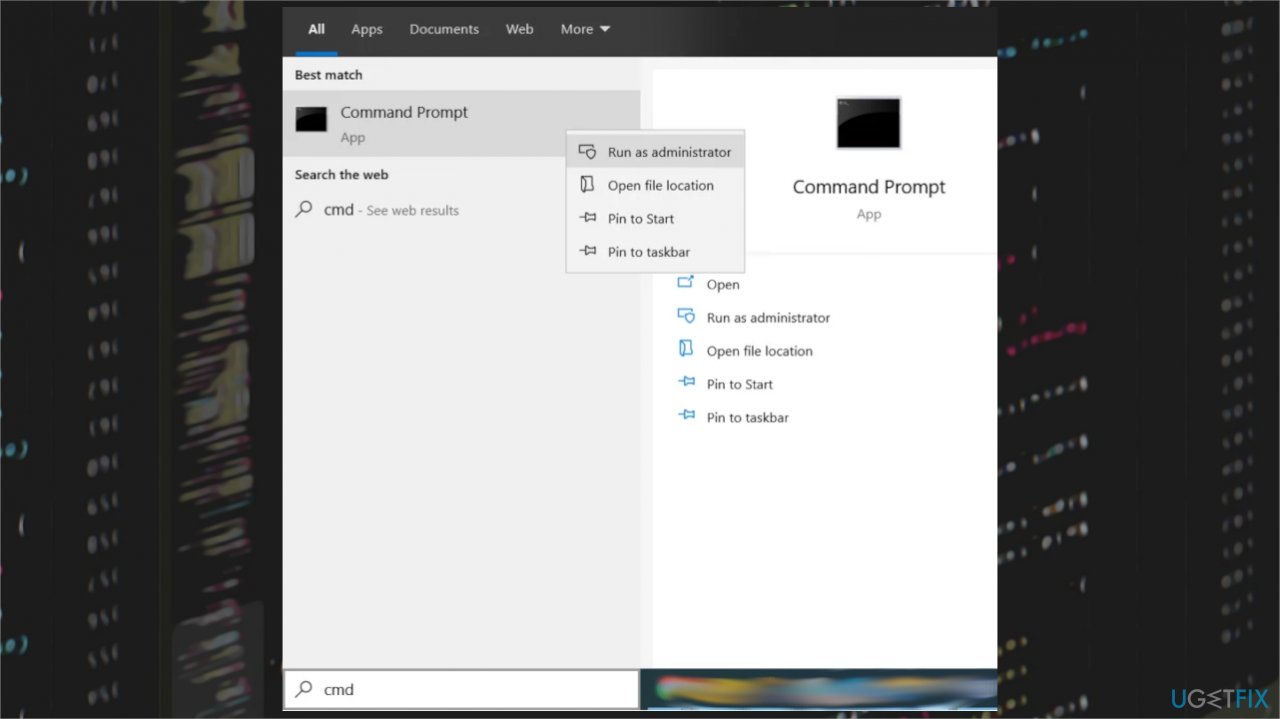
Gdi32full dll not found error cmd - In the Command Prompt Window type:
SFC /scannow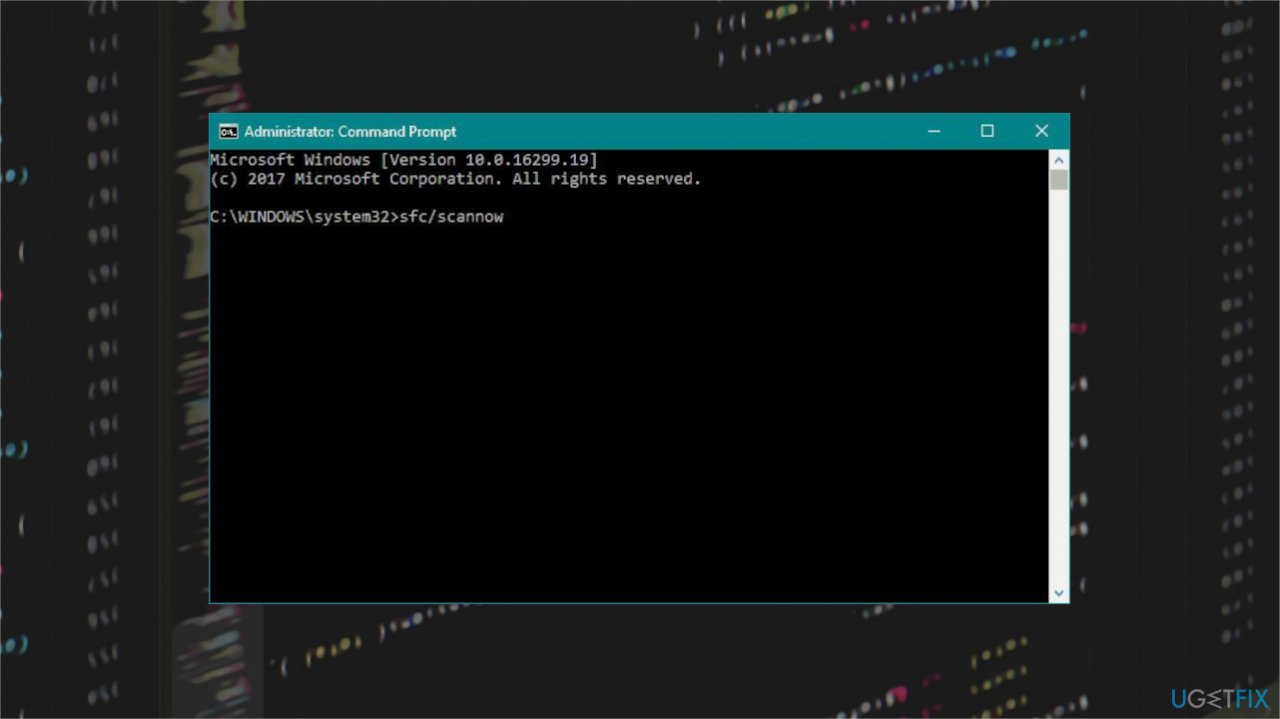
Gdi32full dll not found error sfc scan - Press enter to execute the command.
- The System File Checker will start running to check the integrity of all the system files.
Option 2. Restore the PC
- Hit the Windows Start button.
- Search for System Restore and press ENTER.
- Find and click System Restore.
- Please enter the administrator password if prompted.
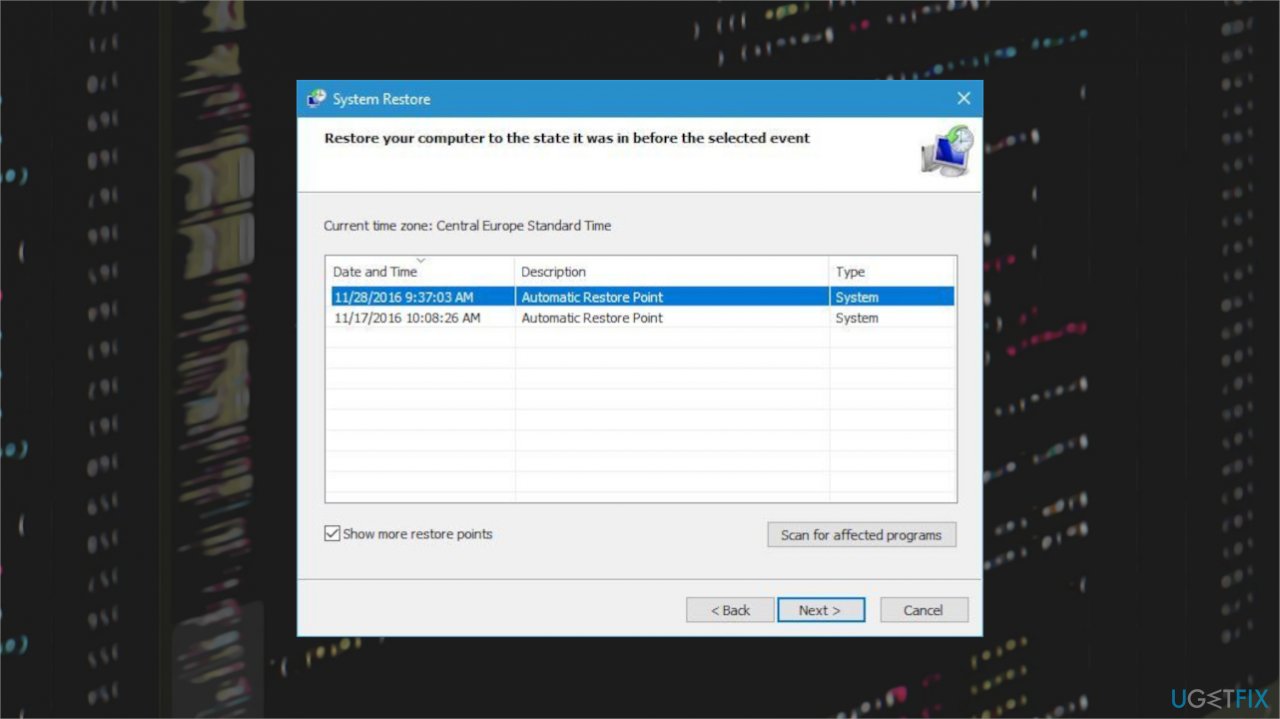
Gdi32full dll not found error restore point - Follow the steps and choose a relevant restore point.
- Restore your computer.
Option 3. Update Windows OS
- Hit the Windows + I keys.
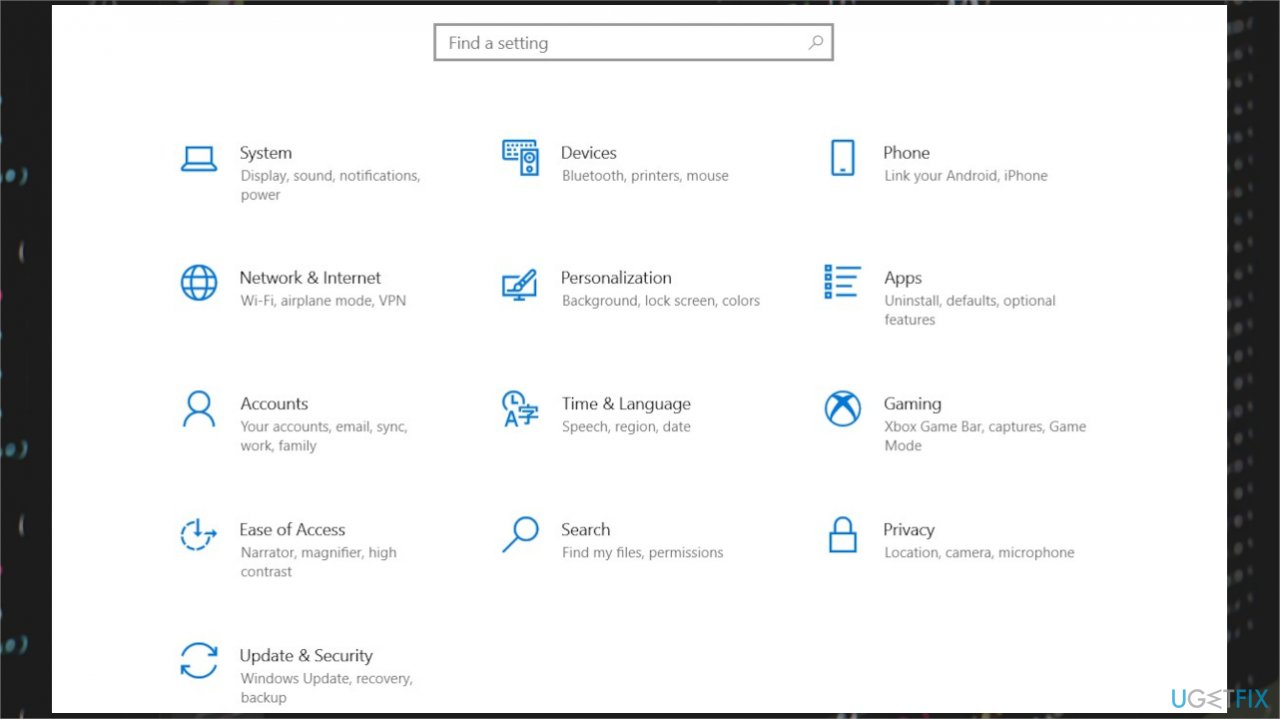
Gdi32full dll not found error settings - Got to Update & Security.
- Locate Windows Update.
- In the Windows Update dialog box, click Check for Updates.
- You can also directly search for Check for updates.
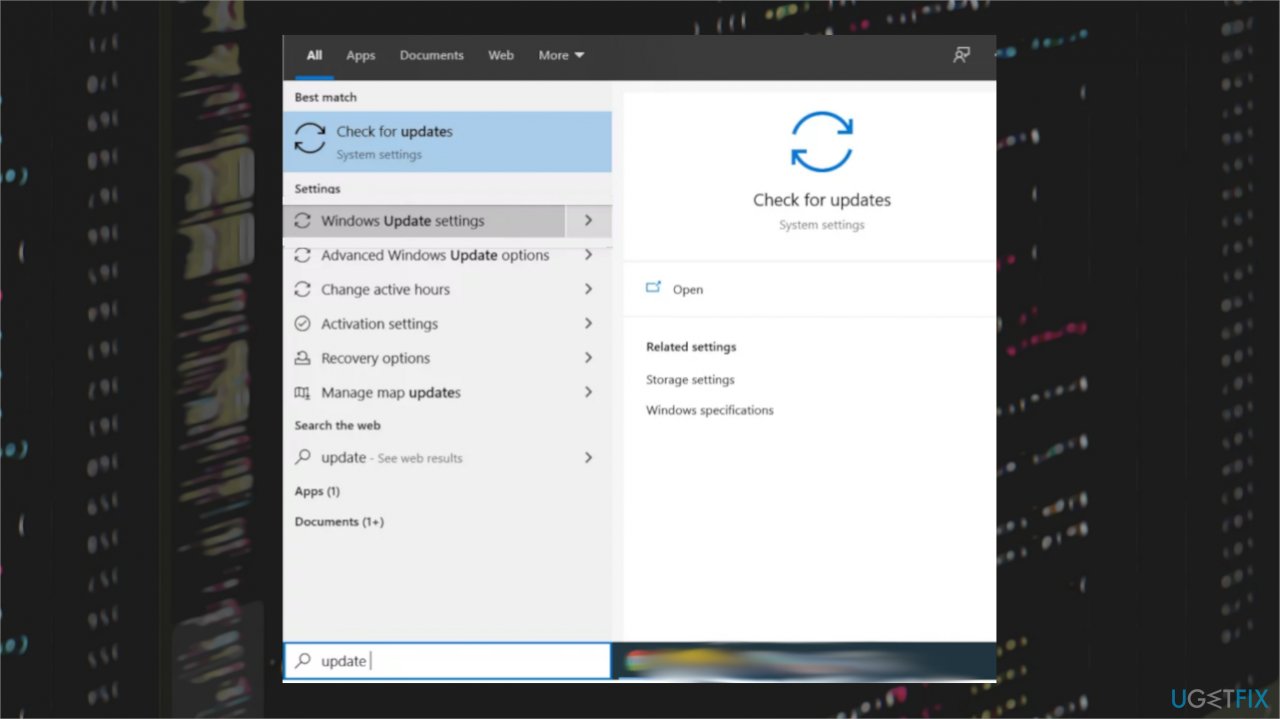
Gdi32full dll not found error checking updates - If updates are available for download, click Install Updates.
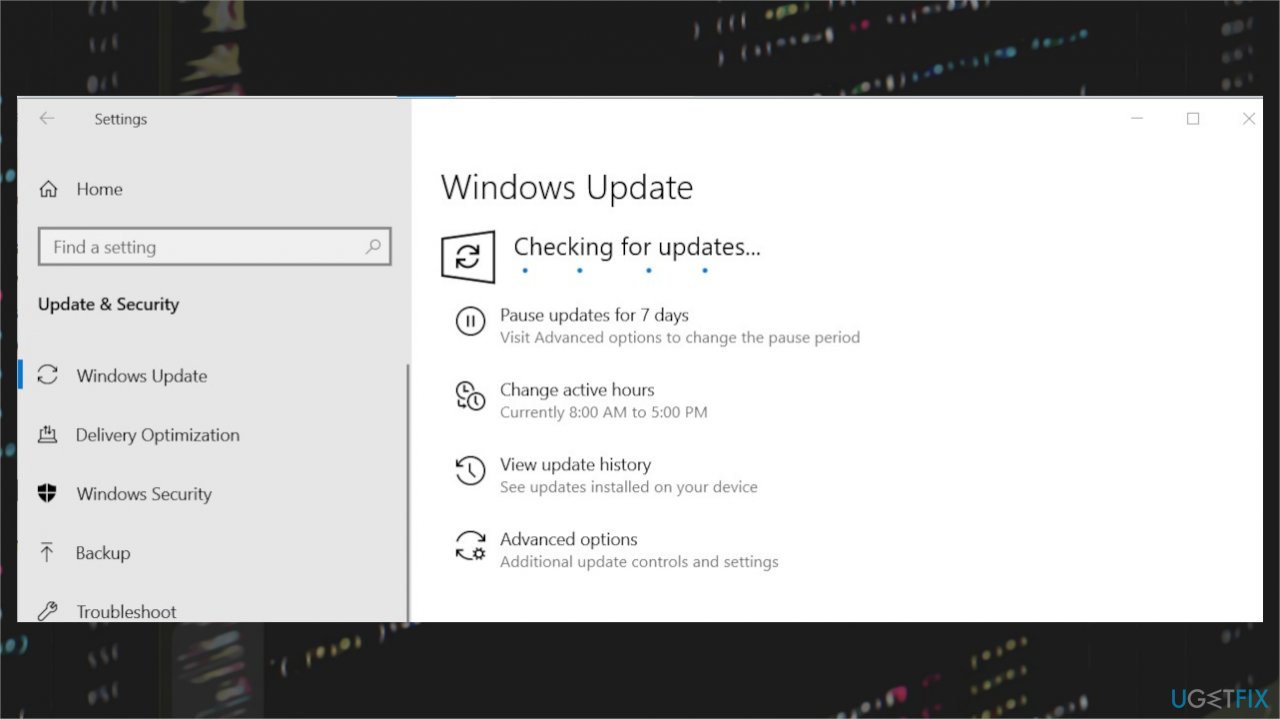
Gdi32full dll not found error windows updates - After the update, restart your PC.
Option 4. Reset the PC
- Search for Update Settings in the Windows Search.
- Go to the Recovery option in the Update & Security Settings.
- Click on Get Started under the Reset this PC option.
- Choose the option that says Keep my files.
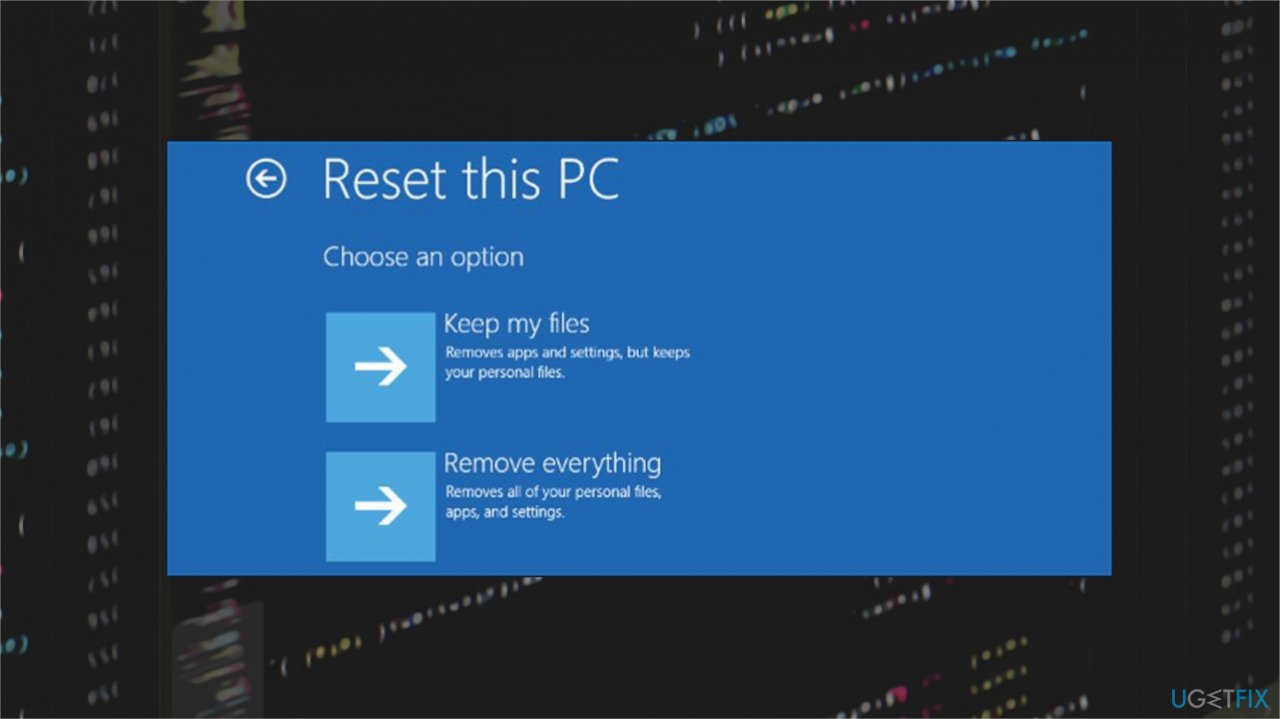
Gdi32full dll not found error kepp files - Under Additional Settings click on the Change settings option, this will give you a list of applications that came installed with your PC and you can choose whether to keep these applications or not.
- Move to other steps and Reset the PC.
Bottom line
To fix the 'gdi32full.dll was not found' error, you can use repair tools to restore the altered files and functions. If the issue persists, consider reinstalling the affected program or performing a system restore. If none of these solutions work, further troubleshooting may be necessary.
Frequently asked questions
Try running the System File Checker tool by opening Command Prompt as an administrator and typing 'sfc /scannow' to scan and repair missing or corrupted system files.
Yes, if other troubleshooting methods fail, performing a repair install of Windows 11 may restore the missing gdi32full.dll file and fix the error.
Avoid downloading DLL files from untrusted websites; instead, consider using Windows Update or reinstalling affected applications to ensure the necessary files are correctly installed.




Report an issue
What's wrong with this guide? We review every report and update or remove content.
Report received — thank you. We'll review and fix it.
You need a free account to submit a report.
Be the first to comment