How to fix
Google Chrome high CPU usage
on Windows
Struggling with high CPU usage on Google Chrome in Windows 10 or 11? Discover effective fixes to enhance performance and boost speed. Expert-tested solu…

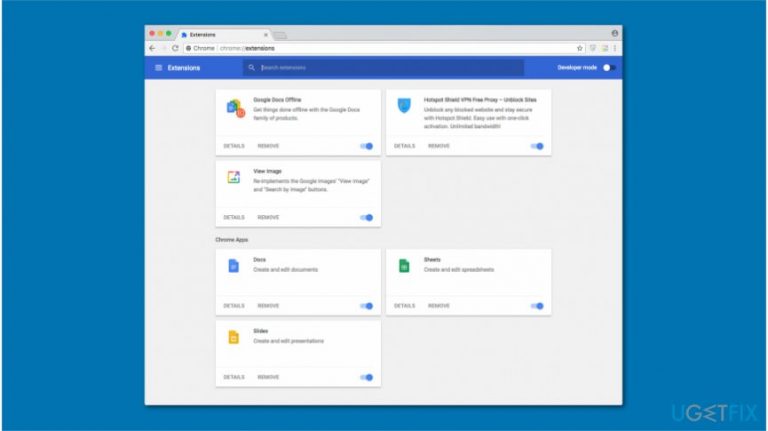
What causes How to fix Google Chrome high CPU usage on Mac?
- Malicious extensions
- Bogus extensions
- Plug-ins
- Add-ons
- Malware
Repairs Windows system files, removes malware, and restores a clean OS state — without reinstalling.
I have recently noticed Google Chrome Helper process running in the Activity Monitor. I don't think it is malicious. Although, it has started using an excessive amount of CPU. Likewise, my computer became slow. Are there any ways how to fix Chrome high CPU usage on Mac?
The majority of computer users have started using Google Chrome as their default browser. Even though this browser is reliable and useful, people have begun encountering some issues. Most commonly, users claim that Google Chrome works slowly or freezes. Others report about Chrome high CPU[ref en-1] usage on Mac.
Usually, problems related to Google Chrome might be caused by malicious extensions[ref en-2], plug-ins, or add-ons. For example, if you have installed a bogus extension which is designed to exploit computer's resources, it will result in high CPU usage by Google Chrome.
A quick solution to fix Google Chrome high CPU usage is to open the Activity Monitor[ref en-3] and right-click on the process and disable it. However, this is merely a temporary solution to stop the exploitation of your Mac's resources. If you want to get rid of this problem entirely, you should follow a more detailed guide below.
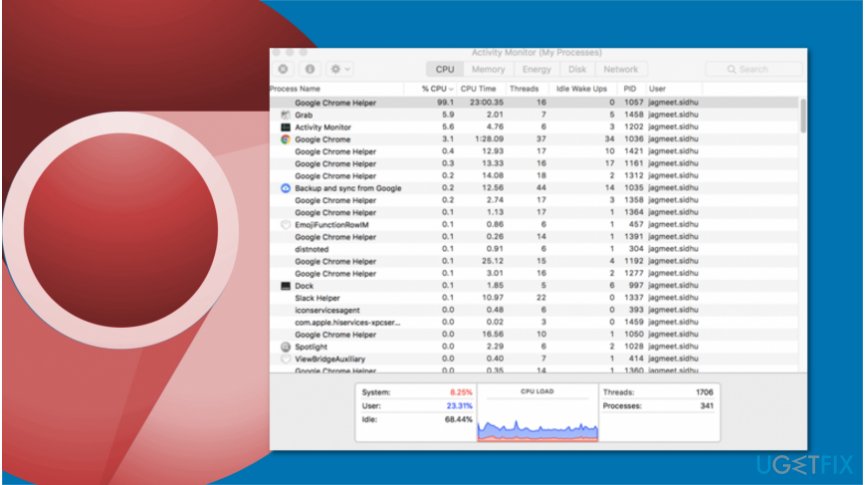
Ways to fix Google Chrome high CPU usage on Mac
Keep in mind that not only malicious extensions or other browser add-ons can cause high CPU usage by Chrome but also malware. Therefore, you should always check your computer for potentially unwanted programs (PUPs) or viruses before trying to fix Mac problems.
We recommend scanning your system with a professional system optimization tool. For that, you can use [d1] or another reliable security tool. Later, try following the instructions below to fix Google Chrome high CPU usage on Mac.
Method 1. Terminate unknown processes via Google Chrome Task Manager
- Open Google Chrome;
- Click on three vertical dots in the top-right corner of the Window;
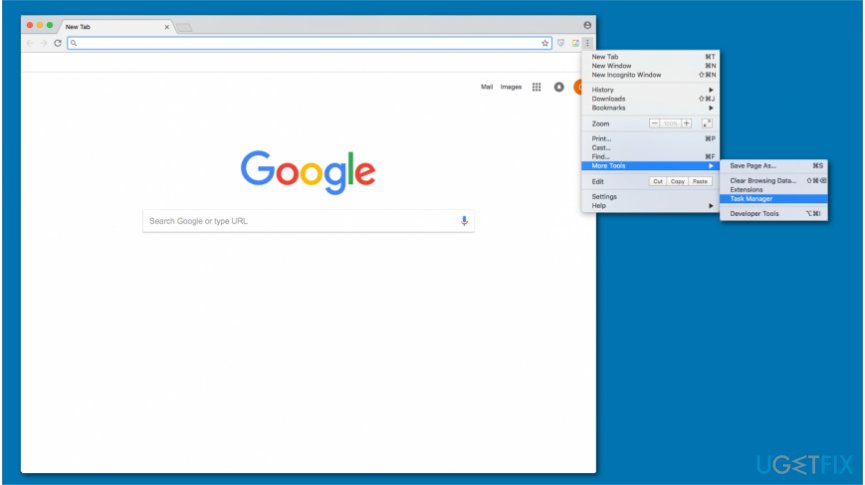
Use google chrome task manager - Select More Tools and pick Task Manager;
- Identify which process is causing high CPU;
- Right-click on it and select End Process.
Method 2. Delete suspicious extensions from Google Chrome
- Open Google Chrome and click on Settings (three vertical dots);
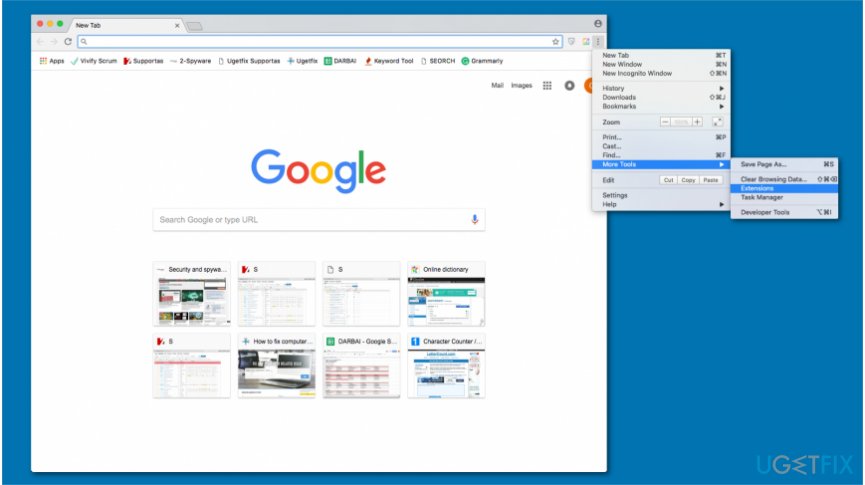
Delete suspicious extensions from chrome - Navigate to More Tools and select Extensions;
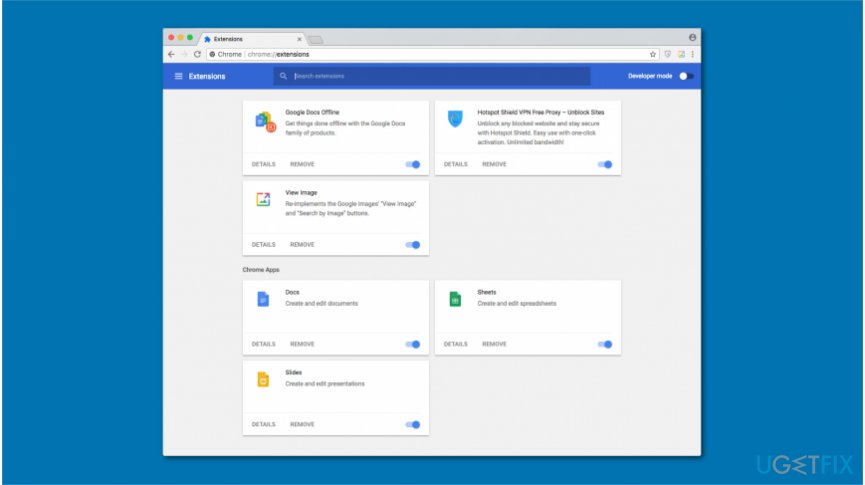
Remove chrome extensions - You can delete unreliable extensions by hitting Remove button.
Method 3. Reset browser settings to default
- Go to Google Chrome and click on three vertical dots;
- Click on Settings and select Advanced at the end of the page;
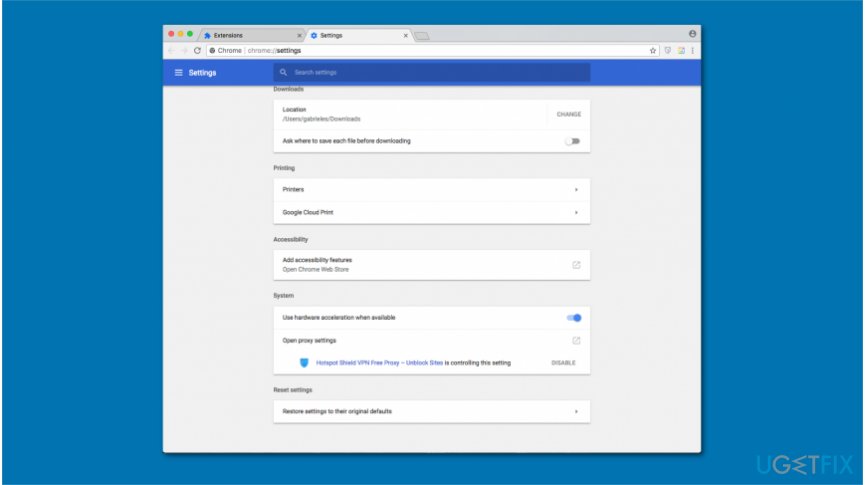
Reset chrome settings to default - Find Reset option and click on it.
Bottom line
To fix Google Chrome high CPU usage on Mac, you can terminate unknown processes via the Google Chrome Task Manager and delete suspicious extensions. If these methods do not resolve the issue, consider scanning your system for potentially unwanted programs or using a professional system optimization tool.
Frequently asked questions
You can open Task Manager by pressing Ctrl + Shift + Esc, then look for Google Chrome in the Processes tab to see its CPU usage.
Try disabling unnecessary extensions and clearing your browsing data, as these actions can significantly reduce CPU usage.
Yes, you can adjust the settings in Chrome or use third-party software that limits CPU usage for specific applications on your Windows system.




Report an issue
What's wrong with this guide? We review every report and update or remove content.
Report received — thank you. We'll review and fix it.
You need a free account to submit a report.
Be the first to comment