How to fix
High CPU usage by HxTsr.exe
on Windows
Struggling with high CPU usage from HxTsr.exe on Windows 10 or 11? Discover quick fixes and expert tips to optimize your system, updated 2025.


What causes How to fix high CPU usage by HxTsr.exe?
- High CPU usage due to software incompatibility
- Malfunctioning of Microsoft Office programs
- Driver-related problems
- Virus infection or malware disguise
- Blocking by antivirus engines
Repairs Windows system files, removes malware, and restores a clean OS state — without reinstalling.
I have no idea what the hxtsr.exe file is, but it keeps using too much CPU power (up to 40 percent), and my PC gets sluggish. Can I remove this file? Thanks for any help.
HxTsr.exe is a legitimate file developed and digitally signed by Microsoft Corporation. It's one of Microsoft's executables, which is known as Microsoft Outlook Communications. It comes by default along with Microsoft Version 2016, so it's not a core system's file.
Although HxTsr.exe does not compose the pack of essential Windows files, it an important integral part of Windows without which Microsoft Office programs may start malfunctioning.
However, this file is exceptionally prone to virus infections. In other words, legitimate files like HxTsr.exe are a good target for hackers to conceal malware. Due to vulnerability, this executable file has been marked as 42 percent dangerous, which is quite a lot.[ref en-1] The original file's location is C:\\Program Files folder, so the first sign that its a malware, not a Microsoft Office file is alternative location, for instance, C:/Programs/System32.
Apart from virus infection, people reported high CPU[ref en-2] by HxTsr.exe causing continuous mail app crashes. The others receive the "Microsoft outlook communications does not have a valid digit address" error, which indicates the HxTsr.exe as a culprit.
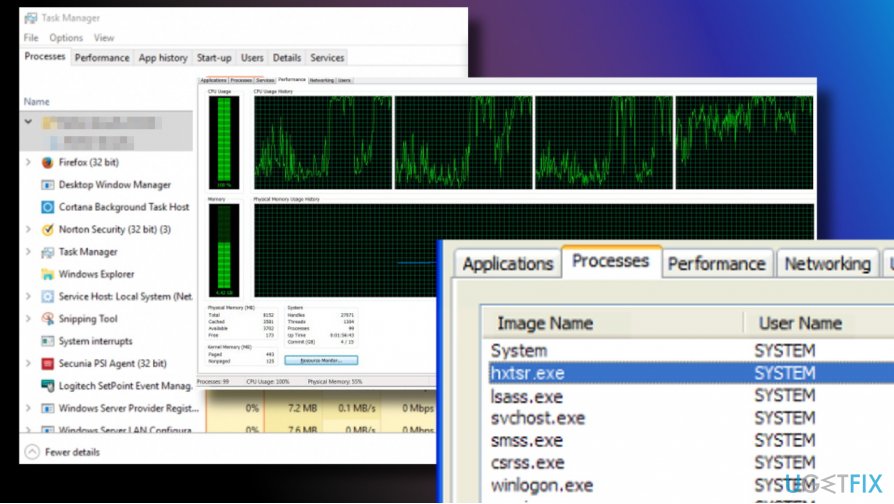
To fix high CPU usage by HxTsr.exe, you may need to reinstall Microsoft Office or fully optimize your PC with the help of a professional optimization utility, such as [d1]. That's because the HxTsr.exe error may stem from software incompatibility, the crash of some system's files or even driver-related problems.
Last, but not least, it's important to indicate the fact that the HxTsr.exe file is frequently blocked by popular AV engines,[ref en-3] such as Norton, Avast, Malwarebytes, and others. According to people, these programs warn them that the HxTsr.exe file requires permission to access the device through the Internet connection. This may happen because HxTsr.exe file does not come in a pack of Windows OS files. Thus, some of the anti-virus tools can recognize it as potentially dangerous. In this case, you should try to install the latest Windows updates.
A guide on how to fix high HxTsr.exe disk usage and other issues
HxTsr.exe CPU consumption, system's slowdowns, problems to open Mail app, multiple HxTsr.exe processes via Task Manager - these are common problems that Windows OS users encounter. Luckily, there's a couple of methods that can help you to fix HxTsr.exe errors, at least most of them.
Install Windows Updates
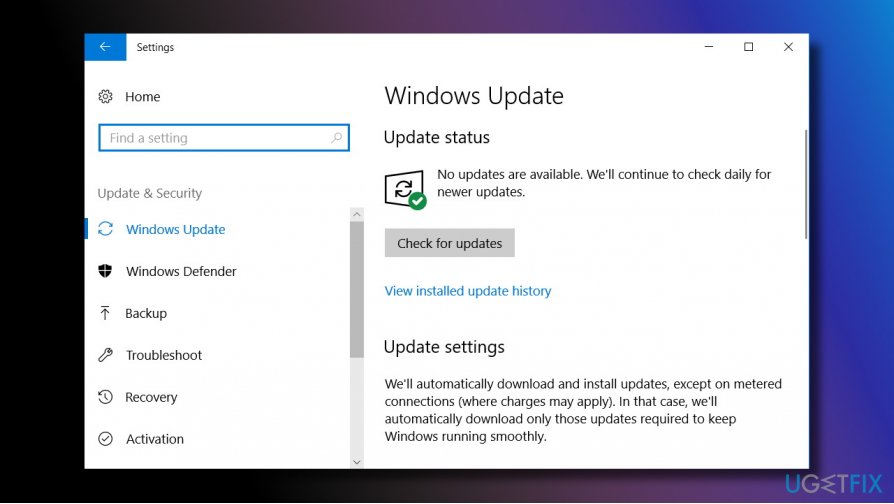
If this file started malfunctioning due to some crash of system's files, you should try to install the recent Windows updates:
- Press Windows key + I and open Update and Security.
- Then click Check for Updates button and wait.
- Windows should automatically detect and install available software updates.
- Once done, restart the system.
Reinstall Microsoft Office
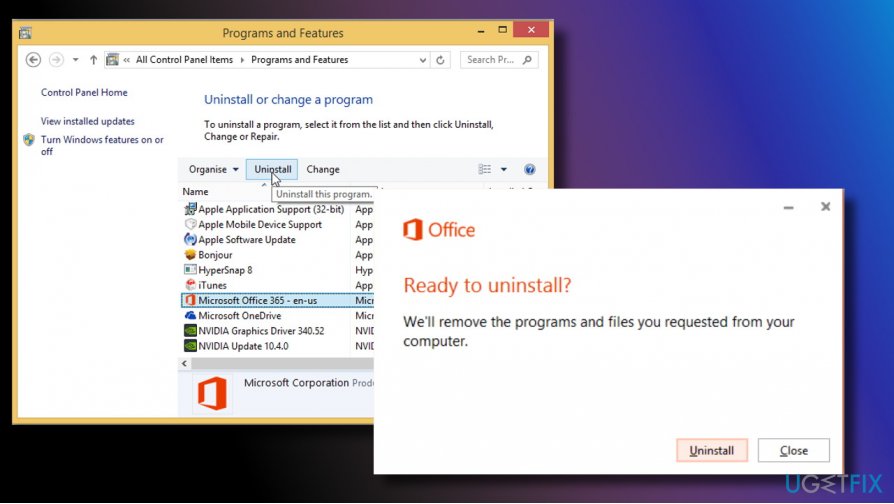
- Press Windows key and open Control Panel.
- Now open Programs & Features list.
- Locate Microsoft Office package and click on it.
- Alternatively, you can click Windows key + I and select Apps.
- Scroll down to find Microsoft Office pack, click on it, and select Uninstall.
- Then navigate to the official Microsoft Office manufacturer's website and install the pack manually.
Run a full system scan with a professional anti-malware
If you suspect that HxTsr.exe is a virus because it's not located in the C:\\Program Files folder, do not hesitate and run a scan with [d1] or another reliable security tool. Manual removal of viruses that hide under legitimate system's files is practically impossible as they turn out to be Trojans (info stealers), spyware, crapware or other malicious infections.
Turn off the Trust Center
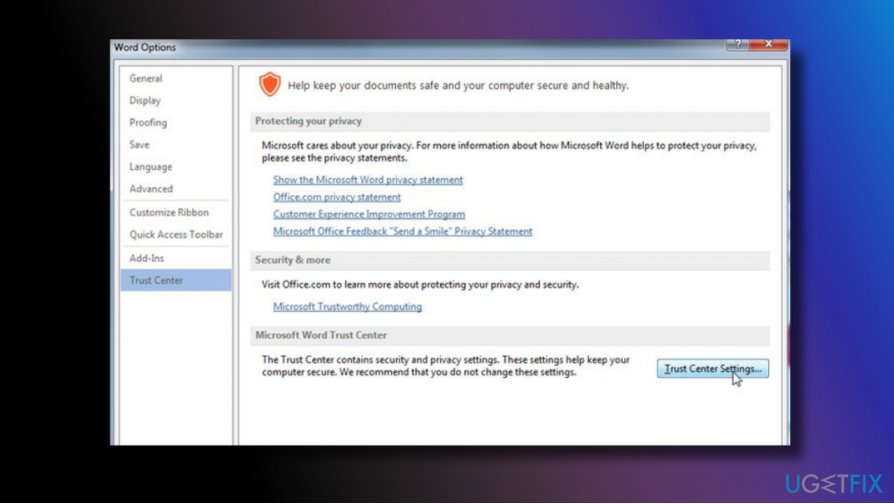
Many people reported that they managed to fix high HxTsr.exe disk usage by turning off the Trust Center in Windows 10 Mail app. For this purpose, you should:
- Open Mail app and navigate to Settings.
- Click on Your email and accounts entry.
- Select Email, calendar, and contacts.
- Click on Manage email account option.
- Select Change mailbox sync settings and set sync options to off.
Bottom line
To fix high CPU usage by HxTsr.exe, you may need to reinstall Microsoft Office or optimize your PC with a professional utility. If these solutions do not resolve the issue, consider installing the latest Windows updates.
Frequently asked questions
HxTsr.exe is a component of the Microsoft Office suite that handles the Office Upload Center. High CPU usage can occur due to conflicts with other software or a corrupted installation.
You can temporarily reduce its CPU usage by ending the HxTsr.exe process in Task Manager or disabling the Office Upload Center in the settings.
Consider repairing or reinstalling Microsoft Office, or disabling the Office Upload Center entirely through the settings to prevent it from running.




Report an issue
What's wrong with this guide? We review every report and update or remove content.
Report received — thank you. We'll review and fix it.
You need a free account to submit a report.
Be the first to comment