How to fix
Steps to fix high CPU usage by Microsoft OneDrive Setup (OneDriveSetup.exe)
on Windows
Resolve high CPU usage by OneDriveSetup.exe on Windows 10 or 11 effortlessly. Get expert-tested solutions that fix the issue in minutes.

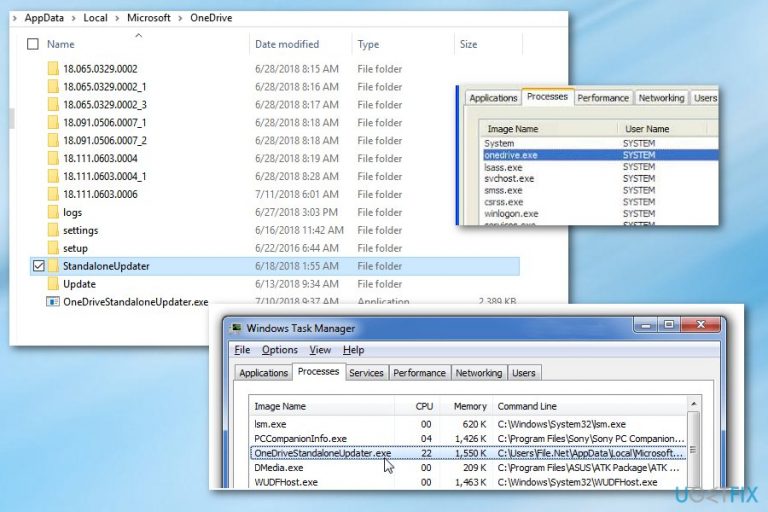
What causes Steps to fix high CPU usage by Microsoft OneDrive Setup (OneDriveSetup.exe)?
- High CPU usage by Microsoft OneDrive Setup process
- Process restarts automatically after being killed
- Non-English letters in user account name causing upgrade hang
- OneDrive app running in the background
- OneDriveSetup.exe located in AppData\Local\Microsoft\OneDrive\Update
Repairs Windows system files, removes malware, and restores a clean OS state — without reinstalling.
Hello, I have been looking for a reason why does my PC get so sluggish. However, recently I found "Microsoft OneDrive Setup" process which consumes 20% of my CPU or sometimes even more. I can answer in advance that the process can be killed, but it restarts automatically after a couple of hours. I have even tried disabling and syncing OneDrive, but that did not solve the problem. What else should I try?
OneDrive is a Microsoft[ref en-1] app that comes pre-installed on Windows OS. It has been available for the users of all Windows versions, except that they have to install the application manually from the Windows Store.
OneDrive is a cloud storage utility which allows users to keep files on the Internet. Although it has many rivals, including DropBox, Google Drive, IDrive, and many others, OneDrive takes the leading position. However, just like many other applications on Windows, the app can also bring problems to its users, including high CPU usage.
The issue has also been related to a file called Microsoft OneDrive Setup is running in the background of the system and taking up 15-20% of the CPU[ref en-2] or sometimes even more. As a result, the process negatively affects PCs performance and causes significant slowdowns.
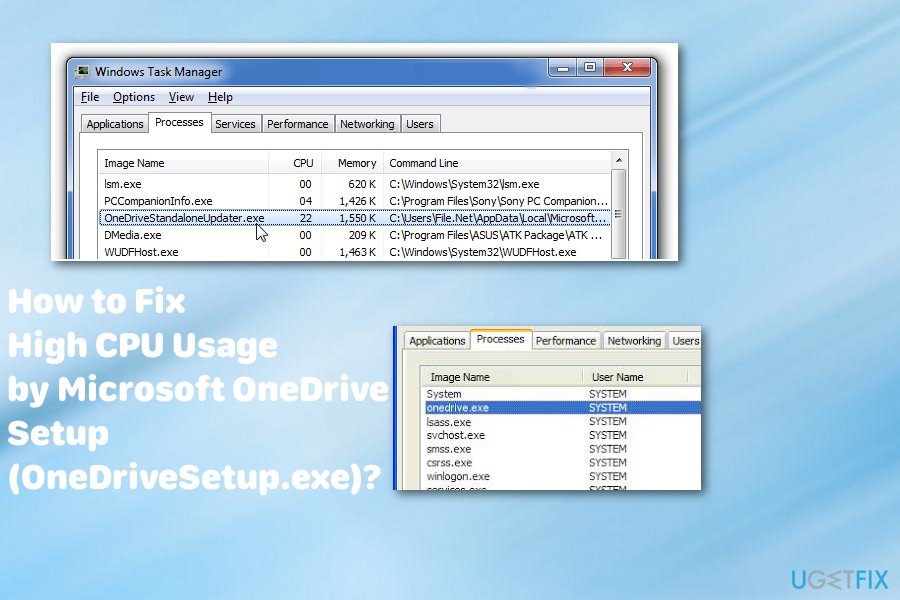
In reality, the Microsoft OneDrive Setup file belongs to the OneDrive app package. It is located in AppData\\Local\\Microsoft\\OneDrive\\Update\\OneDriveSetup.exe. Its purpose is to set up OneDrive completely and keep it up-to-date. Although the onedrivesetup.exe process can be killed, that does not solve the problem of high CPU consumption because the system re-enables it by default. Turning off OneDrive is also not a solution if you opt for using the service.
Methods for High CPU Usage by Microsoft OneDrive Setup fix
According to people who have been using OneDrive on Windows 10 and been encountering the High CPU usage by Microsoft OneDrive Setup process, the culprit seems to be related to the user account name. If your account name contains non-English letters, the Microsoft OneDrive Setup process may hang during the upgrade process of OneDrive app. So, it is possible that you only need to reset your account or update the software.
However, do not forget that various malicious actors tend to disguise their programs under the names of legitimate executables or programs that people often use. Scan your device with [d1] or another anti-malware program and see is there any cyber intruders, e.g. malware, [ref en-3] before proceeding with manual methods of fixing high CPU usage by Microsoft OneDrive.
Follow our prepared instructions and try a few methods or all of them to surely eliminate the problem with High CPU Usage by Microsoft OneDrive Setup.
Unlink and Reset OneDrive to fix high CPU usage by OneDriveSetup.exe
You can unlink your current account from OneDrive and reset it to stop consuming high CPU usage.
- Right-click on the OneDrive icon. And go for Settings.
- Choose option Unlink and press OK.
- This step should take you to the Start page of OneDrive.
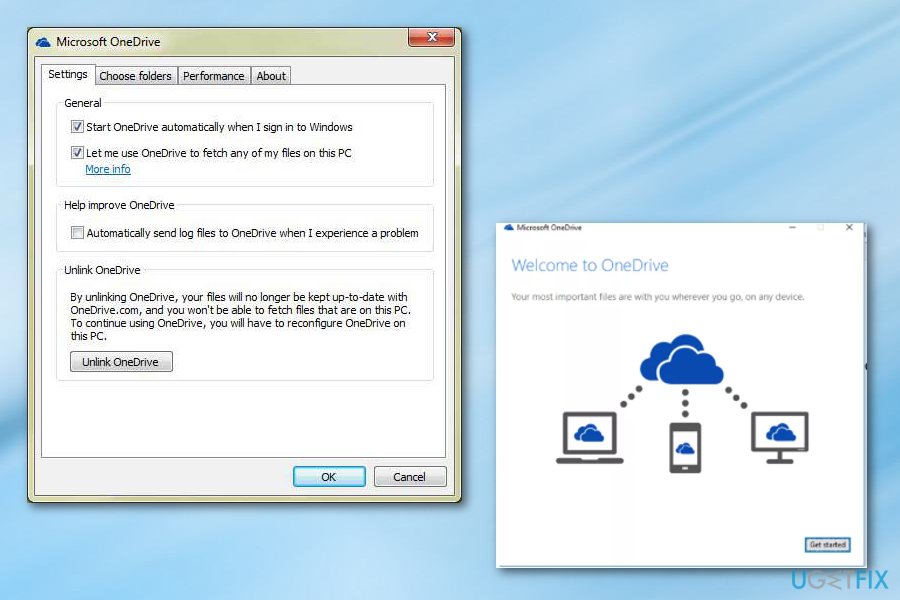
Unlink high usage cpu onedrive - Restart the device and login to your OneDrive account.
Reinstall OneDrive to get rid of the high OneDrive CPU usage
You need to uninstall the version you have already and install a newer version of the software. This step will require you to log in again. make sure that you know your login credentials and know what verification steps were enabled before.
- Uninstall OneDrive
- Remove the folder %USERPROFILE%\\AppData\\Local\\Microsoft\\OneDrive or move it to Desktop
- Reboot the device
- Download the newest OneDrive version from Microsoft site. Set up your account.
Alternative way to fix High CPU Usage by Microsoft OneDrive
Step 1. Create a new local user
- Press Windows key + R, type netplwiz, and press OK.
- Click Add and select Sign in without a Microsoft account.
- Press Local account.
Step 2. Log on to the new local user account
- Log off from the account where Microsoft OneDrive Setup process is misusing CPU.
- Log on to the new local user account. OneDrive should not be enabled on it.
- Navigate to the AppData\\Local\\Microsoft\\OneDrive\\Update\\OneDriveSetup.exe and right-click on the OneDriveSetup.exe.
- Select Run as Administrator and start OneDrive.
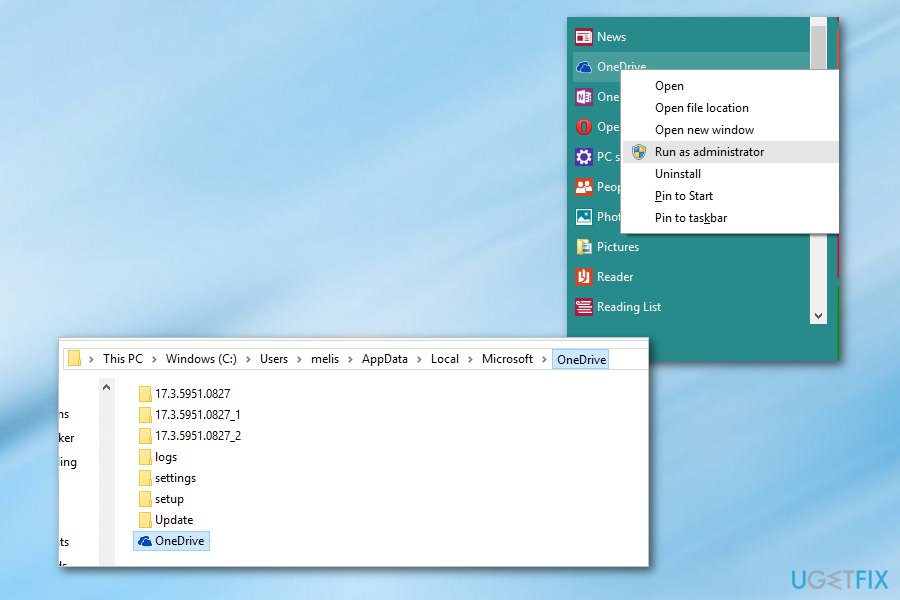
Run as administrator high usage cpu onedrive - Log off from the new local account and log on to your original account.
- Locate OneDrive, right-click it, and select Exit.
- Navigate to the C:\\Users\\New User\\AppData\\Local\\Microsoft\\OneDrive and copy the following files and folders:
(Version name example: this time it is 17.3.6917.0607) Folder
Settings folder
Setup folder
Update folder
OneDrive.exe
OneDriveStandaloneUpdater.exe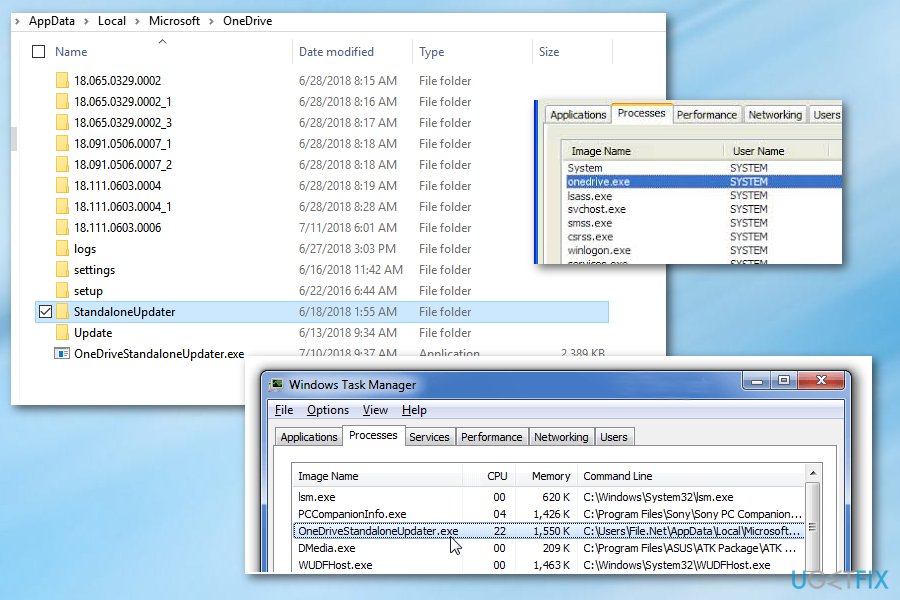
Exe files high usage cpu onedrive - Paste the copied files and folders in the C:\\Users\\Original user\\AppData\\Local\\Microsoft\\OneDrive Overwrite the copy. (“Original User” stands for the account, which encounters high CPU usage by OneDrive files).
- If you execute the overwritten C:\\Users\\Original user\\AppData\\Local\\Microsoft\\OneDrive\\OneDrive.exe file, the version notation remains outdated. To fix that, turn off OneDrive again.
- Locate OneDriveSetup.exe, right-click on it, and select Run as administrator.
- The setup process should proceed and fix high CPU usage by OneDrive.
Bottom line
To address high CPU usage by Microsoft OneDrive Setup, consider checking your user account name for non-English letters, as this may cause the process to hang. Additionally, ensure that OneDrive is properly synced and updated. If these solutions do not resolve the issue, further investigation may be needed.
Frequently asked questions
You can try pausing the OneDrive sync to see if it reduces CPU usage, and if that doesn't help, consider unlinking your account and then relinking it to refresh the connection.
To stop OneDriveSetup.exe from running, you can disable the OneDrive startup option through Task Manager under the Startup tab.
Yes, you can uninstall OneDrive via Settings > Apps > Apps & features, and select OneDrive to remove it if the high CPU usage persists.




Report an issue
What's wrong with this guide? We review every report and update or remove content.
Report received — thank you. We'll review and fix it.
You need a free account to submit a report.
Be the first to comment