How to fix
High CPU Usage by Slmgr32.exe
on Windows
Discover effective solutions to reduce high CPU usage by Slmgr32.exe on Windows 10 and 11. Expert-tested tips to fix it in minutes!

What causes How to Fix High CPU Usage by Slmgr32.exe?
- Malicious origin of Slmgr32.exe
- Disguised as a Monero miner
- Execution leads to high CPU usage
- Potential installation with game torrents or free programs
- Possibility of additional malicious files infiltrating the device
Repairs Windows system files, removes malware, and restores a clean OS state — without reinstalling.
I suspect I have a crypto-coin miner called as Slmgr32.exe. It uses a lot of CPU memory. If I terminate the task and delete the .exe file, will it remove completely?
The reason why Slmgr32.exe uses a significant amount of CPU resources is its malicious origin – it is a Monero miner under the disguise. Once executed, it will use more than 95% of the CPU to mine crypto-coins[ref en-1] in the background.
Along with the file, another task– mfds.exe – will also be executed. The latter refers to the Micro Focus Directory Server[ref en-2]. It is the process responsible for Enterprise Server operating information[ref en-3].
Though it itself is a legitimate command, malware developers can corrupt them and foist their malware. Alternatively, they try to persuade them into downloading the file which seems to be a legitimate program. After these executables begin operating, the following outcomes may follow:
- crashing apps
- slow PC performance
- buffering videos
The problem is that the distribution of this miner, which seems to mine Monero coins, is still obscure. It is possible that you may have installed slmgr32.exe file along with a game torrent or, on the contrary, with a legitimate free program. In addition, it is possible that more malicious files have infiltrated the device. Therefore, clean your device. Now let us review methods how to terminate Slmgr32.exe file.
Step 1. Close Slmgr32.exe task in Task Manager
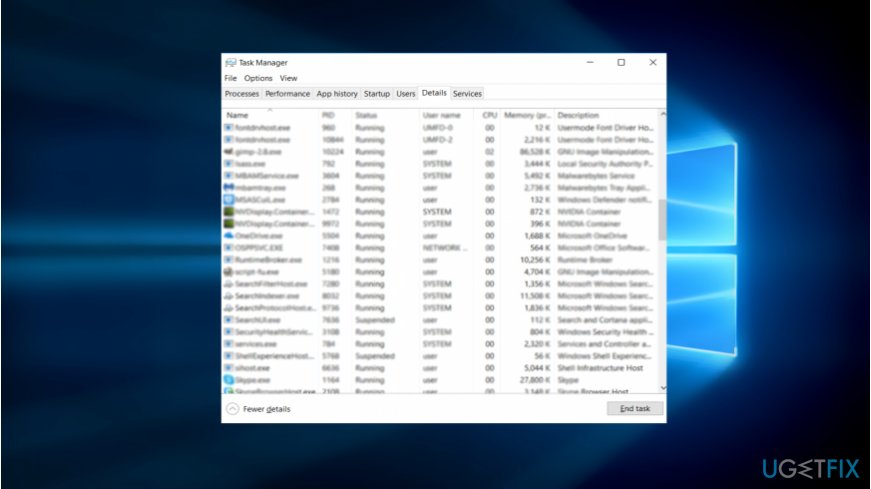
- Press CTRL+ESC+SHIFT.
- Once Task Manager launches, find Slmgr32.exe, right-click on it and choose Open file location. Copy the address and save it in the sticky note on a desktop or somewhere else.
- Right-click on the file again and choose End Task.
Step 2. Run malware elimination tool
In order to eradicate the malware, you will need to run the scan with your anti-virus and malware elimination program. Update them before scanning. [d1], Malwarebytes Anti-malware or another tool might be of assistance.
They will also help you determine potentially unwanted programs and dubious browser extensions. Crypto-coin miners tend to disguise miners under browser-plug-ins. Chrome Web store, Google and Apple store users should be especially careful when downloading one.
Step 3. Review the list of browser extensions
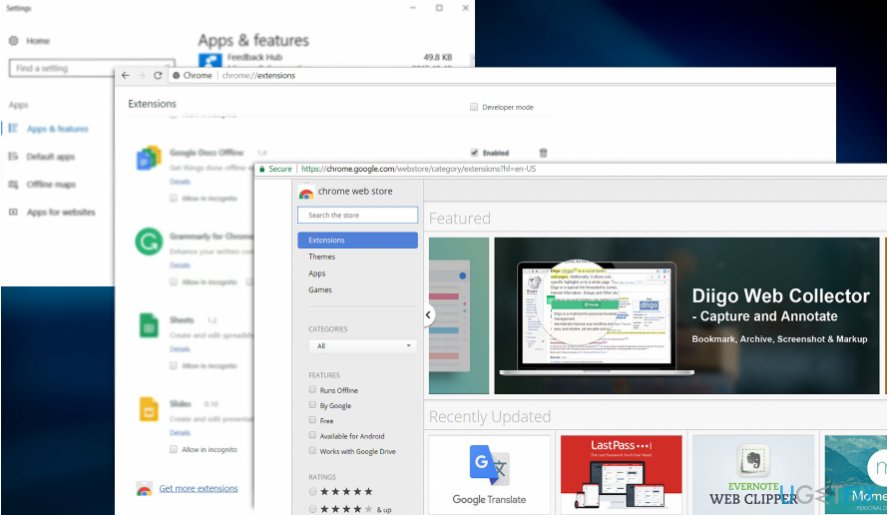
Due to above-discussed reasons, it is necessary to make sure no malicious and fake browser extensions are present on the system. Scan them your anti-virus utility.
Step 4. Check for Slmgr32.exe remnants
- Enter the location, you saved in step 1, into File Explorer address bar.
- Ensure no files remain associated with Slmgr32.exe.
Prevention against crypto-coin miners
Due to the hike in crypto-currency miners, you should pay attention to downloaded and installed content. Updated anti-virus utilities, as well as anti-miner browser extensions, can help you ward off this type of unwanted software.
Bottom line
To fix high CPU usage by Slmgr32.exe, you should first terminate the task in Task Manager and then run a malware elimination tool. If these methods do not resolve the issue, consider further cleaning your device to remove any additional threats.
Frequently asked questions
Slmgr32.exe is a Windows script host that manages software licenses and activation. High CPU usage can occur if there are issues with the license or activation process.
You can try running the command 'slmgr.vbs /ato' in an elevated Command Prompt to refresh the activation, or check for corrupt system files using the 'sfc /scannow' command.
Yes, ensure your system is updated with the latest Windows updates, as Microsoft often releases patches that can resolve issues related to slmgr32.exe.




Report an issue
What's wrong with this guide? We review every report and update or remove content.
Report received — thank you. We'll review and fix it.
You need a free account to submit a report.
Be the first to comment