How to fix
HTTP_DRIVER_CORRUPTED
on Windows
Resolve the HTTP_DRIVER_CORRUPTED error on Windows 10 or 11 quickly and effectively with expert-tested solutions and step-by-step guidance. Fixed in min…

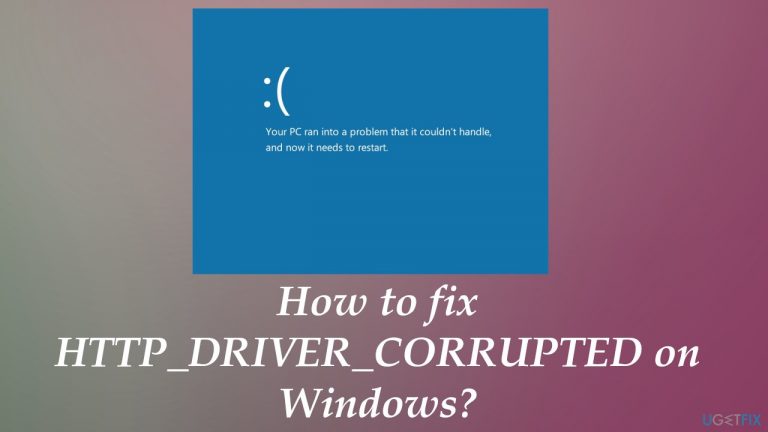
What causes How to fix HTTP_DRIVER_CORRUPTED on Windows?
- Corrupted system drivers
- Faulty updates
- Third-party applications
- Malware or intruders
- Damaged files
Repairs Windows system files, removes malware, and restores a clean OS state — without reinstalling.
Hello. I have an issue with the HTTP_DRIVER_CORRUPTED error or my Windows computer. It comes as that scary blue screen, and the laptop keeps restarting after that. I manage to use it again, but this issue repeats itself from time to time. Can you help me fix it?
HTTP_DRIVER_CORRUPTED error is one of many similar system errors that show a Blue Screen of Death screen that particularly scares people.[ref en-1] It is unpleasant and the errors may seem crucial or critical for the Windows operating system. However, this problem is fixable. The sooner you take action, the better.
Since the error appears due to corrupted or affected system drivers, it indicates that something caused the issue with those system files. It can be patch updates or the Windows OS update that irresponsible for the particular driver error. Rolling back those certain updates may help to fix HTTP_DRIVER_CORRUPTED BSOD for some users. However, each incident is unique.
The biggest problem with this error - corrupted piece indication. A driver issue triggers the problem, but can also be related to third-party applications, faulty updates, or different issues that cause system errors and other problems with the performance. You can solve driver issues and even fix HTTP_DRIVER_CORRUPTED errors with some of the PC maintenance tools.
It would help if you relied on quick solutions for HTTP_DRIVER_CORRUPTED error because when the problem persists, and you cannot restart the machine permanently, solutions lessen. Running a proper advanced system repair tool can help with OS files and other problems created by malware,[ref en-2] other intruders, shady applications, damaged files, and processes.
You can run [d1] and ensure that files get replaced with healthy copies from the database and WIndows OS is recovered. These common BSOD errors can get fixed by repairing system files, fixing damaged pieces, or altering the Windows registry entries. Malfunctions and corrupted files can trigger other issues,[ref en-3] so by fixing these problems, you may help to solve the HTTP driver issue.
Solution 1. Rely on System Restore
- Click the Windows Start button.
- Type System Restore in the search and hit Enter.
- Click System Restore.
- Or open the Run box and enter rstrui.
- Choose a different restore point.
- Press next.
- If the list is not showing all points, click Show more restore points checkbox.
- Follow steps in the system restore wizard and choose a relevant restore point.
- Restore your computer.
Solution 2. Uninstall faulty drivers via Device Manager
- Right-click on Start and choose the tool or find it by searching.
- Once the Device Manager is opened, expand the section of your choice.
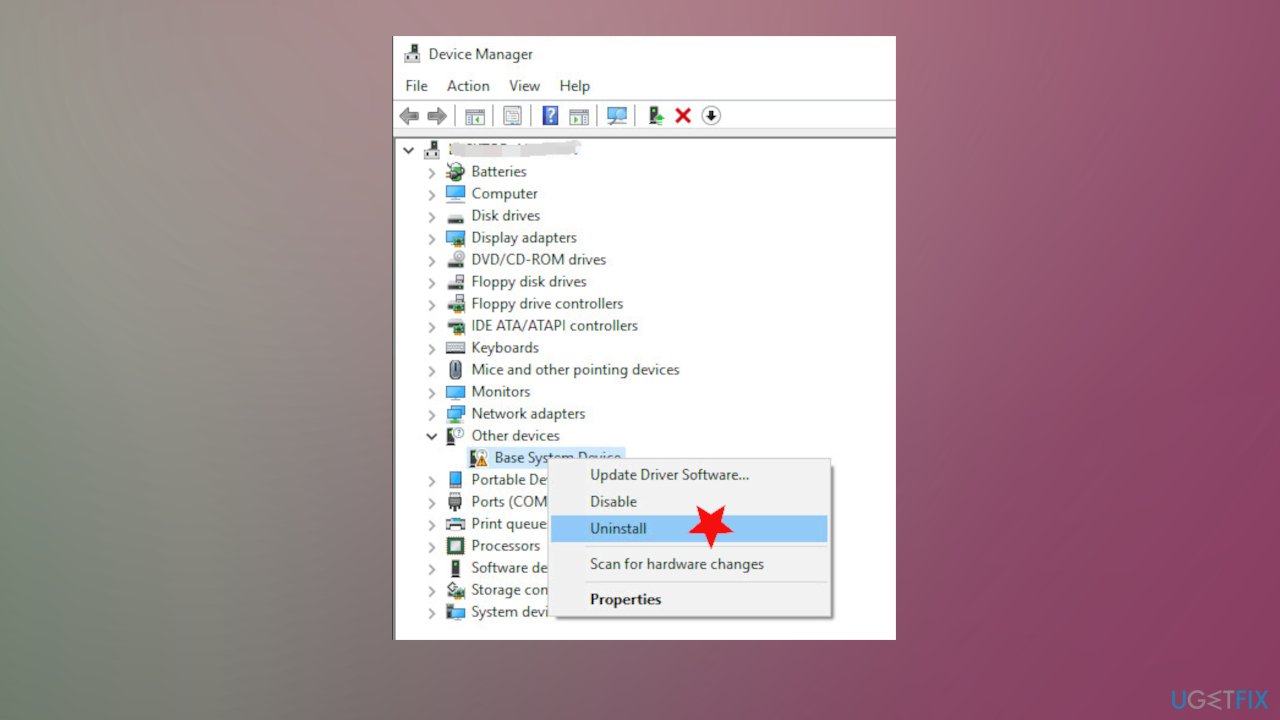
Http drivers corrupted fix device manager - Right-click on the driver and select Uninstall driver.
- Reboot your PC when you are done with all of them.
- Repeat with relevant drivers.
Solution 3. Update drivers automatically to fix HTTP_DRIVER_CORRUPTED on Windows
Driver updates can be difficult for not-so-tech-savvy people. The procedure may take time, especially when you have no idea what pieces on the machine triggered these issues. Blue Screen of Death error is scary enough on its own, but damaging the machine is not what you want. The problem with driver updates is compatibility because you might download random drivers or different files from online sources or get the wrong version for the machine, leading to additional issues with the performance. This is not the solution for HTTP_DRIVER_CORRUPTED or any system error.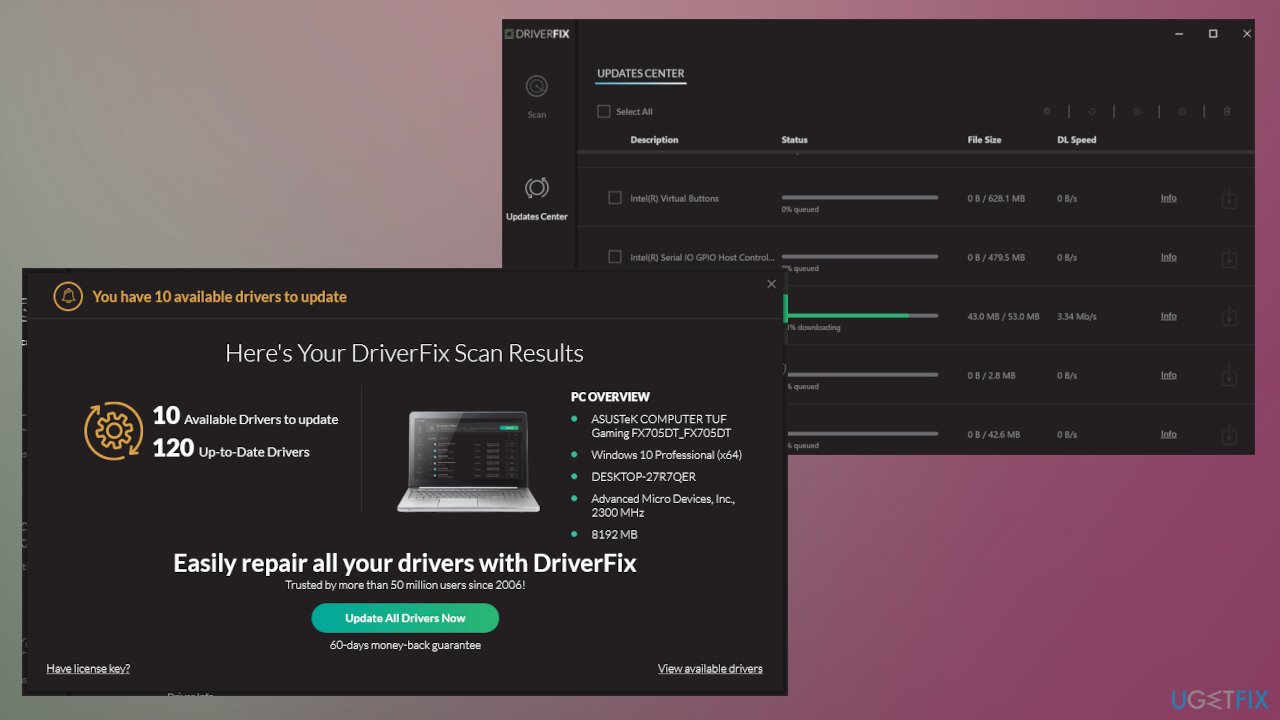
It is always better to use applications designed for automatic driver updates. Tools like [rev id="DriverFix"] can help you in such cases. This program and other similar tools have a database with various drivers and can check your machine to see what pieces need updates. The program automatically selects the needed version and ensures the proper performance without compatibility issues. You can relax and save time for the other HTTP_DRIVER_CORRUPTED error solutions.
Solution 4. Uninstall incompatible programs
- Type in Control Panel in Windows search and press Enter.
- Go to Programs.
- Choose Uninstall a program.
- Find the particular program on the list.
- Right-click on the app and select Uninstall.
- Proceed with on-screen instructions to finish the process.
or
- Right-click on Start and pick Apps.
- Go to Apps & Features menu.
- Scroll down until you see the particular app.
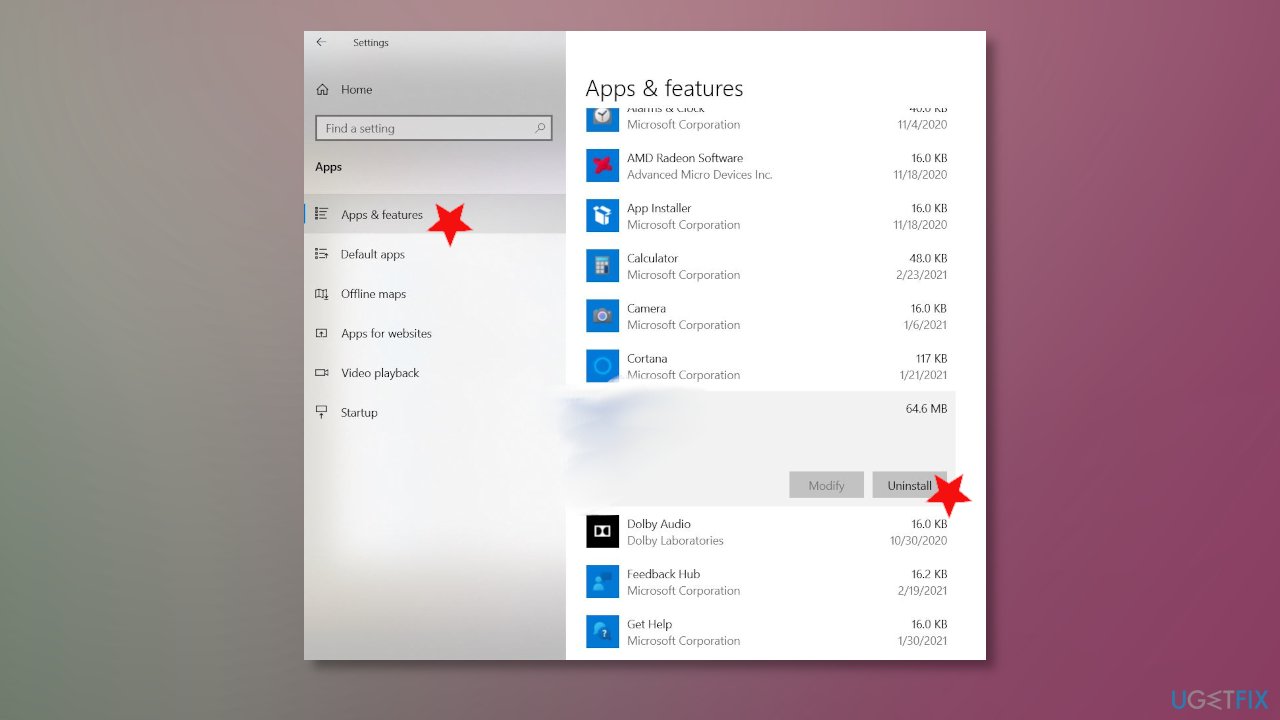
Http drivers corrupted fix uninstall apps via app - Click on it once to expand options.
- Select Uninstall.
- Confirm and remove the program.
Solution 5. Uninstall recent Windows OS patches/updates to fix HTTP_DRIVER_CORRUPTED on Windows
- Go to Settings by pressing Win and I keys.
- Choose Update & Security section.
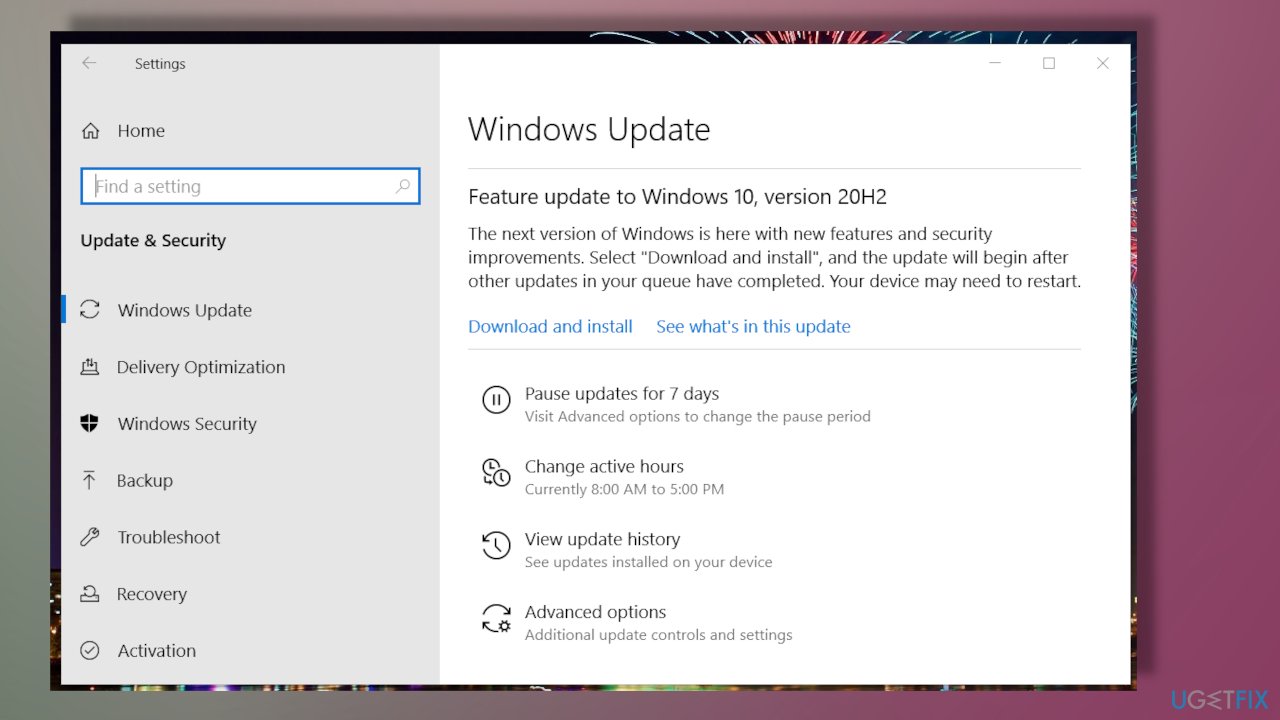
Http drivers corrupted fix windows update check - On the window, click the View update history option and open a list of installed patch updates.
- Choose Uninstall updates option, and you would open the Control Panel window.
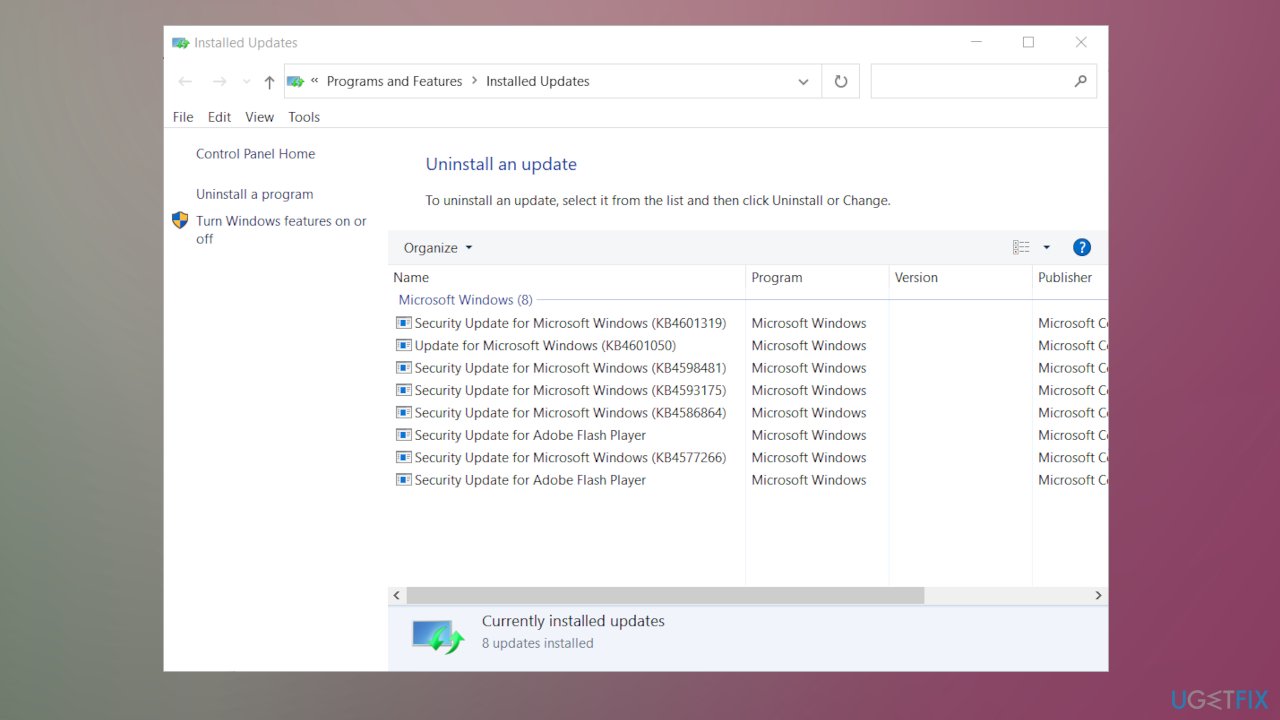
Http drivers corrupted fix update uninstall - Right-click the most recent update and choose Uninstall.
- Repeat with all the patches with the same date.
Solution 6. Reset Windows
- Type recovery in the search and click Recovery options in the results.
- Once the Settings open, press Get started button.
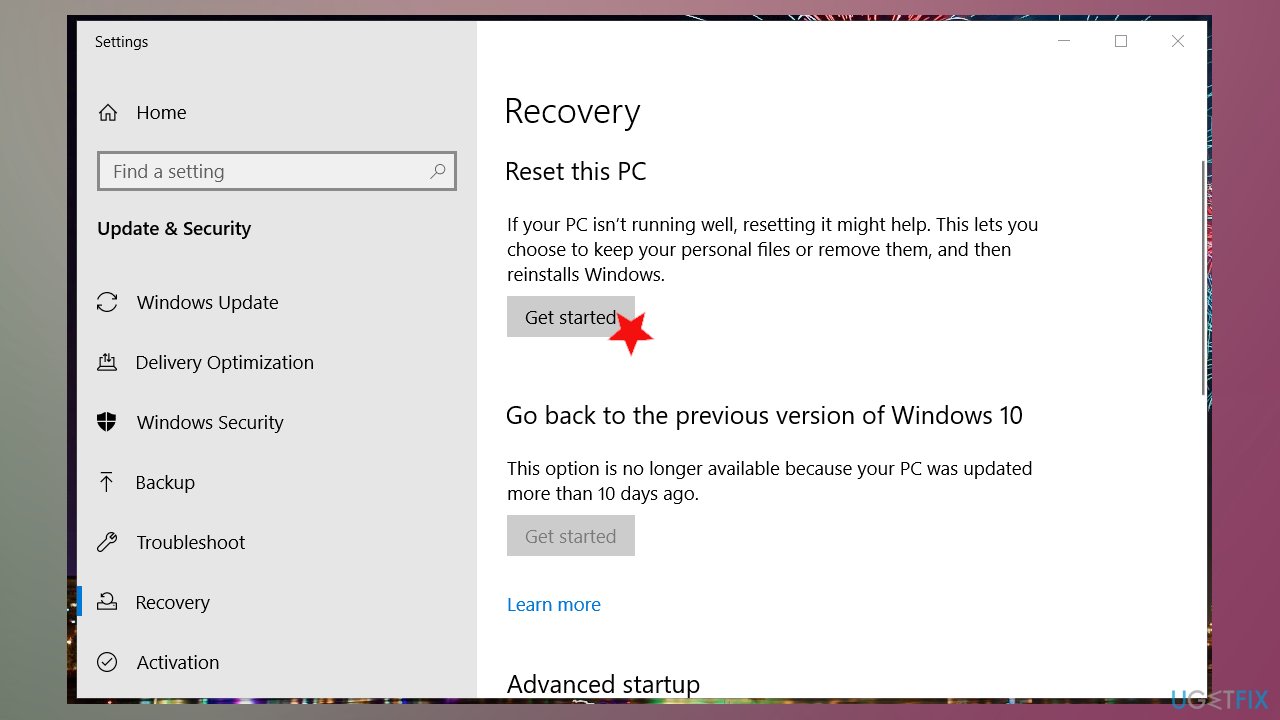
Http drivers corrupted fix resetting - Once the Reset this PC tool is launched, choose what happens to your files.
- We recommend choosing to Keep my files.
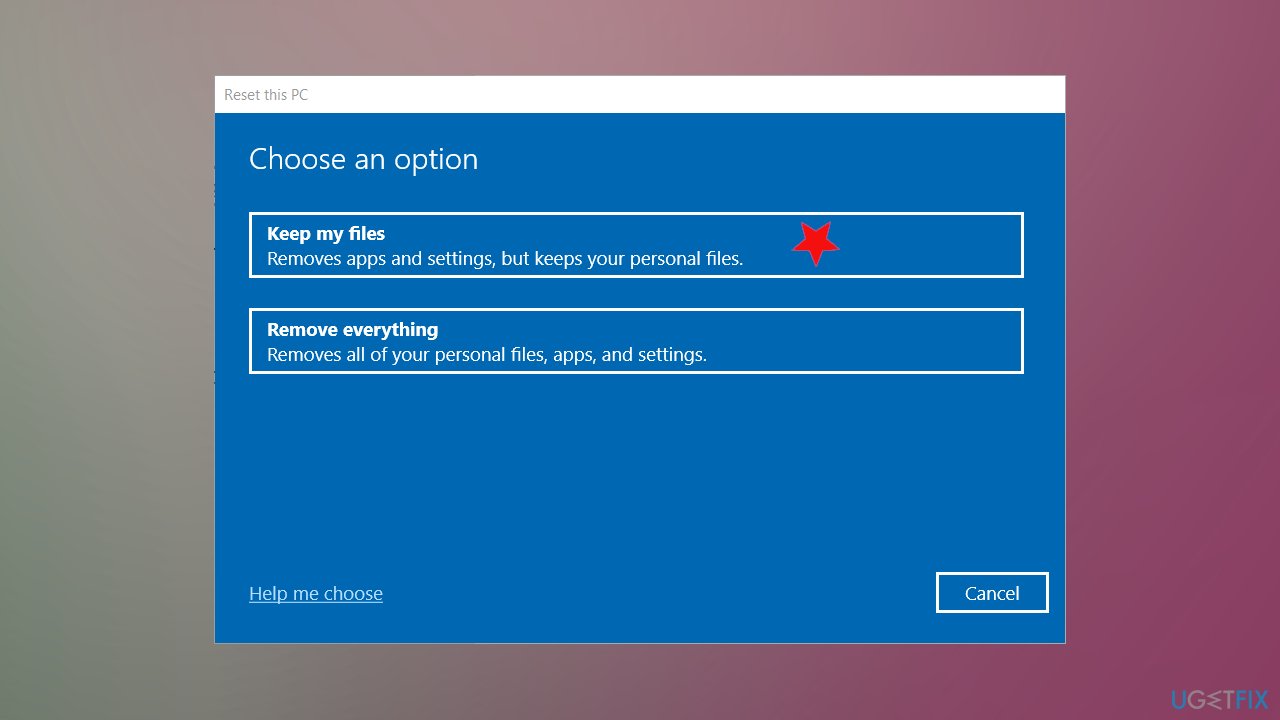
Http drivers corrupted fix windows restore - Choose Next and click Reset to start the process.
Bottom line
To fix the HTTP_DRIVER_CORRUPTED error, you can try rolling back recent updates, using system restore, or running advanced system repair tools. Additionally, repairing system files and altering Windows registry entries may help. If none of these solutions work, consider seeking professional assistance.
Frequently asked questions
The HTTP_DRIVER_CORRUPTED error is often triggered by outdated or corrupted drivers, particularly network drivers, that fail to communicate properly with the operating system.
You can update drivers by going to Device Manager, right-clicking on the relevant device, and selecting 'Update driver' to automatically search for updated driver software.
Yes, running the built-in Windows troubleshooter for hardware and devices can quickly identify and fix issues related to the HTTP_DRIVER_CORRUPTED error.




Report an issue
What's wrong with this guide? We review every report and update or remove content.
Report received — thank you. We'll review and fix it.
You need a free account to submit a report.
Be the first to comment