How to fix
Hulu error code P-DEV320
on Windows
Resolve Hulu error code P-DEV320 on Windows 10 and Windows 11 effortlessly with expert-tested solutions. Enjoy seamless streaming in minutes!


What causes How to fix Hulu error code P-DEV320?
- Device's inability to launch the Hulu app through the Hulu servers
- Internet connectivity problems
- User's different setups/hardware
- Connection cables and other peripherals issues
- Technical issues related to managing millions of accounts
Repairs Windows system files, removes malware, and restores a clean OS state — without reinstalling.
Hello, I need help with Hulu. Every time I attempt to watch some series, half way through the episode, I receive the P-DEV320 error. I restart the episode, and then it happens again. This is extremely frustrating, as I can't enjoy my favorite shows... Please help ASAP.
Hulu error P-DEV320 has been bothering users[ref en-3] for almost a year. As soon as they start up a TV show or a movie, they suddenly get interrupted by this error, which forces them to reboot the episode. Possibly the most frustrating thing is that the issue repeats itself, preventing continual and uninterrupted video streaming. This causes inconveniences to users since Hulu is an already paid service that should not go wrong in the first place.
However, even the most prominent services can have various technical issues - managing millions of accounts is not that easy. Besides, each of the users has different setups/hardware/connection cables and other peripherals, which can cause unexpected errors; without a doubt, many people are looking for ways on how to fix Hulu error P-DEV320 as soon as possible to resume the interrupted service.
Here is what users see after the video is interrupted by Hulu error P-DEV320:
We're having trouble playing this
It may help if you turn your device off for a minute and then try again.
For more information please visit help.hulu.com/video-02Hulu Error Code P-DEV320
Unique Error ID: c1ce4780-5aaa-42ac-87d0-e13ebf8a1d05
Local Time of Error: 2020/10/12
The issue lies within the device's inability to launch the Hulu app through the Hulu servers and is commonly related to internet connectivity problems. Despite the provided code and attempts to reboot the device, users still struggled to find ways to fix P-DEV320 error for good.
Hulu is one of the largest streaming platforms based on the subscription that was established in 2007 by several entities (News Corporation and NBC Universal, Providence Equity Partners, and later The Walt Disney Company).[ref en-1] While it includes original shows just as Netflix, it does not have that many of those. However, what makes Hulu attractive to many users is the ability to stream live TV channels, as well as network TV programming.[ref en-2]

Regardless of which service you prefer, finding an immediate Hulu error P-DEV320 fix is a must. Below you will find many solutions, and, hopefully, at least one will work for you. Before you proceed, we recommend trying to get rid of the error automatically with [d1] repair software.
Fix 1. Run basic fixes
First of all, you should perform the basic fixes:
- Reboot your device you are streaming Hulu on
- Place modem or router next to your device
- Use the ethernet connection instead of Wi-Fi
- Turn off your router/modem and wait for a few minutes, turning it back on after that
- Change the HDMI port you are using
- Exit the Hulu app by removing your device and log back in.
Fix 2. Attempt to use Hulu on a different device
To be able to fix the error correctly, you should first find out where the issue lies. For example, if you are receiving the error on a computer, try using Xbox One, a phone, or a TV. If the problem is universal, it is highly likely that your internet connection is not stable enough or that Hulu servers are under higher than usual load. In such a case, you should troubleshoot internet connection problems. If the P-DEV320 error occurs on just one device, it means you should concentrate on it entirely.
Fix 3. Make sure your Hulu app is up to date
Outdated software can cause all types of problems, including streaming interrupts. Since Hulu can be run on multiple different devices (Android phone, TV, Chromecast, Vizio, etc.), please visit the official website of the provider and find the device you are using. Using these instructions, you should be able to update your Hulu app without any problems.
Fix 4. Run Internet Connection tests
Hulu has internet speed requirements that are needed in order to run the service properly. Here are the requirements:
- 3MB/s for TV shows or movies
- 8MB/s for live streams
- 12MB/s for 4k streaming.
There are several websites where you could check your internet speeds. If the requirements are not met, you will receive the P-DEV320 Hulu error and, the only way to fix this is by increasing your bandwidth speed. Contact your internet provider if you are willing to do so.
Fix 5. Clear Hulu app cache
If your app cache data got corrupted, you might be getting the error. Follow these steps:
- Fire TV: Settings > Applications > Manage Installed Applications > Hulu > Clear cache > Clear data
- Android device: Settings > Apps > See all apps > Storage and cache > Clear storage > Clear cache
- iPhone: Uninstall Hulu app and reinstall it
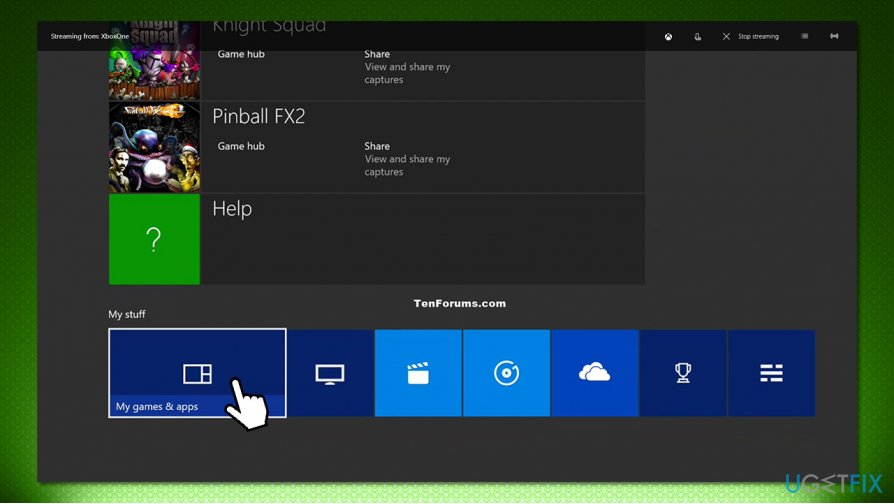
- Xbox One: Menu > My Games and Apps > Apps > Hulu > press Menu on the controller > Manage Apps > Clear saved data.
Fix 6. Wait for Hulu to fix the issue or contact the support
If you tried all the fixes above and nothing helped, it might be that the fault is on Hulu's part. You should wait for a few hours and try streaming once again. If the problem persists and does not go away, we recommend you contact Hulu support directly. Be sure you enter your credentials first.
Bottom line
To fix Hulu error code P-DEV320, users can try restarting their device, checking their internet connection, and ensuring their Hulu app is updated. If these solutions do not resolve the issue, users should visit help.hulu.com for further assistance.
Frequently asked questions
Hulu error code P-DEV320 indicates a problem with the streaming service's connection, often due to network issues or outdated app settings.
To clear the cache, open the Hulu app, go to Settings, and select 'Clear Cache' or you can uninstall and reinstall the app on Windows 10 or Windows 11 to reset it.
Yes, ensure your Windows 10 or Windows 11 device is connected to a stable internet connection, and check your firewall settings to ensure Hulu is allowed to access the internet.




Report an issue
What's wrong with this guide? We review every report and update or remove content.
Report received — thank you. We'll review and fix it.
You need a free account to submit a report.
Be the first to comment