How to fix
ITunes error “There is a problem with this Windows installer package?”
on Windows
Resolve the iTunes installer error on Windows 10 and Windows 11 easily. Follow our expert-tested solutions for a smooth installation experience.

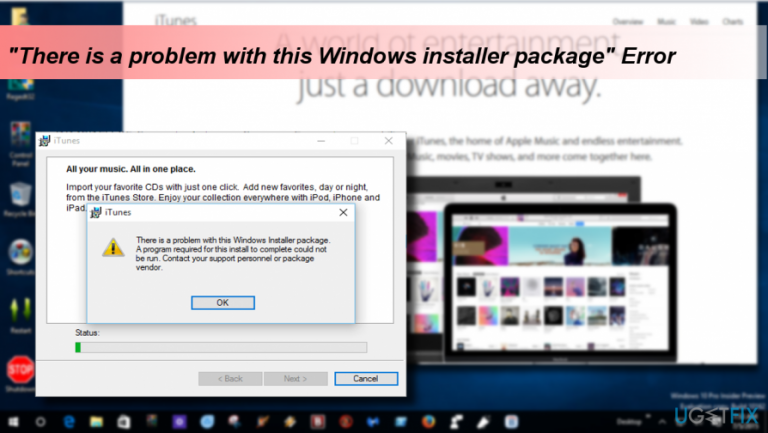
What causes How to fix iTunes error “There is a problem with this Windows installer package?”?
- Damaged version of the Apple Software Update for Windows
- Incompatibility of Apple software with Windows OS
- Changes in Windows package installer settings due to updates
- Installation from unofficial sources
- Issues specific to Windows 10 Creators Update
Repairs Windows system files, removes malware, and restores a clean OS state — without reinstalling.
I’m trying to install iTunes on my Windows 10 PC, but the installation fails with an error "There is a problem with this Windows installer package. A program required for this install to complete could not be run." Why?
"There is a problem with this Windows installer package” is an error message that strikes Windows 10 users when they attempt to install Apple software updates or software like iTunes (version 12.3 and later). The bulk of devices that returned this error run Windows 10 Creators Update. Naturally, programs developed for Apple devices are not compatible with the Windows OS and vice verse. Nevertheless, the tech giants have also developed software, such as Apple Software Update for Windows, which enabled installation of Apple apps to Windows OS.
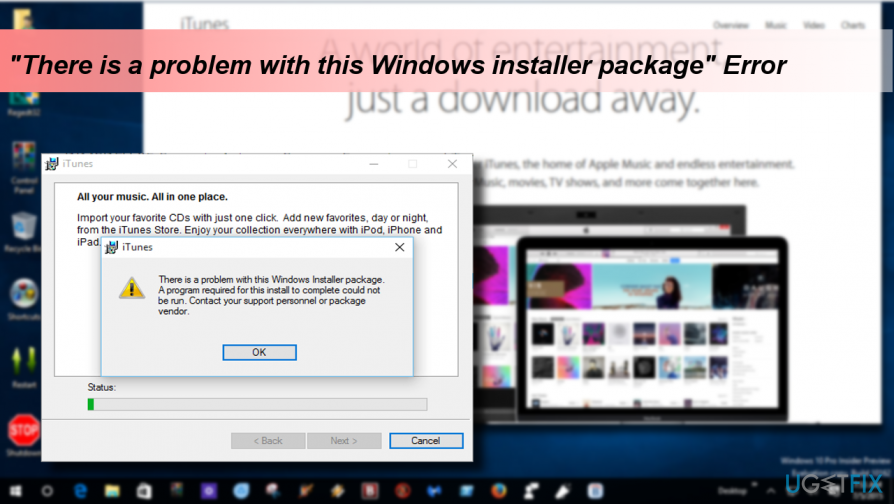
Normally, iTunes can be installed into the system without any difficulties by downloading the installer and then launching the iTunes64Setup.exe file. Unfortunately, very often people encounter the following error message:
There is a problem with this windows installer package iTunes. A program required for this install to complete could not be run. Contact your support personnel or package vendor.
In most of the cases, the culprit of the iTunes error "There is a problem with this Windows installer package” is the damaged version of the Apple Software Update for Windows. According to many experts, the latest Windows 10 updates modified the settings of the Windows package installer, which is why issues when installing or updating iTunes may occur. Luckily, there is a couple of things that you can do to fix "There is a problem with this Windows installer package” error on Windows.
Fixing "There is a problem with this Windows installer package” error when installing Apple software on Windows
If the problem occurs when installing or updating iTunes only, Apple recommends downloading the iTunes installer not from the official iTunes website but rather from the Apple’s server. For most of the users this solution helped. If, unfortunately, you are less fortunate because you were not able to download/install iTunes this way, here’s what you should update the Apple Software Update service:
- Right-click on Windows key and select Control Panel.
- Open Programs and Features and scroll down until you find the Apple Software Update.
- If no new version shows upon the Apple Software Update installer or if the installer is missing in Programs and Features folder, you’ll have to fix corrupted Windows package files. For this purpose, you may try to run a scan with [d1] or initiate the following steps manually.
- When in Programs and Features folder, click on the Apple Software Update and select Repair.
- Then you should also uninstall iTunes via Control Panel.
- After that, press Windows key + R and type %temp% and remove the temp files.
- Now press Windows key + R again and type %APPDATA%.
- Clear the iTunes folder completely and reboot your PC.
- After that, try to install the latest version of iTunes.
Bottom line
To fix the error, try downloading the iTunes installer from Apple's server instead of the official website. Additionally, updating the Apple Software Update service may resolve the issue. If these solutions do not work, further troubleshooting may be necessary.
Frequently asked questions
This error typically occurs due to corrupted installation files or issues with the Windows Installer service. Ensuring that Windows 10 is up to date can also help resolve the issue.
To fix this error on Windows 11, try repairing the iTunes installation through the Apps & features settings or reinstalling iTunes completely. Additionally, running the Windows Installer Troubleshooter may help identify and fix any underlying issues.
Yes, ensure that the Windows Installer service is running by typing 'services.msc' in the Run dialog and checking its status. If it's not running, right-click and select 'Start' to enable it.




Report an issue
What's wrong with this guide? We review every report and update or remove content.
Report received — thank you. We'll review and fix it.
You need a free account to submit a report.
Be the first to comment