How to fix
KB5018496 fails to install
on Windows
Fix the KB5018496 installation error in Windows 11 quickly and easily. Follow our expert-tested tips and enjoy a smooth update experience.

What causes How to fix KB5018496 fails to install in Windows 11?
- Corrupted system files
- Malfunctioning Windows services
- Issues with update components
- Antivirus software blocking processes
Repairs Windows system files, removes malware, and restores a clean OS state — without reinstalling.
Hello. I tried to install KB5018496 because I am in the Insider program but it failed. What should I do?
Windows 11 updates are crucial to keep the system stable. Updates released by Microsoft offer various bug fixes, security patches, and even new features. Recently, Microsoft released a new update - KB5018496[ref en-1] but many fail when trying to install it. There are many reasons why this might be happening.
Currently, the update was released for Insiders in the Release Preview Channel. Improvements were made to the Microsoft Account experience in Settings, search visual treatments were enhanced on the taskbar to improve discoverability. Microsoft also fixed an issue that might cause vertical and horizontal line artifacts to appear on the screen and many more.
KB5018496 could fail to install in Windows 11 because of corrupted system files, malfunctioning Windows services, update components, etc. In this guide, you will find 6 steps that should help you fix the issue. However, manual troubleshooting can be a lengthy process.
You can try using a maintenance tool like [d1] that can fix most system errors, BSODs,[ref en-2] corrupted files, and registry[ref en-3] issues automatically. This powerful software can also clear cookies and cache which should increase performance. Otherwise, follow the step-by-step instructions provided below.
Solution 1. Run the Update Troubleshooter
- Click the Windows button and select Settings
- Select System from the left pane, then scroll down on the right pane, and click on Troubleshoot
- Click on Other troubleshooters
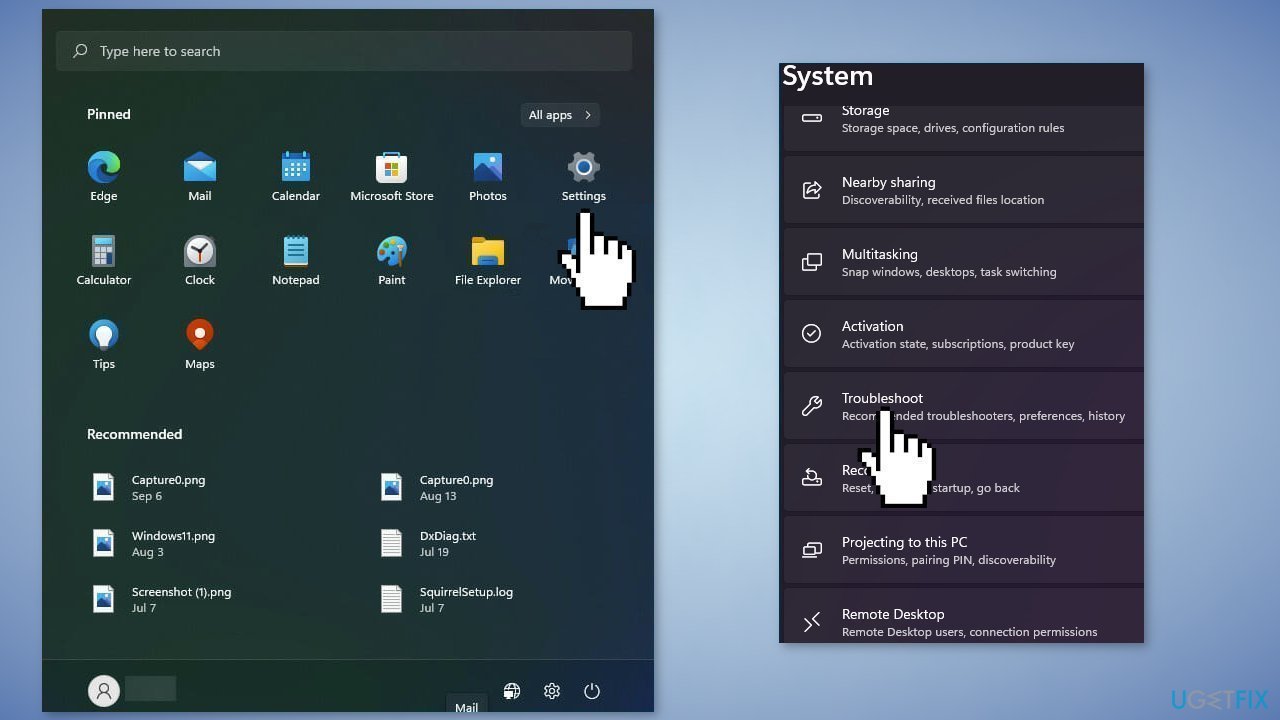
- Locate the Windows Update troubleshooter and hit the Run button
Solution 2. Disable Third-Party Security Software
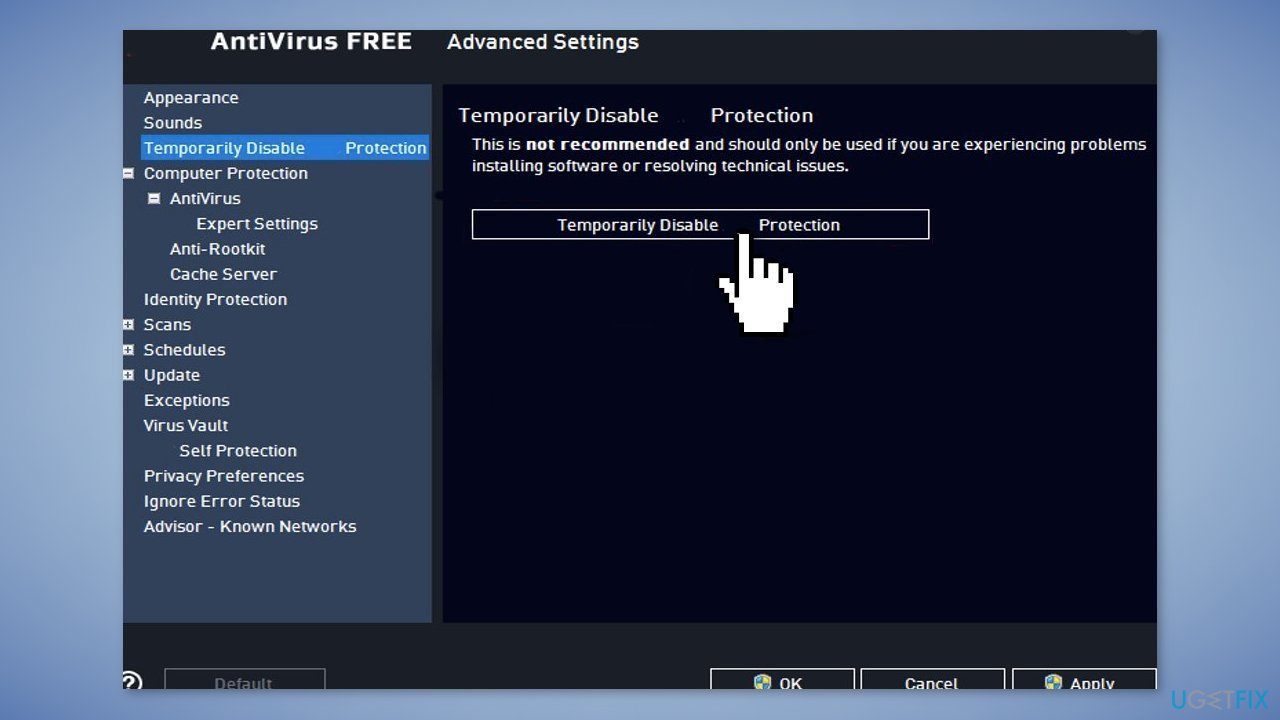
Sometimes antivirus software can block legitimate processes mistakenly. You should try disabling your antivirus and trying to run the update again.
Solution 3. Fix Corrupted System Files
Use Command Prompt commands to repair system file corruption:
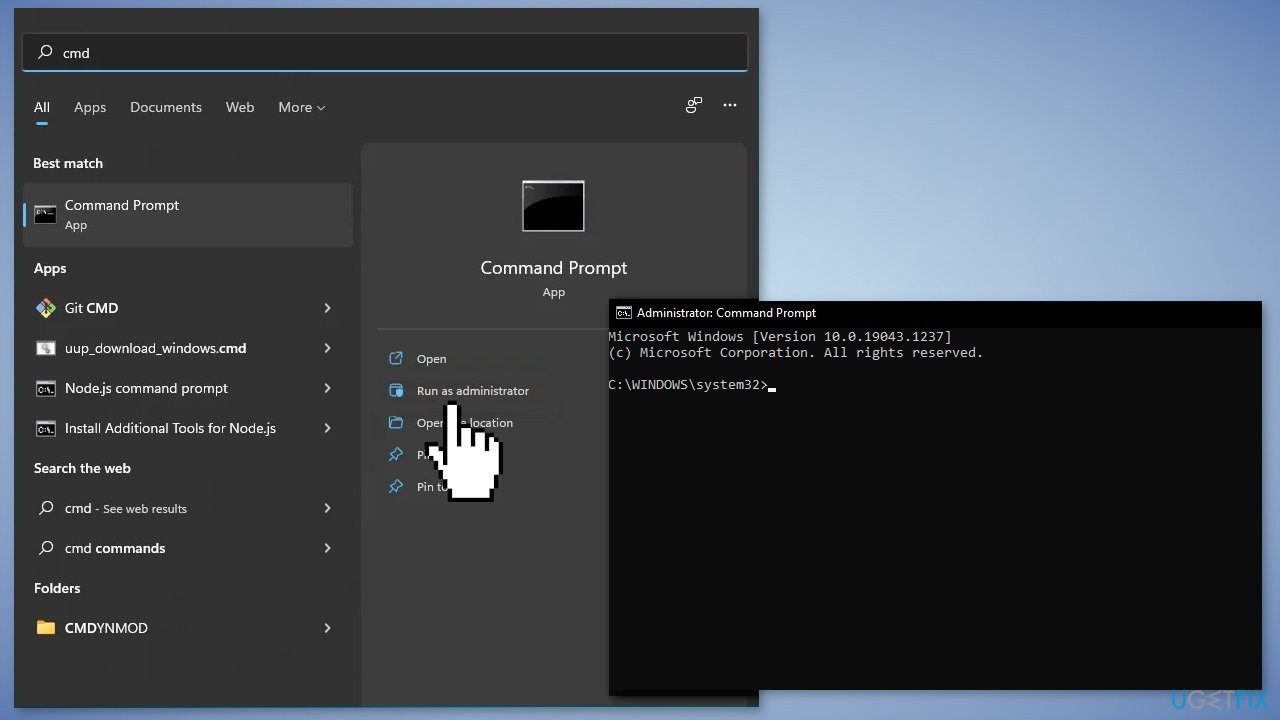
- Open Command Prompt as administrator
- Use the following command and press Enter:
sfc /scannow
- Reboot your system
- If SFC returned an error, then use the following command lines, pressing Enter after each:
DISM /Online /Cleanup-Image /CheckHealth
DISM /Online /Cleanup-Image /ScanHealth
DISM /Online /Cleanup-Image /RestoreHealth
Solution 4. Restart Windows Services
- Type services in the search bar and launch the Services utility
- Find Windows Update in the list
- Double-click on it, set the Startup type to Automatic, and click Apply
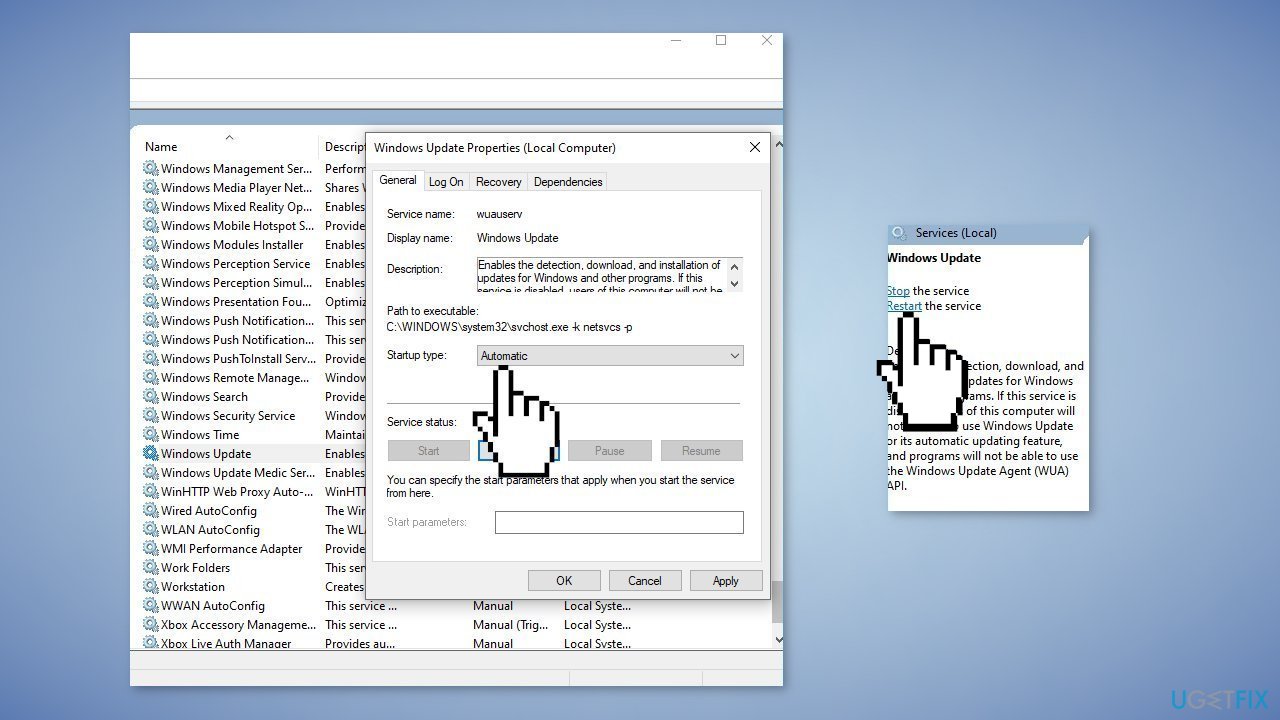
- Now click on Restart the Service
- Do the same with Background Intelligent Transfer Service
Solution 5. Reset Windows Update Components
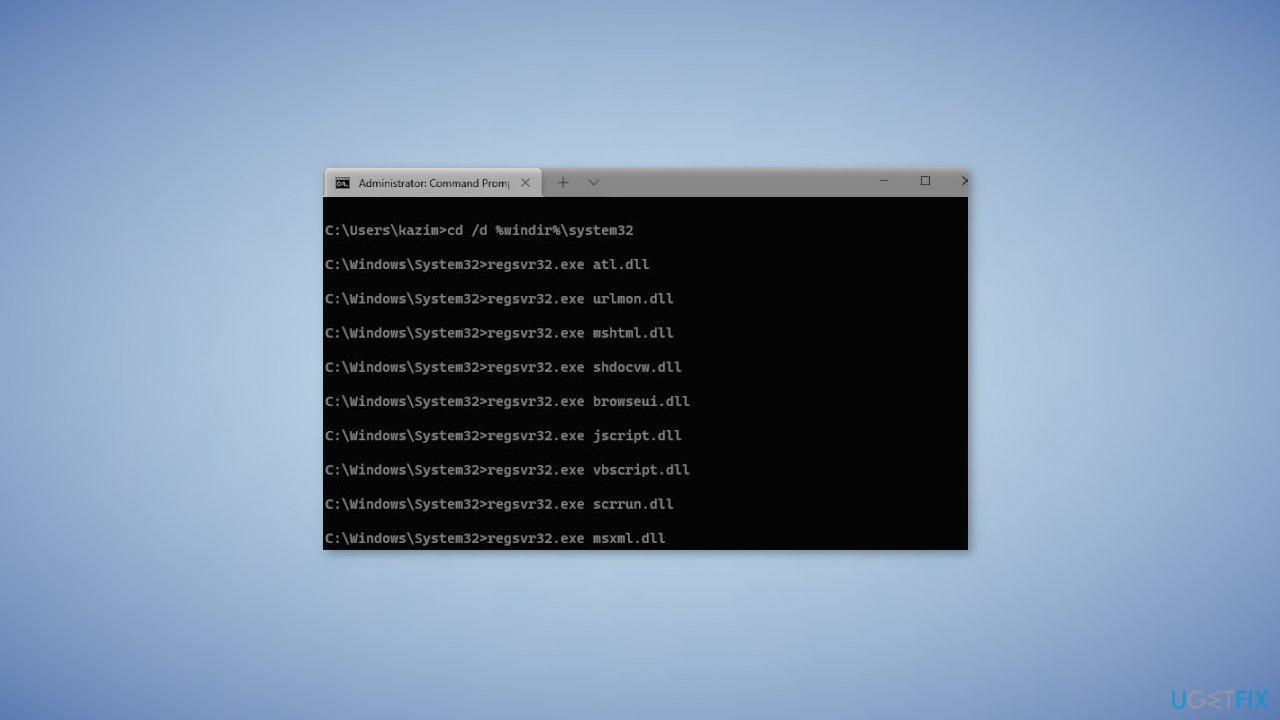
- Open the Command Prompt as an Administrator
- Type the following commands one by one and press Enter after each:
net stop bits
net stop wuauserv
net stop cryptsvc
Del "%ALLUSERSPROFILE%\Application Data\Microsoft\Network\Downloader\qmgr*.dat"
Ren %Systemroot%\SoftwareDistribution\DataStore DataStore.bak
Ren %Systemroot%\SoftwareDistribution\Download Download.bak
Ren %Systemroot%\System32\catroot2 catroot2.bak
sc.exe sdset bits D:(A;;CCLCSWRPWPDTLOCRRC;;;SY)(A;;CCDCLCSWRPWPDTLOCRSDRCWDWO;;;BA)(A;;CCLCSWLOCRRC;;;AU)(A;;CCLCSWRPWPDTLOCRRC;;;PU)
sc.exe sdset wuauserv D:(A;;CCLCSWRPWPDTLOCRRC;;;SY)(A;;CCDCLCSWRPWPDTLOCRSDRCWDWO;;;BA)(A;;CCLCSWLOCRRC;;;AU)(A;;CCLCSWRPWPDTLOCRRC;;;PU)
cd /d %windir%\system32
regsvr32.exe atl.dll
regsvr32.exe urlmon.dll
regsvr32.exe mshtml.dll
regsvr32.exe shdocvw.dll
regsvr32.exe browseui.dll
regsvr32.exe jscript.dll
regsvr32.exe vbscript.dll
regsvr32.exe scrrun.dll
regsvr32.exe msxml.dll
regsvr32.exe msxml3.dll
regsvr32.exe msxml6.dll
regsvr32.exe actxprxy.dll
regsvr32.exe softpub.dll
regsvr32.exe wintrust.dll
regsvr32.exe dssenh.dll
regsvr32.exe rsaenh.dll
regsvr32.exe gpkcsp.dll
regsvr32.exe sccbase.dll
regsvr32.exe slbcsp.dll
regsvr32.exe cryptdlg.dll
regsvr32.exe oleaut32.dll
regsvr32.exe ole32.dll
regsvr32.exe shell32.dll
regsvr32.exe initpki.dll
regsvr32.exe wuapi.dll
regsvr32.exe wuaueng.dll
regsvr32.exe wuaueng1.dll
regsvr32.exe wucltui.dll
regsvr32.exe wups.dll
regsvr32.exe wups2.dll
regsvr32.exe wuweb.dll
regsvr32.exe qmgr.dll
regsvr32.exe qmgrprxy.dll
regsvr32.exe wucltux.dll
regsvr32.exe muweb.dll
regsvr32.exe wuwebv.dll
netsh winsock reset
net start bits
net start wuauserv
net start cryptsvc
- Wait for the process to finish and restart your PC
Solution 6. Perform a Repair Install
- Visit the official Microsoft website to download Windows 11 Installation Media
- Run the Media Creation Tool and select Create Installation Media for another PC
- Select your USB drive
- Let the Process complete of writing the Installation files to the USB drive
- Click Finish
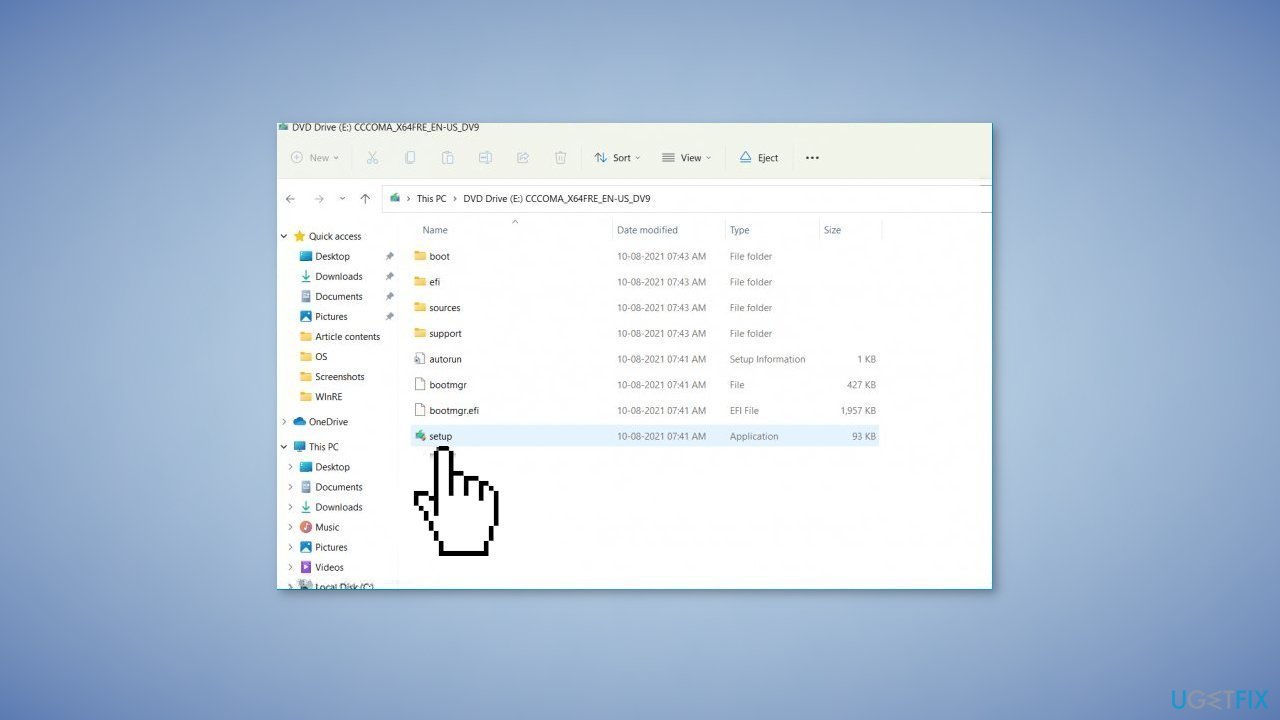
- On the PC you wish to upgrade, Press Windows + E to open the File Explorer
- Open the Removable drive and click Setup.exe
- Accept the license terms on the next screen
- Confirm the Upgrade options – Files, apps and Settings are kept
- Click Install, and the upgrade should start
Bottom line
To fix the installation failure of KB5018496, you can run the Update Troubleshooter, disable third-party security software, and repair corrupted system files using Command Prompt. If these solutions do not resolve the issue, consider using a maintenance tool to automatically fix system errors.
Frequently asked questions
Try restarting your computer and then attempt the installation again. If that doesn't work, consider running the Windows Update Troubleshooter to identify and fix potential issues.
Yes, common error codes include 0x800f0805 and 0x8007000d, which indicate problems with the update files or system configurations.
You can manually download the update from the Microsoft Update Catalog website and then install it by following the on-screen instructions.




Report an issue
What's wrong with this guide? We review every report and update or remove content.
Report received — thank you. We'll review and fix it.
You need a free account to submit a report.
Be the first to comment