How to fix
Media Creation Tool error 0x8007043C – 0x90017
on Windows
Resolve Media Creation Tool error 0x8007043C - 0x90017 on Windows 10 and 11 effortlessly. Expert-tested solutions for hassle-free fixes!

What causes How to fix Media Creation Tool error 0x8007043C – 0x90017?
- System corruption
- Diminished performance
- Malicious software infestations
- Outdated Windows version
- Incomplete installation files
Repairs Windows system files, removes malware, and restores a clean OS state — without reinstalling.
Hello, I recently found my Windows 10 pretty much broken, so I decided to reinstall it using Media Creation Tool. When I tried, I received an error 0x8007043C - 0x90017, though, so I was wondering what I should do next or how to fix this.
Even though Windows is a sophisticated OS, things don't always pan out when using it - experienced users know this all too well. And one of those scenarios includes the need for reinstallation.
When faced with system corruption, diminished performance, or malicious software infestations, reinstalling Windows can bring a swift resolution. Additionally, many individuals opt for this process when wishing to upgrade to the newest version of the operating system.
Several approaches can be taken to reinstall the operating system, including selecting the Fresh Start option from your Settings menu. Another successful method for accomplishing this task is with Microsoft's Media Creation Tool - a utility that grants users access to download and generate installation media for either Windows 10 or 11.
Unfortunately, encountering a Media Creation Tool error such as 0x8007043C - 0x90017 is not a far-fetched possibility, especially when users have already had to deal with similar errors before. Because of this, they are unable to go on with the system reinstall process that would resolve the issues they are having in the first place.
That being said, [d1] is an excellent PC repair tool that is capable of finding and repairing damaged system files in just a few minutes, which can save you a lot of time, and reinstall might not even be necessary, which would make the 0x8007043C - 0x90017 error just a thing of the past.
Nonetheless, if you would like to fix the 0x8007043C - 0x90017 error when using Media Creation Tool to upgrade or reinstall Windows, we have prepared several manual solutions for you, so make sure you follow each of the steps carefully.
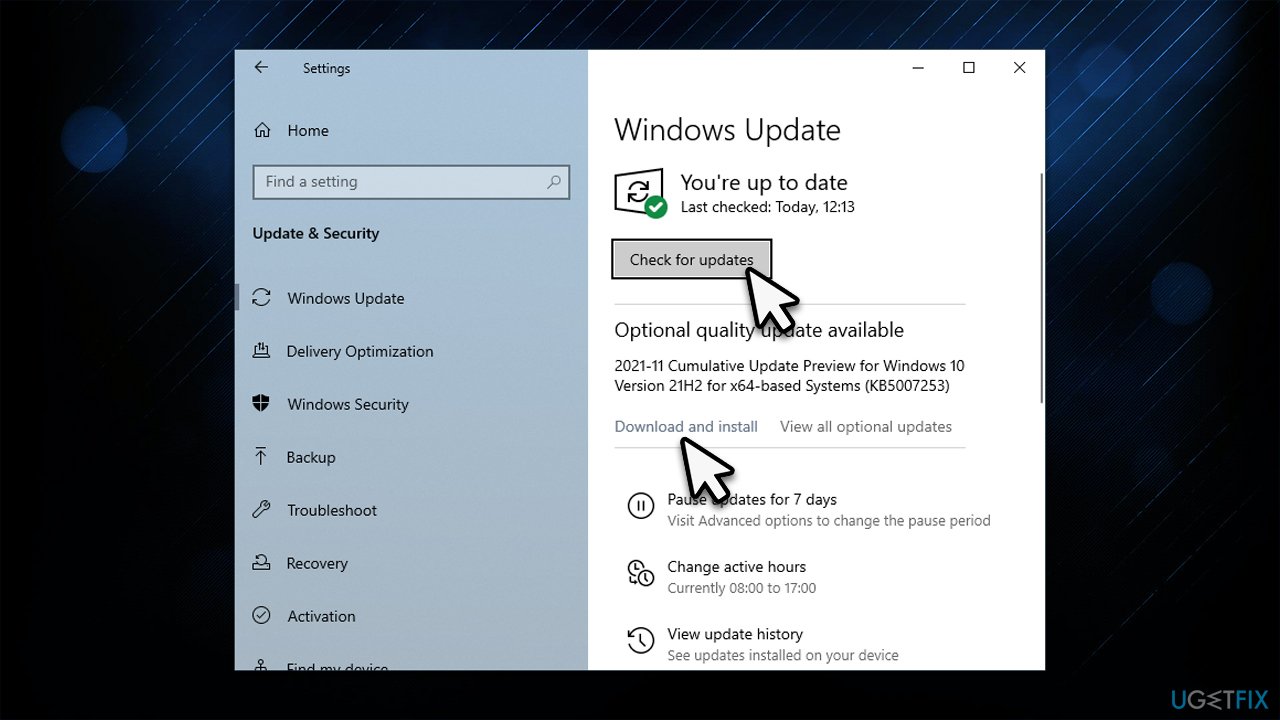
1. Update Windows
Several bugs can be patched by making sure that all the available updates are installed.
- Open Windows Search and type in Updates, then press Enter.
- Select Check for Updates.
- Install any available optional updates.
- Allow the necessary files to download and install.
- Reboot your system.
2. Use System File Checker and DISM
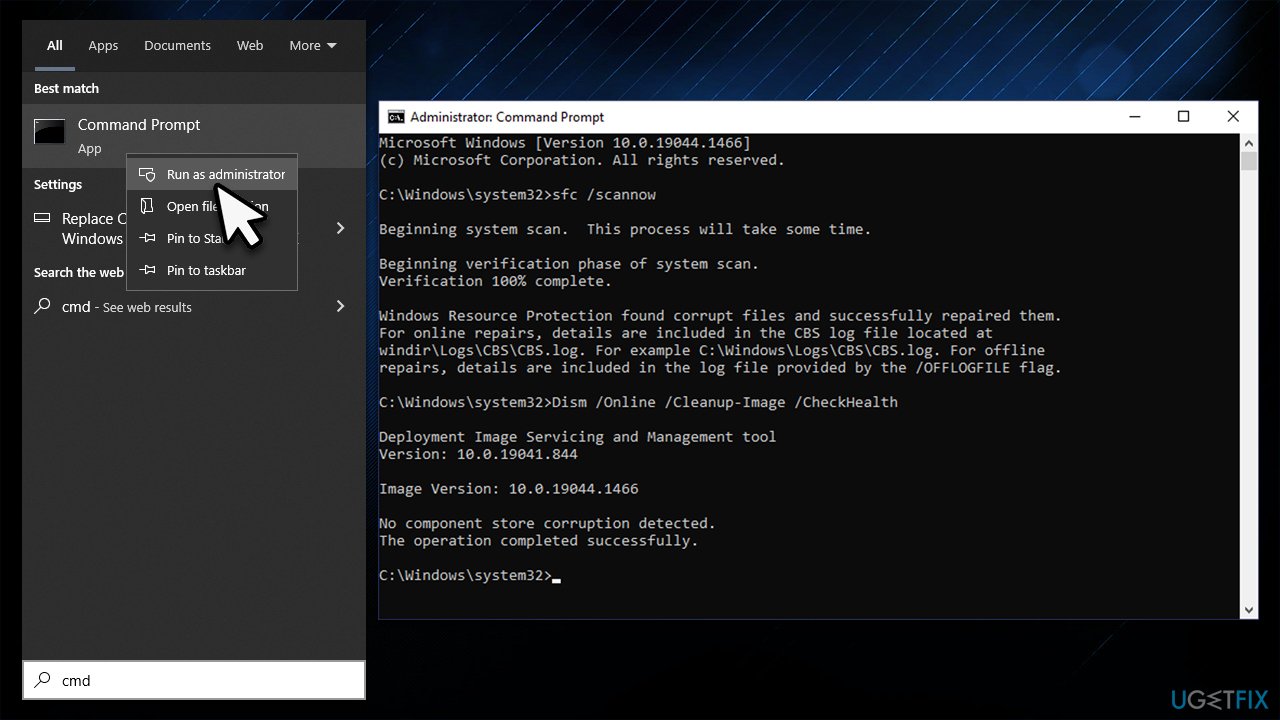
Fixing corrupted system files might help you bypass the error:
- Type cmd in Windows search.
- Right-click on the Command Prompt result and select Run as administrator.
- User Account Control (UAC) window will ask whether you want to allow changes to your computer - click Yes.
- Next, copy and paste the following commands, pressing Enter after each:
sfc /scannow
How to fix windows error 0x800701e1 run sfc scan
DISM /Online /Cleanup-Image /CheckHealth
DISM /Online /Cleanup-Image /ScanHealth
DISM /Online /Cleanup-Image /RestoreHealth - Restart your system.
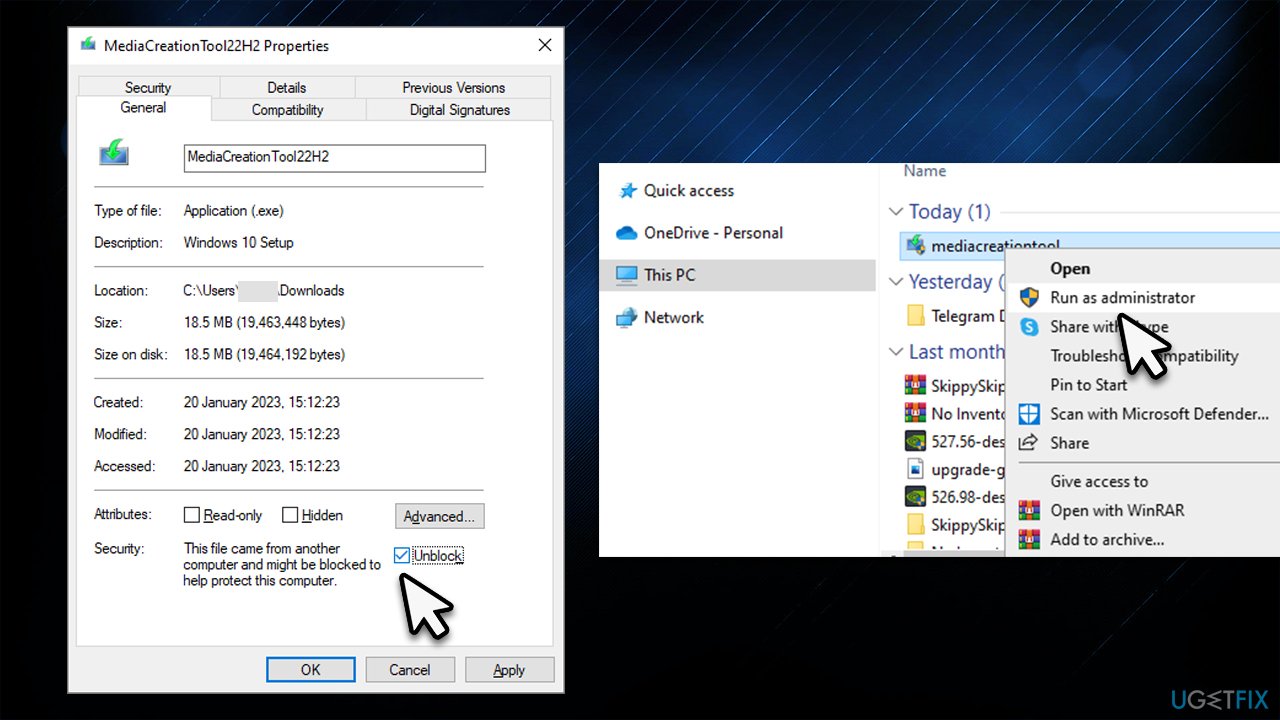
3. Run the tool as an administrator/unblock the installer
While it might be a simple fix, not everyone has tried it.
- Visit the official Microsoft page to download Media Creation tool (Windows 11 version)
- Once downloaded, right-click on the mediacreationtool.exe and select Properties.
- At the bottom of the window, tick the Unblock checkbox, click Apply, and OK to close Properties.
- Right-click the installer and select Run as administrator.
- When User Account Control shows up, click Yes
- Proceed with the on-screen instructions provided.
4. Disable third-party security software
Some security software might be overly aggressive or may not be fully compatible with Windows. As a result, it may cause various issues, granting it runs at the kernel level of the operating system. Some users might experience Windows update or upgrade failures due to that.
Therefore, when updating, upgrading, or reinstalling Windows, please make sure you disable your third-party security software and even consider swapping to anti-malware that wouldn't cause such issues in the future.
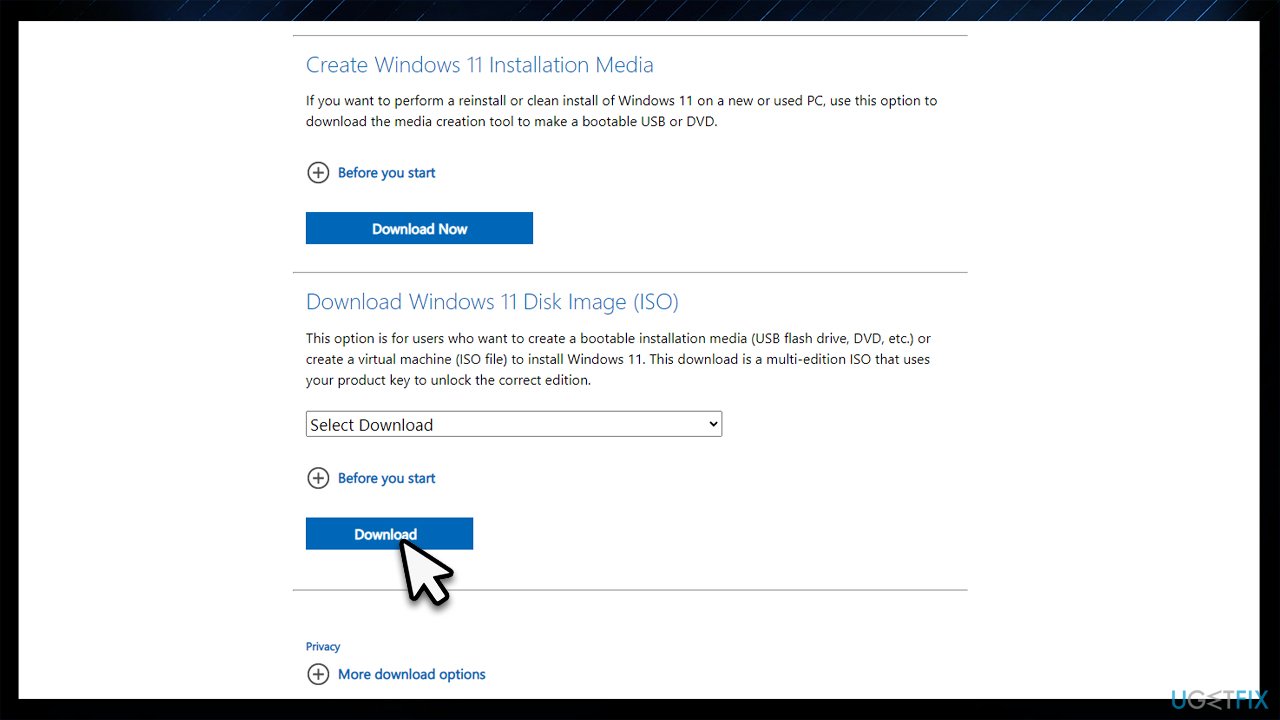
5. Use Bootable Media instead [Windows 11 only]
Ensure that your device is connected to a network, there's sufficient hard drive space (a minimum of 64GB), all third-party security applications are uninstalled, any optional peripherals like printers are disconnected, and your system meets the prerequisites for Windows 11.
- Visit the official Microsoft page to download Windows Disk Image
- Go to the folder where you downloaded the ISO file
- Right-click the ISO file and select Properties
- On the General tab, click Change under Opens with and select Windows Explorer
- Click Apply
- Right-click the ISO file again and select Mount
- A virtual bootable disc will be created. Double-click on it to view the contents
- Double-click setup.exe to begin the setup process for Windows 11
Bottom line
To fix the Media Creation Tool error 0x8007043C - 0x90017, you can try updating Windows, using a PC repair tool to fix damaged system files, or reinstalling the operating system. If these solutions do not resolve the issue, consider seeking further technical support.
Frequently asked questions
This error indicates that there is a problem with the Media Creation Tool's ability to access necessary files or resources, often due to a corrupted installation or insufficient permissions.
You can resolve this error by running the Media Creation Tool as an administrator, disabling any antivirus software temporarily, and ensuring that your Windows system is fully updated.
Yes, you can fix this error by performing a clean boot to eliminate software conflicts, or by using the DISM and SFC tools to repair any corrupted system files.




Report an issue
What's wrong with this guide? We review every report and update or remove content.
Report received — thank you. We'll review and fix it.
You need a free account to submit a report.
Be the first to comment