How to fix
Message could not be displayed error
on Windows
Resolve the 'Message could not be displayed' error in Windows Live Mail effortlessly. Get expert-tested solutions and fix it in minutes!


What causes How to fix Message could not be displayed error in Windows Live Mail?
- Low memory
- Low disk space
- Incorrect POP settings
- Firewall blocking ports
- Anti-malware solutions blocking ports
Repairs Windows system files, removes malware, and restores a clean OS state — without reinstalling.
I receive the Message could not be displayed on WLM in the inbox. It should be related to the low memory or disk space according to the error message full version. I tried to delete the folder, but I cannot even remove it. Can you help fix "Message could not be displayed" error on Windows Live Mail?
The Message could not be displayed error in Windows Live Mail is the problem that seems to annoy and frustrate people.[ref en-1] The problem of the message appearing out of nowhere is also creating issues with the server and keeping the user from sending or receiving any other messages.
The Message could not be displayed error in Windows Live Mail can be related to incorrect POP settings and firewall or anti-malware solutions blocking ports. Disabling the firewall or security software for isolation purposes for a short time might show if that is the reason why you receive the WLM issue.
Message could not be displayed error in Windows Live Mail can be encountered in various forms because Windows Live Mail shows that you have a new email and clicking that reveals the message as the preview window. It is possible that the new email cannot open at all.
Some analysis shows that there are similar situations and different problems with the error, but we can also gather a few methods that help to fix Message could not be displayed error in Windows Live Mail. Microsoft's official support is stopped for this application, so ditching it entirely might be the solution for all the problems.[ref en-2]
If you want to properly fix the issue, you might want to go through the methods below that involve interference with some of the settings. Besides those solutions that show how to fix Message could not be displayed error in Windows Live Mail manually, there are a few quick fixes.
We can recommend an automatic tool built for PC repair like [d1], that should indicate affected system files and can possibly repair altered parts to solve additional issues for you. Such affected files can be leftovers of malware[ref en-3] and affect the performance. Run the program before doing anything else to help the process.
Method 1. Empty the temporary file folder
- Trigger the Run box with Win and R keys.
- Try finding the %userprofile%AppDataLocalTemp.
- Delete all files in it via the Delete button from the Home menu.
- Restart Windows Live Mail.
Method 2. Turn off the AV protection to fix Message could not be displayed error in Windows Live Mail
- Hit Start.
- Then Settings.
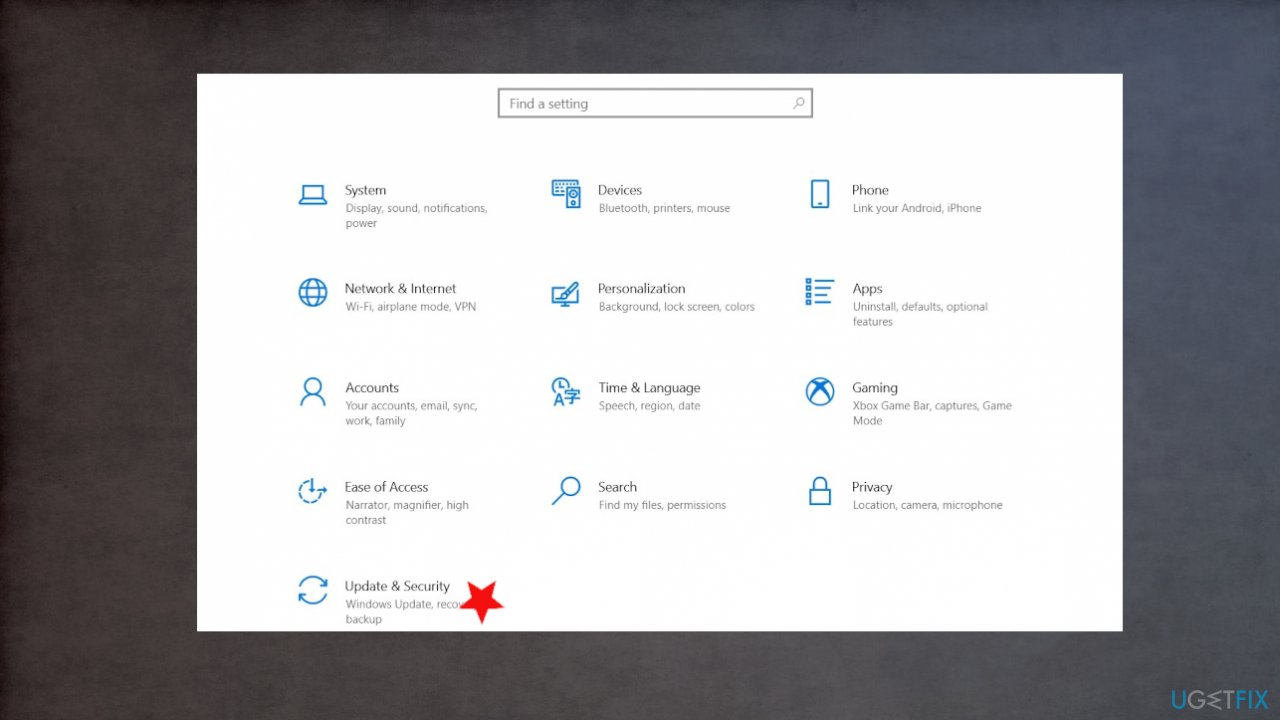
Fix windows live mail message error settings - Find Update & Security.
- Go to Windows Security.
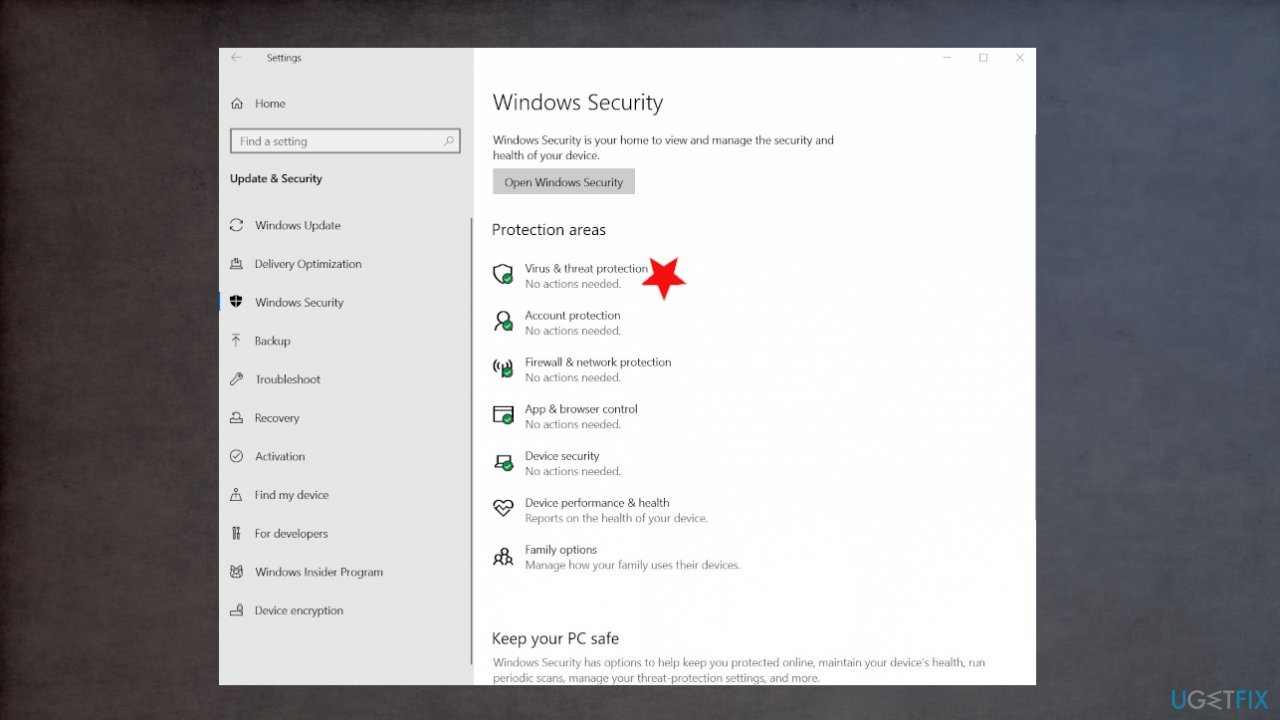
Fix windows live mail message error virus protection - Choose Virus & threat protection.
- Click Manage settings.
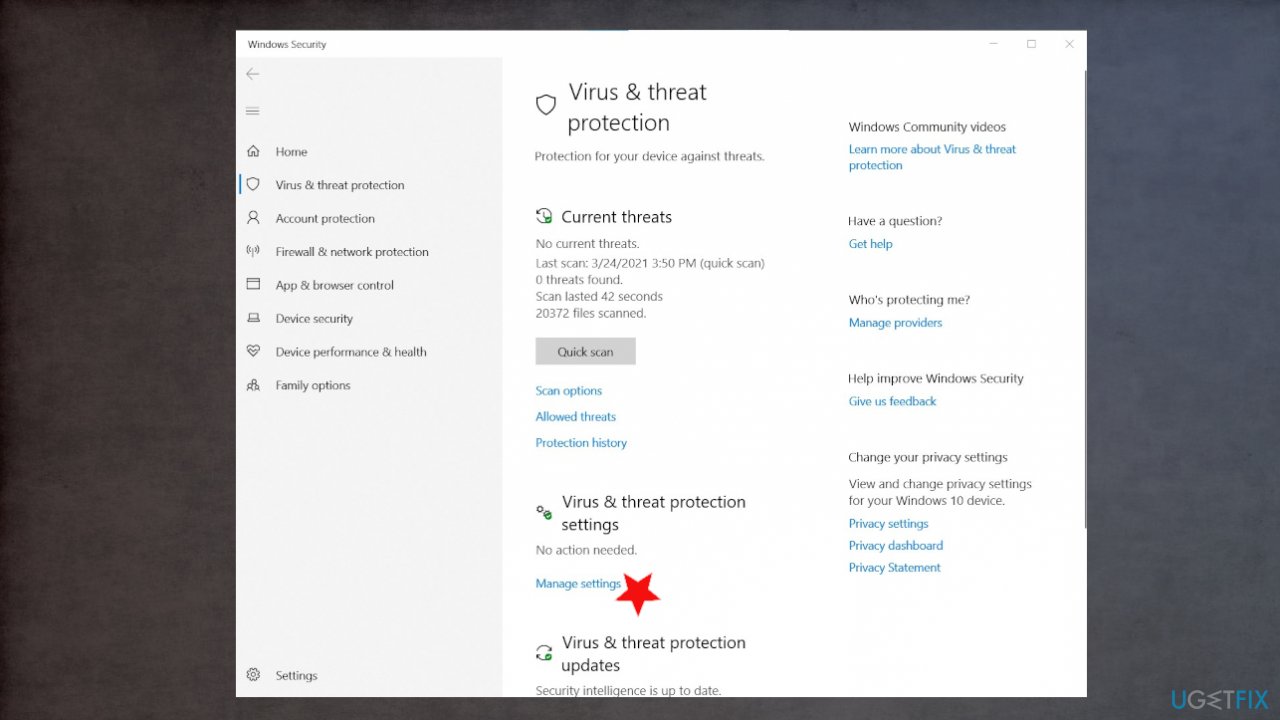
Fix windows live mail message error virus settings - Switch Real-time protection to Off.
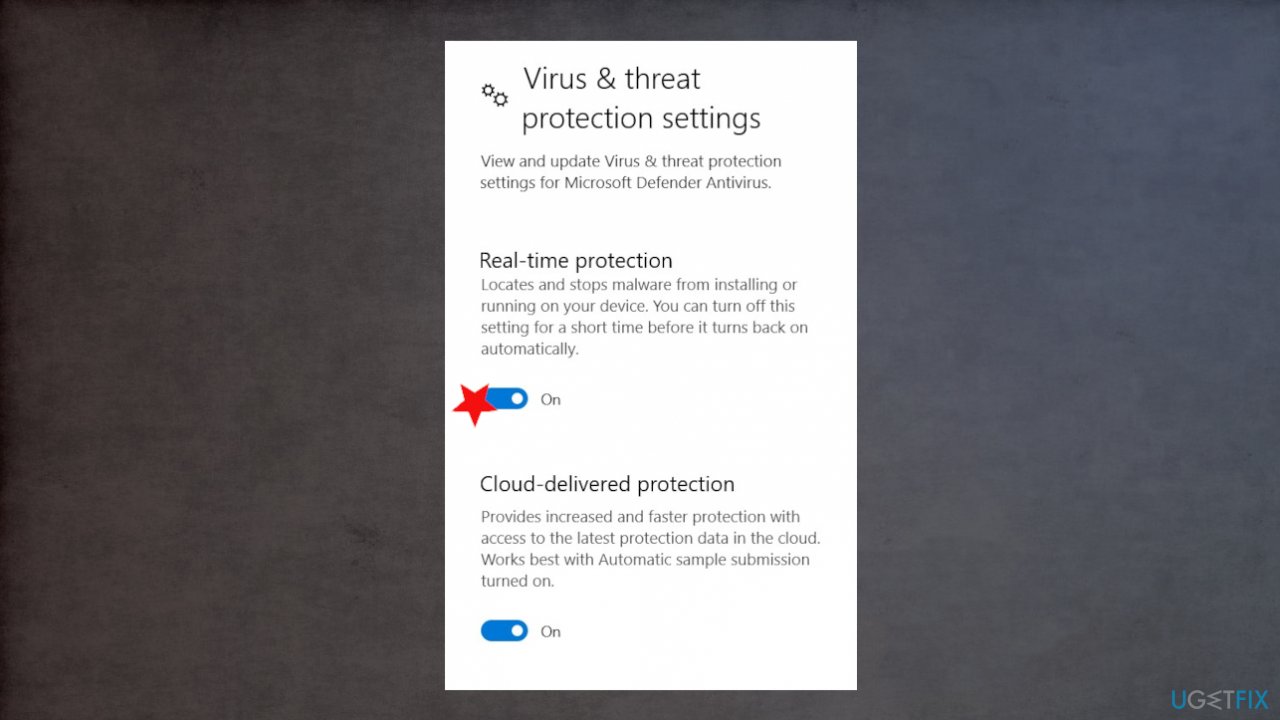
Fix windows live mail message error turn iff protection
Method 3. Check for Updates
- Open Windows Live Mail app.
- Go to Help.
- Choose Check for Updates option.
- Then restart to check the issue is fixed.
Method 4. Reinstall the WLM to fix Message could not be displayed error
- Go to the Control Panel.
- Find Programs and Features.
- Right-click the application and choose Uninstall.
- Install the application from the official website.
- Restart the PC.
Method 5. Try the System File Checker
- Type in cmd in Windows search.
- Right-click on Command Prompt and select Run as administrator.
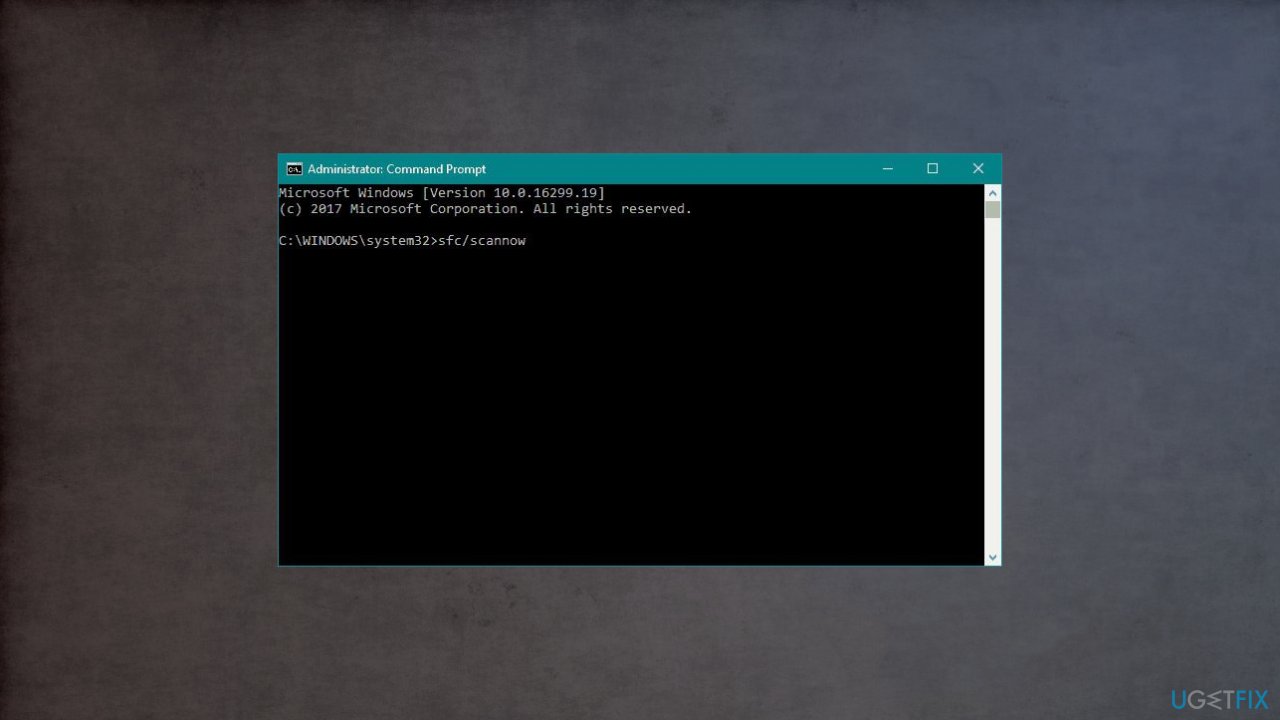
Fix windows live mail message error - Type in sfc /scannow and hit Enter.
Bottom line
To fix the 'Message could not be displayed' error in Windows Live Mail, you can try disabling the firewall or security software temporarily, check your POP settings, or use an automatic PC repair tool. If these methods do not resolve the issue, consider switching to a different email client since Microsoft's official support for Windows Live Mail has ended.
Frequently asked questions
This error can occur due to corrupted email messages, issues with your email account settings, or problems with Windows Live Mail itself. Checking your account settings and ensuring your Windows 10 system is updated can help resolve the issue.
You can reset Windows Live Mail by navigating to the 'Control Panel', selecting 'Programs and Features', and then choosing 'Repair' for Windows Live Essentials. This process can help restore the application to its default settings and fix the error.
Yes, ensuring that your Windows 10 is fully updated can help fix compatibility issues that may cause this error. Check for updates in the 'Settings' app under 'Update & Security' to ensure you have the latest patches.




Report an issue
What's wrong with this guide? We review every report and update or remove content.
Report received — thank you. We'll review and fix it.
You need a free account to submit a report.
Be the first to comment