How to fix
Microsoft Outlook error 0x800CCC1A
on Windows
Resolve the Microsoft Outlook error 0x800CCC1A on Windows 10 and 11 with simple fixes. Expert-tested solutions for seamless email access, zero traces left.


What causes How to fix Microsoft Outlook error 0x800CCC1A?
- Incorrect encryption type
- Wrong port settings
- Damaged or corrupted Outlook profile
- Malware interference
- Third-party applications causing errors
Repairs Windows system files, removes malware, and restores a clean OS state — without reinstalling.
I keep getting this error in Outlook. it repeats when I send or receive and it is constant. The error Your server does not support the encryption type you have specified has a code 0x800CCC1A and I don't have a clue why this is here and what to do. I don't know how to alter or enter server settings that apparently are not okay here. Can you help?
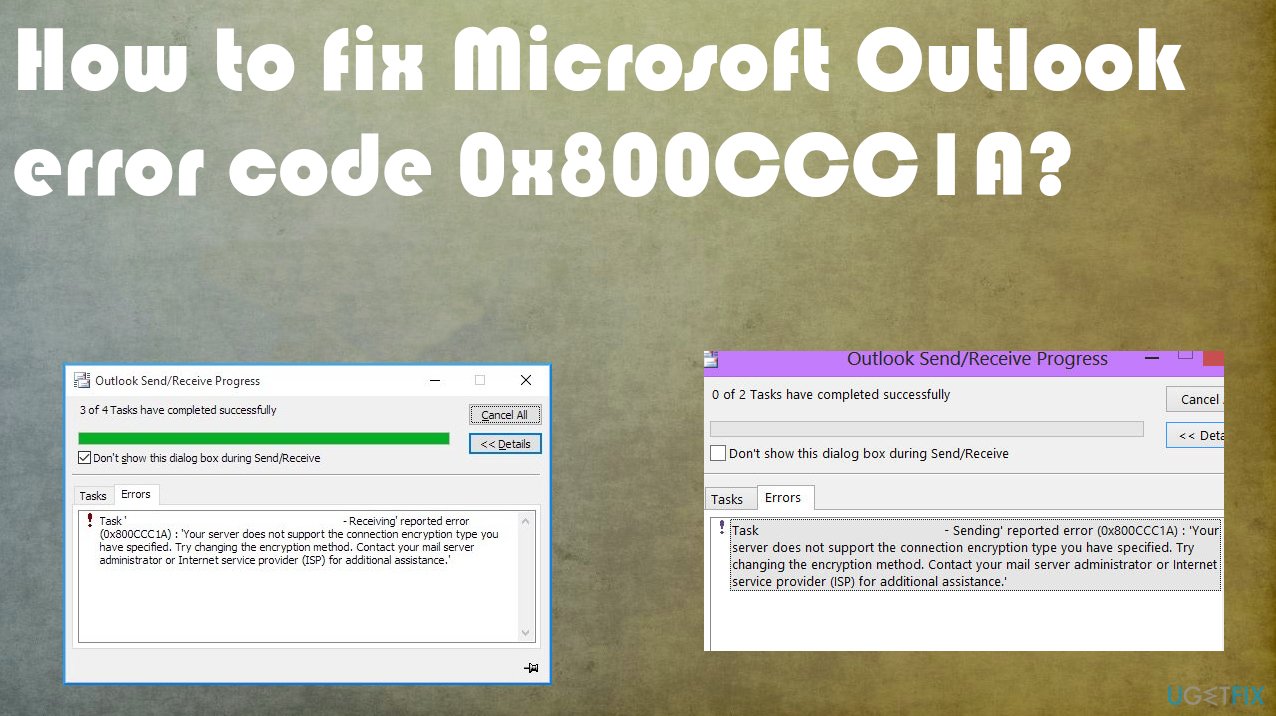
Microsoft Outlook error 0x800CCC1A occurs when the issue is within the synchronization between incoming and outgoing servers. Users[ref en-1] state that the issue occurs often, if not every time using the Outlook webmail client.[ref en-2] This piece of software has its fair share of issues and errors while sending or receiving emails that might occur for most of the users.
The issue can trigger a particular error pop-up with the Microsoft Outlook error 0x800CCC1A and an indication that the server connection failed. The message states that the problem occurred due to an incorrect encryption type and the wrong port. This is one of the causes of the error.
Another possible reason why users encounter this Microsoft Outlook error 0x800CCC1A is the Outlook client's damaged profile. If the profile is damaged or corrupted the issue emerges and is not going away until the corruption is fixed. Malware[ref en-3] can trigger such issues or even third-party applications, antivirus tools and other programs can cause various errors on the system.
Since there are a few possible causes for the error, it is possible to fix Microsoft Outlook error 0x800CCC1A but you need to determine the trigger for it. Quick check of the system and troubleshooting or even fixing method could be system damage repair with [d1]. If this check shows nothing, you should go for the manual solutions below.
1. Configure SSL encryption
- Launch MS Outlook.
- Click on File and then click on Account Settings button.
- Select the E-mail tab and then Double-Click on the account on which you would like to make the changes.
- Click on More Settings.
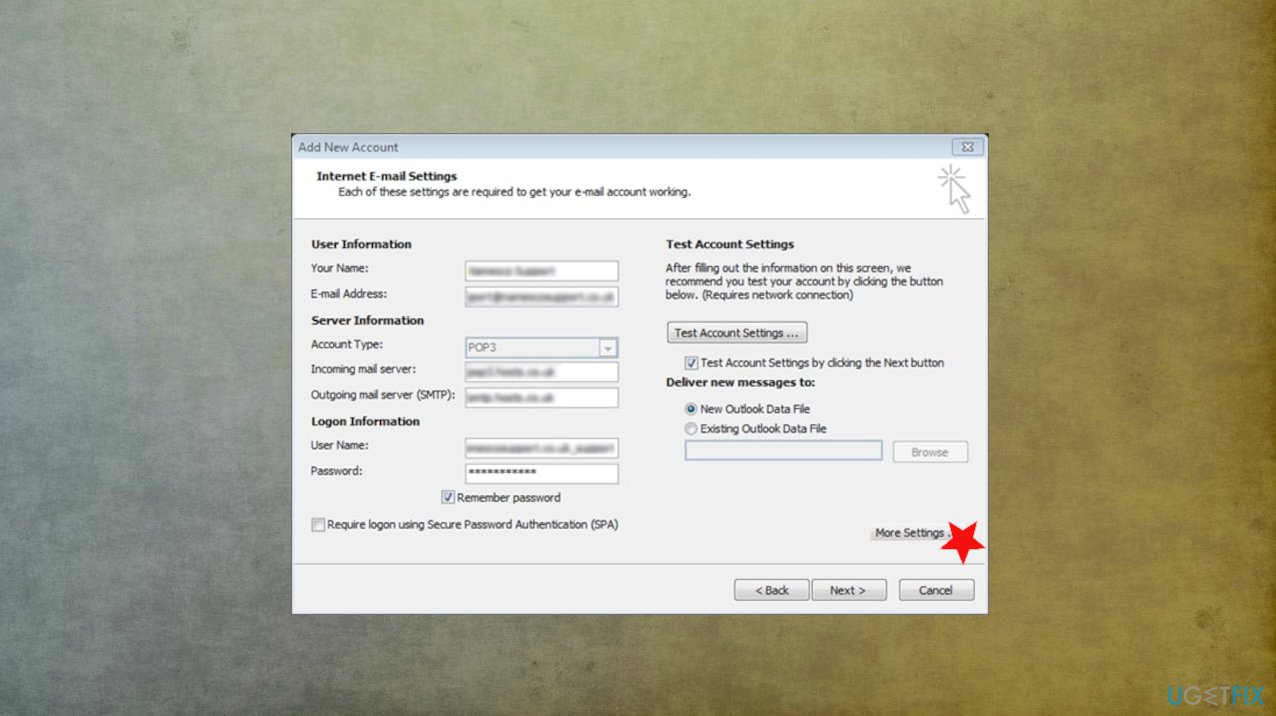
Fix error code 0x800ccc1a more settings - Click on the Advanced tab, then uncheck the box next to This server requires an encrypted connection (SSL) and click on OK.
2. Change port settings to fix Microsoft Outlook error 0x800CCC1A
- Go to your Account Settings.
- Select your account and then click Change.
- Click on More Settings and then switch to the Advanced tab.
- Make sure SSL is selected from the drop-down list in front of Use the following type of encrypted connection.
- Change the port value for IMAP to 993 and SMTP to 587.
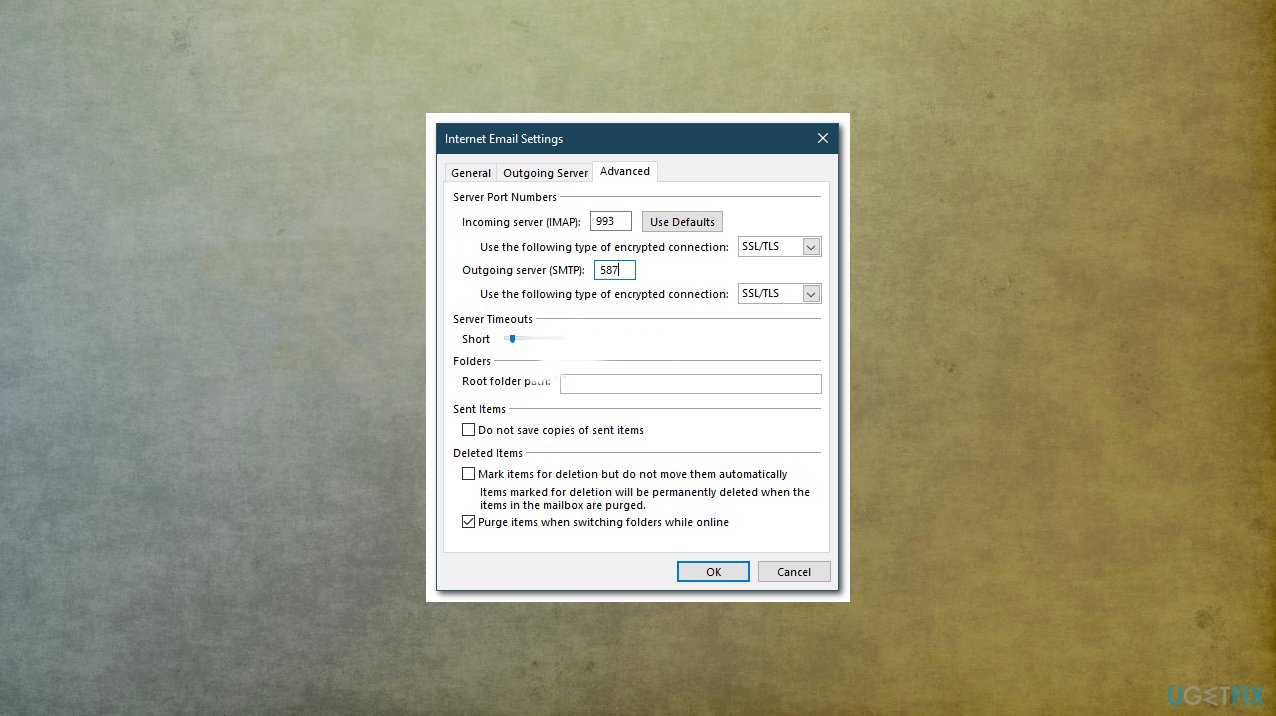
Fix error code 0x800ccc1a ports - Change SMTP encryption type to STARTTLS.
- Click OK and then restart Outlook.
3. Use Outlook repair tool
- Open File Explorer and head to \\Program Files\\Microsoft Office\\Office 12 folder
- Now click on scanpst.exe and browse to choose the damaged .pst file.
- Click on Start repairing it.
- As soon as the error gets fixed, you will receive a message repair complete.
4. Run SFC scan to fix Microsoft Outlook error 0x800CCC1A
- Go to Search and type Command or CMD.
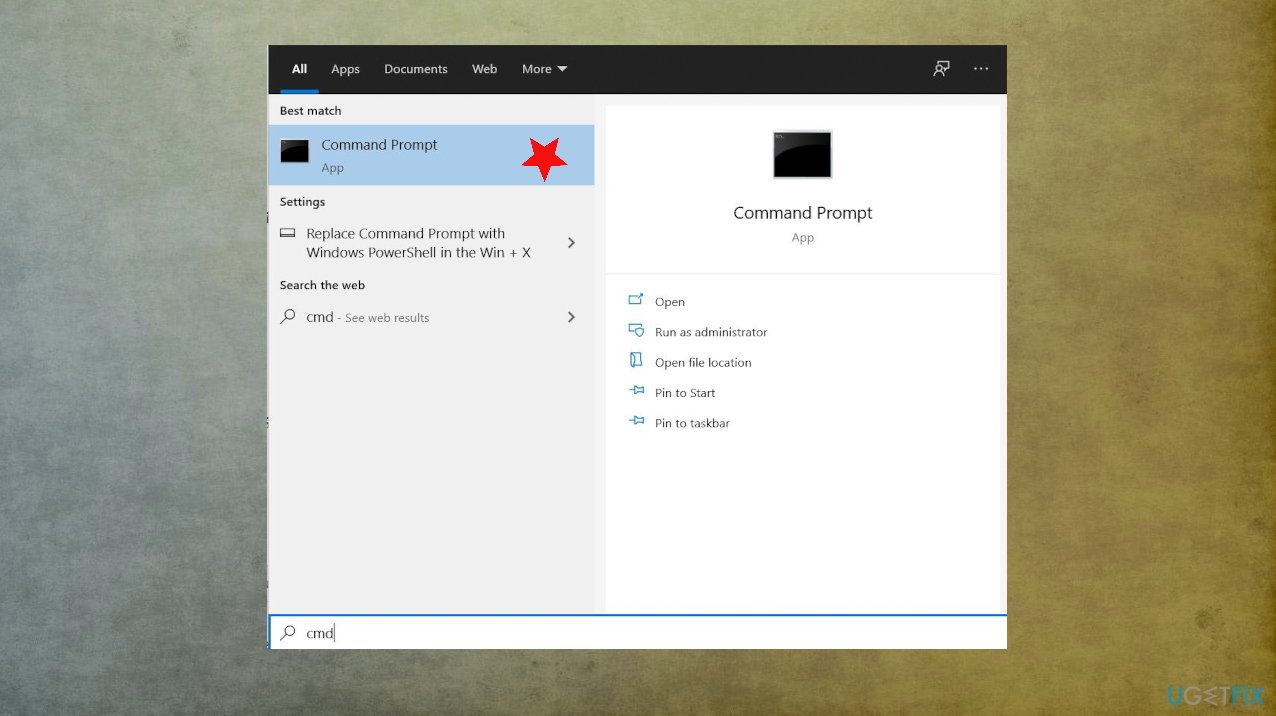
Fix error code 0x800ccc1a command - Open it with administrative rights.
- A black window with a blinking cursor will pop up.
- Type sfc /scannow and hit Enter.
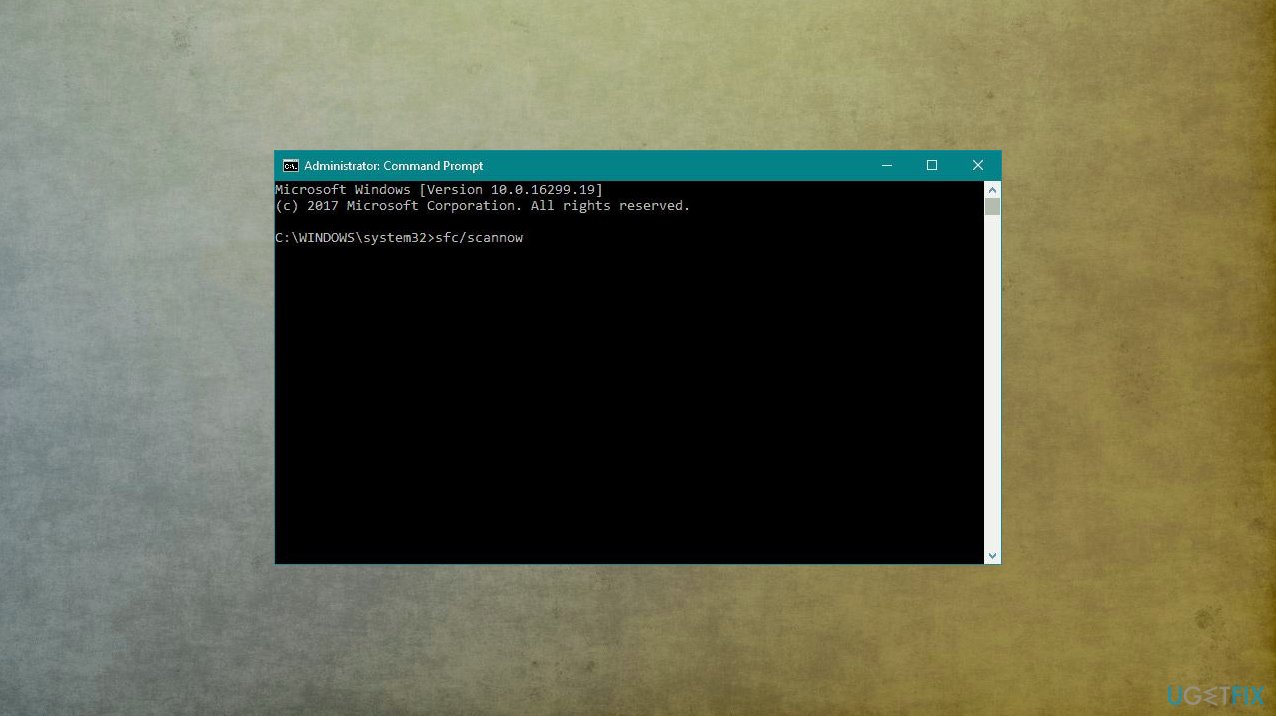
Fix error code 0x800ccc1a sfc - Now the scan is starting, and all the errors will get fixed automatically if any gets found.
- Restart Microsoft Outlook and check if the send-receive error occurs again.
Bottom line
To fix Microsoft Outlook error 0x800CCC1A, you can configure SSL encryption and change port settings. If these solutions do not resolve the issue, further troubleshooting or system damage repair may be necessary.
Frequently asked questions
The error 0x800CCC1A typically indicates that Outlook cannot connect to the mail server, often due to incorrect server settings or network issues.
In Windows 10 or Windows 11, open Outlook, go to File > Account Settings > Account Settings, select your email account, and ensure that the incoming and outgoing server settings are correct.
Make sure that your Windows Firewall or any third-party firewall is not blocking Outlook; you can add Outlook as an exception or temporarily disable the firewall to test the connection.




Report an issue
What's wrong with this guide? We review every report and update or remove content.
Report received — thank you. We'll review and fix it.
You need a free account to submit a report.
Be the first to comment