How to fix
Microsoft Outlook Error Code 0x80042109
on Windows
Resolve the Microsoft Outlook error code 0x80042109 on Windows 10 and 11 easily. Get expert-tested solutions for a seamless experience. Fixed in minutes!

What causes How to Fix Microsoft Outlook Error Code 0x80042109?
- Corrupted temporary Internet files
- Virus infection
- Malware infection
- Internet connectivity issue
- Outlook becoming unresponsive
Repairs Windows system files, removes malware, and restores a clean OS state — without reinstalling.
Hi guys! Could you please help me to resolve the issue that keeps me from sending e-mail messages via Outlook. For some strange reason, I cannot do that as each time an error code 0x80042109 appears. Nothing else happens, the system neither freezes nor crashes and there are no other errors appearing, no BSOD, nothing. The problem is that Outlook does not work, which is a serious problem for me because I manage my work and my personal emails. Please help.
Microsoft Outlook Error Code 0x80042109 is the issue that appears while sending messages via Outlook. Outgoing emails cannot reach the receiver and the message with information about email server issues get on the screen.[ref en-1] The issue seems to be important and related to changes of some sort but the user, in most cases, didn't interfere with anything.
While some of Windows errors are accompanied by system slowdowns, crashes, freezes, and similar issues, the others show up as if out of nowhere.[ref en-2] System errors are typically expressed in the form of BSOD windows or pop-up notifications, while software-related errors emerge when trying to exploit a particular application, such as Microsoft Outlook.
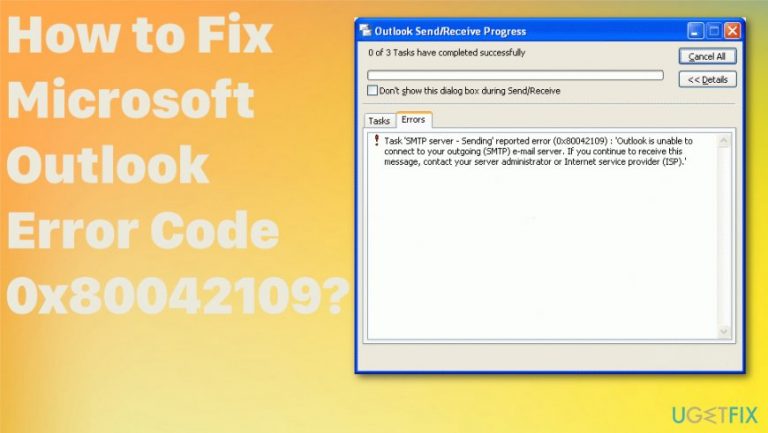
Several users have reported that when they attempt to perform any actions with Microsoft Outlook, the following message emerge:
“Sending reported error (0x80042109): Outlook cannot connect to your outgoing (SMTP) e-mail server”
OR
“Sending and Receiving reported error (0x80042109): Outlook is unable to connect to your outgoing (SMTP) e-mail server.”
If you have received the notification Nr 1, it means that your e-mail messages cannot be sent due to Internet connectivity issue. The second message indicates the fact that Outlook has become irresponsive, which is why it can’t be installed, opened, updated, configured, etc. So, naturally, you will not be allowed to send or receive emails. Specialists notify that Outlook error code 0x80042109 may be triggered by the corrupted temporary Internet files or virus/malware infection.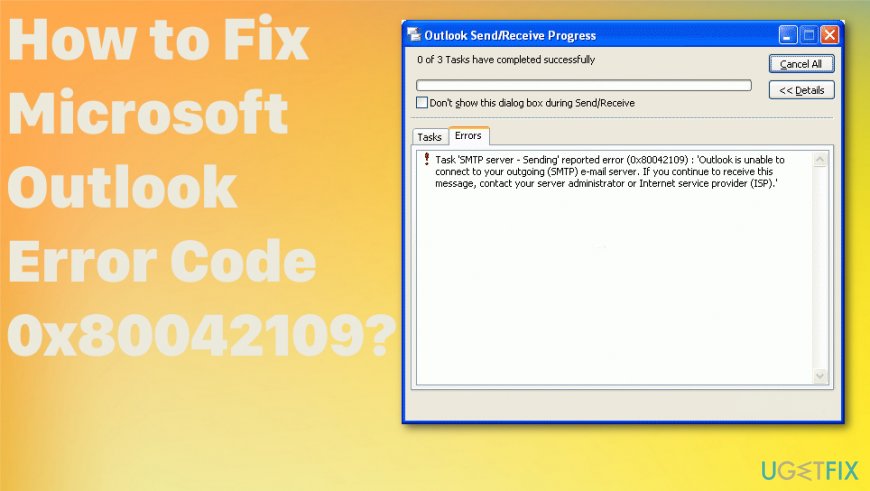
How to fix Microsoft Outlook Error Code 0x80042109
Malware /virus infection[ref en-3] is indicated as one of the Outlook error 0x80042109 causes. Therefore, specialists recommend installing a professional antivirus or PC optimization tool that is also capable of detecting malicious programs/files. Our recommendation would be to use [d1]. After that, perform a full system scan and check if there are any issues on your PC.
Remove your account and add it again to fix Microsoft Outlook Error Code 0x80042109
- Go to Settings.
- Then navigate to Apps and click on Outlook.
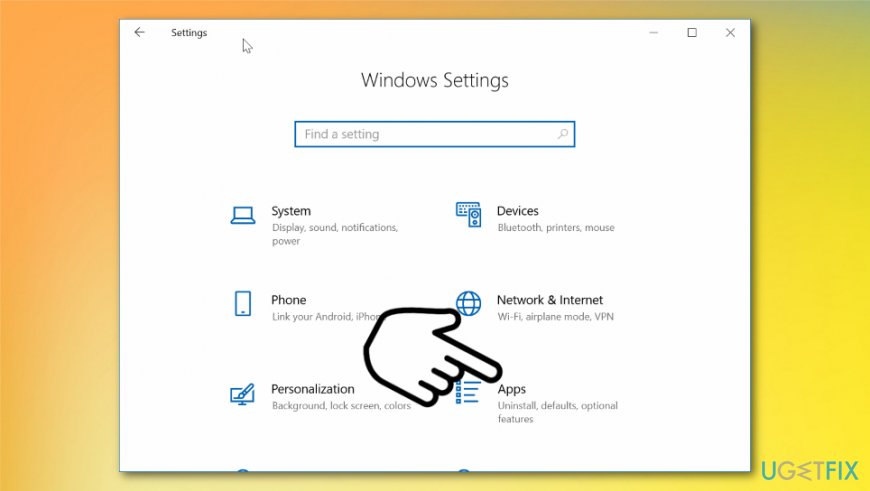
How to fix microsoft outlook error code 0x80042109 windows apps - Go to Advanced Options.
- There click on Reset and add your account information again, configure it, wait for synchronization.
Install pending Windows updates
- Click Start and then type Updates in the search box or just locate the Windows Update section.
- Look for uninstalled updates in the section and right-click on each one to start the process.
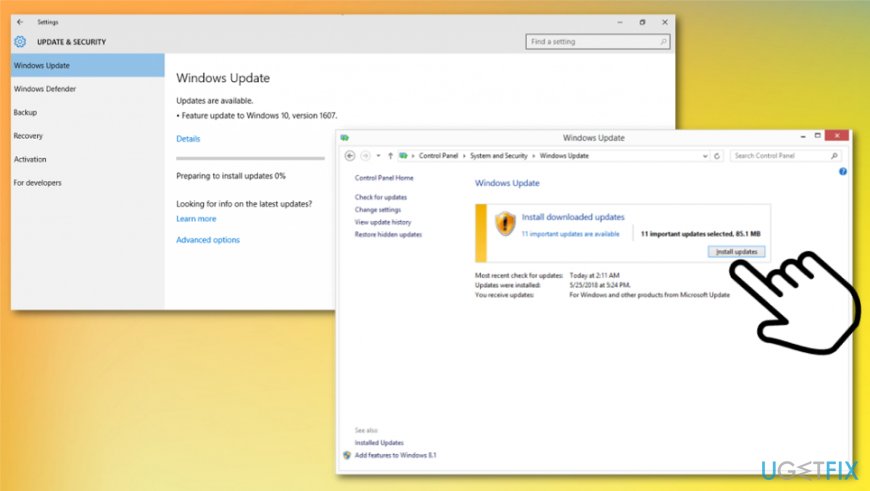
How to fix microsoft outlook error code 0x80042109 windows update
Disable Proxy server
- Click Win key + S and type cmd in the search box to open Command Prompt.
- Right-click on Command Prompt and select Run as Administrator.
- Now you have to disable proxy via Network Settings.
Disable antivirus to fix Microsoft Outlook Error Code 0x80042109
In addition, you should also try to disable your antivirus to fix 0x80042109 error. It’s not a secret that the anti-malware program often conflicts with other software installed on the system. Therefore, as soon as any error occurs, it’s worth trying to disable your antivirus. This can be done by right-clicking on your antivirus icon on the toolbar and selecting disable. To ensure that it has been terminated completely, open Task Manager (press Ctrl + Alt + Delete) and check if there are no antivirus-related processes.
Remove junk files via Command Prompt
- Click Win key + X and select Command Prompt (Admin).
- When the confirmation window shows up, click Yes.
- Type cleanmgr command in the command prompt window and press Enter.
- Now the system should be scanning for junk files and removing them automatically. When the window is shown to you, mark all checkboxes that are marked alongside system locations that contain unnecessary system files.
- Finally, click OK and close Command Prompt.
Launch System File Checker to fix Microsoft Outlook Error Code 0x80042109
- Click Win key + X, type cmd, and press Enter.
- Type sfc /scannow and press Enter.
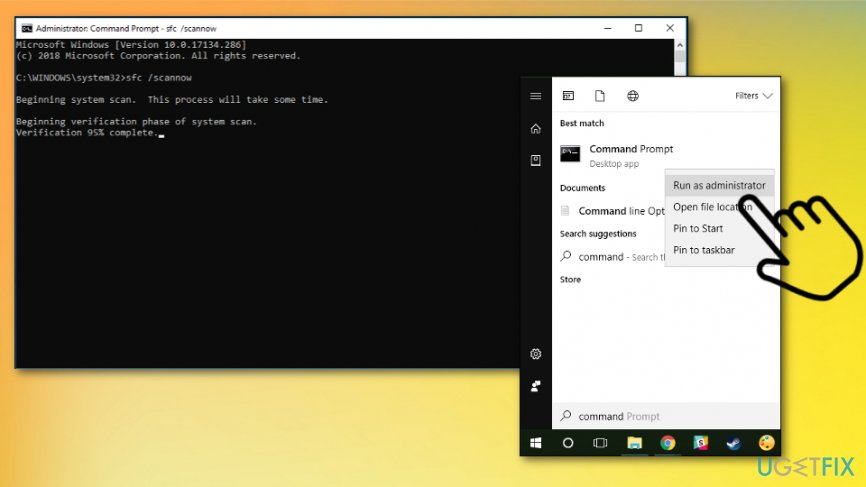
How to fix microsoft outlook error code 0x80042109 sfc - Wait a while for the File Checker to execute the scan and repair of corrupted files.
- As soon as the process is finished, restart your PC.
Change Email Account Settings
- Open Outlook, click on the File, and select Account Settings.
- After that, find your email account, double click on it and select Change.
- Select More Settings and then Advanced Settings.
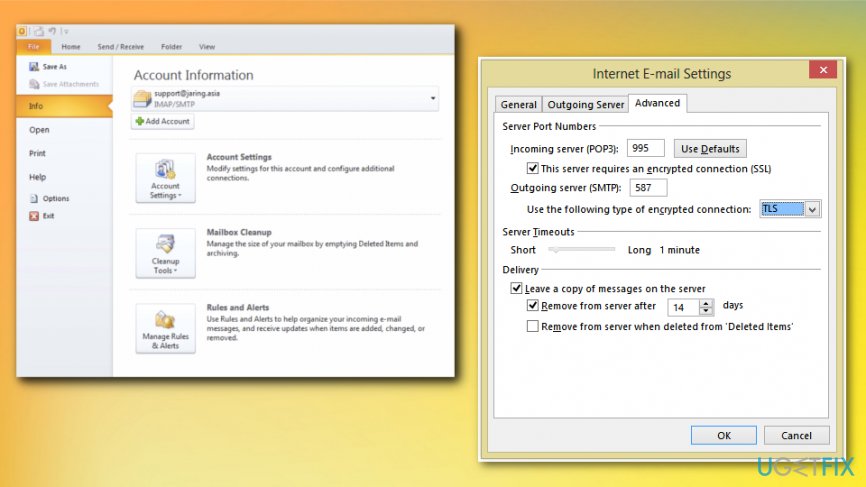
How to fix microsoft outlook error code 0x80042109 outlook acc - On the window that you are currently seeing, change the Outgoing Server (SMPT) value from 25 to 587. This gives extra security from scanners.
- After that, set encryption to TLS, click OK, then Next, and Finish.
Bottom line
To fix Microsoft Outlook Error Code 0x80042109, you can try installing a professional antivirus, clearing temporary Internet files, or checking your Internet connection. If these solutions do not resolve the issue, consider seeking further technical support.
Frequently asked questions
The error code 0x80042109 typically indicates that Outlook is unable to connect to the mail server, which can be due to incorrect account settings or network issues.
To resolve the error on Windows 11, check your internet connection, verify your account settings in Outlook, and ensure that your firewall or antivirus is not blocking the connection.
Yes, repairing the Outlook installation can help fix the 0x80042109 error; you can do this through the Control Panel under Programs and Features.




Report an issue
What's wrong with this guide? We review every report and update or remove content.
Report received — thank you. We'll review and fix it.
You need a free account to submit a report.
Be the first to comment